Best AI Tool for Content Repurposing & Automated Transcription
Category: AI Content Creation, AI Content Repurposing, AI Transcription Software, Productivity & Workflow Automation Website:https://www.castmagic.io Free Plan: Yes Best For: Podcasters, YouTubers, marketers, agencies, educators, sales teams, researchers Rating: ★★★★☆ (4.8/5 based on G2 reviews)
Problem
Recording content is easy. Turning it into polished, usable material is what drains time. Podcasters spend hours writing show notes. YouTubers struggle to create scripts and captions. Teams waste entire mornings rewriting meeting summaries. And creators end up with dozens of unused recordings because converting them into blogs, newsletters, or social posts feels overwhelming.
Most transcription tools give basic text. Most writing tools ignore context. And most teams still patch together 4–6 apps just to create a single content workflow.
The result? Scattered processes, slow output, and piles of unrealized content potential.
What Is Castmagic?
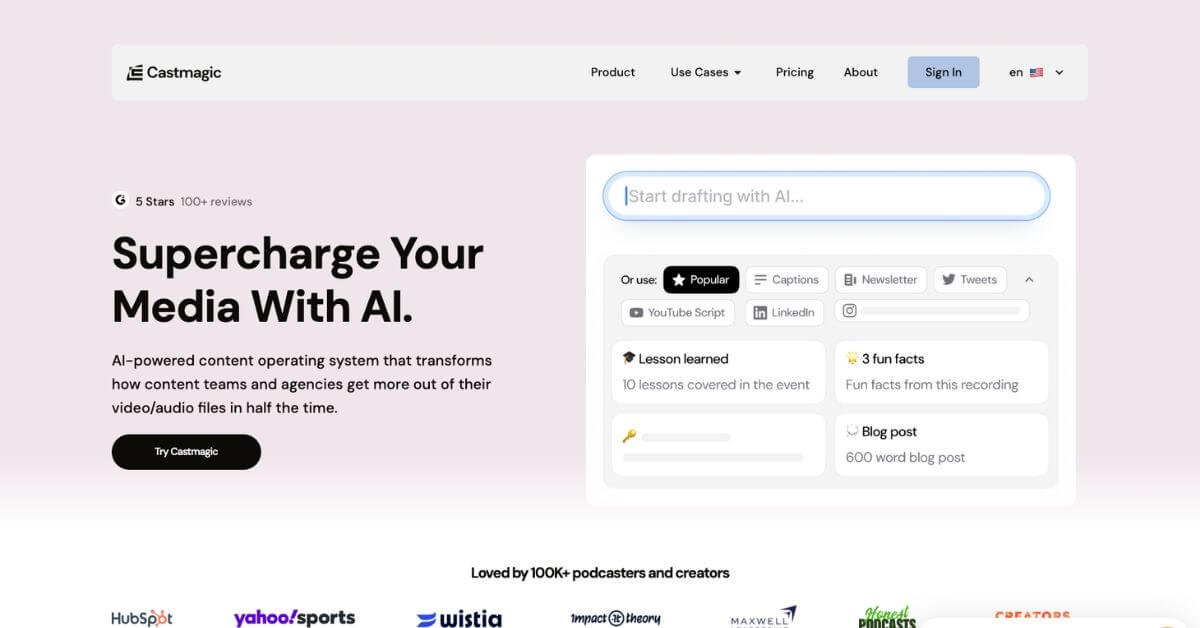
Castmagic is an AI content automation platform that converts audio and video into dozens of written assets. It’s built for creators and teams who want more content in less time, without juggling multiple tools or rewriting transcripts manually.
Upload a video or audio file, and Castmagic pulls out everything — summaries, blog drafts, scripts, quotes, highlights, newsletters, social content, meeting notes, and more. This makes it one of the best AI tools for content workflow optimization, especially for podcasters, YouTubers, agencies, and internal brand teams.
How Does Castmagic Work?
Castmagic follows a simple, streamlined process:
Upload media or paste a link Works with MP3, MP4, YouTube, Vimeo, Zoom, Google Meet, and RSS feeds.
Choose the outputs you want Transcripts, LinkedIn posts, newsletters, email drafts, show notes, quotes, or long-form articles.
AI analyzes your content It identifies insights, topics, timestamps, action items, and tone.
Download or publish anywhere Export to your CMS, social scheduler, content calendar, or client workspace.
Its real power lies in turning one recording into 50–100+ unique, structured assets, making it one of the best AI tools for content repurposing and automated transcription workflows.
Key Features & Benefits
Core Features
AI-powered transcription with high accuracy
Timestamped show notes and topic breakdowns
Blog drafts, articles, newsletters & email sequences
Social media content: quotes, highlights, threads, captions
Campaign builder for repurposing a single recording
Brand voice training & editable templates
Multi-client CMS for agencies
Semantic search inside long recordings
Media import from YouTube, Vimeo, Instagram, RSS & more
Integrations with Zapier, Slack, Google Drive, Dropbox
Benefits
Repurpose long-form content into ready-to-publish assets
Cut content creation time by 70% or more
Useful for podcast teams, video creators, and marketing agencies
Works as an automated note-taking tool for meetings and workshops
Increases posting frequency without increasing workload
Supports multi-brand workflows for agencies and studios
Delivers consistent tone with brand voice matching
Allows creators to scale content without hiring extra writers
Use Cases & Applications
User Type
How Castmagic Helps
Podcasters
Show notes, highlights, quotes, transcripts, episode recaps
Castmagic stands out as a powerful companion for anyone working with audio or video. Its ability to convert raw recordings into structured, polished content makes it a reliable tool for creators, teams, and agencies aiming to scale without additional workload.
If you build content consistently — podcasts, videos, meetings, webinars, coaching calls — Castmagic removes the manual labor and turns every recording into a full content engine. For creators serious about expanding output, Castmagic is one of the most valuable AI content repurposing and transcription tools available today.