AI Image Editor Review: Natural-Language Image Editing for Commercial-Grade Visuals
Professional image editing usually depends on skilled designers, layered software, and time-heavy revisions. For businesses and creators producing images daily, this leads to slow turnaround, rising costs, and inconsistent results—especially when the same character or product must look identical across edits.
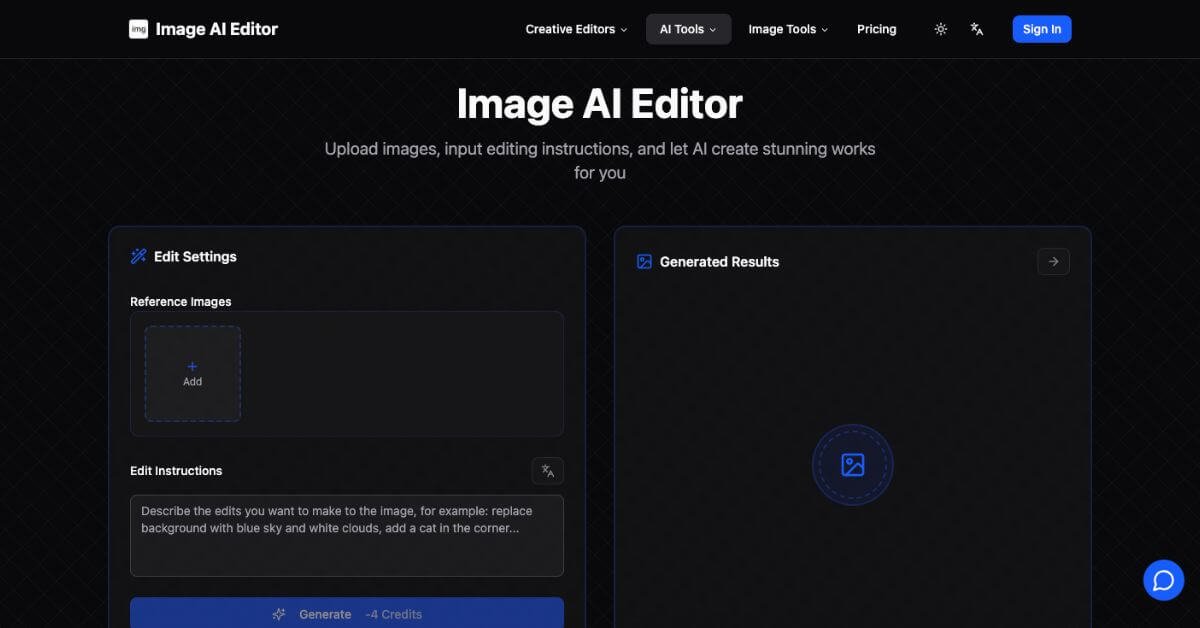
AI Image Editor replaces manual editing steps with plain English instructions. Users upload an image, describe the changes, and receive photo-realistic results that preserve identity and visual logic. The system focuses on speed, consistency, and output quality suitable for business use.
Quick Summary
AI Image Editor is a professional AI image editing tool that converts natural English instructions into realistic, high-precision image edits. It focuses on character consistency, multi-image context, and fast production for commercial workflows.
Is it worth using? Yes—if consistent, realistic image edits matter more than manual control layers.
Who should use it? Designers, e-commerce sellers, content creators, and marketing teams handling frequent image edits.
Who should avoid it? Users who only need basic filters or already rely on free mobile editing apps.
Verdict Summary
Best for
Professional image edits using natural English instructions
E-commerce product photos with consistent lighting and backgrounds
Character-stable edits across multiple variations
Designers and marketers needing fast, realistic outputs
Not for
Bulk or batch image processing workflows
Typography-heavy or layout-driven designs
Vector illustration or logo creation
Users seeking free, basic filter-style editing
Rating: ⭐⭐⭐⭐☆ (4.5/5 based on output realism, consistency, speed, and pricing flexibility)
What is AI Image Editor?
AI Image Editor is an AI-powered image editing platform designed for professional and business use. Instead of learning complex tools, users describe edits in natural English—such as replacing backgrounds, removing objects, adjusting lighting, or merging scenes.
A defining strength is its ability to preserve facial structure and subject identity even after major edits. Outputs maintain realistic lighting and shadows, making images usable for ads, product listings, and marketing materials without visible artifacts.
How AI Image Editor Works
Upload an image and optional reference images
Write editing instructions in plain English
The system processes and returns the edited image
No prompt tuning or manual masking required.
Key Features
Natural English instruction-based editing
Strong character and facial consistency
Multi-image context for complex compositions
Photo-realistic outputs without visible traces
Faster turnaround than manual editing tools
Supports object removal, style transfer, scene fusion
Real-World Use Cases
E-commerce sellers: Clean product photos with background replacement and lighting fixes
Designers: Create visual variations without repetitive manual edits
Content creators: Produce social and promotional images quickly
Marketing teams: Maintain consistent visuals across campaigns
Daily users: Handle frequent edits without design training
Remove.bg: Fast single-task editing, limited scope
AI Image Editor fits best when identity stability and realistic edits are required.
Frequently Asked Questions (FAQ)
Can AI Image Editor be used for commercial work?
Yes. Outputs are suitable for product listings, ads, and marketing visuals.
Does it support editing multiple images at once?
Edits run one image per session, though reference images can be added.
Do images look AI-generated?
Results are photo-realistic with no obvious editing traces.
Is design experience required?
No. Writing clear English instructions replaces manual design steps.
What types of edits work best?
Background changes, object removal, scene fusion, and character-stable edits.
Final Recommendation
AI Image Editor is a practical choice for creators and businesses that value speed, realism, and consistency over manual control. It suits production-focused teams that want dependable image results without complex tools.