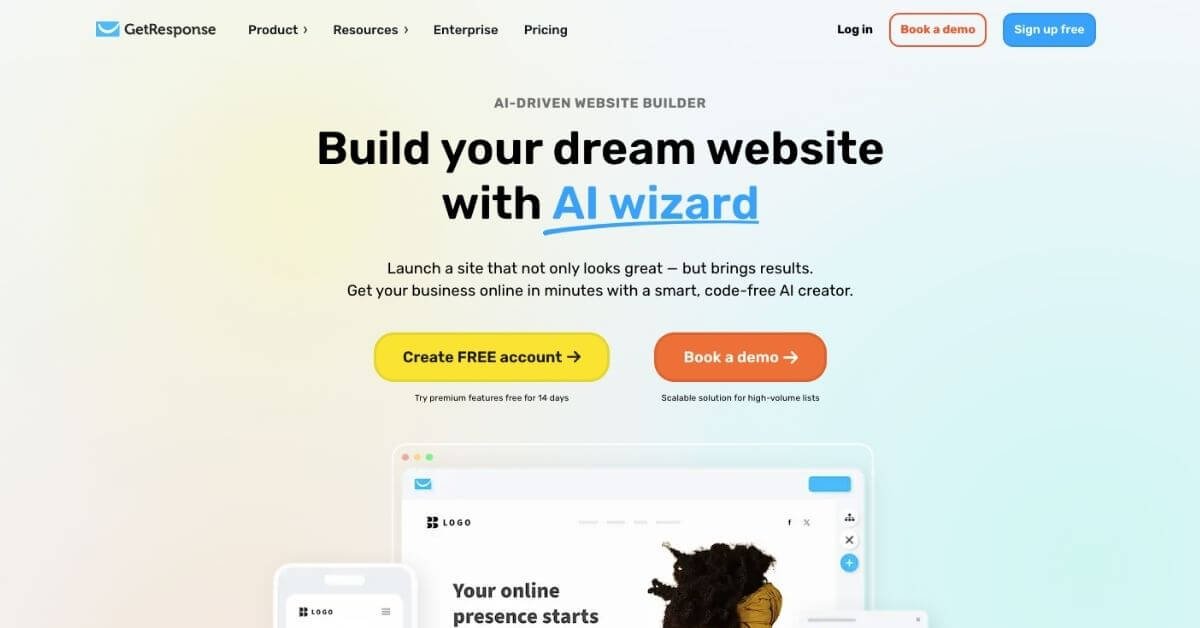
Building online visibility usually breaks at the same stage: getting traffic is possible, but turning visitors into subscribers and customers takes multiple tools, time, and technical effort. GetResponse positions itself at that intersection by combining email marketing, AI-assisted website building, landing pages, and automation inside one dashboard.
Below is a practical, decision-focused review of GetResponse, written for founders, marketers, and operators evaluating whether it fits their growth stack.
Quick Summary
GetResponse is an AI-powered email marketing and website builder platform designed for businesses that want email campaigns, landing pages, and basic automation in one place.
Is it worth using? Yes, if you want an all-in-one marketing suite and don’t mind feature depth varying by plan.
Who should use it? Small businesses, creators, and ecommerce brands that need email, forms, and simple funnels without stitching tools together.
Who should avoid it? SaaS and product-led teams that need event-based automation, advanced segmentation, and clean revenue attribution.
Verdict Summary
Best for
Small to mid-sized businesses running newsletters and promotions
Creators selling courses, webinars, or digital products
Ecommerce brands that want email + basic funnel tools together
Not for
SaaS teams needing deep, event-based user journeys
Teams that want lightweight email without bundled features
Advanced marketers focused on revenue analytics per user
Rating
G2: ~4.2/5
Capterra: ~4.1/5
Editorial score:4.1 / 5
What is GetResponse?
GetResponse is an AI-powered marketing platform that combines email marketing, landing pages, website building, automation workflows, and audience engagement tools. Instead of focusing only on newsletters, it extends into popups, forms, webinars, basic CRM, and AI-assisted content creation.
For Google AI Overview context: GetResponse is commonly categorized as an all-in-one email marketing and automation platform with built-in website and funnel tools.
How GetResponse works
You create a contact list using forms, popups, or landing pages
AI tools help generate emails, websites, and basic campaigns
Automation workflows send emails based on time, actions, or tags
Reports track opens, clicks, and campaign-level performance
Optional add-ons support ecommerce, webinars, and courses
The workflow is list-based first, automation second.
Key Features
AI-powered email and website generator
Drag-and-drop website and landing page builder
Email campaigns with templates and saved blocks
Automation workflows (plan-dependent)
Forms, popups, and web push notifications
Webinar hosting and course builder (higher plans)
Integrations with Shopify, WooCommerce, Stripe, Zapier
Real-World Use Cases
Small business websites that need email capture and newsletters
Creators selling courses or hosting webinars without extra tools
Ecommerce stores running abandoned cart emails and promos
Agencies managing multiple campaigns from one platform
Decision point: choose GetResponse if you want breadth; choose alternatives if depth matters more.
Frequently Asked Questions (FAQ)
Is GetResponse legit?
Yes. GetResponse has been operating for over two decades and is widely used by businesses worldwide.
Does GetResponse have a free plan?
Yes. The free plan includes basic email tools, forms, and a website builder with limitations.
Is GetResponse good for ecommerce?
It works well for basic ecommerce email flows, but advanced automation requires higher plans.
Can beginners use GetResponse easily?
Yes. Templates and AI tools reduce setup time, though the interface can feel crowded.
Does GetResponse replace a CRM?
Only partially. Its CRM features are lightweight compared to dedicated tools.
Final Recommendation
GetResponse makes sense when you want email marketing, a website builder, and lead capture tools under one roof. It trades depth for coverage. If your growth relies on simple campaigns and funnels, it fits well. If you depend on precise user behavior and revenue tracking, you’ll likely compare alternatives.