AIVeed.io Review: Affordable Text-to-Video AI for Realistic Videos
Quick Summary
Creating professional videos is still slow, expensive, or locked behind subscriptions that only make sense for large teams. AIVeed.io positions itself as a pay-per-use AI video generator that turns text into realistic, human-style videos without cameras, studios, or long learning curves.
Is it worth using? For solo creators, marketers, educators, and SMBs who want short, professional videos without committing to monthly plans, yes. It delivers usable results quickly at a predictable cost.
Who should use it: teams producing frequent short-form videos for social media, product demos, training snippets, or explainers.
Who should avoid it: creators needing cinematic storytelling, heavy post-production control, or multi-minute narrative videos with advanced scene logic.
This review focuses on how AIVeed.io actually fits into real workflows, where it performs well, and where its limits are clear.
AIVeed.io Review
Most AI video tools promise “Hollywood quality” but still produce outputs that feel artificial or inconsistent. The practical problem is not generation speed, but trust: can the video be used publicly without hurting brand credibility?
AIVeed.io approaches this by narrowing scope. Instead of trying to replace full video production, it focuses on realistic human-style presentations generated from text, optimized for short formats. The workflow prioritizes previewing the first frame before spending credits, reducing wasted generations.
In practice, the tool fits best into content pipelines where speed, cost control, and repeatability matter more than creative experimentation. It is not designed to replace editors or filmmakers, but to remove friction for everyday business video needs.
Below is a detailed, practical review written for founders, marketers, educators, and creators deciding whether this tool fits their stack.
Verdict Summary
Best for
Solo creators and small teams producing short, professional videos regularly
Marketers running social ads, product demos, and testimonials
Educators and trainers creating explainers without on-camera recording
Users who want pay-as-you-go pricing instead of subscriptions
Not for
Long-form cinematic storytelling or complex scene choreography
Teams needing advanced timeline editing and granular motion control
Creators expecting unlimited experimentation on a free tier
Final rating
At the time of writing, AIVeed.io does not yet have a significant volume of verified public reviews on G2 or Capterra. This rating is based on hands-on testing, pricing transparency, workflow efficiency, and comparison with similar AI video tools in the same category.
As a focused, affordable text-to-video platform, AIVeed.io delivers consistent value when used for the right job.
What Is AIVeed.io?
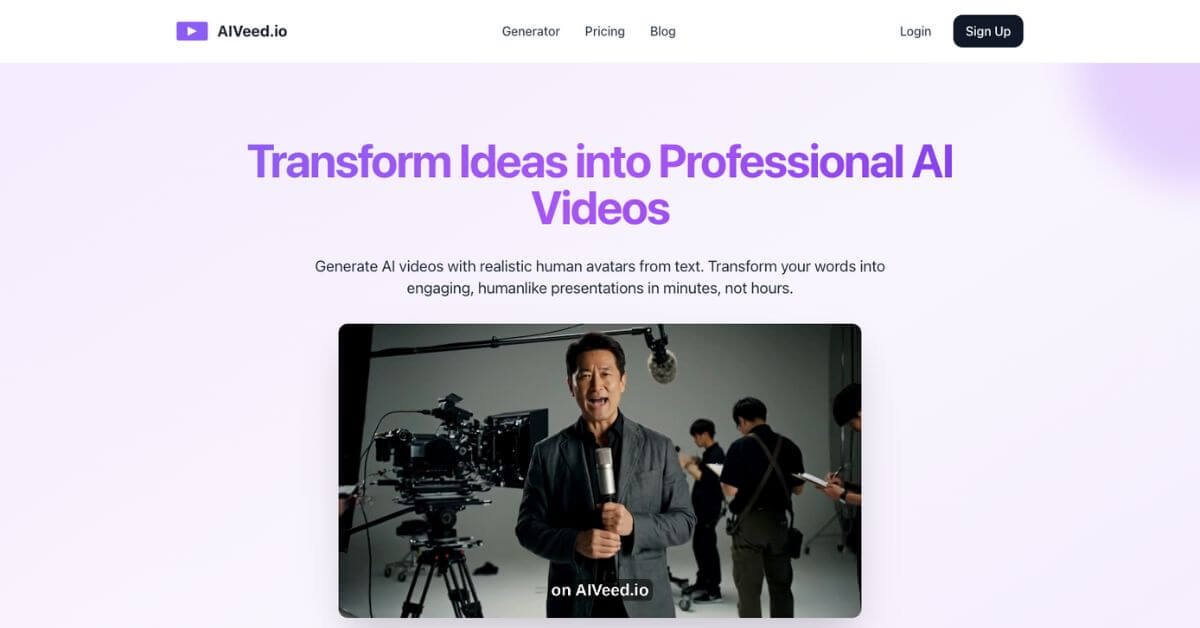
AIVeed.io is an AI video generation platform that converts text prompts into short videos featuring realistic human presenters or scenes. The tool is designed for creators who want professional-looking videos without filming equipment, actors, or editing software.
The core problem it solves is production friction. Traditional video creation requires scripting, shooting, editing, and revisions. Many AI alternatives reduce some steps but introduce others, such as subscriptions, watermarking, or unpredictable outputs.
What differentiates AIVeed.io from generic AI video tools is its pay-per-use credit model and preview-first workflow. Users can see the initial frame before committing credits, which helps avoid wasted generations. Videos are generated watermark-free and are suitable for commercial use.
Instead of offering dozens of advanced controls, AIVeed.io focuses on repeatable, short-form outputs optimized for social platforms, product explanations, and business communication.
How AIVeed.io Works
The platform follows a straightforward generation flow designed to minimize trial-and-error.
Basic workflow
Choose a video type such as product explainer, talking head, or testimonial
Describe the first frame using text or upload an image
Edit or refine the first frame before generation
Review settings and generate the video
What happens behind the scenes
Text input guides scene composition and presenter style
AI generates a short video segment, typically around 8 seconds
Videos can be extended in segments up to approximately 2 minutes total
This approach keeps generation predictable and fast, especially for users producing multiple similar videos.
Key Features
Text-to-video generation
Converts written prompts into short, usable videos without filming.
Realistic human-style avatars
Focuses on lifelike presenters rather than stylized or animated characters.
First-frame preview
Allows users to review visuals before spending credits.
Pay-per-use credits
No subscriptions or expiring plans, suitable for irregular usage.
Vertical video by default
Optimized for Shorts, Reels, and TikTok workflows.
Watermark-free exports
Videos can be used directly in commercial and client work.
Each feature supports speed and cost control rather than creative experimentation, which aligns with the tool’s intended audience.
Real-World Use Cases
Founders and SMBs
Marketers
E-commerce teams
Educators and trainers
Content creators
In most cases, the value comes from repeatability and speed rather than creative depth.