AutoMusic AI Song Maker Review for Royalty Free Music Creation
Quick Summary
Creating original music used to mean hiring composers, buying licenses, or spending hours inside complex software. AutoMusic changes that equation by letting users generate complete, royalty free songs from text, lyrics, or mood descriptions in minutes. It is designed for creators who need usable music fast rather than perfect studio control.
AutoMusic is worth using if you create content regularly and need safe, original audio without copyright stress. Social media creators, indie developers, marketers, and educators will get immediate value. It is less suitable for professional musicians who need deep compositional control or highly polished, radio-ready output.
The tool prioritizes speed, accessibility, and commercial safety over artistic precision. If you want quick, usable songs with vocals or instrumentals and minimal learning curve, AutoMusic fits well. If your workflow demands detailed arrangement, manual mixing, or full ownership over musical structure, you may want to look elsewhere.
AutoMusic Review
AutoMusic enters a crowded AI music space with a clear focus: reducing friction between an idea and a finished song. Many creators struggle with copyright concerns, production timelines, or lack of musical training. AutoMusic positions itself as a practical solution for those real-world constraints rather than a replacement for traditional music production.
In hands-on testing, the tool feels built around short, iterative creative sessions. You start with text, lyrics, or a simple mood description, generate a song, then refine or extend it. The interface is straightforward and intentionally limits complexity, which makes it approachable but also defines its ceiling.
This review looks at AutoMusic as it fits into everyday creator workflows, not as a novelty demo. Below is a detailed, practical review written for creators, marketers, and small teams deciding whether this tool fits their stack.
Verdict Summary
Best for
Social media creators needing fast, copyright-safe music
Indie game developers and filmmakers on tight budgets
Marketers creating ads, reels, or brand audio quickly
Educators and hobbyists with no music background
Not for
Professional composers seeking granular control
Artists aiming for commercial chart-level production
Users who need offline or DAW-integrated workflows
Pricing
Final rating
AutoMusic delivers reliable results for its target audience, with clear limitations that are important to understand before committing.
What Is AutoMusic?
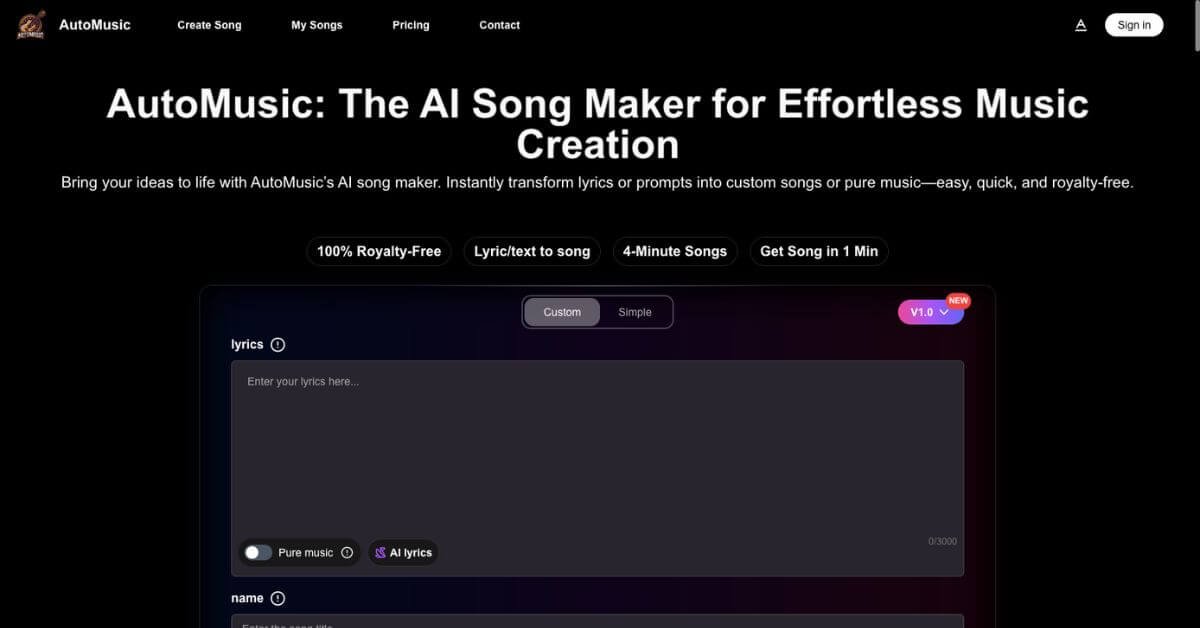
AutoMusic is an online AI song generator that converts text prompts, lyrics, or mood descriptions into complete, royalty free music tracks. These tracks can include vocals, melodies, harmonies, and beats, or be generated as pure instrumentals.
The core problem AutoMusic solves is access. Many creators need original music but lack the skills, time, or budget to produce it traditionally. Stock music libraries solve part of this problem but introduce licensing complexity and repetition. AutoMusic offers originality without requiring musical knowledge.
Unlike generic AI audio tools that focus only on instrumental loops, AutoMusic emphasizes full song generation, including vocals. It also allows users to edit, extend, remix, or re-style generated tracks, which makes it more flexible than one-click generators.
Its main differentiator is workflow simplicity. Instead of offering deep technical controls, AutoMusic focuses on guiding users from idea to usable output quickly, with built-in support for commercial use.
How AutoMusic Works
AutoMusic follows a simple, repeatable process designed for non-technical users.
Choose your starting point
You can begin with lyrics, a short text idea, a mood description, or select instrumental-only output.
Select style and voice
Users pick genres, tempos, and vocal preferences, or let the system decide automatically.
Generate the song
The AI processes the input and creates a full track, typically within a minute.
Review and refine
Users can regenerate sections, extend the song, change styles, or create alternate versions.
Download or reuse
Songs can be downloaded as high-quality audio, instrumentals, or stems, depending on the plan.
This workflow favors speed and iteration over precision. The goal is to get something usable quickly, then improve it through regeneration rather than manual editing.
Key Features
Text or lyrics to full song
Turns simple text or full lyrics into complete tracks with melody and vocals, reducing creative friction.
Instrumental and vocal flexibility
Users can generate vocal tracks or clean instrumentals depending on project needs.
Song editing and extension
Tracks can be lengthened, reworked, or partially regenerated without starting from scratch.
Style and genre variation
The same lyrics can be reimagined across genres, useful for testing different creative directions.
Audio upload and remixing
Users can upload existing audio and have the AI build around it, supporting rough demos or remixes.
Vocal removal and stem separation
Enables karaoke tracks, remixes, or further editing in external software.
Commercial use included
Generated music can be used in monetized projects, reducing legal uncertainty.
Multi-language support
Prompts and lyrics can be written in multiple languages, broadening global usability.
Each feature focuses on outcome rather than control, which aligns with the tool’s target audience.
Real-World Use Cases
For social media creators
AutoMusic works well for YouTube intros, TikTok backgrounds, and Instagram reels where originality and copyright safety matter more than perfect production.
For marketers and advertisers
Quickly generate jingles, background tracks, or mood-based music for ads without relying on external composers.
For indie game developers
Create adaptive background music and mood tracks during early development stages or for small projects.
For educators
Turn lessons into songs or create engaging audio content for language learning and classroom activities.
For hobbyists and beginners
Experiment with songwriting and music creation without technical barriers or expensive tools.
For small production teams
Use AutoMusic as a rapid ideation tool before committing to full production workflows.