itirupati.com AI Tools

Face Swap AI logo

Face Swap AI

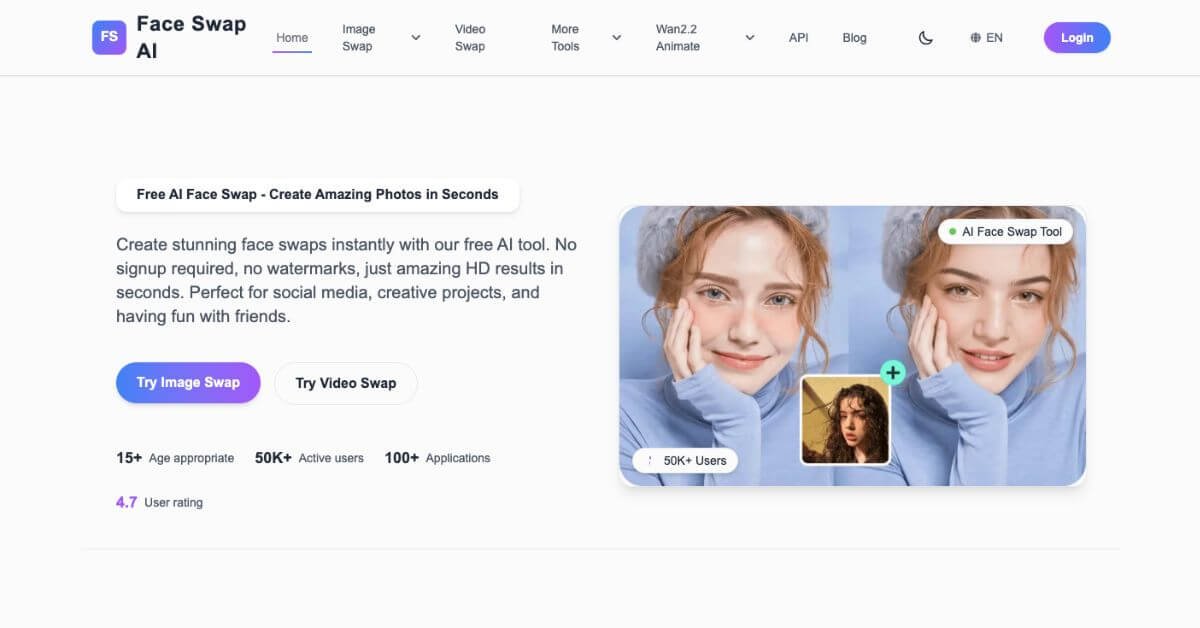
Swap faces in photos and videos instantly with clean, HD results—no signup, no limits.

Best AI Tool for Face Swapping & Creative Image/Video Editing

Category: AI Face Swap Software, AI Photo Editing Tools, AI Video Editing Tools, Image Editing
Website: https://faceswapai.com
Free Plan: Yes
Best For: Creators, editors, influencers, photographers, meme makers
Rating: ★★★★☆ (4.7/5 based on user experience, speed & output quality)

Problem

Photo and video editing tools keep getting smarter, but many face swap apps still fall short. Most force users to sign up, hide essential features behind paywalls, add aggressive watermarks, or take ages to process video swaps.

Creators who want to build high-quality content quickly often end up juggling multiple apps, losing time on retouching, or redoing results that look too artificial. When lighting, motion, and angles get tricky, most tools struggle — leaving users frustrated with blurry or distorted outputs.

This is where Face Swap AI changes the experience.

What is Face Swap AI?

Face Swap AI is a free, high-definition face swap platform built for users who want fast results without sacrificing realism. It works on photos, videos, GIFs, and even batch tasks, making it a flexible solution for both casual and professional editing workflows.

Everything runs through advanced neural networks and GAN-based modeling. That means the tool reads facial features, adjusts lighting, matches textures, and blends edges automatically. The output looks clean, natural, and suitable for social media, campaigns, or creative experiments.

You don’t need to sign up.
You don’t deal with watermarks.
You upload, swap, download — simple.
Face Swap AI feature

How Does Face Swap AI Work?

Face Swap AI follows a streamlined, three-step system that’s beginner-friendly yet powerful enough for professionals:

1. Enter the Face Swap Page

From the homepage, tapping the “Start Now” button leads directly to the workspace. No registration. No clutter. Just a clean place to begin creating.

2. Upload Two Clear Facial Photos

A frontal face photo works best. Once uploaded, the tool quickly detects facial points, textures, and lighting.

3. AI Generates the Final Output

The engine processes both faces using:

  • Neural feature mapping

  • Lighting correction

  • Smart beauty enhancement

  • Texture blending

  • Shadow smoothing

The result? A realistic face swap that looks natural rather than pasted.

This makes it a solid pick for users exploring the best AI software for image manipulation.

Key Features & Benefits

Face Swap AI packs serious power behind a simple interface. Here’s what stands out:

Extremely Fast Processing

Most photo swaps take milliseconds, while videos complete faster than many paid tools.

Smart Beauty Enhancements

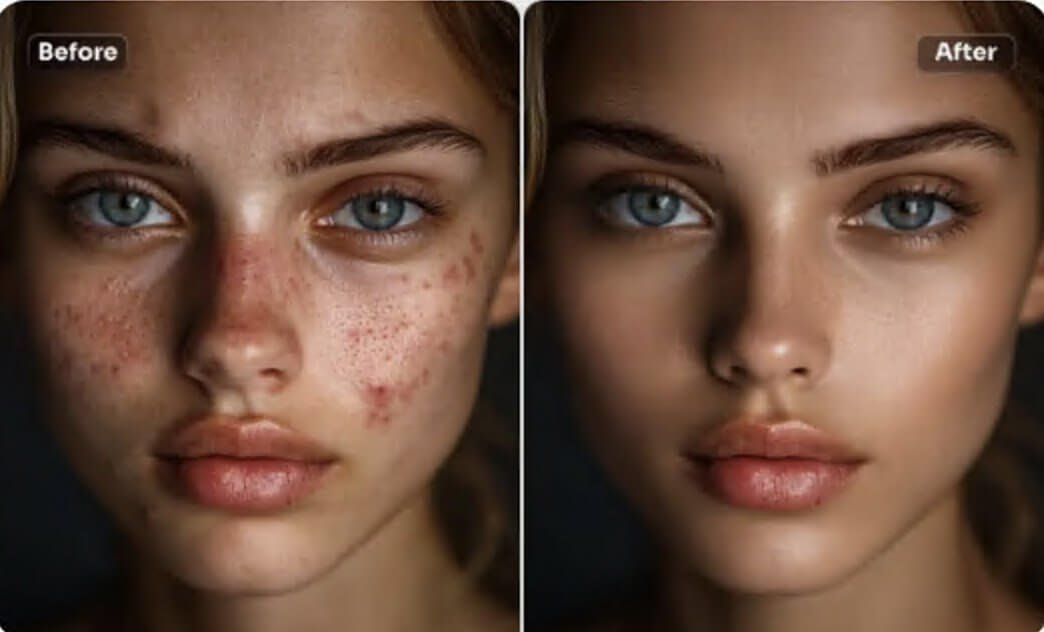
The system automatically refines facial details, smoothens imperfections, and balances skin tone—ideal for creators wanting polished visuals.

Works in Tough Lighting & Angles

The AI performs well even when photos include:

  • Side profiles

  • Rotated heads

  • Harsh or shifting lighting

  • Rapid movement (dancing, sports clips, etc.)

Multiple Swap Modes

Face Swap AI offers more than just a basic swap:

  • Image Face Swap

  • Video Face Swap

  • Multiple Face Swap

  • Batch Face Swap

  • GIF Meme Face Swap

  • Baby Prediction

  • Skin Retouch

  • Image to Video generation

Creative Possibilities

Turn yourself into:

  • Movie characters

  • Anime figures

  • Historical personas

  • Game avatars

This makes it one of the best AI tools for creative content.

Use Cases & Applications

Face Swap AI is surprisingly versatile. Here’s how people are using it:

1. Social Media Content

Creators swap faces with celebrities or characters to build viral short-form content.

2. Professional Photography

Photographers use batch swaps for testing expressions, retouching, and rapid visual adjustments.

3. Meme Making

GIF swapping makes meme creation fast and fun.

4. Video Production

Editors use it for short-form storytelling, parody clips, and creative concept testing.

5. Entertainment & Events

Great for parties, interactive booths, and fun campaigns.

6. Personal Creativity

Trying new looks, styles, or fictional personas without any editing skills.

This diverse usage contributes to its rising popularity among AI tools for content creators.

Who Should Use Face Swap AI?

Face Swap AI works best for:

  • Users who want fast and realistic face swaps

  • Creators producing short-form content

  • Influencers building character-led narratives

  • Editors working with HD video footage

  • Anyone who wants to experiment with creative identity transformations

  • People seeking a free AI tool without watermarks or sign-in barriers

If your workflow depends on speed, simplicity, and clean results, this tool fits perfectly.

Pricing & Plans

PlanPriceIncluded
Free₹0 / $0Full access to photo swaps, video swaps, GIF swaps, no watermark
Premium (if released later)TBDHigher limits, faster queue, extended video processing

Currently, the free version is more powerful than many paid alternatives, making it a standout choice for creators on a budget.

Pros & Cons

ProsCons
Free to use with no watermarkNo advanced export presets
No account neededHigh-quality input required for best results
Very fast processingLonger videos may queue
Multiple swap modes (image, video, GIF, batch)No real-time collaboration
Handles difficult lighting & anglesSome users may want deeper editing tools
Smart beauty enhancementsNo color grading tools included
Easy for beginnersLimited professional cinematic controls

Support & Integrations

Support Options

  • Blog tutorials

  • Documentation hub

  • Email support

  • FAQs

  • Guides for troubleshooting blur, lighting, and face detection

Integrations

Face Swap AI does not directly integrate with editing suites like Photoshop or Premiere, but the exported media works smoothly with:

  • Canva

  • CapCut

  • Adobe tools

  • Figma

  • Video editing apps

  • Social media platforms

Frequently Asked Questions (FAQ)

Is Face Swap AI free?

Yes. Photo and video swaps are available at no cost.

Can I use it without creating an account?

Yes — that’s one of its biggest advantages.

Does it add watermarks?

No watermarks on downloads.

How long does a video swap take?

Short clips finish in under a minute. Longer videos take more time depending on complexity.

Is my data safe?

Photos are processed temporarily and not stored.

Can I use Face Swap AI commercially?

Yes, but always check model rights for uploaded images.

Why is my result blurry?

Usually due to low-resolution source images. Clear, well-lit photos produce better outcomes.

Can I swap GIFs?

Yes — GIF face swaps are supported.

Useful Links

Performance Rating Breakdown

MetricScore (Out of 5)Notes
Output Realism4.8Strong lighting & texture matching
Ease of Use5.0Beginner-friendly, no login
Processing Speed5.0Very quick for photos & short videos
Creative Flexibility4.6Multiple swap modes included
Accuracy on Movement4.7Handles dancing, turning, jumping
Value for Money5.0Free with pro-level output
Interface Design4.6Clean and simple
Video Quality Output4.5Slight delays on long clips
Overall Score4.7 / 5 ⭐Excellent for everyday creative work

Final Thoughts

Face Swap AI delivers a level of speed and quality that’s rare in free editing tools. Instead of forcing lengthy sign-ups or limiting essential features, it gives creators immediate access to high-definition swaps that look natural and polished.

If your work involves social media content, creative edits, photography, meme creation, or video storytelling, this tool can easily fit into your workflow. It’s fast, fun, and reliable — a great pick for users who want professional-grade output without complexity or cost.

A solid choice for anyone exploring AI-powered face swapping for both images and videos.

Feature your app on AI tools for free

Subscribe to our Newsletter

Stay up-to-date with the latest AI Apps and cutting-edge AI news.

Trending Categories