Flowith Review: AI for Deep Work, Research & Knowledge Management
Modern knowledge work breaks easily. Research lives in PDFs, notes sit in apps, ideas scatter across chats, and AI tools respond in single-thread answers that lose context fast. As projects grow, the work slows—not because of effort, but because tools don’t hold structure.
Flowith approaches this gap with a canvas-first workspace and a persistent agent that keeps context, links knowledge, and runs multi-step tasks without resetting the thread.
Quick Summary
Flowith is an AI-powered deep work and knowledge management tool built around a visual canvas and an autonomous agent. It’s worth using if your work involves research-heavy projects, long-form content, or multi-step workflows that break inside chat-based tools.
Who should use it: researchers, content strategists, analysts, and teams handling complex thinking.
Who should avoid it: users who want quick chat answers, lightweight note apps, or simple file uploads only.
Verdict Summary
Best for
Researchers managing long, multi-source projects
Content strategists building structured long-form work
Teams collaborating on complex thinking
Professionals replacing scattered tools with one workspace
Not ideal for
Casual AI chat users
Mobile-first workflows
Users needing broad file format support
Overall rating: ⭐⭐⭐⭐☆ (4.3/5) Strong deep-work design and agent capabilities. Learning curve and file limits are the main trade-offs.
What is Flowith?
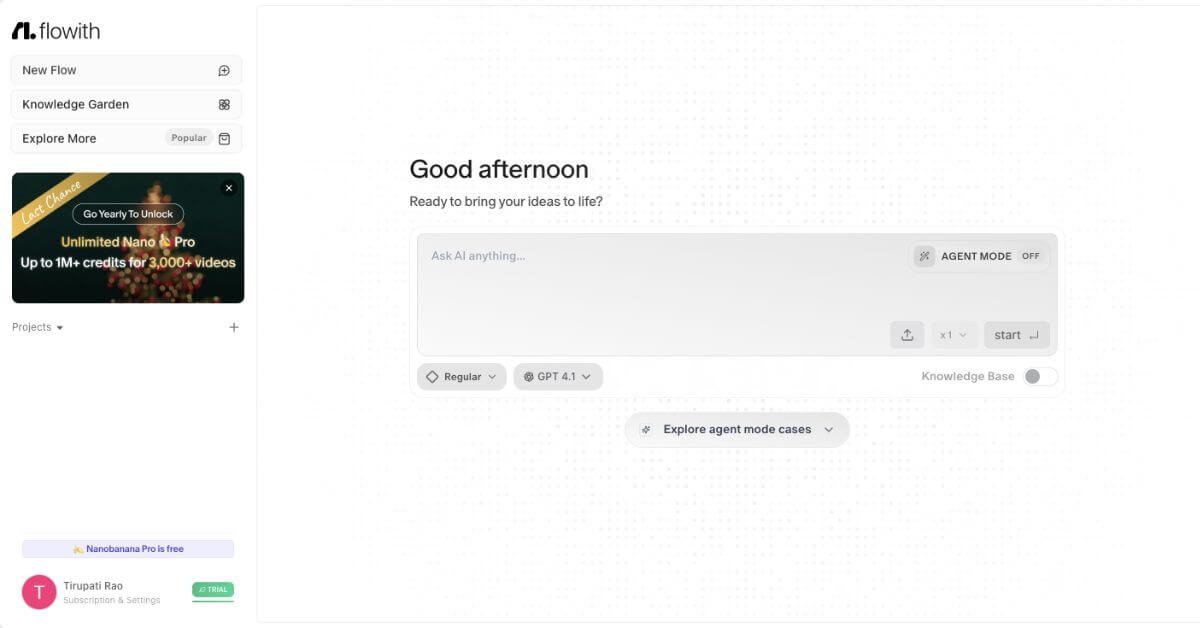
Flowith is an AI creation and knowledge workspace designed to keep context intact across complex work. Instead of linear chat, it uses a multi-thread canvas where ideas, documents, and tasks stay connected. Its core agent, Neo, runs continuously, remembers context, and completes multi-step tasks across research, content creation, and automation.
The platform acts as a central system for thinking-heavy work—linking knowledge, tracking reasoning paths, and producing structured outputs without fragmenting the process.
How Flowith Works
You start on a canvas, not a chat box. Ideas, documents, and prompts live as connected threads. Agent Neo operates inside this canvas, executing tasks in steps, referencing stored knowledge, and updating outputs as the project evolves. The Knowledge Garden stores and organizes sources, which the agent uses for future work.
Key Features
Canvas-based workspace for visual, multi-threaded thinking
Agent Neo for continuous, multi-step task execution
Knowledge Garden for structured, searchable information storage
Composer for turning research into long-form outputs
Zapier / Make: Automation-focused, not knowledge-centric
MindStudio: Agent creation focus, less structured workspace
Flowith stands out where sustained context and structured thinking matter more than quick answers.
Frequently Asked Questions (FAQ)
Is Flowith better than chat-based AI tools?
For complex, ongoing projects—yes. It keeps context and structure that chat tools often lose.
Does Flowith work for teams?
Yes. Shared canvases and collaboration features support team workflows.
Is Flowith beginner-friendly?
There’s a learning curve. It rewards users who invest time setting up their workspace.
Can Flowith replace multiple tools?
For research, planning, and long-form creation, it often can.
Is the free plan enough?
Good for testing. Serious work usually requires a paid plan.
Final Recommendation
Flowith fits professionals who think in systems, not single prompts. If your work depends on connected ideas, traceable reasoning, and long projects, it’s a practical upgrade from chat-based AI.