Best AI Tool for Modern Classroom & Lesson Automation
Category: AI in Education, Classroom Management, Teaching Automation Website:https://classroom.google.com Free Plan: Yes Best For: Digital educators, remote learning, schools using AI for teaching Rating: ★★★★☆ (4.4/5 based on usability, AI features & adoption speed)
Problem
Teachers juggle lesson planning, tracking student progress, grading, and adapting content for different learning speeds. Manual work piles up fast. Most educators don’t have hours daily to create engaging, personalized lessons or provide instant feedback.
That’s where AI-powered classroom tools make the difference—helping educators teach smarter, not harder.
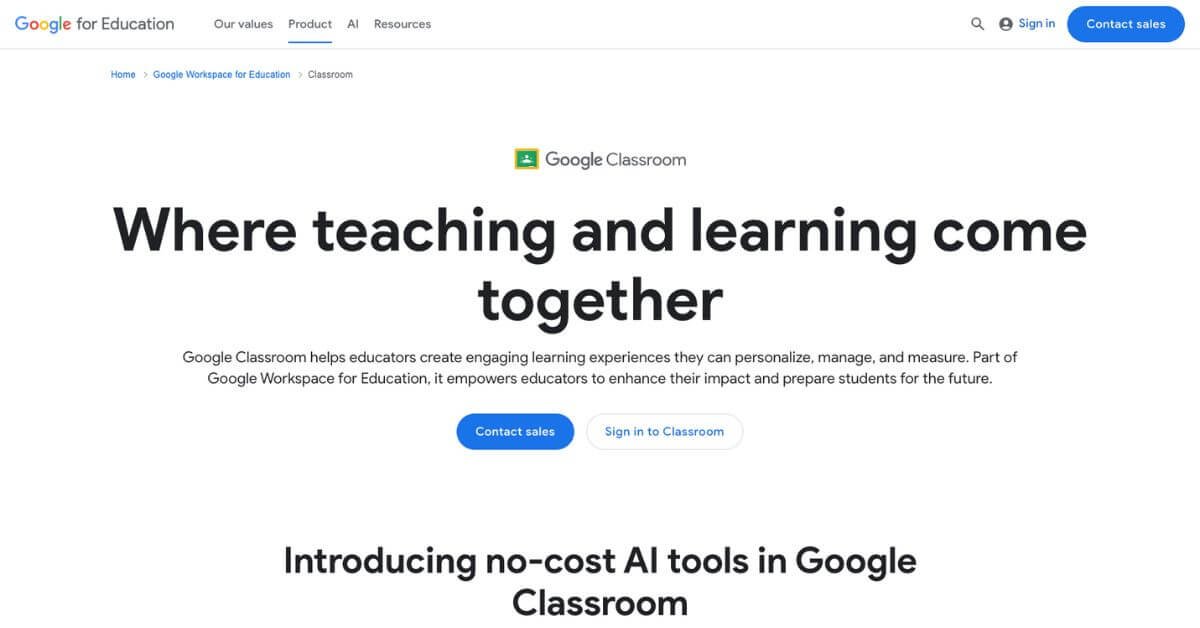
What is Google Classroom with Gemini AI?
Google Classroom is a digital teaching platform used globally to manage classes, assignments, grading, and communication. With the addition of Gemini for Education, educators can now create lesson plans, quizzes, and personalized content automatically using AI.
AI handles the planning and formatting so teachers can focus more on guiding students—not fighting paperwork.
No complex setup. No AI expertise needed. Just sign in with your school account and start optimizing classroom productivity.
How Does It Work?
It operates inside your existing Google Workspace for Education workflow:
Choose lesson goals or subject.
Use Gemini to generate lesson plans, ideas, assessments, or reading materials.
Assign work digitally.
Classroom tracks performance and engagement.
AI insights highlight students needing support.
You can review or edit AI-generated content before assigning it—total teaching control while reducing prep time.
Key Features & Benefits
🔍 AI-Powered Teaching Tools
Generate lesson plans, assignments, and mock tests instantly.
⏱ Saves Hours Weekly
Teachers report 3–5 hours saved per week on planning.
🧠 Personalized Learning
AI adjusts materials per student skill level to support different learning speeds.
📊 Real-Time Analytics
Track completion rates, engagement, and grade performance.
🔒 Secure Learning
AI for students under 18 includes built-in safety and no data use for training.
🤝 Popular Integrations
Compatible with Docs, Sheets, Forms, Meet, Slides, and third-party learning platforms.
Use Cases & Applications
Use Case
Description
AI-assisted lesson planning
Drafts structured learning plans aligned to school standards
Automated assignments
Converts PDFs & forms into interactive activities
Student skill development
Helps with reading comprehension and independent learning
Data-backed teaching decisions
Highlights academic gaps early
Remote & hybrid learning
Central location for managing digital classrooms
Who Should Use Google Classroom + Gemini AI?
Teachers managing multiple classes
Schools scaling digital and hybrid learning systems
Educators aiming to reduce manual admin work
Institutions focused on adaptive learning
EdTech coordinators planning AI adoption strategies
Smooth adoption, especially for existing Google users
AI Accuracy
4.4
Strong for planning & assignment creation
Customizability
4.2
Best within Google ecosystem
Scalability
4.7
Ideal for schools of all sizes
Value for Money
4.5
Free options available, upgrades worthwhile
Classroom Analytics
4.6
Deep visibility on performance trends
Support & Resources
4.3
Community-driven learning network
Overall Rating: ★★★★☆ 4.4/5
Final Thoughts
Google Classroom with Gemini AI gives educators practical teaching support—not just automation. The platform streamlines repetitive tasks, adapts to student levels, and puts actionable insights in the hands of teachers.
If you’re moving toward AI-supported learning or aiming to upgrade digital classrooms, this tool offers high practical value with minimal learning curve. It’s effective, secure, and built to evolve with modern teaching methods.