Lindy AI Review: No-Code AI Agents for Sales, Support & Operations
Teams often rely on disconnected automation tools, scripts, or manual handoffs to run sales outreach, customer support, internal ops, and meetings. This leads to fragile workflows, limited scale, and constant maintenance. The flow Lindy AI introduces is simple: describe what you want an agent to do, connect your apps, and let the agent handle tasks across email, chat, calls, and documents—without code.
Quick Summary
What is it? Lindy AI is a no-code platform for building AI agents that work across sales, support, marketing, and operations using natural language instructions.
Is it worth using? Yes, for teams that want AI agents running real workflows—not just single-step automations—across email, chat, calls, and internal tools.
Who should use it? Startups, SMBs, and enterprise teams automating support tickets, outbound sales, meeting notes, recruiting ops, and internal workflows.
Who should avoid it? Solo users looking for a basic task bot, or teams that only need simple if-this-then-that automations.
Verdict Summary
Best for
Teams building AI agents for sales, support, and ops
Companies replacing manual workflows with agent-based automation
Businesses needing voice, email, and chat agents in one system
Not ideal for
Users wanting lightweight personal automations only
Teams that require full offline automation
Overall Rating: ⭐⭐⭐⭐☆ 4.4/5 Strong agent builder, wide integrations, and enterprise controls. Pricing and learning curve are the main trade-offs.
What is Lindy AI?
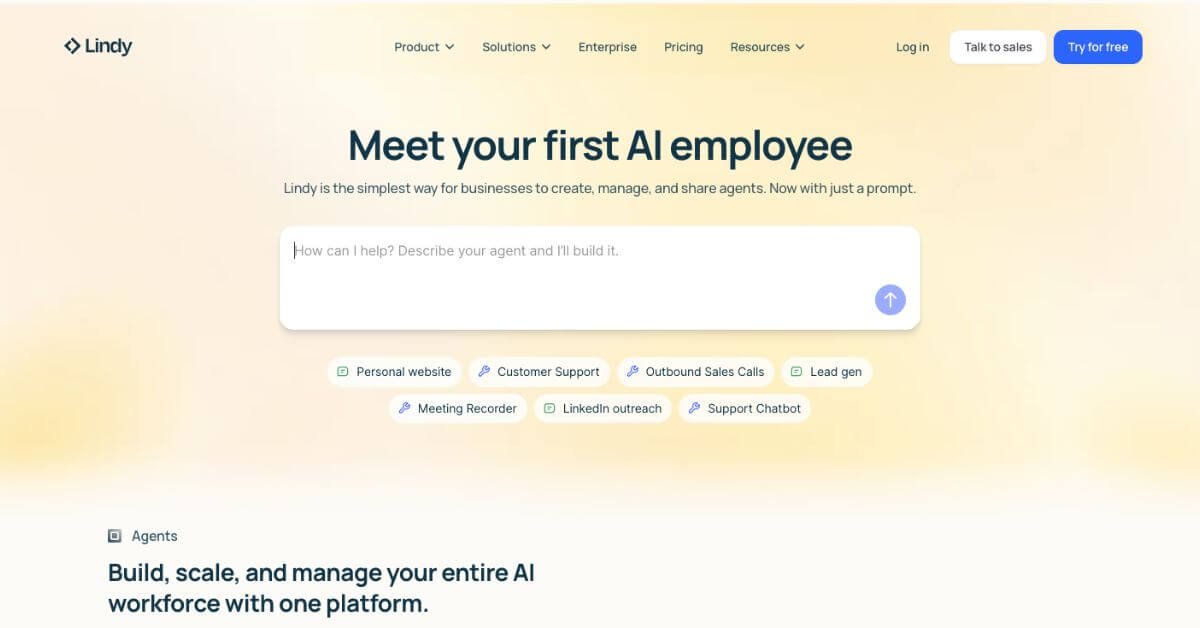
Lindy AI is an AI-native automation platform that lets teams create, manage, and deploy AI agents across their organization. Instead of chaining rules or writing scripts, users describe tasks in plain language. Lindy turns those instructions into agents that can read emails, join meetings, make phone calls, resolve tickets, and update tools like CRMs or helpdesks.
It’s designed as a shared AI workforce rather than a single assistant.
How Lindy AI Works
Describe the agent’s role in natural language
Connect required apps and data sources
Set instructions, permissions, and triggers
Deploy the agent across chat, email, calls, or workflows
Track performance and refine behavior from one dashboard
No coding is required at any stage.
Key Features
No-code AI agent builder
Centralized agent management
AI voice and phone agents
Built-in knowledge base and memory
Thousands of app integrations
Model-agnostic LLM support
Access controls and governance
Agent analytics and evaluations
Prebuilt templates for common workflows
Real-World Use Cases
Customer support: Resolve tickets across email, chat, and calls
Sales teams: Automate outbound calls, follow-ups, and CRM updates
Marketing: Run research, campaign ops, and content workflows
Operations: Extract insights from documents and reports
Lindy AI stands out when workflows require reasoning, conversation, and multi-step execution.
Frequently Asked Questions (FAQ)
Is Lindy AI a chatbot?
No. Lindy builds autonomous agents that run workflows across tools, not just chat responses.
Does Lindy AI support phone calls?
Yes. It includes AI voice agents that can place and receive calls.
Is coding required?
No. All agents are built using natural language instructions.
Can Lindy use my own AI models?
Yes. The platform is model-agnostic and supports external LLM keys.
Is Lindy suitable for enterprise use?
Yes. It includes SSO, audit logs, access controls, and compliance support.
Final Recommendation
Lindy AI fits teams that want AI agents acting like real employees across sales, support, and operations. It’s not a lightweight automation tool—it’s an agent platform. If your workflows involve conversation, judgment, and multi-step execution, Lindy AI is worth serious evaluation.