Category: AI productivity software · knowledge management app · personal & team note-taking Website:https://mem.ai/ Free Plan: Yes (limited) Best For: Professionals, knowledge-workers, teams who want a self-organising workspace for notes and ideas Rating: ★★★★☆ (4.5/5 based on automation, smart search & ease of retrieving saved knowledge)
Problem
Capturing ideas, meeting notes, research links and tasks is easy. The real challenge is finding them later and making sense of how they connect. Folder-based systems often leave you hunting for that one note you vaguely remember. Many productivity apps force you to organise manually. If you’re dealing with a flood of information, you need a tool that automatically organises your thoughts, surfacing what matters when you need it. That’s where Mem AI steps in.
What is Mem AI?
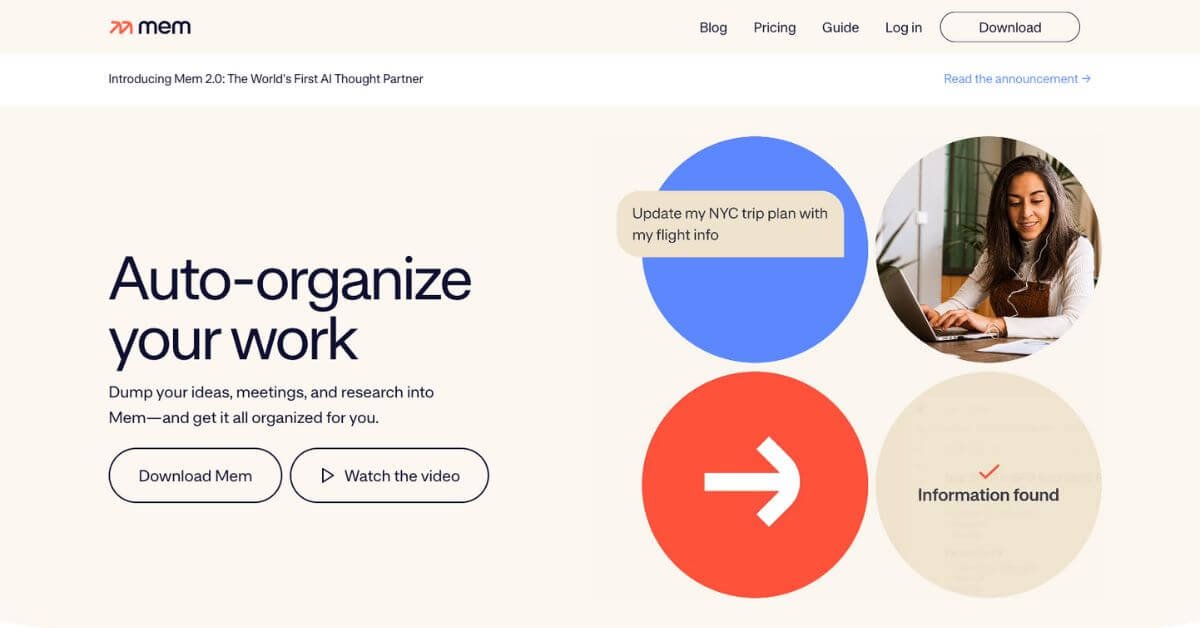
Mem AI is an AI-powered note-taking and knowledge-management tool that replaces traditional folders with “automatic context”. Instead of you spending time creating folders, tagging and structuring everything, Mem uses AI to link related notes, surface relevant content, and let you search in natural language. It becomes a “second brain” for your ideas, research and team knowledge.
How Does Mem AI Work?
You add notes, meeting transcripts, web clippings, voice or text.
Mem’s AI analyses and organises them in the background—no folder-creation required.
When you search or ask a question, Mem uses semantic search (not just keywords) to find what you need. For example: “what were my Q4 client meeting take-aways?”
Over time, Mem builds connections between your content—an idea you jotted months ago might surface when you need it again.
Simultaneously, Mem supports collaboration across teams and integrates with workflows like calendar, email, web clipping.
Key Features & Benefits
No folders required – Instead of manual organising, Mem uses AI to relate content for you.
Smart search – Natural-language querying finds what you remember but can’t quite locate.
Auto-linking & context suggestions – Related notes pop up even if you didn’t tag them.
Templates & note-types – Create standard note forms (e.g., meeting notes, research summary).
Cross-device & team support – Web, iOS, macOS, Windows. Collaborate and share knowledge.
Clippings & integrations – Import from web, calendar, email, other apps for centralised knowledge.
Boosts productivity – Users report improvements in speed of retrieving information and making connections.
Use Cases & Applications
For solo creators / writers – Store research, ideas, drafts; later retrieve and expand them.
For teams / small business – Shared workspace where everyone’s notes become searchable and context-rich.
For consultants / knowledge-workers – Manage client notes, meeting outcomes, research links in one place.
For students / lifelong learners – Build a personal knowledge base across topics, revisit and connect ideas over time.
Who Should Use Mem AI?
If you:
Capture lots of information (ideas, links, meeting notes) and struggle to find it later.
Want to avoid manual folder/tag chaos.
Value connecting ideas and context rather than just storing them.
Work alone or in a small team where knowledge sharing matters.
Prefer to work across devices and want a central “memory” for your knowledge.
• Unlimited notes & chat messages • Unlimited deep search • Unlimited collections & templates • Unlimited connected emails • Unlimited API keys • Dark mode
Mem Teams
Custom Pricing
• Everything in Pro • Group billing • Priority support • Dedicated success manager • SLAs (service-level agreements)
Pros & Cons
Pros
Cons
AI auto-organizes notes without needing folders or sorting
No dedicated Android app as of now
Smart search finds information using natural language
Learning curve if you’re used to traditional folder systems
Converts voice, meetings, web clips, and SMS into usable notes
Free plan is limited to only 25 notes and chats per month
Ideal for busy professionals and teams handling lots of information
Some users report occasional sync/import issues (e.g., Notion data)
Powerful Smart Write & Smart Edit AI features in Mem X
Full AI functionality requires paid upgrade
Works well across desktop and iOS
Offline access is limited to desktop only
Supports integrations with Zapier, email, Slack, calendar
Advanced team features come under custom enterprise pricing
Support & Integrations
Support channels: Web help centre, documentation. (User feedback suggests varying responsiveness.)
Integrations: Web clips, email/calendar, Zapier, team note-sharing features.
Devices: Web, iOS, macOS, Windows; Android support currently limited.
Frequently Asked Questions (FAQ)
Q. Does Mem AI replace folders and tags entirely?
A. In many cases yes—it uses AI to link and surface content automatically. However you can still use tags or collections if you prefer.
Q. Can I collaborate with other people on Mem AI?
Yes, you can share notes and create shared workspaces so teams can access and build knowledge together.
Q. Is there an offline mode?
Yes on desktop versions. Mobile offline capabilities may be more limited.
Q. What happens when I stop paying the Pro plan?
Your data remains, but advanced AI features or note-limits may be reduced according to the free plan. Always check the latest terms on the official site.
Q. Can I import notes from other apps like Notion or Evernote?
Yes—but some users report imports may be inconsistent or require manual adjustment.
Q. Is Mem AI good for teams or just individuals?
It’s suitable for both. While strong for individual knowledge management, teams benefit from shared searchable knowledge bases.
Automatic note-linking and smart search are strong
Knowledge Retrieval
4.5
Finding past insights works well
Team Collaboration
4.3
Shared features exist but integrations are weaker
Value for Money
4.2
Free plan good; paid adds AI features
Platform & Device Support
4.0
Desktop/iOS strong; Android/offline weaker
Customer Support & Updates
3.9
Some user complaints about responsiveness
Overall Average Score
4.25 / 5
Solid tool with room for improvements
Final Thoughts
For anyone drowning in notes, links, meeting scribbles or research, Mem AI is a smart choice. It transforms scattered content into a connected knowledge base, helps you retrieve what you need when you need it, and supports both solo and team workflows. If you’re ready to move beyond folders and manual tagging—and want your notes to work for you instead of the other way around—Mem AI is worth serious consideration.
Just keep in mind: if you rely heavily on Android, need ultra-deep custom integrations, or prefer a more traditional manual organisation system, you may want to compare alternatives. But if you’re ready for next-level “find what I meant even when I forgot the keyword” note-management, this tool delivers.