Musci.io Review: AI Song Generator for Creators
Quick Summary
Musci.io is an AI music and song generator that creates complete tracks from text prompts or lyrics. You can generate instrumentals, full songs with vocals, AI covers, vocal isolation, and music extensions without needing production skills or instruments.
Is it worth using? If you are a content creator, indie developer, marketer, or hobbyist who needs fast, royalty free music on demand, Musci.io is a practical option. It reduces the time and cost of sourcing custom music.
Who should use it: YouTubers, podcasters, TikTok creators, game developers, and early stage musicians prototyping ideas.
Who should avoid it: Professional composers needing fine grained arrangement control or teams requiring enterprise grade licensing clarity.
Below is a detailed breakdown to help you decide whether Musci.io fits your workflow.
Musci.io Review
Creating original music has traditionally required instruments, software, mixing knowledge, or budget for composers. AI music tools promise to remove those barriers, but many still feel experimental or limited.
Musci.io positions itself as an end to end AI music creation platform. Instead of generating only beats or loops, it produces complete songs from prompts, converts lyrics into fully arranged tracks, creates AI covers, removes vocals, and even extends or replaces sections of music.
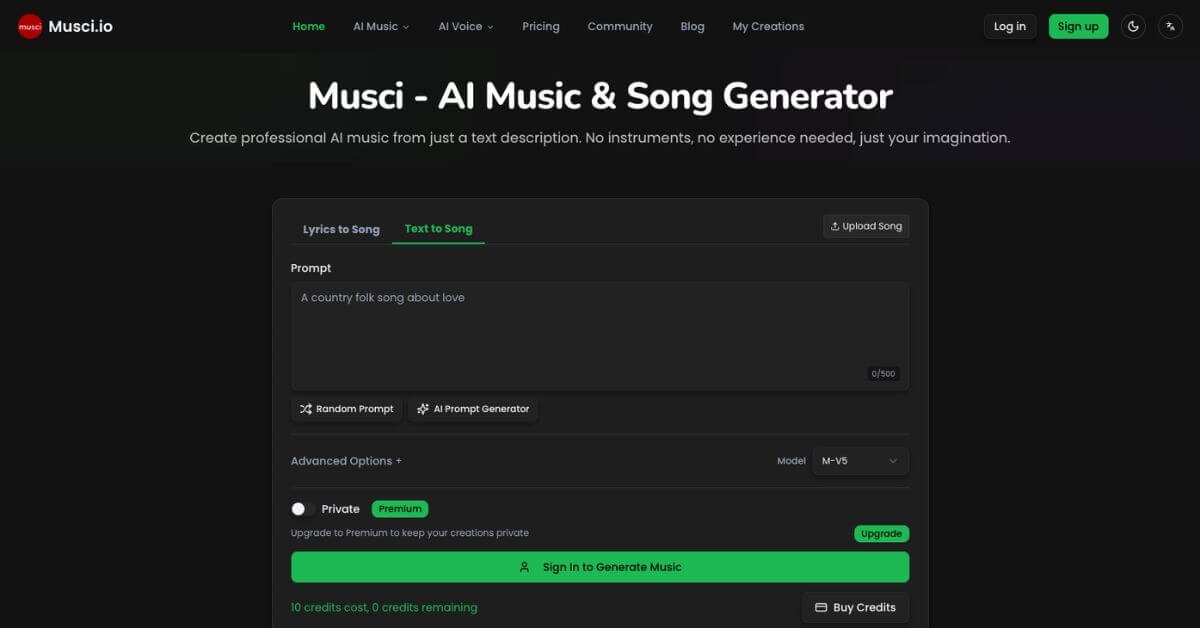
In hands on testing, the platform focuses on speed and accessibility. You describe a genre, mood, or theme, select style options, and receive a downloadable track in under a minute. The interface is straightforward, with generation credits clearly displayed.
Below is a detailed, practical review written for content creators, indie developers, and small teams deciding whether this tool fits their stack.
Verdict Summary
Best for
YouTubers and short form video creators needing fast background music
Podcasters who require royalty free tracks regularly
Indie game developers building ambient or thematic soundtracks
Musicians prototyping demos without studio sessions
Not for
Professional composers needing full DAW level control
Enterprise studios requiring detailed legal licensing agreements
Users expecting perfect human vocal nuance
Pricing
Starts at $9.99 per month
Free trial generation available
Pay as you go credit packs available
Final rating: 8.1/10 (Reviewer based, due to limited independent public ratings on G2 or Capterra at the time of writing)
Musci.io delivers strong value for speed, versatility, and accessibility, but it does not replace professional production environments.
What Is Musci.io?
Musci.io is an AI powered music and song generator that turns text descriptions or written lyrics into complete music tracks. It supports text to song, lyrics to song, AI covers, vocal removal, singing photo animation, and music extension.
The core problem it solves is access. Many creators need music quickly but lack production skills, time, or budget. Stock music libraries can feel generic. Hiring composers is expensive. Learning digital audio workstations takes months.
Musci.io attempts to bridge that gap by allowing users to:
Describe a style such as upbeat indie pop about summer road trips
Paste custom lyrics and generate a fully arranged song
Upload a track and transform it into another genre
Isolate vocals or instrumentals for remixing
Unlike basic beat generators, Musci.io produces structured songs with verses, choruses, and vocal elements. Compared to traditional music production tools like DAWs, it prioritizes speed and ease over granular editing control.
For creators who value output over process, that trade off can be attractive.
How Musci.io Works
The workflow is simple and designed for non technical users:
Enter a prompt or paste lyrics
Choose style and advanced settings
Generate
Download and use
Additional tools:
Upload a song to generate an AI cover
Remove vocals to create karaoke or remix tracks
Extend music length to match video runtime
Replace specific sections like chorus or verse
No installation required. Everything runs in browser.
Key Features
Text to Song
Generate full tracks with vocals and instruments from a simple written description.
Lyrics to Music
Turn your own lyrics into structured songs with melody and arrangement.
AI Song Cover
Reimagine an uploaded track in a different style or vocal tone.
Vocal Removal
Separate vocals and instrumentals for remixing or karaoke use.
Music Extension
Lengthen short tracks to match video timelines without obvious looping.
Section Replacement
Regenerate only specific parts of a song instead of starting from scratch.
Commercial License
Generated tracks are labeled royalty free for use in videos, podcasts, and games.
These features matter because they cover multiple creative workflows in one place instead of forcing creators to use separate tools.
Real World Use Cases
For creators
Generate background music tailored to specific video moods instead of browsing stock libraries for hours.
For marketers
Create campaign specific music aligned with brand tone without licensing complexity or recurring library fees.
For indie game developers
Produce ambient loops or thematic tracks quickly during early development stages.
For podcasters
Generate intro and outro music that fits niche topics without hiring composers.
For musicians
Prototype demo ideas before committing to studio production.
For beginners
Experiment with songwriting without knowing music theory or using a DAW.
In testing, the strongest use case was short form video production, where turnaround speed matters more than perfect musical nuance.