PixPretty AI Photo Editor Review: Fast Background Removal, Batch Editing and AI Visual Creation
Most photo editing tools break down at the same point: when you need clean, consistent images fast and at scale. Manual tools slow teams down, while advanced editors demand time and skill.
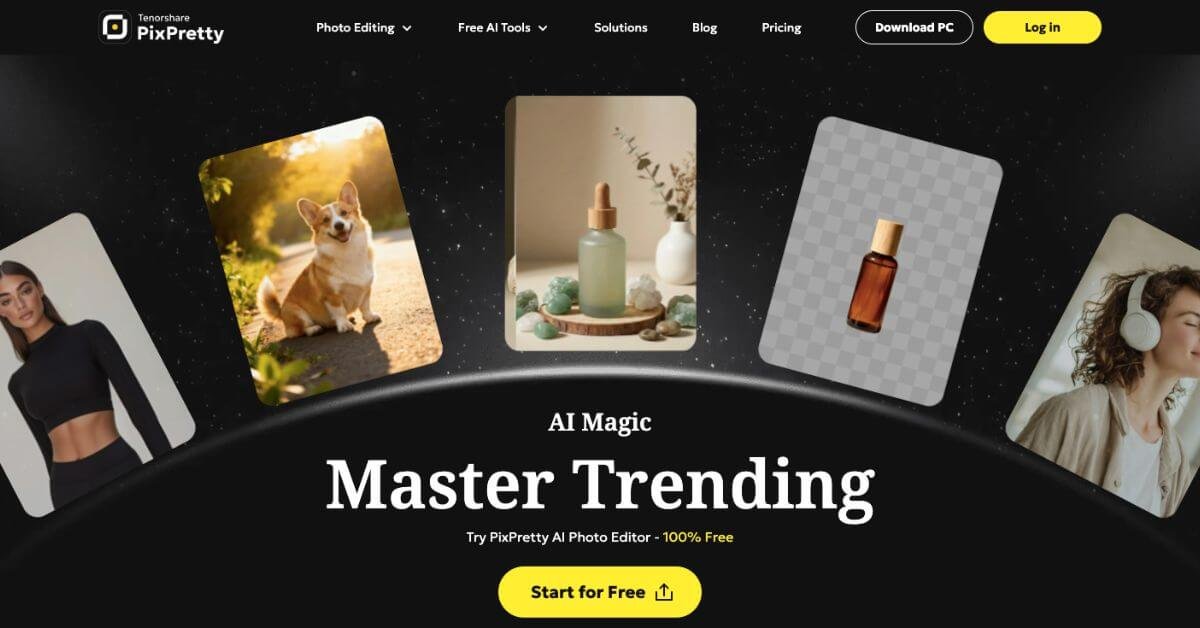
PixPretty positions itself in that gap. It combines background removal, object cleanup, resizing, batch processing, and AI generated styles in a single browser based workflow. You upload, select an action, and export usable images in minutes.
Below is a practical review of PixPretty, written for creators, ecommerce operators, and teams deciding if it belongs in their daily stack.
Quick Summary
PixPretty AI Photo Editor is a web based AI photo editing tool that removes backgrounds, cleans objects, resizes images, and processes batches at scale. It is built for creators, ecommerce teams, and everyday users who want clean, usable images without learning complex editing software.
Is it worth using? Yes, if speed, batch workflows, and simple controls matter more than manual fine tuning.
Who should use it? Ecommerce sellers, social media creators, photographers handling bulk images, and beginners who want quick results.
Who should avoid it? Designers who rely on pixel level control, layered compositions, or advanced manual retouching.
Verdict Summary
Best for
Ecommerce product images and catalogs
Social media visuals and profile images
Batch background removal and resizing
Beginners and non designers
Not for
Advanced photo compositing
High end editorial retouching
Offline only workflows
Rating Public software marketplaces like G2 do not yet list PixPretty at scale. Based on user testimonials, feature depth, and hands on capability comparison, a realistic score is 4.5 out of 5 for speed and usability.
What is PixPretty AI Photo Editor?
PixPretty AI Photo Editor is an AI powered online photo editing platform focused on background removal, object cleanup, batch processing, and quick visual creation. It runs as a web app with a desktop version in active rollout.
The tool is designed to help users turn raw images into ready to use assets for ecommerce listings, social posts, catalogs, and brand visuals without manual editing steps.
PixPretty supports individual edits and bulk workflows, making it suitable for solo creators and operational teams handling hundreds of images daily.
How PixPretty AI Photo Editor Works
The workflow is simple and consistent across features:
Upload one image or a batch of images
Choose an action like background removal, object removal, resize, or expand
Preview the AI generated result
Download in standard or HD quality based on your plan
No manual masking, no layer management, and no plugin setup.
Key Features
AI background removal for people, products, animals, cars, and graphics
Background replacement with preset canvases for marketplaces and banners
AI object remover for clutter, watermarks, and unwanted elements
Batch editing for hundreds of images with consistent output
AI image expand for extending backgrounds and reframing photos
AI action figure and character style generator
Smart image resizing for ecommerce and social platforms
Web based access with no installation required
Real-World Use Cases
Ecommerce sellers Create clean white background product images, resize for Amazon or Shopify, and process entire catalogs in one session.
Social media creators Remove backgrounds, generate profile visuals, and convert selfies into stylized avatars or action figure images.
Photographers and studios Batch retouch, resize, and prep client images without spending hours on repetitive tasks.
Marketing teams Standardize visual assets for ads, landing pages, and social campaigns with consistent dimensions.
PixPretty stands out when batch speed and simplicity matter more than creative control.
Frequently Asked Questions (FAQ)
Is PixPretty free to use?
Yes. PixPretty offers a free plan with daily credits that covers basic background removal and previews.
Can PixPretty be used for commercial projects?
Yes. Paid plans allow commercial usage for ecommerce, marketing, and client work.
Does PixPretty support batch editing?
Yes. Batch processing is one of its strongest features, especially for product catalogs.
Is PixPretty beginner friendly?
Yes. The interface is designed for users with no photo editing background.
Does PixPretty store uploaded images?
PixPretty follows standard cloud processing practices and aligns with major security and compliance standards.
Final Recommendation
PixPretty AI Photo Editor is a solid choice for users who value speed, batch workflows, and clean results without manual effort. It fits ecommerce, social content, and everyday photo editing far better than advanced design work.
If your workflow involves repeated background removal, resizing, and quick visual output, PixPretty is worth testing.