Prezi AI Review: AI-Powered Presentations With Visual Storytelling at the Core
Modern presentations fail for a simple reason: slides are linear, static, and forgettable. Audiences tune out, presenters over-explain, and ideas lose impact because traditional slide tools force everything into rigid sequences. Even newer AI presentation tools often optimize only for speed, not engagement—resulting in generic decks that look fine but don’t hold attention or tell a clear story.
Prezi approaches this problem differently. Instead of replacing the presenter with automation, Prezi uses AI to support structure, visuals, and flow while keeping storytelling in human control. Its non-linear canvas lets ideas connect visually, AI assists with layout and framing, and motion guides attention where it matters—solving the engagement gap without turning presentations into templated outputs.
Quick Summary
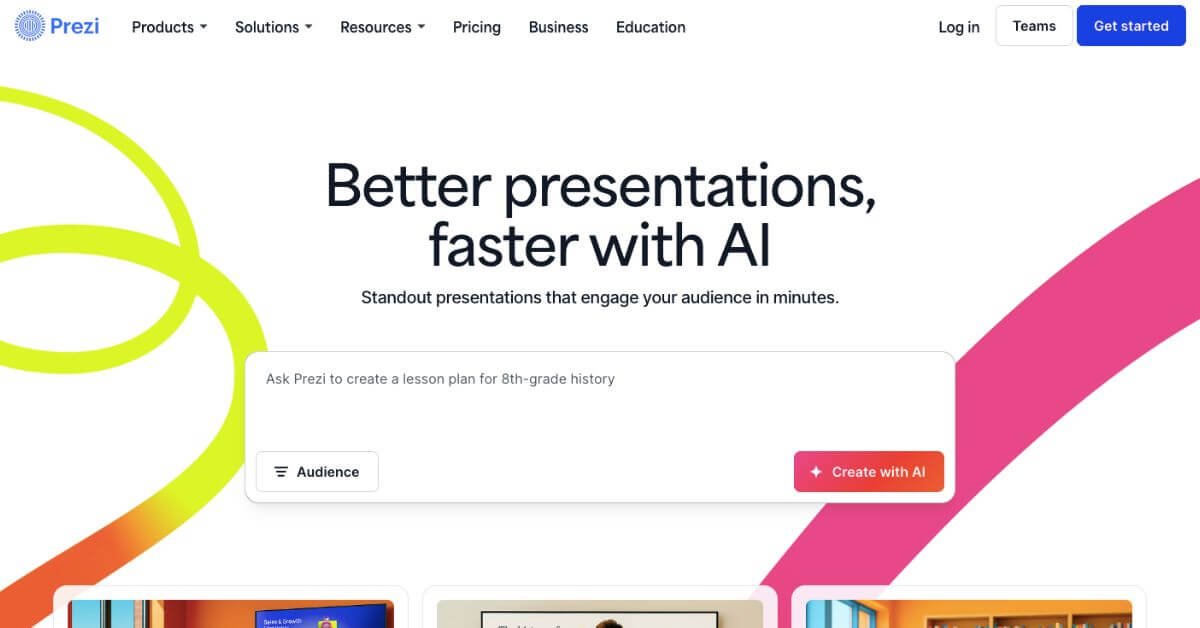
Prezi is an AI-enabled presentation platform known for its zooming, non-linear canvas and strong visual storytelling. Prezi AI helps users move from idea to presentation faster by generating structured content, layouts, and visuals from prompts, while still keeping manual creative control.
Is this tool worth using? Yes—if visual storytelling and audience engagement matter more than slide speed alone.
Who should use it? Educators, trainers, students, marketers, and presenters who want memorable, interactive presentations.
Who should avoid it? Teams that need rapid, slide-by-slide decks, deep data automation, or real-time collaborative editing.
Verdict Summary
Best for:
Visual presenters and educators
Training, webinars, and storytelling-led decks
Users bored with linear slides
Not ideal for:
Sales teams needing fast, repeatable pitch decks
Data-heavy or report-style presentations
Users expecting full prompt-to-deck automation
Overall Rating: ⭐⭐⭐⭐☆ (4.2 / 5)
What Is Prezi AI?
Prezi AI is an AI-assisted presentation tool built on Prezi’s signature open-canvas design. Instead of traditional slides, it uses zooming frames that allow presenters to move freely between ideas.
The AI layer supports idea expansion, layout suggestions, visual framing, and content refinement. It does not fully automate presentations end-to-end, but it reduces setup time while preserving creative control—an approach that appeals to educators and storytellers.
How Prezi AI Works
Enter a topic or short description
Prezi AI creates a structured visual outline
Choose a design theme and layout
Edit text, visuals, and transitions manually
Present live, record video, or share a link
The flow balances AI assistance with hands-on editing rather than replacing the creator.
Key Features
AI-generated presentation outlines
Open canvas with zoom-based navigation
Visual storytelling templates
Built-in Prezi Video (presenter + content on screen)
1M+ images, GIFs, and visual assets
Offline access and PDF export (paid plans)
Presentation analytics (Premium+)
Real-World Use Cases
Education: Visual lectures that improve recall
Training: Process walkthroughs and onboarding sessions
Prezi stands out mainly for movement, storytelling, and live engagement—not automation speed.
Frequently Asked Questions (FAQ)
Does Prezi AI create full presentations automatically?
It generates structure and visuals, but users still edit and refine content manually.
Is Prezi better than PowerPoint?
For storytelling and engagement, yes. For reports and linear decks, PowerPoint remains simpler.
Can Prezi AI be used for free?
Yes, with limits on AI credits and public sharing.
Does Prezi support video presentations?
Yes. Prezi Video places the presenter and content on screen together.
Is Prezi suitable for teams?
Teams plan supports shared spaces, but real-time editing is limited.
Final Recommendation
Prezi AI fits users who value engagement over speed. It works best when visuals and storytelling shape the message, not when decks need to be produced at scale.