ReMakeFaceAI Review: Realistic AI Face Swaps for Photos and Videos
Quick Summary
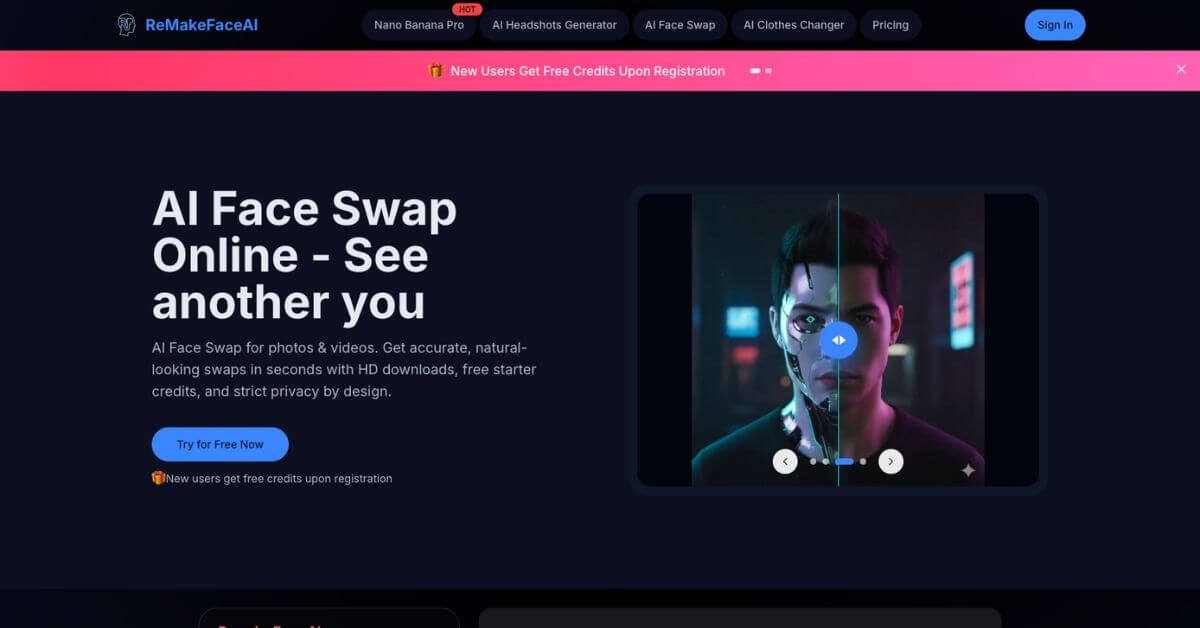
ReMakeFaceAI is an online AI face swap tool designed to replace faces in photos and videos with natural-looking results in seconds. It focuses on simplicity, speed, and privacy rather than heavy editing workflows. For users who want realistic swaps without learning complex software, it delivers surprisingly consistent outcomes, especially for single-face and small group images.
It is worth using if your priority is fast, visually clean face swaps for social content, creative experiments, or lightweight professional use. It is not built for high-volume studio production or deep manual control over facial details.
Creators, marketers, designers, and casual users looking for quick transformations will find it practical. Teams that need frame-by-frame editing, API access, or strict enterprise compliance may want to look elsewhere.
Overall, ReMakeFaceAI is a focused, lightweight solution that prioritizes usability and privacy over advanced customization.
ReMakeFaceAI Review
Face swap tools often fall into two extremes. Some are overly technical and slow, while others are fun but unreliable. ReMakeFaceAI sits between those extremes. It is built for people who want believable results without touching professional editing software or managing complicated settings.
In real workflows, the tool fits naturally when you need to fix expressions in photos, create engaging social visuals, or test creative concepts quickly. Uploading images, selecting a target face, and downloading the result takes minutes, not hours. The interface avoids clutter, which reduces friction for first-time users.
During hands-on testing, results were most consistent with clear, well-lit portraits and short videos. Edge cases like extreme angles or heavy occlusion can reduce accuracy, but that is common across this category.
Below is a detailed, practical review written for creators, marketers, and small teams deciding whether this tool fits their stack.
Verdict Summary
Best for
Creators and social media users who want realistic face swaps fast
Designers testing concepts without complex tools
Casual professional use where speed matters more than fine control
Not for
Enterprise teams needing bulk processing or APIs
Advanced editors who want manual facial adjustments
High-risk or compliance-heavy identity use cases
Pricing
Starts at $3.99 for one-time credit packages. Free starter credits are available for new users.
Final rating
8.5 out of 10 (reviewer-based). No verified public ratings on G2, Capterra, or Product Hunt were available at the time of writing, so this score reflects hands-on testing, feature depth, usability, and limitations compared with similar tools.
This is a strong option for users who value simplicity, speed, and privacy over deep customization.
What Is ReMakeFaceAI?
ReMakeFaceAI is a browser-based AI face swap tool for photos and videos. Its core purpose is to replace a face in an image or clip with another face while preserving lighting, skin tone, and facial proportions as naturally as possible.
The main problem it solves is accessibility. Traditional face editing requires desktop software, plugins, and editing skills. ReMakeFaceAI removes that barrier by handling detection, alignment, and blending automatically online.
Unlike generic image editors or novelty apps, it focuses specifically on facial realism. It analyzes facial structure, orientation, and lighting conditions before blending the target face. This reduces the “cut and paste” look that many free tools struggle with.
Another differentiator is its privacy-first positioning. Uploaded images are processed online and automatically deleted, which matters for users working with personal or client photos.
In short, ReMakeFaceAI is built for fast, realistic face swaps without installations, steep learning curves, or long processing times.
How ReMakeFaceAI Works
The workflow is intentionally simple and consistent across use cases.
Upload a source image or video containing the original face
Upload or select the target face you want to apply
The system analyzes facial geometry, lighting, and angle
AI blends the target face into the source while preserving context
Preview the result and download in high resolution
There are no manual masks, timelines, or adjustment layers. This makes the tool approachable for beginners but also limits fine-grained control. Processing usually completes within seconds for images and short clips, depending on complexity and plan level.
Key Features
High-quality face swapping
Produces natural-looking blends with consistent skin tone and lighting
Photo and video support
Works across still images, GIFs, and short videos
Simple web interface
No software installation or editing experience required
Multi-face swapping
Handles group photos with multiple faces in a single pass
HD downloads
Outputs are suitable for social media and light professional use
Privacy-focused processing
Uploaded images are automatically deleted after processing
Fast turnaround
Most results are generated in seconds, not minutes
Real-World Use Cases
For creators
Create engaging social visuals, memes, or character transformations quickly
For marketers
Test creative concepts and visual hooks without long production cycles
For designers
Prototype portrait-based designs or campaign visuals before final shoots
For photographers
Fix closed eyes or awkward expressions in group photos
For casual users
Experiment with fun swaps, costumes, or themed images without editing skills
For small teams
Generate quick visual assets without adding another complex tool to the stack