SealDigital Review: AI-Powered Online Stamp & Digital Seal Maker
Modern businesses, legal professionals, and institutions still rely heavily on stamps and seals for approvals, authentication, and documentation. The challenge is that traditional stamp creation is slow, fragmented, and outdated. Users either depend on physical vendors with long turnaround times, expensive graphic design software that requires skills, or low-quality online tools that limit formats, customization, or ownership of files. This creates friction in fast-moving, paper-light workflows where documents need to be approved, shared, and reused quickly.
Quick Summary
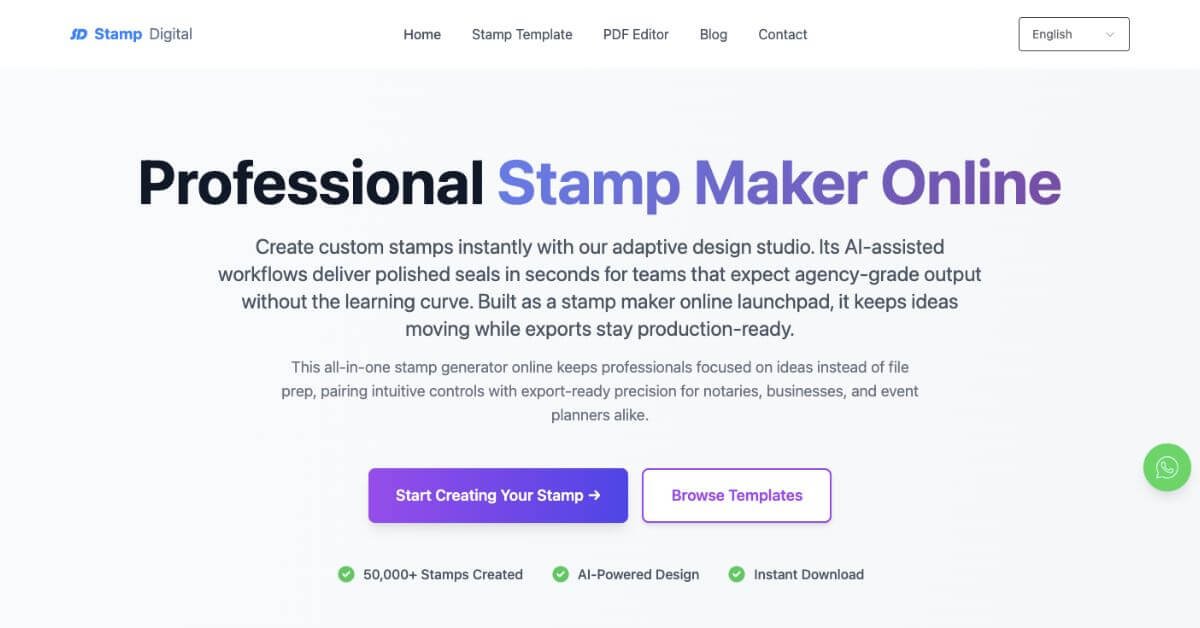
SealDigital is an AI-assisted online stamp and digital seal maker built for professionals who need fast, compliant-looking stamps without design software. It allows users to create business, legal, notary, and custom stamps directly in the browser and download them in multiple formats.
Is this tool worth using? Yes, for users who want quick, reusable stamp files without subscriptions or design complexity.
Who should use it? Small businesses, notaries, legal teams, educators, healthcare staff, event planners, and creators.
Who should avoid it? Users needing advanced illustration tools, animated stamps, or enterprise document management systems.
Verdict Summary
Best for
Creating business, legal, and notary stamps in minutes
One-time or recurring stamp needs without subscriptions
Multi-format downloads for digital and print use
Not for
Complex graphic illustration workflows
Motion or video-based stamp effects
End-to-end enterprise compliance platforms
Rating: ⭐⭐⭐⭐☆ (4.4/5 based on speed, pricing clarity, and export flexibility)
What is SealDigital?
SealDigital is an online AI-powered stamp and digital seal creation platform designed for modern document workflows. It focuses on helping professionals generate clean, structured stamps without relying on physical vendors or advanced design software.
The tool runs fully in the browser and supports common professional use cases such as company seals, notary stamps, institutional marks, and event designs. Users retain ownership of downloaded files and can reuse them across documents and platforms.
How SealDigital Works
Start a new stamp from a blank canvas or template
Choose shape, size, and layout
Add text, circular text, or center elements
Upload an icon or logo if required
Preview the stamp in real time
Download the final files instantly
No registration is required to design, and most stamps are completed in a few minutes.
Key Features
Browser-based stamp editor
AI-assisted spacing and text alignment
Circular and center text controls
Custom sizing options
Logo and icon upload
Optional security-style effects
Export formats: PNG, SVG, PDF, DOCX
One-time pricing with no subscriptions
Real-World Use Cases
Business operations: Approval stamps, invoice markers, internal seals
Legal and notary work: Commission stamps and document seals
Education: School and university seals, grading stamps
SealDigital stands out for speed, pricing transparency, and export flexibility.
Frequently Asked Questions (FAQ)
Is SealDigital suitable for official business use?
The tool creates professional digital stamp files. Acceptance depends on local rules and how documents are submitted.
Do I need design experience?
No. Layout and spacing are handled automatically.
Which file formats are supported?
PNG, SVG, PDF, and DOCX are included with every download.
Can I use stamps commercially?
Yes. Downloaded stamps are watermark-free and reusable.
Is account creation required?
No registration is needed to design; payment is only for downloads.
Final Recommendation
SealDigital fits professionals who want fast, reusable digital stamps without design friction or subscriptions. It works best for document-heavy workflows where speed and clarity matter more than creative depth.