Best AI Tool for Personalized STEM Learning & Academic Mastery
Category: AI Education Software, AI Tutor Platform, AI Tools for Student Productivity, STEM Learning Software Website:https://tewtor.ai/ Free Plan: Yes Best For: High school students, college learners, STEM majors, engineering students, exam preparation, self-learners Rating: ★★★★☆ (4.7/5 based on learning accuracy, adaptive teaching, and visual clarity)
Problem
Getting answers is easy. Building real subject clarity is not.
Most AI chat tools treat every student the same. They push long explanations, skip visual learning, and often make mistakes in calculation-heavy subjects. For students studying math, physics, chemistry, or engineering, this leads to shallow learning, copied answers, and poor exam performance.
Students need guidance, not shortcuts. That gap is where Tewtor AI fits.
What is Tewtor AI?
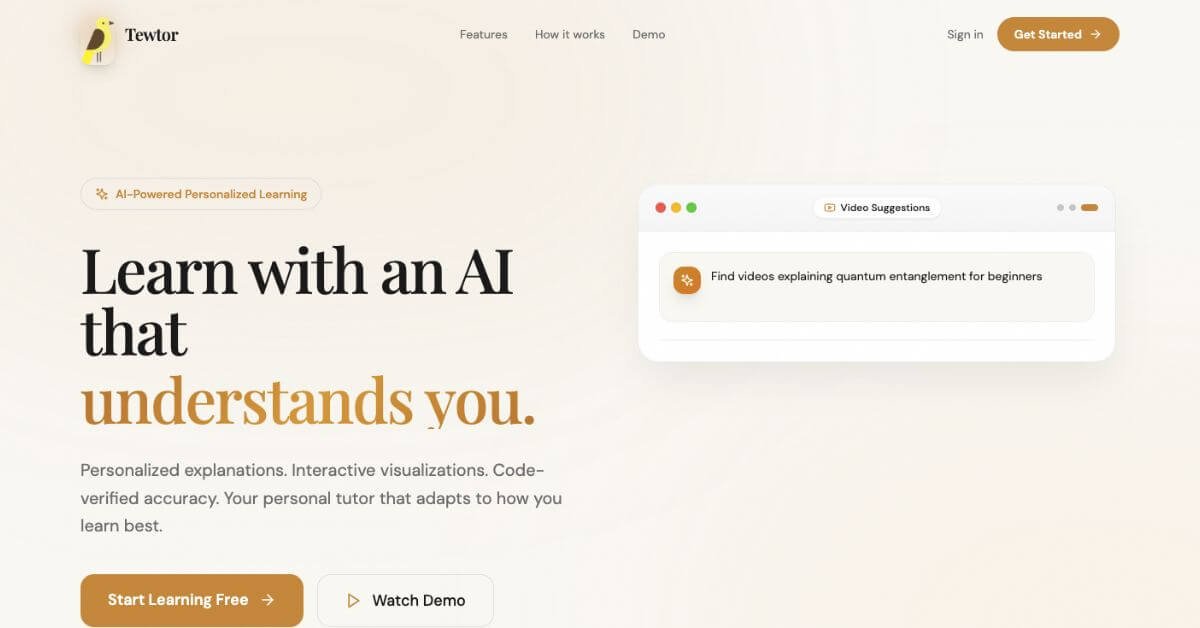
Tewtor AI is a personal AI tutor designed specifically for STEM education. Instead of acting like a general chatbot, it behaves like a patient instructor that teaches step by step, asks follow-up questions, and adapts explanations based on how you respond.
The platform supports both guided learning and fast problem-solving. It remembers your subject level, tracks progress over time, and explains the same concept using visuals, logic, or analogies—depending on what works best for you.
Tewtor is built for students who want to learn properly, not just submit homework.
How Does Tewtor AI Work?
Tewtor follows a structured system called The Learning Loop, designed to improve clarity and retention.
Step 1: Assess You ask a question or attempt a quiz. Tewtor checks your current level.
Step 2: Teach The tool explains concepts using guided hints, visuals, graphs, and structured steps. It pauses to let you think before moving forward.
Step 3: Track Progress is logged automatically. Weak areas are identified, and the next best topic is suggested.
For calculation-heavy problems, Tewtor runs real code in a secure environment to verify accuracy.
Key Features & Benefits
Adaptive Teaching
Adjusts explanations based on your responses
Changes depth automatically if you’re stuck or moving fast
Interactive Visuals
3D models, simulations, and dynamic graphs
Especially useful for physics and engineering topics
Code-Backed Accuracy
Real code execution for math and data problems
Prevents incorrect results common in generic AI chat tools
Smart Learning Analytics
Tracks mastery across topics
Creates focused practice sets from weak areas
Multiple Explanation Styles
Visual breakdowns
Concept-based reasoning
Analogy-driven explanations
Use Cases & Applications
User Type
How It Helps
High School Students
Builds fundamentals in math and science
Engineering Students
Breaks down complex problems visually
Physics Learners
Uses simulations to explain abstract concepts
Exam Prep Students
Supports revision with accurate solutions
Self-Learners
Creates a guided learning path
Who Should Use Tewtor AI?
Students struggling with math, physics, or engineering
Learners who need step-by-step explanations
Visual learners who benefit from graphs and simulations
Tewtor AI is built for students who want clarity, not shortcuts. It replaces guesswork with structured learning and verified steps. While it doesn’t cover every subject, its focus on STEM gives it a strong edge over general AI chat tools.
For math-heavy learning, exam preparation, and concept mastery, Tewtor AI fits well into a serious study workflow.