WatermarkZero Review: AI Watermark Removal for Images & PDFs
Images and PDF documents often carry watermarks, logos, date stamps, or text overlays that limit reuse. Traditional editing tools either blur these areas or require manual retouching, which leads to visible artifacts, reduced resolution, and wasted time. For non-designers, removing watermarks usually means installing heavy software or relying on unreliable online tools that degrade quality or compromise file privacy.
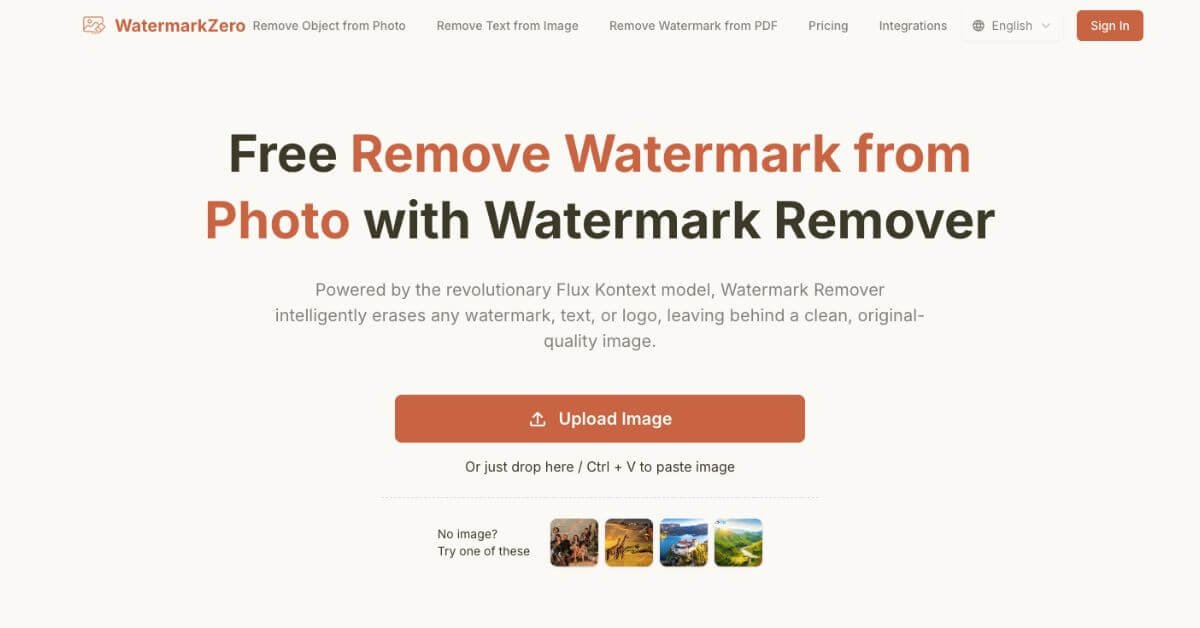
WatermarkZero approaches this problem with browser-based AI watermark removal that focuses on background reconstruction rather than surface masking. Instead of hiding marks, it analyzes surrounding pixels and rebuilds the covered area for a clean result. Users upload an image or PDF, allow automatic detection, and download a high-resolution file—no installation, no manual editing, and no learning curve.
Quick Summary
WatermarkZero is an AI-based online tool that removes watermarks, logos, text overlays, and stamps from images and PDF files. Instead of blurring or covering marks, it rebuilds the hidden background using pixel reconstruction. The tool runs entirely in the browser, supports common image formats and PDFs, and offers a free daily usage tier.
Is it worth using? Yes, if you need clean images or documents quickly without installing software.
Who should use it? Content creators, designers, students, and professionals who handle visuals and documents regularly.
Who should avoid it? Users looking for bulk video watermark removal or advanced manual editing controls.
Verdict Summary
Best for
Removing watermarks from photos and PDFs with minimal effort
Cleaning logos or text overlays for presentations and documents
Fast, browser-based edits without design skills
Not for
Video watermark removal
Users needing frame-by-frame or manual retouching
High-volume commercial workflows that require API access
Rating ⭐⭐⭐⭐☆ 4.3 / 5 Based on output quality, ease of use, pricing flexibility, and format support.
What is WatermarkZero?
WatermarkZero is a web-based AI tool focused on removing unwanted visual elements—such as watermarks, text, and logos—from images and PDF documents. It uses contextual pixel rebuilding instead of surface-level masking, which helps preserve original resolution and texture.
The tool is designed for users who want results quickly, without editing software, plugins, or technical steps. Uploading a file, processing it, and downloading the cleaned version typically takes under a minute.
How WatermarkZero Works
Upload an image or PDF (JPG, PNG, WEBP, or PDF)
The system scans for logos, text, stamps, or overlays
AI reconstructs the covered pixels using surrounding context
Download the cleaned file in high resolution
Key Features
AI-based watermark detection for text, logos, and stamps
Pixel reconstruction instead of blur or cloning
Image and PDF support in one tool
High-resolution output without compression artifacts
Browser-only workflow with no installation
Automatic file deletion within 24 hours
Real-World Use Cases
Content creation: Clean images for blogs, social posts, and slides
Design workflows: Remove leftover client or stock marks from drafts
Education: Prepare watermark-free PDFs for reports or submissions
Business documents: Reuse branded visuals for internal decks
Pricing is transparent, with no hidden limits during processing.
Best Alternatives & Comparisons
Cleanup.pictures – Better for object removal, weaker with text-heavy watermarks
Inpaint – Offers manual control, requires more effort
Adobe Photoshop – Full control, higher cost and learning curve
WatermarkZero stands out for speed, simplicity, and PDF handling.
Frequently Asked Questions (FAQ)
Is WatermarkZero free to use?
Yes. The free plan includes daily credits for standard-quality downloads.
Does it reduce image quality?
No. Files are exported in their original resolution without compression.
What watermark types are supported?
Text, logos, date stamps, semi-transparent overlays, and tiled marks.
Is it safe to upload files?
Files are encrypted and automatically deleted within 24 hours.
Is removing watermarks legal?
Usage depends on ownership and rights. It is intended for legitimate personal or permitted use.
Final Recommendation
WatermarkZero fits users who want clean images or PDFs without software installs or editing steps. It focuses on accuracy, speed, and output quality rather than advanced controls. For creators, students, and professionals, it offers a balanced mix of ease and reliability.