
itirupati.com AI Tools

BabyVideo.ai logo

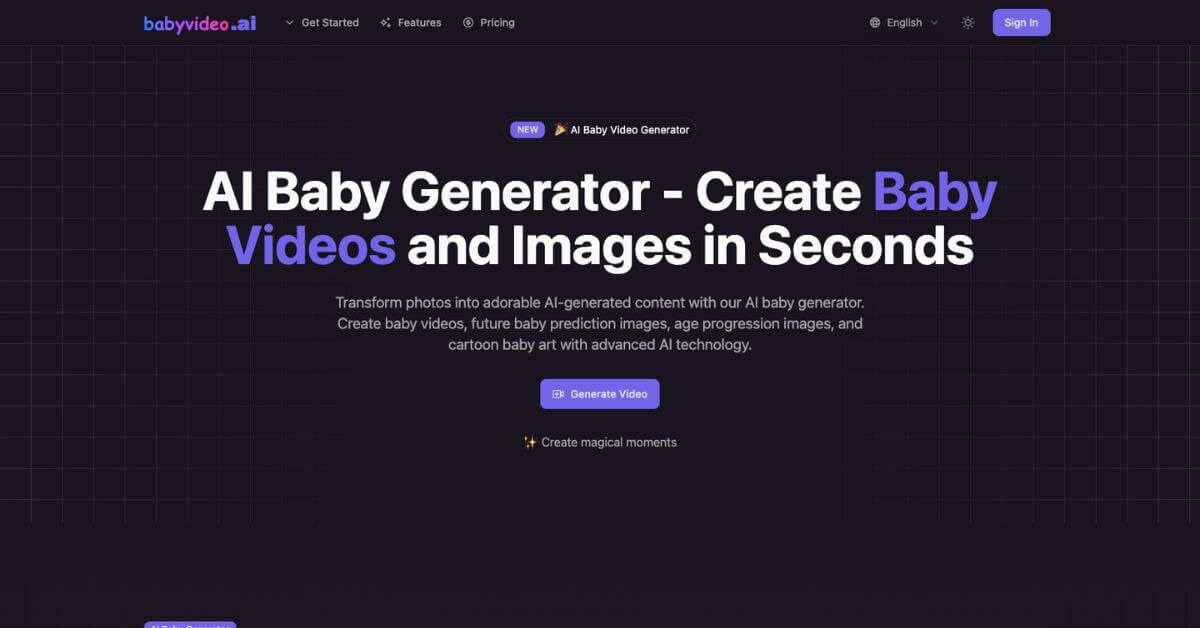
BabyVideo.ai

Turn any photo into an adorable baby moment in seconds.

Best AI Tool for Baby Video Generation & Future Baby Predictions

CategoryAI Baby Video Generator, Future Baby Predictor, AI Photo-to-Video, Cartoon Baby Creator
Websitehttps://babyvideo.ai
Free PlanYes
Best ForParents, couples, creators, baby photographers, influencers, family vloggers
Rating★★★★☆ (4.6/5 based on features, usability & video quality)

Problem

Capturing baby moments usually requires planning, equipment, and perfect timing. Not everyone has the setup or skills to produce adorable baby videos, and even fewer have a way to visualize their future baby or create smooth age-progression clips. Parents, couples, and creators often feel stuck with static photos, outdated filters, and limited editing tools that don’t deliver emotional, share-ready results.

As a result, precious moments stay unrecorded, future baby curiosity remains unanswered, and creators miss out on viral baby content their audience would love.

What is BabyVideo.ai?

BabyVideo.ai is a modern AI baby video generator built for families and creators who want adorable baby videos without learning video editing tools. It transforms a single photo into HD baby moments, cartoon art, future baby predictions, age progression videos, and talking baby clips.

Instead of offering generic video templates, BabyVideo.ai focuses on the baby niche with advanced models like Veo 3.1 and Kling 2.1, delivering natural movement, warm lighting, and expressive details. Whether the goal is fun entertainment, social media content, or emotional keepsakes, the platform brings baby visuals to life in seconds.

How Does BabyVideo.ai Work?

This tool keeps the workflow clean and simple:
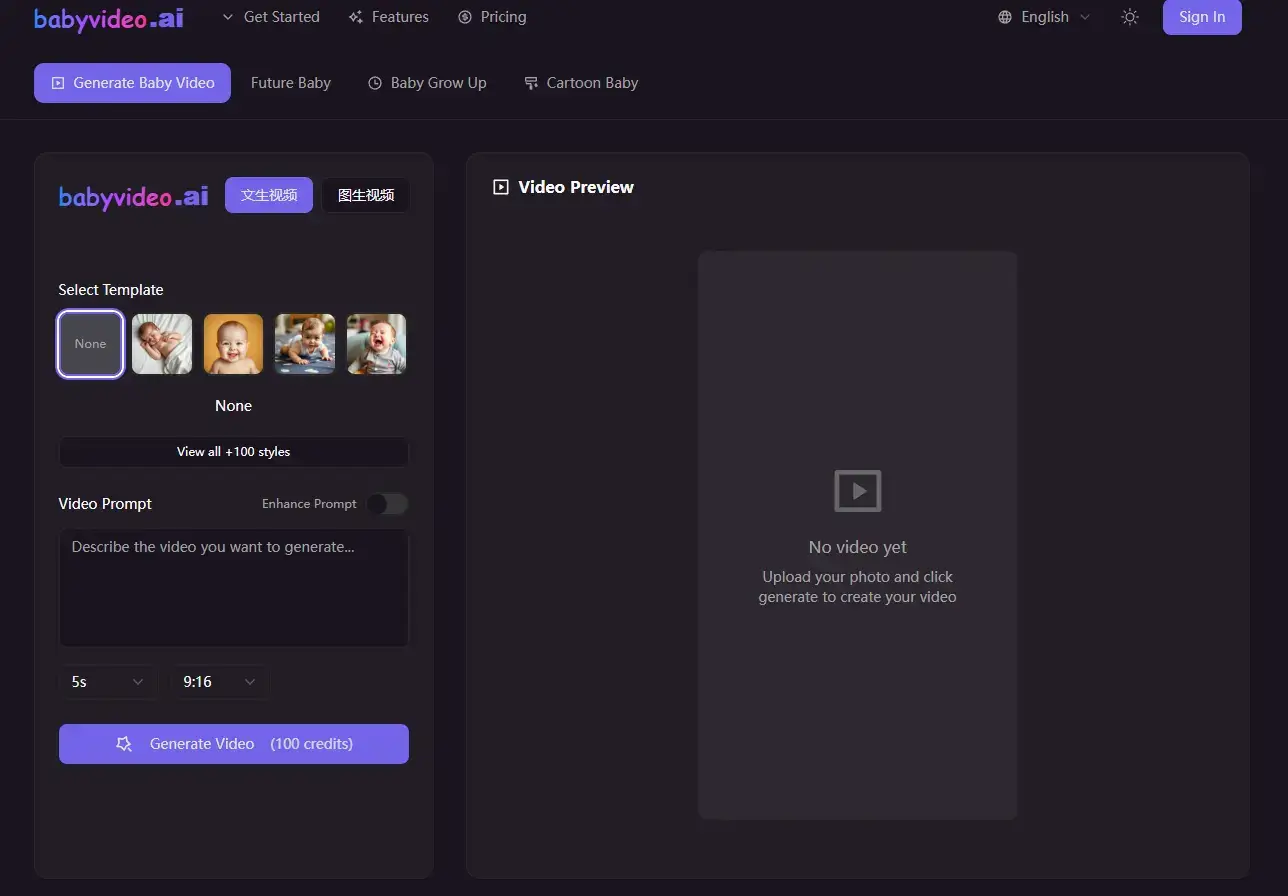
BabyVideo feature

1. Upload a Photo or Add a Text Prompt

  • Use any clear portrait image

  • Or describe the baby scene you want (text-to-video)

2. Pick a Template

Choose from styles such as:

  • Sleeping

  • Smiling

  • Crawling

  • Laughing

  • Growing-up timelines

  • Cartoon baby

  • Future baby prediction

3. Adjust Video Options

  • Duration

  • Creative style

  • Camera movement

  • Scene atmosphere

4. Generate Video

The AI renders HD output in 720p or 1080p within seconds.

The user experience feels very much like using a mobile app — smooth, fast, and focused on real-world use instead of complicated video editors.
Key Features & Benefits

Core Features

  • AI Baby Video Generator
    Turn a single photo into animated baby moments with natural motion.

  • Future Baby Predictor
    Combine photos of both parents to generate future baby images.

  • Age Progression & Grow-Up Videos
    Show how a child might look at ages 3, 5, 10, or 18 with time-lapse style sequences.

  • Cartoon Baby Maker
    Convert baby photos into cartoon art based on styles like Disney, Pixar, Anime, and Ghibli.

  • Baby Podcast Generator
    Create talking baby videos with AI voices in 17+ languages.

  • Baby Name Generator AI
    Generate 20 baby name ideas with meanings and cultural context.

  • Multiple Creation Modes
    Text-to-video, image-to-video, and first/last frame transitions for growth timelines.

  • HD Output
    Photorealistic videos in 720p or 1080p resolution with smooth camera motion.

Benefits

  • No video editing skills required

  • Perfect for social media shorts, reels, and stories

  • Great for emotional family content and memory preservation

  • Covers multiple baby content formats in one platform

  • Credit-based pricing suited to both occasional and heavy users

  • Suitable for parents, couples, and professional creators

Use Cases & Applications

For New Parents

  • Capture cute baby moments

  • Create birthday montage videos

  • Generate cartoon artwork for prints

For Couples

  • Predict how their future baby may look

  • Make fun Instagram Reels

  • Create relationship memory videos

For Content Creators

  • YouTube baby podcast series

  • TikTok storytelling

  • AI baby character content

For Baby Photographers

  • Add animated moments to photo packages

  • Provide age progression add-ons

For Influencers

  • Trend-friendly baby filters

  • Cartoon baby transformations

  • Engaging baby-themed shorts

Who Should Use BabyVideo.ai?

  • Anyone wanting cute, emotional baby videos

  • Couples curious about future baby predictions

  • Influencers building baby-themed content series

  • Creators looking for unique short-form ideas

  • Photographers expanding their digital offerings

  • Families documenting growth and memories

  • Users who want share-ready baby content without editing tools

If you want effortless, high-quality family content, this tool fits perfectly.

Pricing & Plans

PlanPriceIncluded
Free$0Trial credits, access to core features, basic testing
Starter (Annual)$10/month12,000 credits/year, HD resolutions, download & share, priority email support
Standard (Annual)$24/month30,000 credits/year, priority processing, HD options, early access to new features
Premium (Annual)$44/month60,000 credits/year, highest priority processing, unlimited resolution & duration options, dedicated support, beta access

Credits are consumed per video based on resolution, duration, and template. Annual plans offer significant savings for regular users.

Pros & Cons

ProsCons
HD baby video output with natural motionWorks best with high-quality, clear photos
Dedicated to baby/family content, not generic templatesCredit usage climbs quickly for heavy creators
Future baby predictions from parent photosOutput is fun and predictive, not medically accurate
Age progression and grow-up timelinesRequires some experimentation to find favorite styles
Cartoon baby maker with multiple art stylesNo dedicated mobile app yet
Talking baby podcast videos in many languagesNo deep integration with other creative suites
Simple interface suited for beginnersInternet connection required for rendering
Strong fit for social content, Reels, and ShortsSome advanced settings may confuse casual users

Support & Integrations

Support

  • Email support: email@babyvideo.ai

  • Priority support for higher-tier plans

  • FAQ page with step-by-step guidance

Integrations

Currently limited to internal technologies such as:

  • Vercel

  • Replicate

  • GitHub

These ensure reliable deployment and fast rendering performance.

Frequently Asked Questions (FAQ)

1. Does BabyVideo.ai offer a free plan?

Yes, the freemium version includes trial credits.

2. Can it generate future baby predictions from parent photos?

Yes — upload photos of both parents and the tool blends features into a realistic outcome.

3. How much do videos cost to generate?

Each video uses credits. Cost varies by length, resolution, and template.

4. What photo works best?

Clear, front-facing portraits with good lighting produce the best results.

5. Can I use BabyVideo.ai for commercial projects?

es — creators often use it for social content, YouTube shorts, and digital products.

Useful Links

Performance Rating Breakdown

MetricScore (Out of 5)Notes / Rationale
Output Quality4.7HD videos with natural motion, expressive faces, and cinematic lighting
Creativity & Variety4.7Multiple modes: future baby, age progression, cartoon, podcast
Ease of Use4.8Clean interface and simple flow suitable for first-time users
Speed & Reliability4.6Fast rendering for most templates with stable performance
Prediction Realism4.4Fun, believable future baby results within realistic expectations
Customization4.5Control over duration, style, and templates, plus multiple formats
Value for Money4.6Credit-based plans scale well for casual and frequent users
Support & Docs4.5Email support plus FAQ coverage for common questions

Overall Average Score: 4.6 / 5 ⭐

Final Thoughts

BabyVideo.ai brings a fresh approach to baby-themed content by turning simple photos into emotional, share-worthy videos. With HD quality, future baby predictions, age progression, cartoon transformations, and talking baby clips, it gives families, creators, and brands an easy way to produce memorable content.

For anyone who wants adorable videos without editing software, this tool delivers quick results, strong creative options, and a friendly workflow that feels natural from the first use. Whether you’re creating keepsakes or building a social presence, BabyVideo.ai offers a warm, playful, and engaging experience that stands out in the AI video space.

Feature your app on AI tools for free

Subscribe to our Newsletter

Stay up-to-date with the latest AI Apps and cutting-edge AI news.

Trending Categories