
Hex Review: Is This AI-Powered Analytics Platform Worth It?
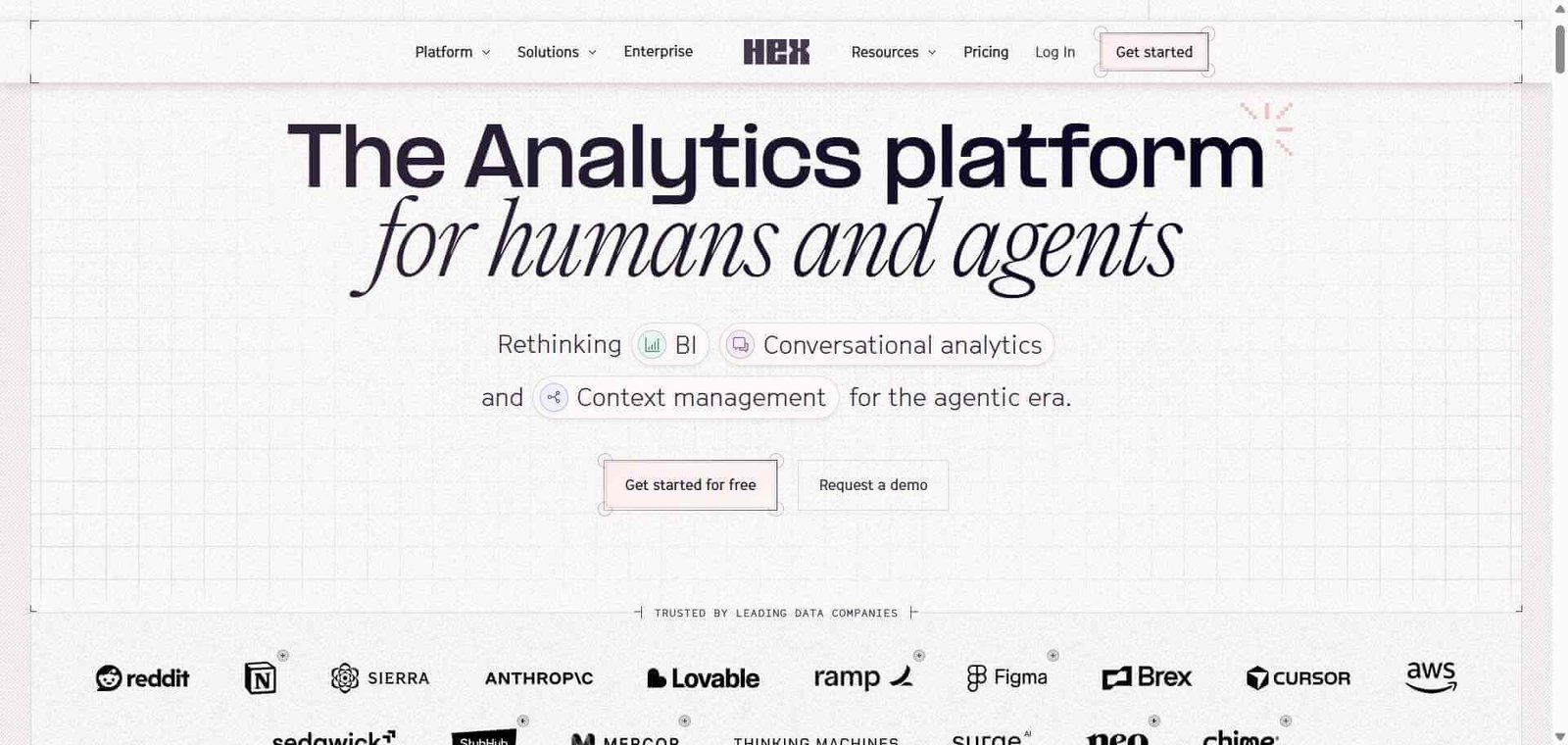
Hex is an AI-powered analytics and business intelligence platform that combines conversational analytics, SQL and Python notebooks, data applications, and business context management. It helps data teams make organizational data more accessible without giving up control over the underlying analysis.
Hex is particularly useful for companies with established data warehouses, analysts who work with SQL and Python, and business teams that need answers without submitting a new reporting request every time. Its ability to connect AI-generated analysis with inspectable queries and reusable data applications makes it different from a conventional dashboard builder.
However, Hex is not an ideal fit for everyone. Small businesses that need occasional charts or straightforward reporting may find its capabilities and per-Editor pricing difficult to justify. Its AI-generated answers also require appropriate data definitions, permissions, and human validation.
Our initial assessment: Hex is worth evaluating if your organization wants to bring AI-assisted analytics into existing data workflows. Whether it is worth paying for depends on how much analytical work your team actually performs.
Quick Verdict: Is Hex Worth It?
Hex is a strong candidate for organizations that want to make business analytics more accessible while retaining the ability to inspect and manage the underlying work.
| Category | Assessment |
|---|---|
| Best for | Data analysts, analytics engineers, and data-driven businesses |
| Primary purpose | AI-powered analytics and business intelligence |
| Main advantage | Combines SQL, Python, conversational analytics, and data apps |
| Main limitation | Requires connected data infrastructure and technical oversight |
| Free plan | Yes, Community |
| Paid pricing | Starts at $36 per Editor/month |
| Enterprise pricing | Custom |
| Customer rating | 4.5/5 on G2, based on 404 reviews in its September 2026 listing |
| Independent reviewer score | Not assigned; no completed hands-on test |
Best for: Companies with modern data warehouses, established analytics teams, and recurring reporting requirements.
Not for: Individuals looking for a simple spreadsheet replacement, businesses without accessible structured data, or teams that only need basic dashboards.
Customer sentiment: Hex has a 4.5/5 G2 rating in the referenced listing. This represents customer feedback, not our independent product rating.
Reviewer assessment: Hex has a compelling combination of analytical and AI capabilities, but its practical value depends on data quality, configuration, usage requirements, and the team’s ability to validate results.
What Is Hex?
Hex is an analytics platform designed to bring data exploration, analysis, reporting, and AI-assisted workflows into a shared environment.
Traditional business intelligence tools generally focus on dashboards, reports, and predefined metrics. Hex supports these activities but also gives users a way to investigate new questions, develop analyses, and turn the results into interactive applications.
The platform brings together several capabilities:
Conversational analytics: Ask questions about business data using natural language.
Agentic notebooks: Work with SQL and Python alongside AI assistance.
Context Studio: Manage the business definitions and context used by AI agents.
Data applications: Turn analytical work into interactive experiences.
Agent observability: Monitor agent conversations, warnings, and usage.
Evals: Evaluate whether AI-generated answers meet predefined expectations.
Integrations: Connect analytical workflows with data warehouses, dbt, Git platforms, orchestration tools, and supported external AI interfaces.
What makes Hex different from ChatGPT and traditional BI tools?
The distinction is the way these capabilities are brought together.
| Product category | Primary purpose |
|---|---|
| General AI assistants | Answer questions, generate code, and work with available context and connected tools |
| Traditional BI platforms | Build dashboards, reports, and predefined visualizations |
| Hex | Combine analytical notebooks, conversational data exploration, managed business context, and shareable data applications |
A general AI assistant can help write SQL or explain a dataset, but an organization still needs to establish reliable connections, permissions, metric definitions, and repeatable workflows.
A traditional BI platform can provide reliable dashboards, but investigating a question outside the existing reporting structure may require additional analytical work.
Hex brings these workflows closer together.
For example, a business manager can ask for revenue by product category, investigate regional performance, and share the resulting analysis. An analyst can then inspect the underlying SQL, correct assumptions, and develop the work further.
This makes Hex particularly relevant to companies that want business users to explore data without removing the data team’s responsibility for accuracy and governance.
How Hex Works
Hex connects to an organization’s existing data infrastructure and provides different ways to explore and present information.
A typical workflow involves the following steps:
Connect data sources: Connect supported databases, warehouses, and lakehouses to the Hex workspace.
Establish business context: Use available metadata, documentation, semantic models, and endorsed sources to clarify business definitions.
Ask a question: Employees can submit analytical questions through conversational interfaces.
Generate analysis: Hex Agent can help create SQL queries, Python code, tables, charts, and other analytical outputs.
Inspect the results: Analysts can review the underlying work, check calculations, and investigate unexpected findings.
Publish applications: Turn completed analysis into interactive data applications for stakeholders.
Evaluate performance: Use available observability and evaluation capabilities to identify problems with agent answers and missing context.
Example: Investigating declining sales
Consider a company whose sales revenue dropped during the third quarter.
A sales manager wants to understand whether the decline came from a particular product category, region, or customer segment.
The workflow could look like this:
The manager asks Hex to investigate the Q3 revenue decline.
The agent identifies relevant connected data and business definitions.
It generates an analytical query to compare revenue across quarters.
The manager requests a breakdown by region and product category.
An analyst checks the SQL, calculations, and underlying data.
The team turns the analysis into a reusable data application.
The important part is what happens when the answer is not straightforward.
If the database contains incomplete records or the company has inconsistent definitions of revenue, an AI-generated explanation may be misleading. Context management and human validation are therefore essential parts of the workflow.
Hex can help organize this process, but it cannot automatically guarantee that the underlying business
Hex Features Explained
1. Conversational Analytics
Hex allows employees to ask questions about business data using natural language rather than writing every query manually.
For example, a sales manager could ask:
“What was our revenue by product category in Q3?”
The agent can help retrieve the relevant information and present the results in a readable format.
Users can then ask follow-up questions to investigate regional performance, quarterly changes, or customer segments.
Why it matters: Employees can explore questions that are not already covered by existing dashboards, reducing their dependence on analysts for routine reporting requests.
What to consider: Natural-language questions can be ambiguous. A request involving revenue, active customers, or customer growth needs clearly established definitions. Generated answers should be checked before being used for business decisions.
2. AI-Powered Notebooks
Hex combines SQL and Python notebooks with AI-assisted analysis.
Analysts can work with queries, datasets, calculations, and visualizations within a shared workspace. The ability to combine SQL and Python is particularly useful when a project involves database queries followed by additional statistical analysis or data transformation.
For example, an analyst might retrieve customer transactions using SQL, examine retention patterns with Python, and develop a visualization to communicate the findings.
Why it matters: Analysts can move between data retrieval, analysis, and presentation without maintaining completely separate workflows.
What to consider: AI-generated SQL and Python code still require review. Complex transformations, joins, and calculations should be validated against known results.
3. Context Studio
Context Studio addresses a problem that becomes more important as organizations introduce AI into analytics: business definitions are not always obvious from database schemas.
A column called total_arr does not automatically tell an AI agent which customer records should be included when calculating active ARR.
Context Studio helps teams manage the business context used by agents, including definitions, metadata, and organizational knowledge.
This can improve consistency when multiple departments ask questions about the same metrics.
Why it matters: An organization needs more than access to data. It needs agreement about what that data represents.
What to consider: Context is not a one-time configuration. Business definitions, products, reporting requirements, and data structures change. Teams must maintain this information as their operations evolve.
4. Data Apps and Interactive Dashboards
Hex allows analysts to turn their work into shareable data applications.
Instead of distributing a static chart, an analyst can create an interactive application that lets stakeholders explore information and adjust relevant inputs.
For example, a finance team could use a pricing scenario application to compare projected revenue under different discount assumptions.
This is more useful than a static report when stakeholders need to investigate several scenarios rather than simply read a summary.
Why it matters: Analytical work can become a reusable business resource instead of a one-time report.
What to consider: Applications still need to be designed, validated, maintained, and shared with appropriate permissions.
5. Agent Observability and Evals
This is one of the more important capabilities to examine when evaluating Hex for enterprise analytics.
Agent observability provides visibility into agent conversations, usage, warnings, and related activity. Evals allow teams to assess whether an agent’s responses satisfy predefined expectations.
The supplied product demonstration illustrates this through an ARR calculation.
The evaluation checks whether the agent:
Uses the correct ARR source.
Joins the relevant customer and account information.
Applies the agreed definition of an active customer.
Returns the expected numerical result.
The demonstration also shows evaluations failing for questions involving migration discounts and generally available connectors.
This illustrates an important point: a fluent AI response is not necessarily a correct analytical response.
Why it matters: Organizations need ways to identify errors before relying on AI-generated analysis across departments.
What to consider: Evaluations need suitable test cases, expected answers, and ongoing maintenance. Passing a limited set of evaluations does not establish that an agent will answer every future question correctly.
6. Data Warehouse and Development Integrations
Hex is designed to work with existing data infrastructure rather than operate as an isolated reporting environment.
Its documented integration capabilities include:
Data warehouses, databases, and lakehouses.
dbt metadata, documentation, and metrics.
GitHub and GitLab project exports.
Airflow, Dagster, and Prefect orchestration.
Public APIs for custom integrations.
OAuth-based database connections where supported by the relevant plan.
These integrations are relevant to companies that already have data pipelines and want to introduce AI-assisted analytics without rebuilding their entire technology stack.
What to consider: Check the specific connector, authentication method, permissions, and plan requirements before committing. The availability of an integration does not mean every configuration is included in every subscription.
7. Slack, CLI, MCP and External AI Workflows
Hex also supports workflows beyond its primary interface.
Its product materials highlight connections involving Slack, Claude, Codex, Cursor, MCP, and the Hex CLI.
This allows teams to work with organizational data through supported developer and collaboration workflows.
For example, a team member can submit a question through Slack, while a developer can use the CLI as part of an analytical development workflow.
Why it matters: Employees can access analytical workflows through tools they already use rather than switching applications for every question.
What to consider: Check the availability and maturity of each integration, along with permissions, configuration, and plan restrictions. External AI access does not remove the need for data governance.
Real-World Use Cases
Hex becomes more valuable when a company has recurring analytical questions, multiple departments, and data that needs to be explored beyond predefined dashboards.
Here are some more specific applications.
Marketing performance analysis
Marketing teams can use connected campaign, customer, and revenue data to investigate:
Customer acquisition cost by marketing channel.
Conversion rates across campaigns.
Revenue generated by acquisition source.
Customer retention across acquisition cohorts.
For example, a marketing manager could investigate whether a campaign generated high initial conversions but weaker long-term retention.
The quality of the answer depends on reliable campaign attribution, consistent customer identifiers, and properly configured metrics.
Sales and revenue analysis
Sales teams can investigate:
Quarterly revenue by product category.
Sales performance across regions.
Pipeline conversion rates.
Customer expansion and contraction.
Revenue contribution by customer segment.
An analyst can validate the underlying calculations before publishing the results as an interactive report.
This is particularly useful when sales managers regularly request different breakdowns of the same business metrics.
Finance and forecasting
Finance teams can use analytical notebooks and data applications to compare financial scenarios.
Potential applications include:
Monthly recurring revenue analysis.
Annual recurring revenue reporting.
Customer churn and expansion.
Revenue forecasting.
Pricing and discount scenario comparisons.
For example, a finance team could compare projected revenue under different pricing assumptions using an interactive application.
However, financial reporting still requires careful validation of source data, calculation logic, and accounting definitions.
Data analytics and engineering
Data analysts and engineers can use Hex to combine database queries, Python analysis, visualizations, and reusable reporting workflows.
This can be useful for exploratory analysis, recurring reporting, and collaboration between technical and non-technical stakeholders.
It is particularly relevant when teams want AI assistance without losing access to the underlying analytical code.
Enterprise data governance
Large organizations often have multiple departments working with the same data but using different definitions.
Hex’s Context Studio and Evals capabilities are relevant here because they help teams manage shared context and evaluate agent responses.
For organizations introducing conversational analytics at scale, this is an important consideration. Making data accessible is only useful when employees can understand where answers come from and whether they are reliable.
Pros and Cons
Hex offers a broad analytical environment, but its capabilities come with operational requirements.
| Pros | Cons |
|---|---|
| Combines SQL and Python analysis in one workspace | Advanced workflows require technical understanding |
| Supports natural-language data exploration | AI-generated answers need validation |
| Context management helps standardize business definitions | Context requires ongoing maintenance |
| Analytical work can become reusable data applications | More complex than basic dashboard builders |
| Agent evaluations help assess answer quality | Evaluations require suitable test cases |
| Integrates with modern data infrastructure | Value depends on data connectivity and configuration |
What customers say about Hex
G2 listed Hex at 4.5/5 from 404 reviews in its September 28, 2026 listing.
Positive feedback highlights the combination of SQL and Python, notebook workflows, collaboration, and the ability to create polished analytical outputs.
Some reviewers also appreciate the integration of analytical work with developer tools such as the Hex CLI.
However, customer feedback identifies areas that prospective buyers should examine.
Reported limitations include:
A learning curve when using advanced functionality.
Concerns about agent capacity and context.
Slow loading or query execution in some workflows.
Sharing and application permission requirements that may not suit every organization.
These are individual reviewer experiences, not universal product limitations.
Source: Hex customer reviews on G2.
What to Evaluate Before Choosing Hex
Before purchasing a subscription, consider the following questions:
Data compatibility: Does Hex support your existing warehouse, database, or lakehouse configuration?
Permissions: Can your organization maintain the required data access and viewing restrictions?
AI usage: Are the monthly credits sufficient for the expected number and complexity of agent tasks?
Business usability: Can non-technical employees use conversational analytics effectively?
Context maintenance: Does your team have someone responsible for maintaining metric definitions and documentation?
Performance: Does the platform handle your actual datasets and analytical workloads within acceptable timeframes?
Sharing: Do the available application and workspace permissions match your reporting requirements?
These questions will tell you more about Hex’s suitability than a feature checklist alone.
Pricing & Plans
Hex offers individual, team, and enterprise subscriptions. Its self-service plans use per-Editor pricing rather than a single flat company-wide subscription.
The following prices were checked against the official pricing page on November 7, 2026.
| Plan | Price | Intended use |
|---|---|---|
| Community | Free | Small projects and experimentation |
| Professional | $36 per Editor/month | Individual analytical workflows |
| Team | $75 per Editor/month | Collaborative analytics teams |
| Enterprise | Custom | Organizations with advanced governance requirements |
Community: Free
The Community plan is designed for hobbyists and smaller projects.
It includes:
Hex Agent trial.
Data source connections.
All cell types.
Small compute.
It is a reasonable starting point for understanding the platform, although its capabilities and usage limits should be considered before relying on it for ongoing business workflows.
Professional: $36 per Editor/month
Professional is aimed at individuals who want to use Hex for regular analytical work.
It includes:
Hex Agent.
Standard AI credits.
Up to five published apps.
30-day version history.
Medium compute.
This plan is worth considering for analysts who work with connected data regularly and want AI assistance within their analytical environment.
Team: $75 per Editor/month
Team is designed for organizations that need shared analytical workflows.
It adds:
Extended AI credits.
Unlimited published apps.
Visual exploration and drill-down.
Unlimited version history.
Scheduled runs and alerts.
Shared components and collections.
Advanced compute add-ons.
This plan is more relevant when several people need to collaborate on analytical projects and distribute reusable applications.
Enterprise: Custom pricing
Enterprise is intended for organizations requiring additional security, governance, and support capabilities.
Depending on the agreement and selected options, it includes:
Audit logs.
OAuth database connections.
Observability API.
OIDC single sign-on.
Bring Your Own Key.
Single-tenant deployment options.
HIPAA add-on.
Embedded analytics add-on.
Dedicated support.
Organizations should confirm which capabilities are included in their specific contract rather than assume every enterprise feature is automatically included.
How much would Hex cost for a team?
The per-Editor model makes it useful to calculate the cost before choosing a plan.
| Number of Editors | Professional | Team |
|---|---|---|
| 1 | $36/month | $75/month |
| 3 | $108/month | $225/month |
| 5 | $180/month | $375/month |
| 10 | $360/month | $750/month |
These examples use the published monthly per-Editor prices and exclude applicable taxes, optional compute, and additional usage charges.
For example, five Professional Editors would cost $180 per month before additional costs. The same number of Team Editors would cost $375 per month.
This is an important distinction for smaller businesses evaluating whether the platform’s advanced features justify the subscription.
How do Hex AI credits work?
Hex uses a credit system for its AI features. Credit consumption depends on the work required for a particular task.
According to its official documentation:
| Plan and seat type | Monthly credits |
|---|---|
| Community Editor | 5 |
| Professional Editor | 30 |
| Team Editor | 40 |
| Team Explorer | 10 |
| Enterprise | Defined by contract |
A simple question may consume approximately one credit, while more complex tasks, such as creating a forecasting application, can consume considerably more.
Credits are assigned to individual eligible seats, reset each billing cycle, and do not roll over. Additional pooled credits can also be purchased.
Which Hex plan should you choose?
Choose Community if you want to explore Hex before committing to a paid plan.
Choose Professional if you are an individual analyst who regularly works with SQL, Python, and AI-assisted analysis.
Choose Team if several Editors need shared projects, scheduled reporting, and unlimited published apps.
Consider Enterprise if you need advanced security, auditability, identity management, or contractual support requirements.
If your requirements are limited to occasional reporting and simple dashboards, upgrading may not be worthwhile.
Best Alternatives & Comparisons
Hex overlaps with several business intelligence and analytics platforms, but each has a different emphasis.
| Platform | Strongest use case | Main distinction |
|---|---|---|
| Hex | AI-assisted analytics and notebooks | SQL, Python, conversational analytics, and data applications |
| Microsoft Power BI | Traditional business intelligence | Microsoft ecosystem and established reporting workflows |
| Tableau | Data visualization | Advanced visualization and dashboard development |
| ThoughtSpot | Conversational BI | Search-driven analytics and governed business metrics |
| Sigma Computing | Spreadsheet-style analytics | Familiar spreadsheet interactions with warehouse data |
| Google Looker | Governed enterprise BI | Centralized semantic modeling through LookML |
Power BI is a strong option for organizations that need traditional business intelligence, interactive dashboards, and reporting within the Microsoft ecosystem.
It is worth considering when affordability, Excel integration, and established reporting workflows are more important than a combined notebook and conversational analytics environment.
2. Tableau
Tableau is particularly relevant to organizations that prioritize advanced data visualization and interactive dashboards.
It is a suitable alternative when the primary requirement is presenting complex information through polished visual reporting rather than integrating AI-assisted notebooks and analytical applications.
3. ThoughtSpot
ThoughtSpot focuses on search-driven analytics and conversational business intelligence.
It is worth evaluating if employees primarily need to ask questions about business metrics and explore governed data without building traditional reports.
Hex offers a broader combination of notebook-based analysis, SQL and Python workflows, and data applications.
Sigma Computing is designed around spreadsheet-style analytics over cloud data warehouses.
It is a relevant alternative for finance, operations, and business teams that prefer familiar spreadsheet interactions while working with centrally managed data.
Google Looker is suited to organizations that prioritize governed analytics and centralized business metric definitions.
Its LookML modeling approach is particularly relevant when teams need consistent definitions across departments and reporting environments.
Which Hex alternative should you choose?
Choose Hex for AI-assisted analytics, notebooks, and interactive data applications.
Choose Power BI for established reporting and Microsoft-centric environments.
Choose Tableau for sophisticated data visualization.
Choose ThoughtSpot for conversational business intelligence.
Choose Sigma for spreadsheet-style warehouse analytics.
Choose Looker for centralized semantic modeling and governed enterprise reporting.
The right decision depends on your existing infrastructure and the type of analytical work your employees perform.
Frequently Asked Questions (FAQ)
Hex is an AI-powered analytics and business intelligence platform used for conversational data exploration, SQL and Python analysis, and interactive dashboards. It helps data teams make business insights accessible to employees without requiring them to write every query manually.
No, not for basic conversational analytics. Users can ask questions about connected business data using natural language. However, SQL and Python knowledge is beneficial for advanced analysis, reviewing AI-generated queries, and validating results.
Yes. Hex supports AI-assisted analytical workflows and the creation of interactive data applications. Users can turn analytical results into shareable applications, although the underlying calculations and outputs should be reviewed before publication.
Hex supports connections to popular data warehouses, databases, and lakehouses. It also provides integrations involving dbt, GitHub, GitLab, and orchestration tools such as Airflow, Dagster, and Prefect. Check the official integration documentation for the specific connector and configuration you need.
Hex combines conversational analytics, AI-powered SQL and Python notebooks, and interactive data applications. Power BI primarily focuses on business intelligence, dashboard creation, and reporting, making it particularly suitable for organizations using Microsoft’s ecosystem.
Hex can suit small businesses with established data infrastructure and regular analytical requirements. However, businesses that only need basic dashboards or occasional reports may find its advanced capabilities and per-Editor pricing difficult to justify.
Final Recommendation
Hex is worth considering if your organization has a modern data warehouse, an analytics team, and a growing need for AI-assisted data exploration.
Its strongest proposition is the combination of conversational analytics, SQL and Python notebooks, Context Studio, and agent evaluations. These capabilities address different parts of the analytical workflow rather than focusing exclusively on dashboard creation.
However, Hex is not automatically the best choice for every business.
Choose Hex if you want business users to explore data while analysts retain control over queries, context, and validation.
Consider Power BI or Tableau if traditional dashboards, reporting, and visualization are your main requirements.
Consider ThoughtSpot if conversational business intelligence is your primary priority.
Before committing to a paid plan, test Hex with actual business questions, compare its answers against established SQL results, and check whether its AI credits and sharing capabilities fit your team’s requirements.
Visit the official Hex website to explore the platform and review its pricing before making a decision.