Free Unlimited Video Face Swap Review: AI-Powered Video Face Swapping Tool
Creating realistic video face swaps usually comes with friction. Many tools add watermarks, restrict video length, lock features behind sign-ups, or require paid subscriptions before users can even test results. For creators and marketers, this slows experimentation and increases cost before value is proven.
Long videos are another issue. Most free tools only support short clips, making them impractical for real content workflows like social campaigns, demos, or parody edits.
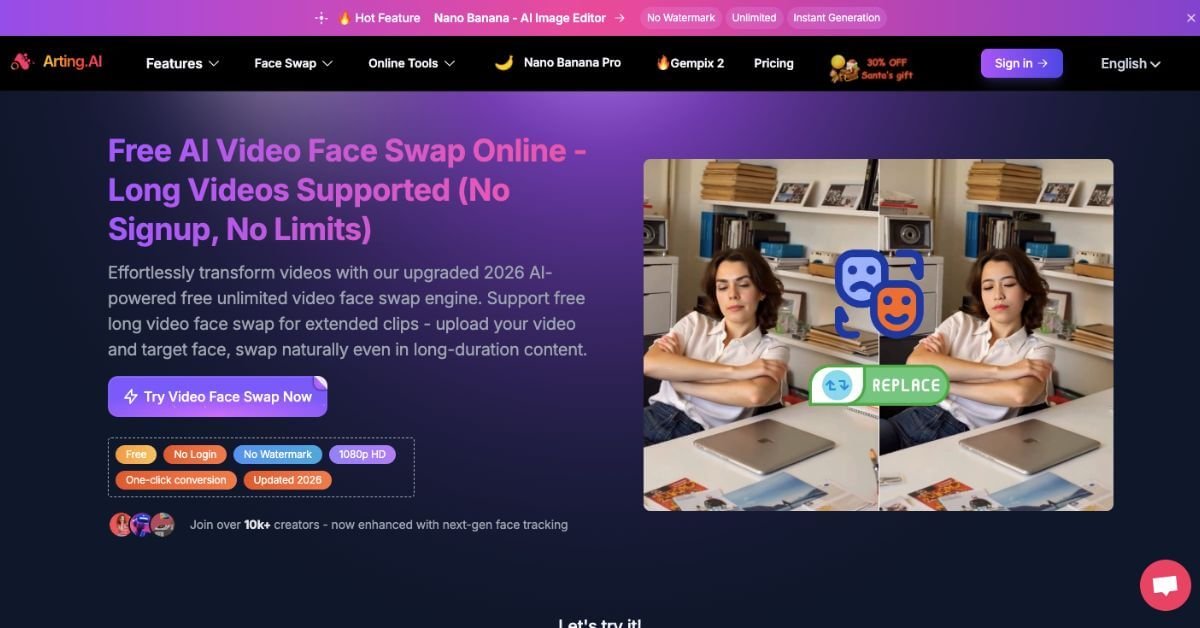
Free Unlimited Video Face Swap by Arting AI removes these barriers by keeping the workflow simple and open. Users upload a video and a face image, run the swap in one click, preview instantly, and download without watermarks or login.
The platform supports long videos, applies consistent face tracking across frames, and keeps usage flexible through free access and optional coin-based upgrades. This approach lets users validate quality first, then decide if advanced features are worth paying for.
Quick summary
Free Unlimited Video Face Swap is an AI-powered web tool that replaces faces in videos using a simple upload-and-click flow. It supports long videos, works without login, applies no watermark, and focuses on realistic motion, lighting, and expression matching.
Is it worth using? Yes—if you need quick, realistic video face swaps without limits or setup friction.
Who should use it? Creators, meme editors, social teams, and marketers testing localized or experimental video concepts.
Who should avoid it? Teams needing enterprise compliance, contractual usage rights, or deep production controls.
Verdict Summary
Best for
Creators producing short-form or extended videos with face replacement
Social media editors working on memes, parody, and fan edits
Users who want no signup, no watermark, and unlimited trials
Not ideal for
Enterprise teams needing audit trails and legal workflows
Film studios requiring frame-level manual controls
Overall Rating: ⭐⭐⭐⭐☆ (4.3/5) Strong realism, generous free access, and simple workflow. Governance and advanced controls are limited.
What is Free Unlimited Video Face Swap?
Free Unlimited Video Face Swap is a browser-based AI tool from Arting AI that lets users replace faces in video clips using a reference image. The system maps facial features across frames, aligns expressions and motion, and renders a natural-looking result without requiring downloads or accounts.
It stands out for allowing long video processing, 1080p output, and unrestricted usage. For creators testing ideas or producing fast edits, the barrier to entry is almost zero—upload, preview, and download.
How Free Unlimited Video Face Swap Works
Upload a video file (MP4, MOV, AVI, WEBM)
Upload a clear face image as reference
Click create, preview the result, and download
The engine tracks facial landmarks across frames and adjusts lighting and movement so the swap stays consistent, even in motion-heavy scenes.
Key Features
One-click video face swapping
Realistic facial motion and expression alignment
Long video support (up to ~300MB)
No login and no watermark
1080p HD output
Supports common video formats
Privacy-first processing without public sharing
Real-World Use Cases
Social content: TikTok, Reels, Shorts, and parody clips
Meme creation: Quick face swaps for trending formats
Marketing tests: Localized spokesperson or demo videos
Creative experiments: Fan edits, skits, and visual ideas
Education & demos: Safe visual simulations for presentations
Arting AI works best when speed, freedom, and cost matter more than deep customization.
Frequently Asked Questions (FAQ)
Is Arting AI video face swap private?
Uploads are processed for generation and not promoted publicly. The tool states a privacy-first approach.
Are there usage limits?
No hard limits on swaps. File size and format rules apply.
Does it support long videos?
Yes. Extended clips are supported, which is uncommon for free tools.
Is a watermark added?
No watermark is applied to exported videos.
Can beginners use it easily?
Yes. The interface is upload-based and requires no editing skills.
Final Recommendation
Free Unlimited Video Face Swap by Arting AI is a practical option for creators who want fast, realistic results without accounts, watermarks, or usage caps. It fits experimentation, social content, and lightweight marketing edits.