Miro AI Review for Collaborative Product and Team Work
Quick Summary
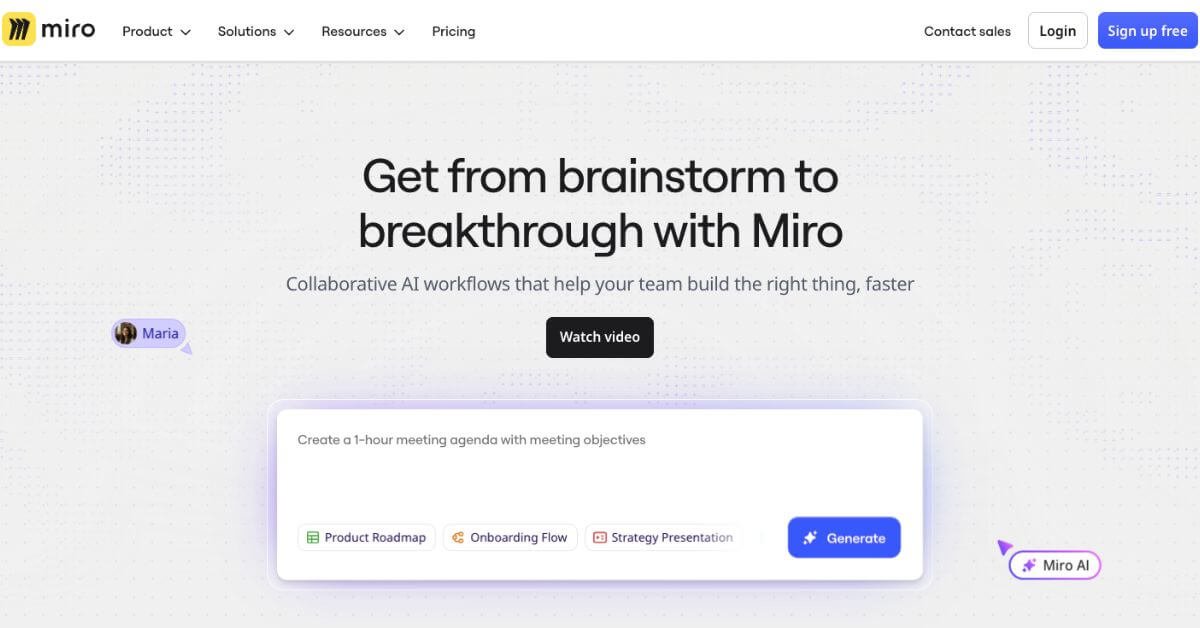
Miro AI is an AI-assisted layer inside Miro’s collaborative whiteboard that helps teams turn unstructured ideas into structured work faster. It supports activities like brainstorming, summarization, diagram creation, early prototyping, and workflow planning directly on a shared canvas.
Is it worth using? For teams already working in Miro, yes. The AI features reduce manual cleanup work and help move from discussion to clarity faster. For users looking for a standalone AI productivity tool, it may feel limited.
Who should use it? Product managers, designers, facilitators, and cross-functional teams who already rely on visual collaboration and want light AI assistance inside that environment.
Who should avoid it? Solo users, writers, or teams expecting deep generative AI outputs independent of collaboration workflows.
Miro AI Review
Most teams don’t struggle with ideas. They struggle with organizing them, aligning around them, and turning them into something actionable. Brainstorms sprawl, sticky notes pile up, and whiteboards become artifacts instead of decision tools.
Miro AI enters at this exact friction point. Rather than replacing how teams think or collaborate, it adds AI assistance to common moments where work slows down: summarizing discussions, structuring raw input, expanding early ideas, or converting notes into clearer formats. The AI operates within the Miro canvas, not as a separate chatbot or tool, which shapes both its strengths and its limits.
Instead of asking users to prompt from scratch, Miro AI works contextually on existing content. That design choice makes it practical for teams but less flexible for free-form AI experimentation.
Below is a detailed, practical review written for product teams, designers, and knowledge workers deciding whether this tool fits their stack.
Verdict Summary
Best for
Product and design teams already using Miro daily
Facilitators running workshops, discovery sessions, or planning meetings
Organizations that value shared context over individual AI output
Not for
Users seeking a standalone AI writing or research assistant
Teams that do not rely on visual collaboration tools
Cost-sensitive solo users who won’t benefit from collaboration features
Final Rating
4.1 out of 5 (Reviewer-based)
Public AI-specific ratings for Miro AI are limited because it is bundled within the broader Miro platform rather than reviewed separately on G2 or Capterra. Overall Miro ratings on G2 average around 4.6, but AI features receive mixed qualitative feedback. This score reflects hands-on evaluation of AI usefulness, limitations, and real workflow impact rather than brand reputation.
What Is Miro AI?
Miro AI is an embedded set of AI capabilities designed to assist teams working inside Miro’s collaborative canvas. Its primary goal is not content creation but content transformation. It helps teams turn messy inputs into organized outputs faster.
At its core, Miro AI focuses on:
Summarizing and expanding ideas already on the board
Structuring free-form brainstorming into diagrams, mind maps, or lists
Assisting early product thinking such as user stories and acceptance criteria
Unlike general AI tools that start from a blank prompt, Miro AI works directly on objects like sticky notes, cards, mind maps, and documents. This makes it context-aware but also constrained by what exists on the board.
What differentiates Miro AI from generic AI assistants is its collaborative orientation. Outputs are designed to be shared, edited, and discussed in real time. It does not aim to replace planning tools, document editors, or code assistants. Instead, it speeds up the transition from thinking together to deciding together.
How Miro AI Works
Miro AI operates through contextual actions rather than a persistent chat interface.
Typical workflow:
Users add content to a Miro board (stickies, text, diagrams, cards)
An object or group of objects is selected
AI actions appear based on the selected content type
The AI generates summaries, expansions, or structures directly on the canvas
Outputs remain fully editable and collaborative
Key points:
No prompt engineering required for most actions
AI suggestions depend heavily on the quality of input
Credits limit usage per plan, preventing uncontrolled generation
This design keeps AI assistance lightweight and focused, but it also means users cannot deeply customize outputs or run complex multi-step prompts.
Key Features
Contextual Summarization
Miro AI can summarize individual sticky notes or entire clusters into concise summaries. This is useful after workshops where dozens of ideas need synthesis.
When it works well, teams quickly identify themes without manual sorting. Limitations appear when input notes are vague or inconsistent, leading to generic summaries.
Idea Expansion and Question Generation
From a single concept or mind map node, Miro AI can generate related ideas, follow-up questions, or subtopics. This supports early exploration phases, especially in product discovery.
The feature is best used as a thinking aid, not a decision maker. Generated ideas often require human filtering and refinement.
Auto-Structuring of Content
One of the more practical capabilities is converting raw content into structured formats such as mind maps or diagrams. This saves time after brainstorming sessions and helps teams align visually.
However, complex structures still require manual adjustment. The AI accelerates setup, not final polish.
User Story and Acceptance Criteria Generation
For product teams, Miro AI can convert cards or notes into basic user stories and acceptance criteria. This is helpful during early backlog shaping.
The output is intentionally generic and should not be treated as production-ready requirements. Teams still need domain knowledge to refine details.
Image Background Removal and Visual Cleanup
This feature supports design and presentation workflows by removing image backgrounds directly on the board. It is convenient but not significantly better than dedicated design tools.
Real-World Use Cases
Product managers use Miro AI to summarize discovery workshops and convert insights into early roadmap inputs.
Design teams rely on idea expansion and structuring during ideation sessions, especially when working asynchronously across time zones.
Agile teams use user story generation to speed up backlog framing during sprint planning, reducing manual formatting work.
Facilitators benefit from faster synthesis after large collaborative sessions, making it easier to communicate outcomes to stakeholders.
Enterprise teams value AI features that stay within existing governance and collaboration structures rather than exporting data to external tools.
Free – $0 Best for individuals and small teams testing Miro. Includes 3 editable boards, core collaboration features, and 10 Miro AI credits per team per month.
Starter – $8 per member/month Designed for growing teams that need unlimited boards, private sharing, exports, and more structured workflows. Comes with 25 AI credits per member per month.
Business – $16 per member/month Suitable for cross-functional teams and consultants managing multiple workspaces. Adds advanced integrations, permissions, and 50 AI credits per member per month.
Enterprise – Custom pricing (30+ members) Built for large organizations needing advanced security, governance, and admin controls. Includes 100 AI credits per member per month, plus optional AI add-ons.
AI usage note: Miro AI runs on a monthly credit system, and advanced AI capabilities may require higher plans or paid add-ons depending on usage.
Best Alternatives & Comparisons
FigJam – collaborative visual space with AI-assisted brainstorming and sketch-to-idea expansion for teams.
Lucidspark – online whiteboard with AI-enhanced idea organization and automated structure suggestions for workflows.
Whimsical – lightweight AI-assisted diagram and mind-mapping board for fast visual thinking and planning.
Boardmix – visual collaboration platform with built-in AI help for summaries, diagrams, and real-time team planning.
Mural AI – workshop-focused visual canvas with AI aids for synthesis, session facilitation, and output structuring.
Frequently Asked Questions (FAQ)
Is Miro AI available on the free plan?
Yes, but with limited monthly credits that are best suited for testing.
Does Miro AI replace product management tools?
No. It supports early thinking and alignment but does not manage execution.
Can Miro AI generate full documents?
It can assist with outlines and summaries, not long-form finalized documents.
Is Miro AI safe for enterprise use?
Yes, it follows Miro’s existing enterprise security and governance controls.
Do all collaborators need AI access?
Only users with AI credits can generate content, but outputs are visible to all.
Final Recommendation
Miro AI is a practical enhancement, not a disruptive leap. Its value lies in helping teams move faster from messy collaboration to shared clarity without changing how they already work. For organizations deeply invested in Miro, the AI features feel like a natural extension rather than a forced add-on.
It is not the right choice if you want a powerful standalone AI assistant or unlimited generation. It is the right choice if your bottleneck is synthesis, alignment, and structure inside collaborative workflows.
If you already rely on Miro, enabling AI is a low-risk way to save time. If not, the AI alone is not a reason to adopt the platform.