Quso AI
The AI video repurposing platform formerly known as Vidyo AI — CutMagic clip extraction, auto-captions, MagicViddy content generation, and social scheduling across 9 platforms from one dashboard.
Quso AI Review: The Video Repurposing Tool That Became a Full Social Media AI Platform After Rebranding From Vidyo AI
Vidyo AI built its early reputation around one specific workflow: upload a long video, get short captioned clips for TikTok, Reels, and Shorts in minutes. Over three years, the platform grew to 4 million plus users on the strength of that core value proposition. In January 2025, the company rebranded as Quso AI, and the rebrand reflected a genuine product expansion rather than just a name change. Quso AI now extends beyond clip extraction into a full social media AI suite: AI Social Manager for scheduling across 9 platforms, AI content planner, social analytics dashboard, AI avatars, and AI post generation for images, carousels, and captions alongside the video repurposing core. For creators who want to move from clipping to publishing without switching tools, Quso AI’s expanded platform covers both ends of the workflow. The underlying video repurposing technology including CutMagic scene detection, Intelliclips optimisation, and MagicViddy written content generation remains intact from the Vidyo AI era.
Quick Summary
Quso AI is an all-in-one AI video repurposing and social media management platform, formerly known as Vidyo AI (rebranded January 2025), serving 4 million plus users globally. Features include CutMagic scene detection for automatic clip extraction from long-form video, Intelliclips AI clip optimisation, auto-captions in English, Spanish, German, and French, MagicViddy for show notes and written content generation, AI avatars, AI Social Manager for scheduling across 9 platforms including TikTok, Instagram, YouTube, LinkedIn, Facebook, X, and Pinterest, AI content planner, social analytics, and AI post generation. Free plan with 75 credits per month, paid plans from $19/month. Annual billing saves 40 to 50%.
Is it worth using? Yes for content creators, podcasters, and social media managers who want to clip, caption, schedule, and analyse social content from one platform rather than managing separate repurposing and scheduling tools. Particularly strong for solo creators who want the full content workflow consolidated.
Who should use it? Podcasters, YouTubers, content marketers, educators, and solo social media managers who produce regular long-form video and want automated clip extraction combined with social media scheduling and analytics in one dashboard without a second tool subscription.
Who should avoid it? Teams who need the most sophisticated social media management with deep analytics and team collaboration. The scheduling side of Quso AI is less mature than dedicated platforms like Buffer or Hootsuite, and the Growth plan at $59/month is required for full scheduling features.
Verdict Summary
Best for
- Solo creators and small teams who want to eliminate the separate repurposing tool and separate scheduling tool from their stack and manage both from one Quso AI dashboard — the platform’s combination of clip extraction and social publishing is the clearest consolidation play in the AI content creator tool category
- Podcasters and webinar hosts who want both short video clips and written content assets including show notes and LinkedIn articles generated from the same episode in one processing run via MagicViddy
- Budget-conscious creators who want a full content creation and distribution workflow. Free plan with 75 monthly credits and direct TikTok publishing makes Quso AI one of the most accessible entry points in the category
Not for
- Teams who need the most sophisticated trend-aware AI clip selection using GPT and NLP cross-referenced against current social media algorithms. Munch’s architecture is built specifically around trend-aligned clip identification at a depth Quso AI does not currently match
- Creators who need AI dubbing and multilingual video distribution. Klap offers AI dubbing in 29 languages with lip sync, a capability not currently available on Quso AI
- Teams needing enterprise-grade social media management with deep competitor analytics, sentiment analysis, and multi-user collaboration. Sprout Social and Hootsuite serve this at higher price points with greater depth
Rating
⭐⭐⭐⭐ 4.0 / 5
What Is Quso AI?
In January 2025, Vidyo.ai was renamed Quso.ai. It is the same product, same team, and same app. Only the name changed, and all accounts, subscriptions, and projects carried over automatically. The platform was rebranded as it had evolved into not just a video creation tool, but also a social media management and analytics platform.
Quso is the December 2024 rebrand of Vidyo.ai, which had already reached 4 million users before the name change. The rebrand was not cosmetic — it marked a deliberate expansion from a clipping-focused tool into a full social media AI suite. The company is based in New York City.
The platform’s video repurposing core — CutMagic scene detection, Intelliclips clip optimisation, MagicViddy written content generation — carried over unchanged from the Vidyo AI era. The expansion adds AI Social Manager for multi-platform scheduling, AI content planner, social analytics dashboard, AI avatars, and AI post generation for images and carousels.
How Quso AI Works
- Upload or link the source video. Upload a video file directly or connect a YouTube channel or podcast feed for automatic content ingestion. Quso AI accepts MP4, M4V, MOV, and WEBM formats, as well as YouTube links.
- CutMagic detects scenes and speakers. CutMagic automatically identifies scene changes and speaker transitions in complex multi-camera recordings, creating natural edit points without manual timeline navigation through long source files.
- Intelliclips extracts optimised short clips. AI identifies the most engaging segments and extracts clips formatted for TikTok, Reels, and YouTube Shorts, optimised for clarity and conciseness without unnecessary material.
- Auto-captions generate automatically. Captions generate from the audio transcript in English, Spanish, German, and French with customisable fonts, colours, and styling. Auto-captions can improve video performance by up to 40%.
- MagicViddy generates written content assets. The same source video that produces short clips also generates show notes, blog posts, LinkedIn articles, and social captions through MagicViddy, extending each episode’s content output across written channels.
- AI Social Manager schedules across 9 platforms. On the Growth plan, the AI Social Manager handles scheduling and publishing across TikTok, YouTube, Instagram, LinkedIn, Facebook, X, Pinterest, and other supported platforms from one dashboard. Direct TikTok publishing is available even on the free plan.
- Review analytics from the dashboard. The analytics dashboard tracks performance across connected social platforms, surfacing which clips and content types drive the most engagement for future content strategy decisions.
Key Features
- CutMagic: automatic scene detection and speaker transition identification for complex multi-camera video
- Intelliclips: AI clip optimisation producing concise, engagement-focused short clips from long-form source video
- Auto-captions in English, Spanish, German, and French with customisable styling
- MagicViddy: written content generation including show notes, blog posts, LinkedIn articles, and social captions from video source
- AI avatars for presenter-style content generation
- AI Social Manager: scheduling and publishing across 9 platforms including TikTok, YouTube, Instagram, LinkedIn, and Facebook
- Direct TikTok publishing available on the free plan
- AI content planner for social media strategy and post idea generation
- Social analytics dashboard tracking performance across connected platforms
- AI post generation for images, carousels, and text captions
- 100 plus social media templates
- Custom branding: colours, fonts, intros, outros, and watermark removal on paid plans
- Auto video chapters for YouTube video descriptions and navigation
- AI emoji detection adding visual engagement signals to captions automatically
- Credit-based system: AI processing actions consume credits, publishing and scheduling are free
- 4 million plus users globally
- Free plan with 75 monthly credits and direct TikTok publishing
Real-World Use Cases
- Podcast to full content week: A podcaster uploads a 60-minute weekly episode to Quso AI. CutMagic identifies scene and topic boundaries, Intelliclips extracts 8 short clips, auto-captions apply in English and Spanish, and MagicViddy generates show notes and a LinkedIn article from the same episode. The AI Social Manager schedules one clip per day across TikTok, Instagram Reels, and LinkedIn for the following week. The podcaster manages the entire content week from one platform session.
- Webinar to LinkedIn series: A B2B marketing manager uploads a 45-minute product webinar. CutMagic identifies 10 topic segments across the multi-speaker recording, Intelliclips extracts 5 punchy 60 to 90 second clips, and the manager applies the company brand template before scheduling the clips across LinkedIn and YouTube Shorts using the AI Social Manager. Seven days of LinkedIn content come from one webinar.
- Free plan TikTok distribution: A solo creator with a limited budget uses Quso AI’s free plan with 75 monthly credits and direct TikTok publishing to extract and publish short clips from YouTube videos. The free plan covers 5 to 10 clip extractions per month with TikTok publishing at no cost, providing a functional repurposing workflow before upgrading.
- Multi-language content distribution: An educator creates tutorial content in English and uses Quso AI’s Spanish caption support to produce Spanish-captioned versions of key clips for a Spanish-speaking audience segment, expanding reach without recording separate video versions.
Pros and Cons
| Pros | Cons |
|---|---|
| Formerly Vidyo AI with 4 million plus users before rebranding. The core video repurposing technology is validated at significant scale and the rebrand expanded the platform rather than replacing it | Social media scheduling locked to the Growth plan at $59/month. Free, Lite ($19), and Essential ($39) plans focus on video creation without full scheduling, requiring a significant plan upgrade for the complete workflow |
| Free plan with 75 monthly credits and direct TikTok publishing. Among the most accessible free tiers in the video repurposing category with a genuinely useful free TikTok publishing capability | Credit system limits heavy users on all plans. Every AI processing action consumes credits, and heavy users can exhaust monthly credit allocations quickly, particularly with video generation and premium AI tools |
| MagicViddy generates written content alongside video clips. Podcasters and educators get show notes, blog posts, and social captions from the same processing run without additional tools or manual writing | Scheduling functionality is less mature than dedicated platforms. Independent reviews consistently note that the social media scheduling side of Quso AI is not as polished as Buffer or Later for teams who need robust scheduling as the primary need |
| Supports English, Spanish, German, and French captions. Broader language support than the English-only limitation that characterised Vidyo AI, expanding accessibility for European and Latin American creator audiences | Analytics depth is functional but lighter than enterprise social media management tools. Teams who need deep competitor benchmarking and sentiment analysis require a separate analytics platform alongside Quso AI |
| AI Social Manager, content planner, AI avatars, and analytics dashboard added post-rebrand. The platform covers the full content workflow from clip extraction to scheduling without switching tools for creators whose needs fit within Quso AI’s capabilities | Annual pricing varies significantly across sources: some report $13 to $15/month for Lite annually while others report $19/month monthly with 40 to 50% annual discount. Verify current pricing directly at quso.ai before subscribing |
Pricing & Plans
Free — $0
- 75 credits per month
- AI clip extraction and auto-captions
- 720p video quality with watermark
- Direct TikTok publishing included
- Free forever for evaluation and light use
Lite — $19/month (monthly) or approximately $13/month (annual)
- Higher monthly credit allocation
- 1080p exports without watermark
- All core video repurposing features: CutMagic, Intelliclips, auto-captions, resizing
- AI tools access
- Custom branding
Essential — $39/month (monthly) or approximately $20 to $33/month (annual)
- All Lite features
- Premium AI tools
- Scheduling for up to 7 social platforms
- AI content planner
- MagicViddy written content generation
Growth — $59/month (monthly) or approximately $33 to $49/month (annual)
- All Essential features
- Unlimited social post scheduling and bulk publishing across 9 platforms
- Advanced analytics dashboard
- Custom branding controls
- Priority support
- AI Social Manager full access
Annual billing saves 40 to 50% versus monthly. Credit limits apply across all plans — heavy users should verify monthly credit allocations at quso.ai/pricing before subscribing. Pricing has changed multiple times since the rebrand from Vidyo AI; always confirm current rates at quso.ai.
Best Alternatives & Comparisons
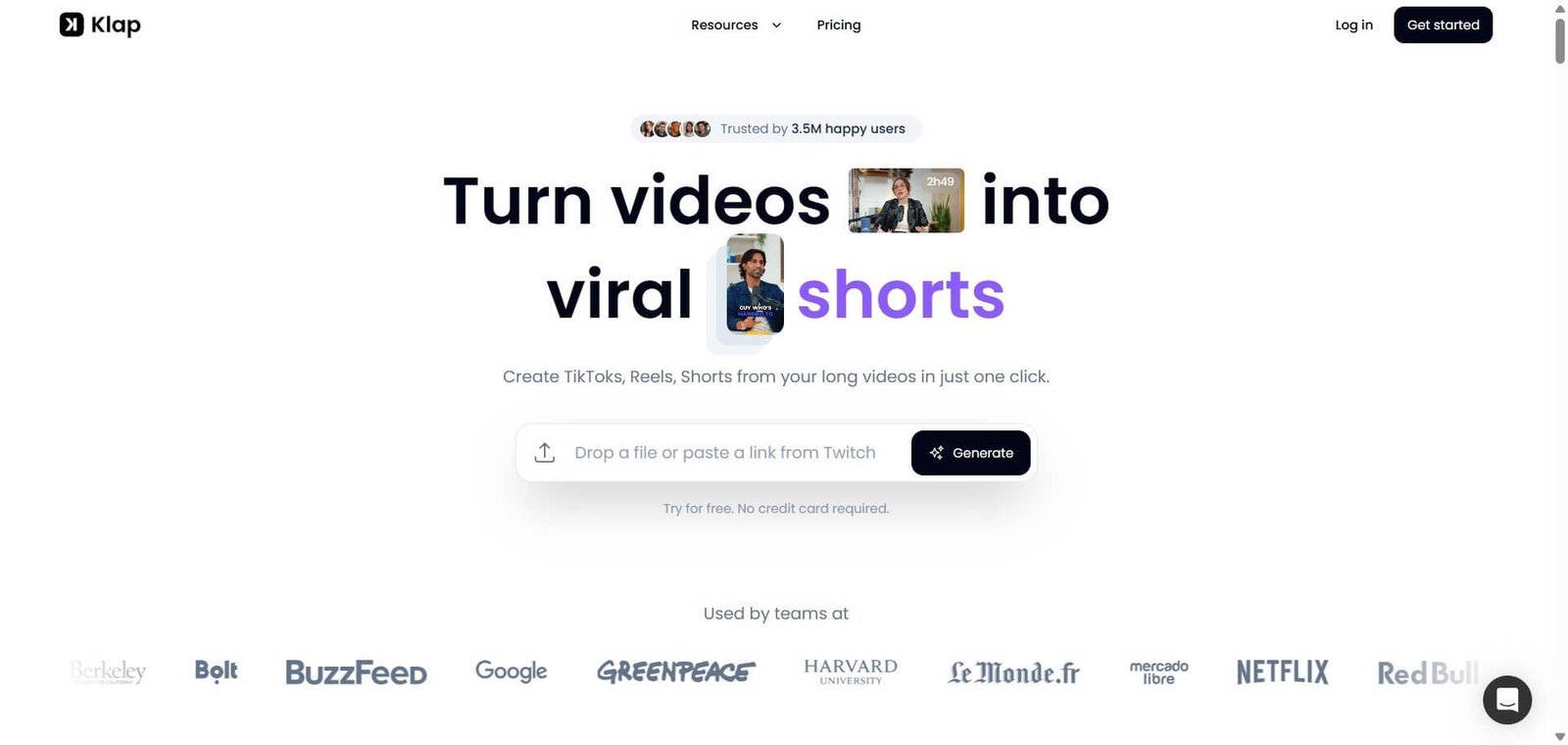
- Klap — Better for creators who need AI dubbing in 29 languages with lip sync and 4K export alongside clip extraction, at $23.20/month annual
- Munch — Better for marketing teams who want trend-aware AI clip selection using GPT and NLP analysis cross-referenced against current social media trending patterns for B2B content
- Castmagic — Better for podcasters who want the most comprehensive written content repurposing including show notes, newsletters, and Q&A extraction as the primary use case
- Loomly — Better for teams whose primary need is social media content calendar management and scheduling with approval workflows, rather than video repurposing as the starting point
Frequently Asked Questions (FAQ)
Quso AI is Vidyo AI under a new name, rebranded in January 2025. It keeps the same core features including AI clipping, captions, and repurposing, and adds tools for scheduling, analytics, and brand kits. 4 million plus users. Free plan with 75 credits, paid from $19/month.
Yes. Quso.ai is Vidyo.ai under a new name. The same product, same team, and same app. Only the name changed, and accounts, subscriptions, and projects all carried over automatically.
Yes. The free plan provides 75 credits per month with 720p watermarked exports and direct TikTok publishing at no cost. Paid plans start at $19/month for Lite with 1080p watermark-free exports and higher credit allocations.
Quso AI currently supports English, Spanish, German, and French for auto-captions and content processing.
Only the Growth plan at $59/month includes unlimited social post scheduling and bulk publishing. The Free, Lite, and Essential plans are focused on video creation features. The Growth plan covers 9 platforms including TikTok, YouTube, Instagram, LinkedIn, and Facebook.
Both are AI video repurposing tools. Quso AI adds social media scheduling, AI Social Manager, content planner, and analytics on the Growth plan, making it a more complete solo creator platform. Klap focuses exclusively on repurposing with AI dubbing in 29 languages and 4K export that Quso AI does not currently offer. Quso AI for creators who want repurposing plus scheduling in one platform. Klap for creators who need multilingual dubbing and the highest output resolution.
Final Recommendation
Quso AI is the most complete solo creator platform for content producers who want to move from long-form video to published short-form social content without managing separate repurposing and scheduling subscriptions. The CutMagic clip extraction, MagicViddy written content generation, and AI Social Manager scheduling across 9 platforms cover the full workflow that previously required two or three tools. The free plan with 75 credits and direct TikTok publishing makes genuine evaluation accessible without payment, and the $19 Lite entry point is among the most affordable professional-quality repurposing options in the category. For any creator who is currently clipping in one tool and scheduling in another, Quso AI consolidates both into one platform from the free tier upward.
Next steps