Planoly Review: The Social Media Planner That Creators Choose for Visual Grid Planning
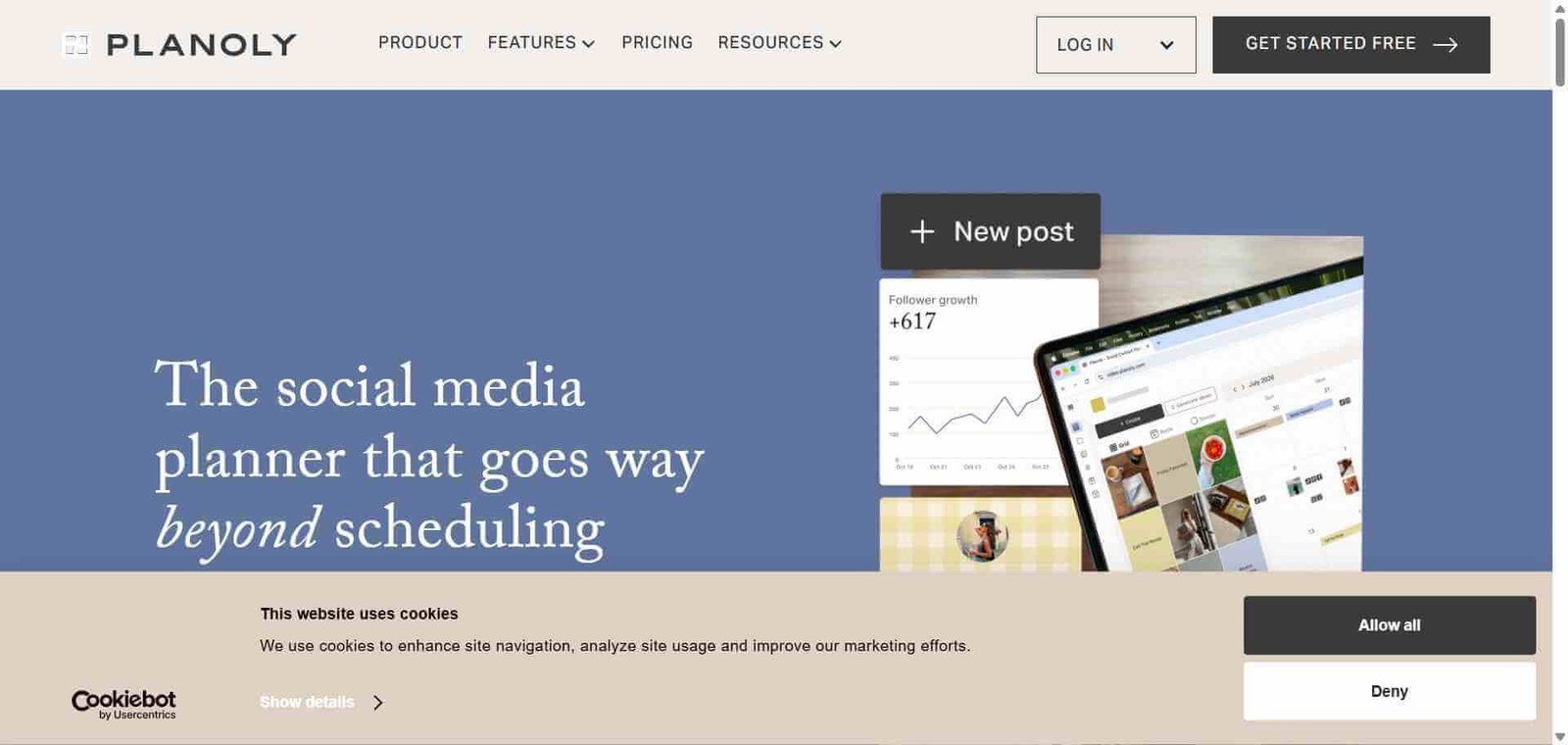
Instagram is a visual platform and planning for it should be visual. Planoly was built with this in mind — its grid preview shows exactly how your Instagram feed will look with upcoming posts in place, letting creators and brands plan their visual aesthetic cohesively rather than posting reactively and hoping for the best. For Instagram-first creators and brands who take their grid aesthetic seriously, Planoly provides the visual planning experience that generic scheduling tools cannot replicate.
Quick Summary
Planoly is a visual social media planning and scheduling platform focused on Instagram, TikTok, Pinterest, and other visual platforms, with a drag-and-drop grid preview, AI caption generation, analytics, and a link-in-bio tool for creators and small businesses.
Is it worth using? Yes for Instagram creators, lifestyle brands, and small businesses who want to plan their visual grid aesthetic and schedule social content with a tool built specifically for visual-first platforms. Who should use it? Instagram creators, lifestyle brands, small business owners, and social media managers who prioritise visual grid planning and need a scheduling tool that reflects the visual nature of Instagram and Pinterest content. Who should avoid it? Enterprise teams needing complex approval workflows and social listening — Hootsuite serves that need better. Teams whose primary platform is LinkedIn or Twitter/X where visual grid planning has no relevance.
Verdict Summary
Best for
Instagram creators and lifestyle brands who plan their grid aesthetic carefully and want a visual planner that shows exactly how posts will appear before publishing
Small businesses and solopreneurs who want an Instagram-first scheduling tool with link-in-bio capability at an accessible price
Pinterest-focused creators who want to schedule pins and plan boards alongside their Instagram content
Not for
Enterprise teams needing complex multi-stakeholder approval workflows and deep social listening
Teams whose primary platforms are LinkedIn or Twitter/X where visual grid planning is irrelevant
Agencies managing many client accounts who need more robust team and client management features
Rating ⭐⭐⭐⭐ 4.2 / 5
What Is Planoly?
Planoly is a visual social media planning and scheduling platform that started as an Instagram-first tool and expanded to cover TikTok, Pinterest, Facebook, Twitter/X, and LinkedIn. Its core differentiation is the visual grid preview — a drag-and-drop interface showing how your Instagram grid will look with all scheduled posts in place — combined with a content calendar, AI caption generation, analytics, and a Linkin.bio tool for driving traffic from social profiles.
The platform has a strong following among lifestyle creators, fashion brands, food bloggers, and other visual content creators who treat their Instagram grid as a curated visual portfolio where the aesthetic consistency between posts matters as much as individual post quality.
How Planoly Works
Connect your social accounts. Link your Instagram, TikTok, Pinterest, Facebook, and other accounts to Planoly. The grid preview activates immediately for Instagram.
Upload and arrange your content. Add your photos and videos to the Planoly media library and drag them into your grid preview to see exactly how they will look in your Instagram feed before scheduling.
Generate captions with AI. Describe your post content and Planoly’s AI generates caption options with relevant hashtag suggestions for the platform.
Schedule your posts. Set your preferred publishing times or use Planoly’s best time to post recommendations based on your audience’s activity patterns.
Set up your Linkin.bio. Configure your customisable link-in-bio page that makes each Instagram post clickable to a relevant URL, turning your profile link into a traffic hub.
Review your analytics. Track follower growth, post performance, and engagement rates for each connected platform to understand what content resonates with your audience.
Key Features
Visual Instagram grid preview with drag-and-drop post arrangement
AI caption and hashtag generation for all supported platforms
Multi-platform scheduling for Instagram, TikTok, Pinterest, Facebook, and Twitter/X
Best time to post recommendations based on audience activity
Linkin.bio customisable landing page for Instagram bio link
Media library for organising and storing content assets
Stories scheduling and planning alongside grid posts
Analytics covering follower growth, reach, and engagement per post
Repost and UGC tools for sharing user-generated content
Real-World Use Cases
Lifestyle creator grid curation: A travel photographer uses Planoly’s grid preview to arrange upcoming posts by colour palette and composition before scheduling, ensuring the Instagram grid maintains a cohesive aesthetic that attracts followers and brand partnerships.
Fashion brand content calendar: A clothing brand plans a full month of product photography, lifestyle imagery, and promotional posts in Planoly’s calendar, with the grid preview confirming the feed looks balanced before any post is published.
Pinterest traffic strategy: A food blogger schedules Pinterest pins in Planoly alongside Instagram posts, managing both visual platforms from one tool and tracking which Pinterest boards drive the most website traffic.
Small business content efficiency: A local restaurant owner batches two weeks of content in a single Planoly session — photos, captions via AI, and scheduled times — maintaining a consistent social presence without daily manual effort.
Affordable pricing accessible to individual creators and small businesses
Free plan limited to one social profile per platform
Pricing & Plans
Free — $0/month
1 social profile per platform
30 posts per month
Basic grid preview
Basic analytics
Solo — $13/month
1 social profile per platform
Unlimited posts
AI caption generation
Analytics
Linkin.bio
Duo — $20/month
2 social profiles per platform
All Solo features
Scheduling for multiple accounts
Priority support
Studio — $35/month
3 social profiles per platform
All Duo features
Team collaboration
Advanced analytics
Best Alternatives & Comparisons
Later — Very similar visual Instagram planning tool with comparable features at similar pricing — both are strong choices for Instagram-first scheduling
Hootsuite — Better for enterprise teams needing deeper social listening, approval workflows, and multi-network management
Metricool — Better for analytics-driven social media management with competitor monitoring at similar pricing
Flick AI — Better for Instagram hashtag strategy research alongside scheduling
Frequently Asked Questions (FAQ)
What is Planoly?
Planoly is a visual social media planning and scheduling platform focused on Instagram, TikTok, and Pinterest, with a drag-and-drop grid preview, AI caption generation, analytics, and a Linkin.bio tool for creators and small businesses.
Is Planoly free?
Yes, Planoly offers a free plan with one social profile per platform and 30 posts per month. The Solo plan at $13/month provides unlimited posts and AI caption generation.
How does Planoly's grid preview work?
Planoly shows your scheduled Instagram posts in a grid layout that mirrors how they will appear on your actual Instagram profile, allowing you to drag and rearrange posts until the visual aesthetic looks exactly right before anything publishes.
Does Planoly support TikTok scheduling?
Yes, Planoly supports TikTok scheduling alongside Instagram, Pinterest, Facebook, and Twitter/X — covering the major visual and social platforms in one tool.
How does Planoly compare to Later?
Planoly and Later are very similar tools competing in the same Instagram-first visual planning space. Both offer grid previews, AI captions, Linkin.bio tools, and multi-platform scheduling at comparable pricing. The choice often comes down to interface preference — testing both free plans is the best approach to determine which workflow feels more natural.
What is Planoly's Linkin.bio feature?
Planoly’s Linkin.bio creates a customisable landing page linked from your Instagram bio that displays a clickable grid matching your Instagram posts, allowing each post to link to a relevant URL — converting Instagram profile visits into website traffic.
Final Recommendation
Planoly is the right social media planning tool for Instagram-first creators and visual brands who want to plan their grid aesthetic deliberately rather than posting reactively. The visual grid preview, AI caption generation, and Linkin.bio capability cover the core Instagram management workflow efficiently, and the Pinterest integration is a practical addition for visual content creators running both platforms simultaneously. The Solo plan at $13/month provides everything most individual creators and small businesses need to maintain a consistent, aesthetically planned Instagram presence.