Otter AI Review: AI Meeting Transcription That Works in Real Time
Most people take meeting notes that are incomplete, badly organised, and forgotten within 48 hours. Otter AI replaces that entire process — it joins your meeting, transcribes every word in real time, identifies speakers, generates a summary, and makes the conversation searchable and shareable before the call has even ended. It is one of the most widely used AI productivity tools in the world with over 20 million users, and its real-time transcription quality has remained best-in-class since 2018.
Quick Summary
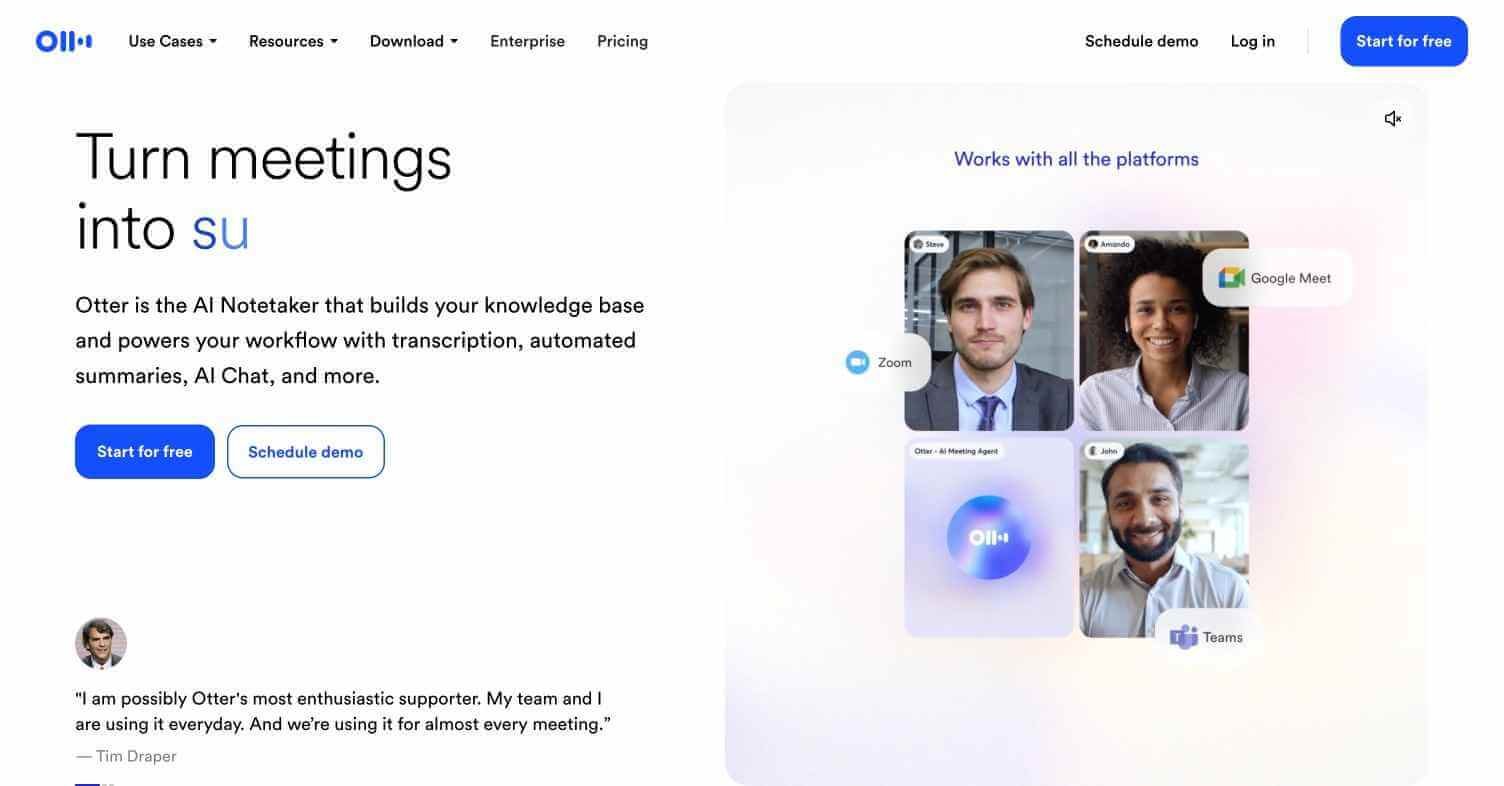
Otter AI is an AI-powered meeting transcription and notes platform that records, transcribes in real time, identifies speakers, and generates summaries for meetings on Zoom, Google Meet, Microsoft Teams, and in-person conversations.
Is it worth using? Yes — the most accurate and widely used real-time meeting transcription tool available.
Who should use it? Professionals, students, journalists, managers, and anyone who needs accurate records of spoken conversations.
Who should avoid it? Teams needing deep CRM integration and sales-specific meeting intelligence — Fireflies AI is stronger for that use case.
Verdict Summary
Best for
Professionals needing accurate real-time transcription across all meeting platforms
Students recording and transcribing lectures and study sessions
Journalists and researchers conducting and transcribing interviews
Not for
Teams needing deep CRM sync and sales-specific coaching features
Users needing video recording alongside transcription
Teams needing enterprise-grade security without upgrading to Business plan
Rating ⭐⭐⭐⭐½ 4.5 / 5
What Is Otter AI?
Otter AI is an AI transcription and meeting notes platform developed by AISense, founded in 2016 and headquartered in Mountain View, California. With over 20 million registered users it is the most widely adopted AI transcription tool available to consumers and businesses. Its core capability is real-time transcription with speaker identification — Otter learns to recognise different voices and labels each speaker automatically, producing a clean, readable transcript that distinguishes who said what throughout the conversation.
Unlike tools that only process recordings after the call, Otter AI transcribes live — you can follow along in real time, highlight key passages during the meeting, and share the live transcript with participants or absent colleagues before the call has finished.
How Otter AI Works
Download the app or connect your calendar — Available on iOS, Android, and web. Connect Google Calendar or Outlook and Otter automatically joins your scheduled meetings.
Start recording — Otter joins Zoom, Google Meet, or Teams as a bot, or you can record in-person conversations directly through the mobile app microphone.
Real-time transcription begins — Otter transcribes every word as it is spoken, identifying and labelling each speaker throughout the conversation.
Highlight and comment during the call — Add highlights, comments, and action items directly in the live transcript while the meeting is still in progress.
Review the AI summary — After the meeting, Otter generates a structured summary with key topics, decisions, and action items extracted automatically.
Search and share — Search across all past transcripts using keywords, share specific conversations with teammates, and export in text, PDF, or SRT format.
Key Features
Real-time transcription with live speaker identification
Automatic meeting join for Zoom, Google Meet, and Microsoft Teams
AI-generated meeting summaries with action items
In-meeting highlights and comments during live transcription
Full-text search across all recorded conversations
Mobile app for in-person conversation recording
Calendar integration for automatic meeting capture
Export in text, PDF, and SRT subtitle formats
Real-World Use Cases
Business meetings: Capture every decision, action item, and discussion point from team meetings without manual note-taking.
Sales calls: Record and transcribe prospect and client calls for review, coaching, and follow-up reference.
Academic lectures: Record and transcribe university lectures for structured revision notes automatically.
Journalism and research: Record and transcribe interviews for accurate quoting and reference without manual transcription.
Free plan limited to 300 monthly transcription minutes
Speaker identification learns voices over time
CRM integration weaker than Fireflies AI
Works across all major meeting platforms
Video recording not included on standard plans
Mobile app captures in-person conversations
Heavy accent recognition can vary
20M+ users — most trusted transcription tool
Advanced team features require Business plan
Pricing & Plans
Free — $0/month
300 transcription minutes per month
30-minute limit per conversation
Automatic meeting join 3 times per month
AI summaries included
Pro — $16.99/month
1,200 transcription minutes per month
90-minute limit per conversation
Unlimited meeting joins
Advanced search and export
Business — $30/user/month
6,000 transcription minutes per month
Unlimited conversation length
CRM integrations
Team management and analytics
Enterprise — Custom pricing
Unlimited transcription
SSO and advanced security
Custom data retention
Dedicated support
Best Alternatives & Comparisons
Fireflies AI — Better for CRM integration and sales-specific meeting intelligence workflows
MeetGeek — Similar transcription with stronger meeting template and workflow features
Laxis — Better for sales teams needing CRM-first meeting intelligence
Castmagic — Better for repurposing meeting and podcast recordings into content assets
Frequently Asked Questions (FAQ)
What is Otter AI?
Otter AI is an AI meeting transcription platform that records and transcribes conversations in real time with speaker identification, summaries, and full-text search.
Is Otter AI free?
Yes — the free plan includes 300 transcription minutes per month with AI summaries. Paid plans start at $16.99/month.
Does Otter AI work with Zoom and Google Meet?
Yes — Otter AI integrates directly with Zoom, Google Meet, and Microsoft Teams, joining meetings automatically when connected to your calendar.
How accurate is Otter AI transcription?
Otter AI produces highly accurate transcription for clear audio in standard accents. Accuracy can vary with heavy accents, multiple simultaneous speakers, or poor audio quality.
Can Otter AI record in-person conversations?
Yes — the Otter AI mobile app on iOS and Android can record and transcribe in-person conversations directly through the device microphone.
How does Otter AI compare to Fireflies AI?
Otter AI leads on real-time transcription accuracy and in-person recording. Fireflies AI leads on CRM integration and sales-specific meeting intelligence features. Both are excellent — choose based on your primary use case.
Final Recommendation
Otter AI is the most reliable and accessible meeting transcription tool available for individuals and teams. The real-time transcription and speaker identification alone make it worth adopting immediately. The free plan covers 300 minutes per month — enough for most professionals to evaluate it thoroughly across a typical working week before deciding on an upgrade.