
Capacities
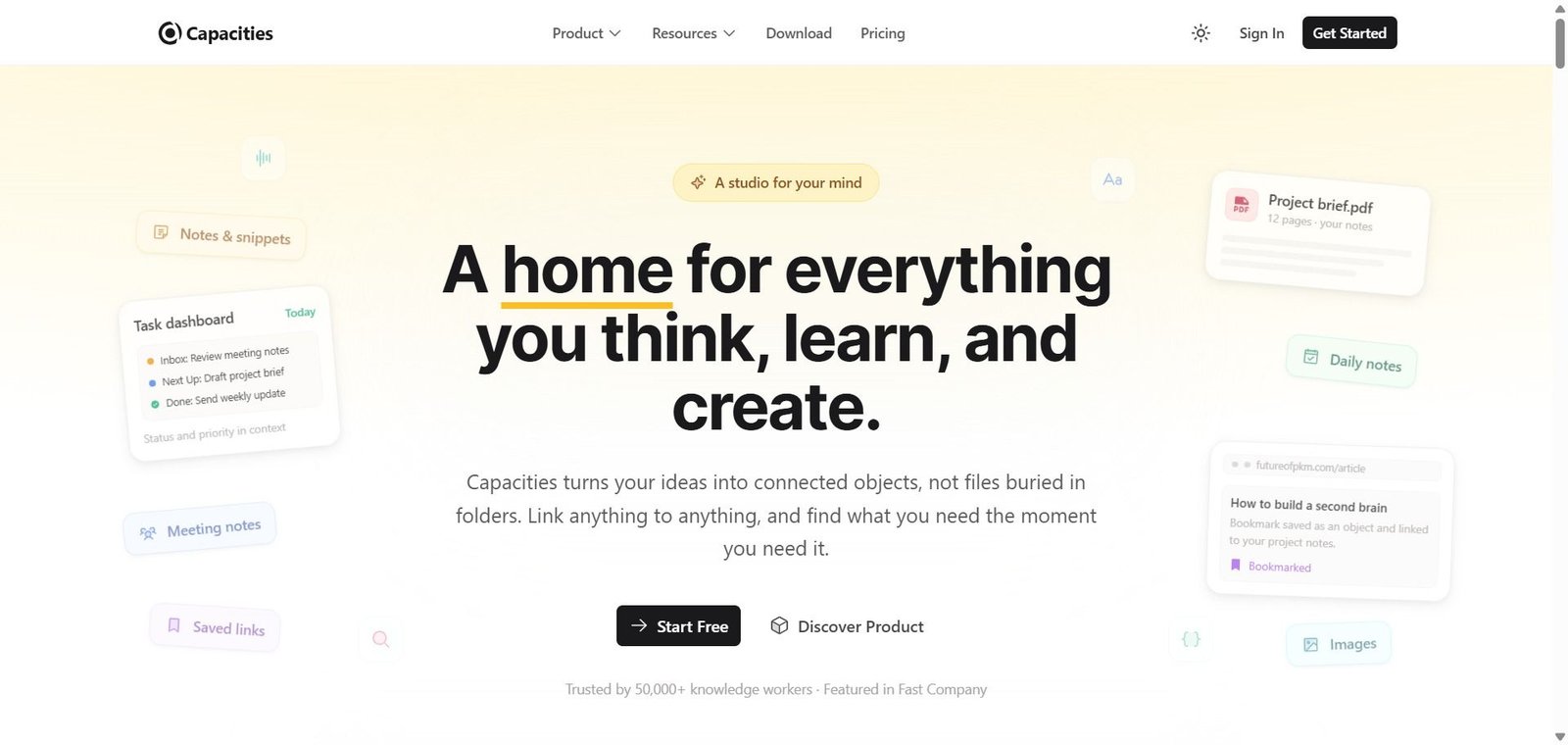
A studio for your mind — object-based notes that link everything together, with an AI that knows your knowledge base.
Capacities Review: The Note-Taking App That Treats Knowledge as Objects, Not Documents
Traditional note-taking apps store everything as documents in folders — a note about a book, a note about a meeting, a note about a project. The problem is that these things are connected in reality but disconnected in the tool — the book you read informed your thinking in the meeting which shaped the project, but in a folder-based tool those three notes sit in three separate locations with no visible relationship. Capacities solves this by treating everything as an object — the book is a Book object, the meeting is a Meeting object, the project is a Project object — each with its own properties and templates, linked bidirectionally to everything it actually relates to. The result is a knowledge base that understands the nature of what you are capturing, not just the text.
Quick Summary
Capacities is an object-based personal knowledge management app — treating every captured item as a typed, structured object linked across the knowledge base through bidirectional connections — with daily notes as the central hub, a visual knowledge graph, AI Assistant with context-aware responses grounded in the user’s own notes, cross-device sync across web, macOS, Windows, Linux, iOS, and Android, and a free plan with paid plans from $9.99/month billed annually.
Is it worth using? Yes for knowledge workers, researchers, writers, and anyone who manages a large and complex personal knowledge base and wants an AI assistant that draws from their own notes rather than generic information — Capacities’ object-based approach produces a knowledge graph that becomes more useful the more it is used.
Who should use it? Researchers, writers, consultants, students, and knowledge-intensive professionals who want to build a networked knowledge base that surfaces connections between ideas rather than storing isolated documents.
Who should avoid it? Teams who need shared collaborative knowledge management — Capacities is designed for individual use without built-in collaboration features. Casual note-takers who want a simple writing app will find the object-based structure more overhead than value.
Verdict Summary
Best for
- Researchers and academics who collect information across books, papers, people, and projects and want a tool that makes relationships between these elements visible rather than storing them in separate files — Capacities’ bidirectional linking and knowledge graph reveal connections that linear note-taking misses
- Writers and consultants who want to capture ideas, client notes, and reference material in a system that connects related items automatically and allows the AI assistant to synthesise across the knowledge base
- Knowledge workers migrating away from Notion who find it too database-heavy and from Obsidian who find it too technical — Capacities occupies the accessible middle ground with object structure without requiring manual database setup or plugin management
Not for
- Teams needing shared collaborative knowledge management — Capacities is individual-use focused without built-in collaboration for multiple writers in the same space
- Users who want a simple linear note-taking app without structured object types — the object-based model requires initial investment to understand and configure before it delivers its full value
- Organisations that need enterprise knowledge management with admin controls, user management, and compliance — Capacities is a personal productivity tool, not an enterprise knowledge base
Rating
⭐⭐⭐⭐ 4.1 / 5
What Is Capacities?
Capacities was founded in 2020 by Steffen Bleher and Michael von Hohnhorst in Sankt Wendel, Germany — building on frustration with how computers force knowledge into hierarchical folder structures that do not reflect how the human mind actually organises information. Their solution was object types — instead of creating a note about a book, you create the book itself as a Book object with properties for title, author, status, and rating, then link it to People objects for the author and reviewer, Project objects for projects it informed, and other books through relationship properties.
The company is funded by its community rather than venture capital — a deliberate choice that shapes the product philosophy toward user value over growth metrics and ensures the platform’s roadmap reflects community priorities rather than investor-driven feature development.
How Capacities Works
- Create your object types. Capacities provides built-in object types — Book, Person, Project, Meeting, Note, Task, and others — each with configurable properties and templates. Create custom object types for domain-specific needs without any technical configuration.
- Capture in daily notes. Use Daily Notes as the daily inbox — capturing thoughts, tasks, ideas, and meeting notes in a flowing daily document that automatically links to objects mentioned within it. Daily Notes serve as the chronological record alongside the networked object structure.
- Link everything bidirectionally. Mention a Person object in a Note object and the link appears in both directions — the note shows it references this person, and the person’s page shows this note mentioned them. The same applies to any object referenced anywhere in the knowledge base.
- Explore the knowledge graph. The visual graph shows the full network of connections across all objects — clicking a node shows what it connects to, revealing relationships between ideas that are invisible in a flat document structure.
- Ask the AI Assistant. The AI Assistant queries and generates content with context awareness from the user’s knowledge base — “what books have I read about productivity?” or “summarise my notes on the XYZ project” — producing answers grounded in the user’s actual captured knowledge rather than generic responses.
- Work across devices. Capacities syncs across web, macOS, Windows, Linux, iOS, and Android — full editing on all platforms with offline capability that syncs when connectivity resumes.
Key Features
- Object-based knowledge organisation — every item is a typed object with properties rather than a generic document
- Built-in object types — Books, People, Projects, Meetings, Notes, Tasks, and custom types
- Bidirectional linking connecting any object to any other object with automatic reverse references
- Daily Notes as the daily hub — chronological capture that automatically links to referenced objects
- Visual knowledge graph showing the full connection network across the entire knowledge base
- AI Assistant with context-aware responses grounded in the user’s own notes and knowledge base
- Block-level linking enabling references to specific passages within objects
- Cross-device sync — web, macOS, Windows, Linux, iOS, and Android with offline-first editing
- No venture capital funding — community-funded with roadmap aligned to user priorities
- Free plan with 5GB storage; Pro at $9.99/month billed annually ($11.99/month); Believer at $12.49/month billed annually ($14.99/month)
Real-World Use Cases
- Research knowledge base: A PhD researcher captures every paper they read as a Paper object linked to the Author objects, Topic objects, and Project objects it relates to — over two years, searching for papers on a specific methodology surfaces not just the papers explicitly tagged with that methodology but all papers linked to related topics through the object graph, revealing literature connections the researcher had not consciously noted.
- Consultant client knowledge: A management consultant creates a Client object for every client engagement — linking meeting notes, contact people, deliverable documents, and industry research to the same client object — the AI Assistant can then answer “what have I discussed with Acme Corp about their logistics operations?” by searching across the linked note history rather than requiring the consultant to manually search through files.
- Book reading system: A voracious reader uses Capacities to capture every book as a Book object — logging key insights as linked notes, tagging the book with topic objects, and linking authors to their other works — the knowledge graph gradually reveals connections between books on related topics and between authors who influenced each other, turning a reading list into a searchable intellectual network.
- Daily capture to networked knowledge: A writer uses Daily Notes to capture ideas throughout the day — any person, project, or topic mentioned in the daily note automatically appears in that object’s page — the daily journal becomes a searchable index of the writer’s intellectual activity without any manual filing or organisation effort.
Pros and Cons
| Pros | Cons |
|---|---|
| Object-based structure produces a knowledge graph that becomes more valuable the more it is used — the network effect of connected knowledge compounds over time | Individual-use focused — no built-in collaboration for teams sharing a knowledge base |
| AI Assistant grounded in the user’s own knowledge base — answers draw from actual captured notes rather than generic responses | Object-based model requires initial investment to understand and configure before delivering full value |
| Community-funded rather than VC-backed — roadmap driven by user priorities rather than growth metrics or investor pressure | Some users report a learning curve navigating between the object structure and daily notes workflow |
| Cross-platform including native Windows app — broader device support than Reflect or Craft for Windows users | Premium features including AI Assistant require paid plan — free tier excludes the most differentiating capability |
| Offline-first editing with cross-device sync — full functionality without internet connection on all platforms | Smaller community and ecosystem than Notion or Obsidian — fewer templates and integrations currently available |
Pricing & Plans
Free — $0
- Core object-based notes and linking
- Daily Notes
- Knowledge graph
- 5GB media storage
- Cross-device sync
- No AI Assistant
Pro — $9.99/month billed annually (or $11.99/month)
- All Free features
- Unlimited media uploads
- AI Assistant
- Task and calendar integrations
- Formulas in tables
- Unlinked mentions
- Web Highlights
- Public API
- Priority support
Believer — $12.49/month billed annually (or $14.99/month)
- All Pro features
- Early access to beta features
- Additional support for Capacities’ independent development
Best Alternatives & Comparisons
- Obsidian — Better for technically sophisticated PKM users who want maximum customisation through plugins and local file storage
- Notion AI — Better for teams and collaborative workspaces alongside personal notes — broader integration and template ecosystem
- Reflect — Better for simplicity and speed in networked note-taking with strong AI integration at comparable pricing
- Mem AI — Better for fully automated knowledge capture with AI that organises notes without manual object typing
Frequently Asked Questions (FAQ)
Capacities is an AI-powered object-based personal knowledge management app that organises notes as structured linked objects — books, people, projects, meetings, ideas — with bidirectional linking, a visual knowledge graph, and an AI Assistant grounded in the user’s own knowledge base.
Yes — the free plan covers core object-based notes, bidirectional linking, daily notes, and 5GB storage. The Pro plan at $9.99/month billed annually adds the AI Assistant, unlimited uploads, and advanced integrations.
Object-based note-taking treats every captured item as a typed, structured object — a Book is a Book object with properties for author, status, and rating, not a generic note called “book notes.” Objects link bidirectionally to each other, creating a knowledge graph that reveals relationships between ideas rather than storing isolated documents.
Yes — Capacities has native apps for macOS, Windows, Linux, iOS, and Android alongside a web app, with full offline editing and cross-device sync across all platforms.
No — Capacities is community-funded rather than VC-backed, a deliberate choice by the founders to align the product roadmap with user priorities rather than investor-driven growth metrics. The Believer plan is partly positioned as a way for users to support the platform’s independent development.
Capacities is object-based with a knowledge graph focus — designed for individual networked note-taking where connections between ideas are the primary value. Notion is more flexible and collaborative — strong for team wikis, project management, and database-heavy workflows. Capacities for individual knowledge workers who want networked thought. Notion for teams who need shared wikis, databases, and collaborative workspaces.
Final Recommendation
Capacities is the most thoughtfully designed AI object-based knowledge management tool for knowledge workers who have outgrown linear note-taking and want a system that makes the connections between their ideas visible rather than hiding them in folder hierarchies. The object-based structure, bidirectional linking, daily notes integration, and AI Assistant grounded in the user’s own knowledge base create a personal knowledge system that compounds in value the more it is used — the opposite of folder-based notes that become harder to navigate as they grow. For any researcher, writer, or consultant who has found themselves unable to rediscover what they know because it is buried in files, Capacities builds the networked knowledge base that makes that knowledge accessible and connectable.
Next steps