itirupati.com AI Tools

Rows AI

Analyse data, build reports, and automate spreadsheet workflows with AI in plain language.

Rows AI Review: AI Spreadsheet Tool That Lets You Ask Questions Instead of Writing Formulas

Spreadsheets are the universal data tool but they have always demanded technical knowledge to use properly. Writing complex formulas, building pivot tables, and connecting external data sources all require skills that most business users have to learn slowly or outsource to data teams. Rows AI removes that barrier by letting you describe what you want in plain language and getting the analysis, formula, or automation you need without knowing the syntax. It is a meaningfully smarter spreadsheet experience.

Quick Summary

Rows AI is an AI-powered spreadsheet platform that combines familiar spreadsheet functionality with natural language data analysis, AI-generated formulas, built-in data integrations, and shareable live reports in a single browser-based tool.

Is it worth using? Yes, particularly for business users and analysts who work with data regularly but lose time to formula complexity, data connection setup, and manual report building. Who should use it? Business analysts, marketers, operations teams, and anyone who regularly works with data in spreadsheets and wants AI to handle the technical complexity. Who should avoid it? Advanced Excel or Google Sheets power users whose workflows depend on specific features, macros, or integrations that only the incumbent tools support.

Verdict Summary

Best for

  • Business users who work with data regularly but find formula complexity a bottleneck
  • Marketing and operations teams who need live reports connected to real data sources
  • Analysts who want to ask questions of their data in natural language rather than writing complex queries

Not for

  • Power users with complex macro-dependent workflows in Excel or Google Sheets
  • Teams whose entire organisation is already deeply embedded in Google Workspace
  • Users needing offline spreadsheet access

Rating ⭐⭐⭐⭐ 4.3 / 5

What Is Rows AI?

Rows AI is a browser-based spreadsheet platform that integrates AI directly into the data analysis workflow rather than bolting it on as an afterthought. Its AI layer understands your spreadsheet data and can analyse it, summarise it, generate formulas, clean messy data, and produce insights in response to plain language questions. Beyond the AI layer, Rows connects directly to external data sources including Google Analytics, Stripe, HubSpot, Salesforce, and 50 plus other platforms, pulling live data into your spreadsheet without manual export and import cycles.

The shareable live report feature distinguishes it from standard spreadsheet tools: you can turn any Rows spreadsheet into a polished, public-facing report that updates automatically when the underlying data changes, without rebuilding it as a separate document.

How Rows AI Works

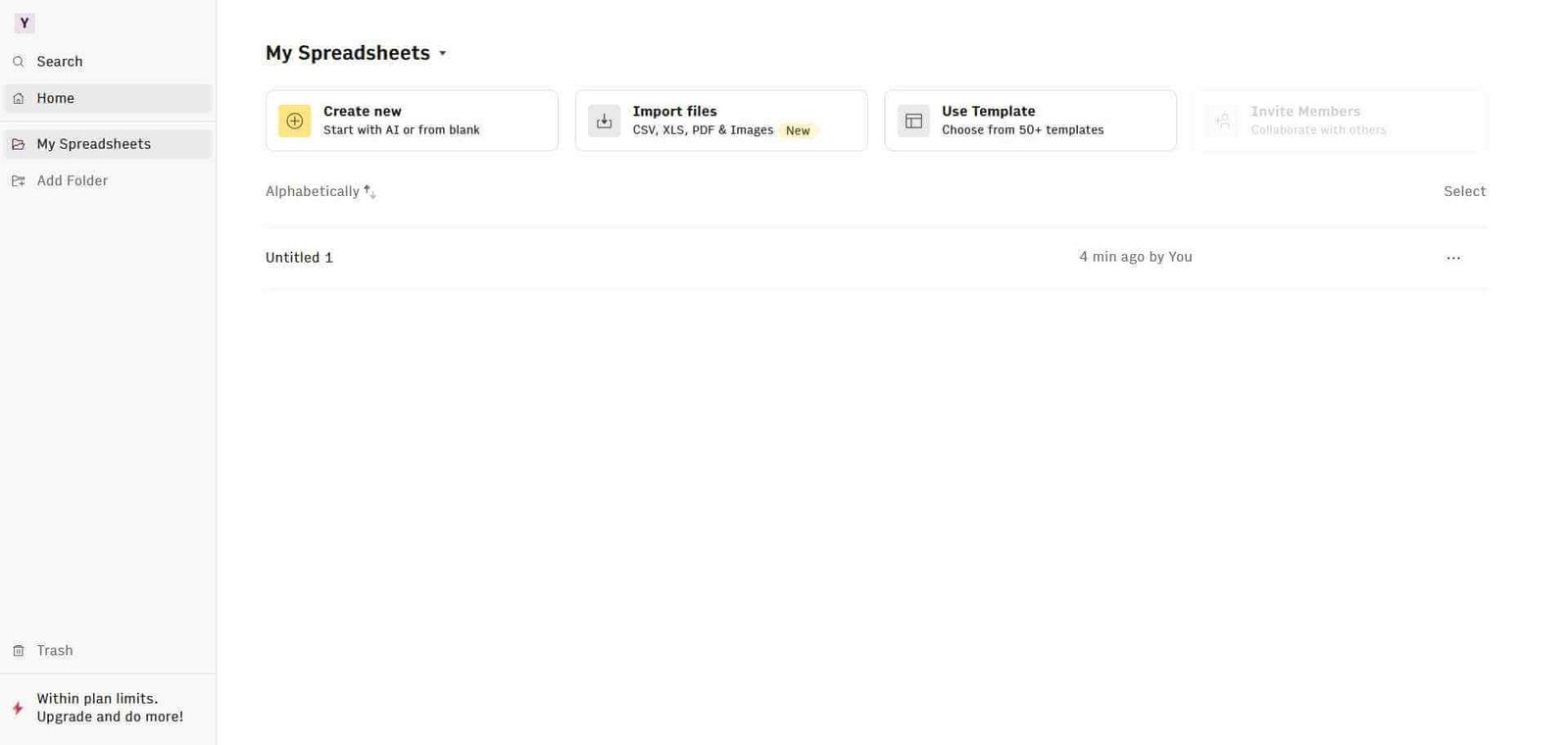
  • Create a new spreadsheet at rows.com. The interface is familiar to anyone who has used Excel or Google Sheets, with rows, columns, and cell-based data entry.
  • Ask the AI to analyse your data. Type a question in plain language in the AI chat panel — “What was our best performing month?” or “Which product category has the highest return rate?” — and Rows AI interprets your data and answers directly.
  • Let AI generate formulas. Describe what calculation you need in plain language and Rows AI writes the formula for you, explains what it does, and inserts it into the correct cell.
  • Connect external data sources. Use Rows’ built-in integrations to pull live data directly from your tools — Google Analytics traffic data, Stripe revenue figures, HubSpot CRM records — into your spreadsheet automatically.
  • Build and share live reports. Format your spreadsheet as a shareable report with charts and summaries that update automatically as the underlying data refreshes.
  • Automate recurring tasks. Set up scheduled data refreshes and automated calculations so your reports always reflect current data without manual intervention.

Key Features

  • Natural language data analysis answering questions about your spreadsheet data in plain English
  • AI formula generation from plain language descriptions
  • AI data cleaning and transformation for messy or inconsistently formatted data
  • 50 plus built-in integrations including Google Analytics, Stripe, HubSpot, Salesforce, and more
  • Live shareable reports that update automatically when data changes
  • Scheduled data refresh for always-current automated reports
  • Charts and visualisation built into the spreadsheet environment
  • Collaboration with shared access and real-time editing

Real-World Use Cases

  • Marketing reporting: Connect Google Analytics and paid media platforms into one spreadsheet and build a live dashboard that updates daily without manual data exports.
  • Revenue analysis: Pull Stripe transaction data directly into Rows and ask the AI to summarise revenue trends, identify anomalies, and calculate month-on-month growth automatically.
  • Sales pipeline reporting: Connect HubSpot or Salesforce data and build a shareable live pipeline report for weekly leadership review without rebuilding it each week.
  • Operations monitoring: Track key operational metrics from multiple data sources in one live spreadsheet that the AI can analyse and summarise on demand.

Pros and Cons

ProsCons
Natural language analysis removes formula knowledge barrierLess compatible with complex macro-heavy Excel workflows
50 plus data integrations reduce manual data work significantlyFree plan limits the number of integrations available
Live shareable reports add genuine value beyond standard sheetsAdvanced users may find it less powerful than Google Sheets for complex modelling
AI formula generation with explanations aids learningBrowser-based only with no offline access
Clean modern interface compared to legacy spreadsheet toolsSmaller ecosystem of add-ons than Google Sheets

Pricing & Plans

Free — $0/month
  • 10 integrations
  • Basic AI features
  • Standard report sharing
  • 3 editors per workspace
Pro — $59/month per workspace
  • Unlimited integrations
  • Full AI analysis features
  • Advanced report sharing
  • Unlimited editors
  • Priority support
Business — $150/month per workspace
  • All Pro features
  • Advanced permissions
  • Dedicated support
  • Custom integrations

Best Alternatives & Comparisons

  • Notion AI — Better for knowledge management with embedded databases, less suited to data-heavy spreadsheet work
  • Airtable — Better for structured relational databases with more flexible data types, different workflow
  • Mastersheets AI — Similar AI spreadsheet concept with a different feature focus
  • Powerdrill AI — Similar data analysis with AI focus, different interface model

Frequently Asked Questions (FAQ)

What is Rows AI?

Rows AI is an AI-powered spreadsheet platform that combines familiar spreadsheet functionality with natural language data analysis, AI formula generation, built-in external data integrations, and shareable live reports.

Is Rows AI free?

Yes, Rows AI offers a free plan with 10 integrations and basic AI features. The Pro plan at $59/month per workspace provides unlimited integrations and full AI capabilities.

How does Rows AI compare to Google Sheets?

Yes, Rows has a native Google Analytics integration that pulls live traffic and performance data directly into your spreadsheet without manual exports.

How does Rows AI generate formulas?

You describe the calculation you need in plain language, and Rows AI writes the appropriate formula, inserts it into your spreadsheet, and explains what it does — removing the need to know formula syntax.

How does Rows AI compare to Google Sheets?

Rows AI offers significantly better AI analysis, built-in live data integrations, and shareable live reports. Google Sheets has a larger add-on ecosystem, better offline access, and deeper integration with Google Workspace. Choose Rows for AI-driven data analysis, Google Sheets for broad compatibility and Google ecosystem integration.

Can I share Rows AI spreadsheets publicly?

Yes, Rows includes a live report sharing feature that lets you publish a spreadsheet as a polished, shareable report that updates automatically when the underlying data changes.

Final Recommendation

Rows AI is the most intelligent spreadsheet experience available for business users who work with data regularly but lose productivity to formula complexity and manual data connections. The combination of natural language analysis, 50 plus live data integrations, and shareable reports addresses the three biggest friction points in spreadsheet workflows. The free plan provides enough access to evaluate whether the AI analysis quality and integrations cover your specific data sources before upgrading.

Next steps

Feature your app on AI tools for free

Subscribe to our Newsletter

Stay up-to-date with the latest AI Apps and cutting-edge AI news.

Trending Categories