itirupati.com AI Tools

Heap

Capture every user interaction automatically — then ask any question about your data, retroactively.

Heap Review: The Analytics Platform That Answers Questions You Had Not Thought to Ask Yet

Every product analytics platform requires you to decide what to track before you can analyse it. If you did not track a specific event last month, you cannot go back and understand what happened. Heap fundamentally changes this constraint by autocapturing every user interaction — every click, swipe, form input, and page view — the moment it is installed, without requiring any manual event instrumentation. When a question arises that was not anticipated during initial setup, Heap can answer it using data that was already being collected automatically.

Quick Summary

Heap is a product analytics platform with complete autocapture that records every user interaction on installation without manual event tracking, enabling retroactive analysis of any user behaviour from the moment the snippet was installed.

Is it worth using? Yes for product and engineering teams who want complete behavioural data from day one without defining their tracking plan upfront, and who want the flexibility to answer unanticipated product questions from historical data.
Who should use it? Product managers, growth teams, and data analysts who want to analyse any aspect of user behaviour without depending on engineering to implement specific tracking for each question that arises.
Who should avoid it? Teams with carefully defined event taxonomies who need precise custom event naming conventions and properties, where Mixpanel or Amplitude’s explicit tracking model is preferable.

Verdict Summary

Best for

  • Product teams who want complete behavioural data without upfront tracking plan decisions and engineering implementation for every event
  • Growth teams whose analytical questions evolve quickly and who need the flexibility to retroactively define and analyse events from historical data
  • Teams who have experienced the frustration of discovering an important product question that cannot be answered because the relevant event was never tracked

Not for

  • Teams who prefer explicit, well-named event taxonomy with controlled properties for clean data warehouse analysis
  • Organisations whose primary analytics need is marketing attribution and campaign tracking
  • Teams that need the most precise custom event property definitions that autocapture cannot provide

Rating
⭐⭐⭐⭐ 4.3 / 5

What Is Heap?

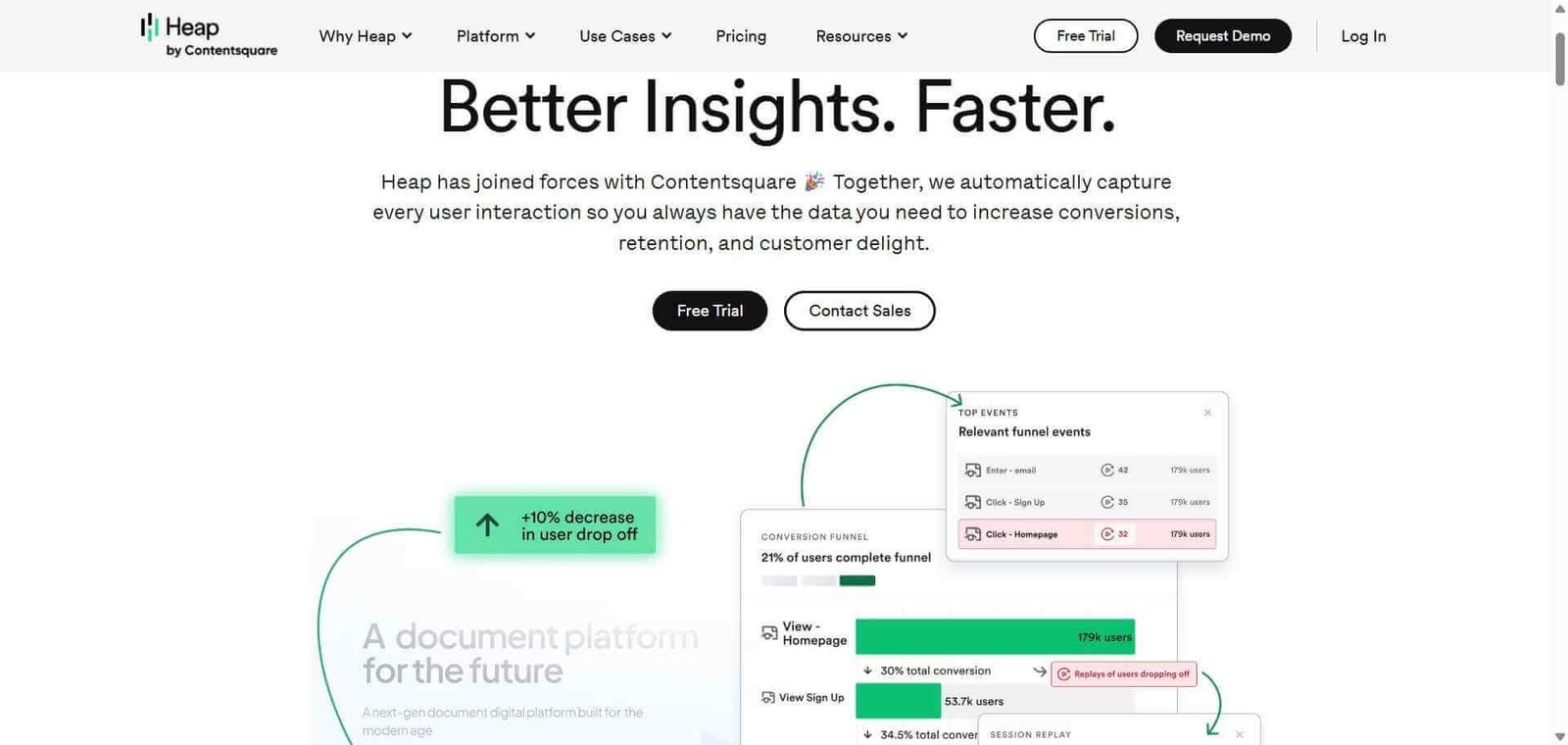
Heap is a digital insights platform that captures every user interaction automatically from the moment its JavaScript snippet or mobile SDK is installed — without requiring engineers to implement identify, track, or page calls for individual events. Clicks, taps, field inputs, form submissions, and page views are all captured automatically and stored with the full context of what the user did, what page they were on, and what session they were in.

This autocapture approach means that when a product manager asks “how many users clicked the secondary CTA last month?” — even if that button was never explicitly tracked — Heap has the data because it captures everything. The analytical workflow in Heap involves defining events after the fact by pointing at interface elements, rather than implementing tracking before questions arise.

How Heap Works

  • Install the Heap snippet. Add a single JavaScript snippet to your web app or integrate the mobile SDK. Heap immediately begins capturing all user interactions automatically.
  • Define events visually. Using Heap’s visual labelling tool, point at any element in your interface and name it as an event — “Clicked Primary CTA”, “Submitted Contact Form” — without writing any code.
  • Build analyses from labelled events. Use your defined events to build funnels, retention analyses, and user segments in the same way as any event-based analytics platform.
  • Analyse retroactively. Define a new event today and immediately analyse how users have interacted with that element over the full period since Heap was installed — with no data gaps from before the event was defined.
  • Use Heap AI for natural language queries. Ask questions about your data in plain English and receive generated analyses, reducing the time to insight for common product questions.
  • Sync to your data warehouse. Export all captured event data to Snowflake, BigQuery, or Redshift for custom analysis alongside your other business data.

Key Features

  • Complete autocapture of every user interaction without manual tracking implementation
  • Visual event labelling defining events retroactively without code
  • Retroactive analysis of historical data from any newly defined event
  • Funnel analysis, retention, and user segmentation
  • Heap AI for natural language data querying
  • Session replay for individual user journey playback
  • Data warehouse sync to Snowflake, BigQuery, and Redshift
  • Journeys visualisation showing common user paths through your product
  • Account-level analytics for B2B products tracking company-level behaviour

Real-World Use Cases

  • Retroactive button click analysis: A product team realises they need to understand how many users clicked a specific navigation element last quarter. With Heap, they label the element and instantly see six months of historical click data — no gap, no new implementation required.
  • Unanticipated funnel analysis: A growth team wants to understand why a specific user cohort converted at lower rates. They build a funnel using elements they label retroactively in Heap and identify an intermediate step they had not previously tracked that explains the conversion difference.
  • B2B account behaviour: A SaaS company uses Heap’s account-level analytics to understand how different company sizes use their product differently, grouping individual user events by company to identify which account segments are most engaged.
  • Session replay for bug investigation: An engineering team uses Heap’s session replay to watch the exact sequence of events that led to a user-reported bug, identifying the reproduction path without needing additional logging.

Pros and Cons

ProsCons
Retroactive analysis from historically autocaptured data is uniqueAutocapture generates large data volumes requiring warehouse management
Visual event labelling removes engineering dependency for analysisLess precise event property control than Mixpanel’s explicit tracking
Complete behavioural data from day one without tracking plan decisionsAdvanced features on higher plan tiers
Heap AI enables non-technical stakeholders to query product dataStorage and data volume costs can be significant at scale
Account-level B2B analytics addresses a specific gap in competing toolsSome teams find the autocapture model creates data quality challenges

Pricing & Plans

Free — $0/month
  • Up to 10,000 monthly sessions
  • Core autocapture
  • Basic analyses
  • Community support
Growth — Custom pricing
  • Higher session volumes
  • All core analytics features
  • Session replay
  • Data warehouse connectors
  • Email support
Pro — Custom pricing
  • All Growth features
  • Heap AI
  • Account-level analytics
  • Priority support
Premier — Custom pricing
  • Unlimited sessions
  • All Pro features
  • Dedicated support
  • Custom contracts

Best Alternatives & Comparisons

  • Mixpanel — Better for teams who want precise explicit event tracking with controlled properties and cleaner data taxonomy
  • PostHog — Open-source alternative with autocapture alongside feature flags and session recording, more generous free tier
  • Amplitude — Better for enterprise product analytics with sophisticated retention driver analysis, explicit tracking model
  • Hotjar — Complements Heap for qualitative behaviour visualisation, different primary use case

Frequently Asked Questions (FAQ)

What is Heap?

Heap is a product analytics platform with complete autocapture that records every user interaction automatically on installation, enabling retroactive analysis of any user behaviour from the moment the snippet was installed.

Is Heap free?

Yes, Heap offers a free plan for up to 10,000 monthly sessions. Paid plans are custom priced based on session volume and feature requirements.

What makes Heap different from Mixpanel?

Heap autocaptures all user interactions and allows retroactive event definition. Mixpanel requires upfront event implementation using its SDK. Heap is better for retroactive analysis and teams without strong upfront tracking plans. Mixpanel is better for precise, well-named events with controlled properties and cleaner data taxonomy.

What is retroactive analysis in Heap?

Retroactive analysis means you can define a new event today — by labelling an interface element — and immediately see historical data for that event from the full period since Heap was installed, with no gap for data that predates the event definition.

Does Heap have session replay?

Yes, Heap includes session replay on paid plans, allowing you to watch individual user sessions showing the exact sequence of interactions a user performed during a specific visit.

How does Heap handle data volume from autocapture?

Heap’s autocapture generates significantly more raw data than explicit event tracking. Heap manages storage and provides data warehouse sync for teams who want to work with the full event data in their own infrastructure.

Final Recommendation

Heap is the right analytics platform for product teams who value flexibility and completeness over precision and taxonomy cleanliness. The ability to answer product questions retroactively using data that was already being collected — without gaps from events that were never explicitly tracked — is a genuine and practically valuable capability. For teams who have experienced the limitation of discovering an important question that cannot be answered because tracking was never implemented, Heap’s autocapture model is the clearest solution available.

Next steps

Feature your app on AI tools for free

Subscribe to our Newsletter

Stay up-to-date with the latest AI Apps and cutting-edge AI news.

Trending Categories