itirupati.com AI Tools

SAM TTS

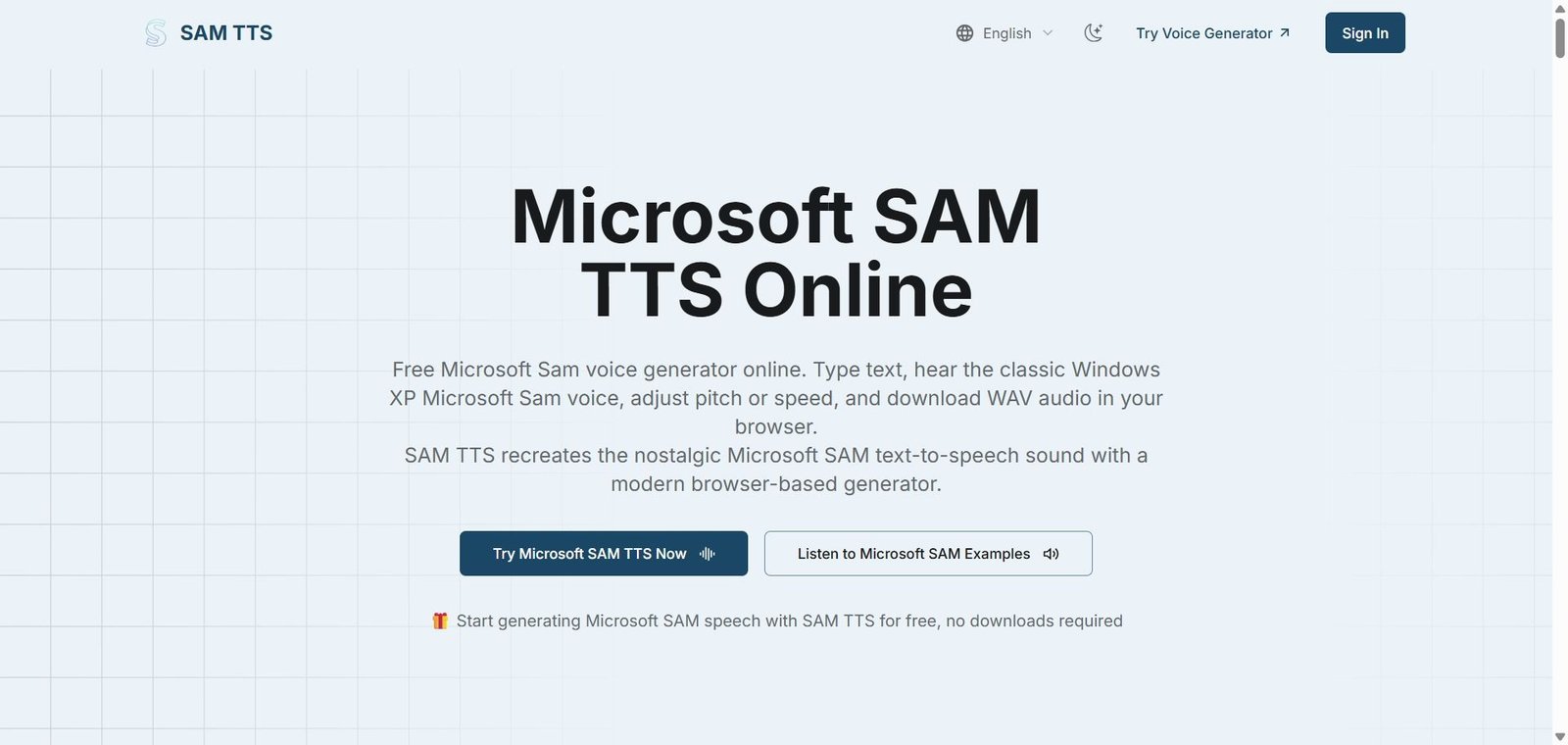
The iconic Microsoft SAM voice is back — type any text and hear it spoken in the classic Windows XP robotic voice, free in your browser, no download needed.

SAM TTS Review: The Free Browser Tool That Brought Back Microsoft SAM, BonziBUDDY, and the Voices of Early 2000s Computing

There is a specific kind of nostalgia that hits anyone who grew up with a Windows XP computer — the flat robotic cadence of Microsoft SAM reading out whatever you typed, the purple monkey BonziBUDDY announcing things from the corner of your desktop, the unmistakable synthetic timbre of SAPI4 voices that defined text-to-speech before neural audio existed. SAM TTS exists to bring all of that back, instantly, in a modern browser, without downloading anything, creating an account, or paying a cent. It is the most direct route to the classic Microsoft SAM voice available anywhere on the web today — and for the community of creators, nostalgics, and meme makers who need exactly that voice for exactly that reason, it is the only tool that matters.

Quick Summary

SAM TTS is a free, browser-based text-to-speech tool that recreates the iconic Microsoft SAPI4 voices from the Windows XP era — including Microsoft SAM, BonziBUDDY, TruVoice Peter, BetterSAM, and other classic retro voices — with client-side speech synthesis that requires no download, no installation, and no sign-up, free for all users with credit packs and monthly subscriptions available for higher-volume use.

Is it worth using? Yes for anyone who needs the specific classic Microsoft SAM or BonziBUDDY voice for memes, nostalgia content, retro voiceovers, or creative audio projects — SAM TTS is the easiest and most accessible way to generate these iconic voices online.
Who should use it? Content creators making meme audio, nostalgia YouTubers and streamers, retro computing enthusiasts, social media creators needing the classic robotic TTS voice, and anyone who wants to experience or recreate the iconic sounds of early 2000s computing.
Who should avoid it? Professionals needing high-quality modern neural TTS voices for corporate, marketing, or broadcast use — ElevenLabs, Murf AI, or Resemble AI are more appropriate for production-quality voiceover work.

Verdict Summary

Best for

  • Meme creators and social media content producers who need the instantly recognisable Microsoft SAM robotic voice for comedic audio clips, meme compilations, and nostalgia content — no other tool delivers this specific voice as quickly or as freely
  • Retro computing enthusiasts and Windows XP nostalgia communities who want to recreate the authentic SAPI4 speech synthesis experience from early 2000s desktop computing in a modern browser
  • Streamers, YouTubers, and TikTok creators building content around internet history, early computing nostalgia, or the cultural legacy of BonziBUDDY and Microsoft SAM

Not for

  • Professional voiceover production requiring lifelike neural TTS for corporate videos, podcasts, or marketing content — the classic SAPI4 voices are deliberately robotic and retro, not suitable for professional audio production
  • Users who need long-form audio generation at scale — SAM TTS is optimised for short clip generation rather than bulk document-to-audio workflows
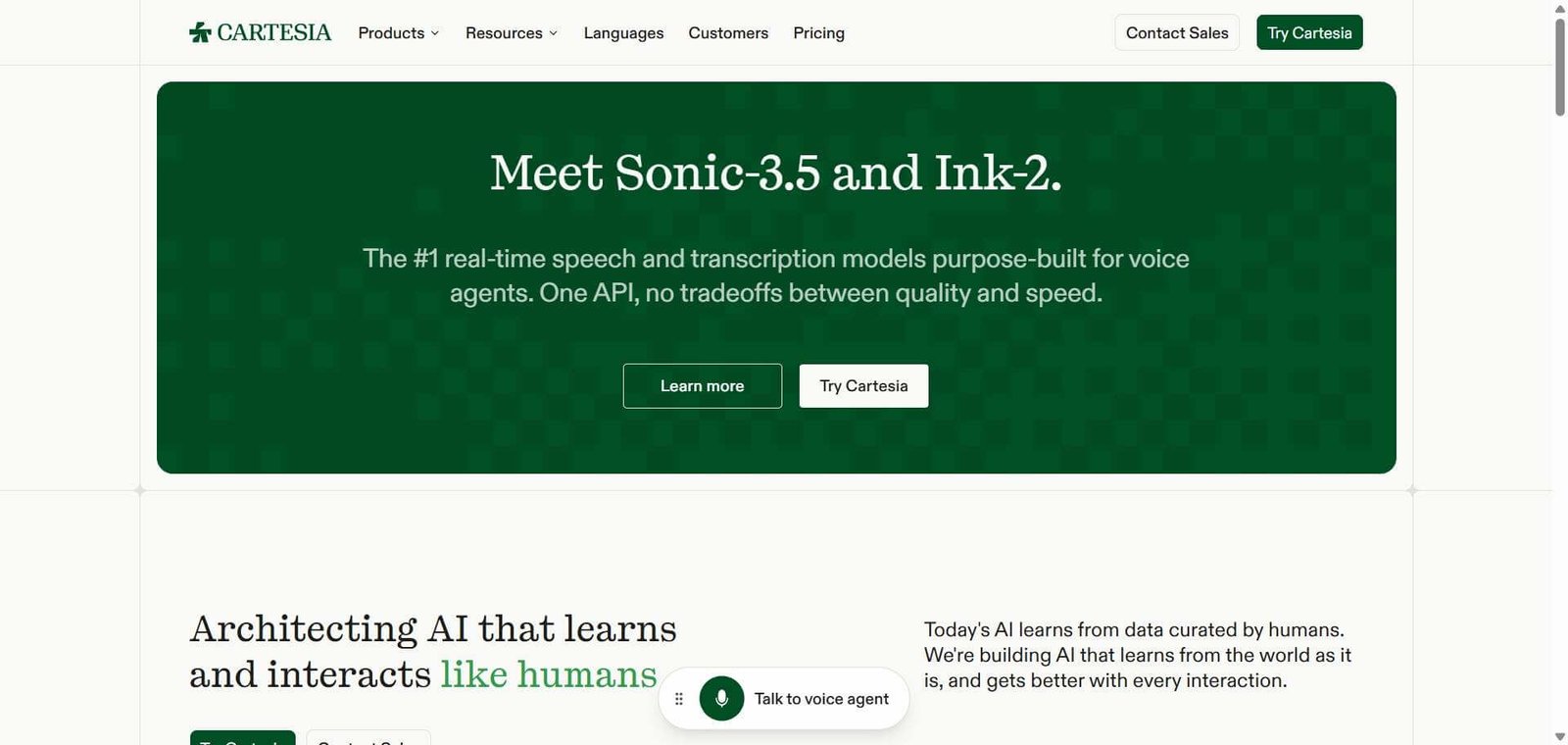
  • Teams requiring API access for programmatic TTS integration at enterprise scale — ElevenLabs or Cartesia are purpose-built for developer-facing TTS infrastructure

Rating
⭐⭐⭐⭐ 4.1 / 5

What Is SAM TTS?

SAM TTS is a browser-based text-to-speech platform built around a specific and beloved niche — the Microsoft SAPI4 voice synthesis engine that was the default text-to-speech system on Windows XP and earlier. Microsoft SAM — the default SAPI4 voice — became an unlikely internet icon through the era of early web memes, Windows XP nostalgia, and the cultural phenomenon of BonziBUDDY, the purple gorilla desktop companion that used the same SAPI4 engine to talk to users from their taskbar.

The platform runs the speech synthesis entirely client-side in the browser — meaning audio is generated on the user’s device rather than being sent to a server. This makes SAM TTS fast, private, and accessible from any device with a modern browser without requiring downloads, accounts, or any setup whatsoever. New users receive free credits on sign-up, with no feature restrictions between free and paid plans — all classic voices are available to every user regardless of plan.

How SAM TTS Works

  • Open the browser tool. Navigate to samtts.com — the tool loads instantly in any modern browser with no download, installation, plugin, or extension required.
  • Type or paste your text. Enter any text into the input field — from a single word to a full paragraph. The tool handles punctuation, numbers, and standard English text.
  • Select a classic voice. Choose from the available SAPI4 voice options — Microsoft SAM, BonziBUDDY, TruVoice Peter, BetterSAM, and other retro voices — each with their distinctive synthesised character.
  • Generate the audio. Click generate and the speech synthesis runs client-side — producing the audio output in seconds without uploading the text to a remote server.
  • Download or share. Export the generated audio for use in memes, video content, social media clips, or any other creative purpose.

Key Features

  • Microsoft SAM voice — the iconic Windows XP SAPI4 robotic text-to-speech voice recreated in the browser
  • BonziBUDDY voice — the famous purple gorilla desktop companion voice from the early 2000s
  • TruVoice Peter, BetterSAM, and additional classic SAPI4 voice options
  • Client-side speech synthesis — audio generated on the user’s device, fast and private
  • No download required — runs entirely in any modern browser
  • No installation, no account required — start generating voices immediately
  • Free credits on sign-up — no hidden fees to get started
  • Credit packs for higher-volume use — credits never expire
  • Monthly subscription plans for regular power users at discounted credit rates
  • No feature restrictions by plan — all voices available on free and paid plans equally
  • Accessible from any device — desktop, mobile, and tablet browsers supported

Real-World Use Cases

  • Meme audio creation: A content creator is producing a Windows XP nostalgia compilation for TikTok — they use SAM TTS to generate Microsoft SAM voiceovers for each segment, capturing the exact robotic cadence that their audience immediately recognises from childhood computing memories without needing to find or install any vintage software.
  • Streaming and YouTube content: A retro gaming streamer uses SAM TTS to generate BonziBUDDY voice clips for stream alerts and highlight reels — the distinctive voice adds an authentic early-2000s internet aesthetic that fits the retro gaming content perfectly and triggers immediate audience recognition.
  • Creative audio projects: A digital artist building an installation about the history of human-computer interaction uses SAM TTS to generate authentic SAPI4 voice samples that recreate the experience of early voice synthesis without sourcing original Windows XP installations.
  • Nostalgia content: A YouTuber making a documentary about early 2000s internet culture uses SAM TTS to recreate the BonziBUDDY and Microsoft SAM voices that feature prominently in the video — generating accurate voice samples that match the historical era without any vintage hardware or software required.

Pros and Cons

ProsCons
The most direct, accessible route to the Microsoft SAM and BonziBUDDY voices online — no download, no sign-up, instant generationClassic SAPI4 voices are deliberately robotic and retro — not suitable for any professional or production voiceover use case
Client-side synthesis — fast generation and private, text is not uploaded to a serverLimited to the classic SAPI4 voice catalogue — no modern neural voices, no custom voice cloning, no multilingual TTS
Completely free to start — free credits on sign-up with no hidden fees or feature restrictionsCredit-based model means higher-volume users need to purchase additional credits or subscribe
All voices available on all plans — no premium tier lock-in for specific voicesOptimised for short clip generation — not designed for long-form document-to-audio batch conversion
No feature restrictions between free and paid plans — same voice quality and tool access for all usersNiche use case — the value is specifically for users who need the classic Microsoft SAM aesthetic

Pricing & Plans

Free
  • Free credits on sign-up
  • Access to all classic voices including Microsoft SAM and BonziBUDDY
  • No feature restrictions
  • No hidden fees to get started
Credit Packs — One-time purchase
  • Additional credits for higher-volume use
  • Credits never expire — use at any time
  • All voices accessible on credit packs
Monthly Subscription — Power users
  • Set monthly credit allocation at a discounted rate versus one-time credit packs
  • Same full voice access as all other plans
  • Best for users who generate audio regularly

All plans provide access to the complete classic voice library with no feature restrictions between tiers. Verify current credit pack and subscription pricing at samtts.com.

Best Alternatives & Comparisons

  • ElevenLabs — Better for professional neural TTS with voice cloning, the highest modern voice quality, and developer API access
  • Murf AI — Better for professional voiceover production with studio-quality neural voices across multiple languages
  • Resemble AI — Better for custom AI voice cloning for brand and character voice production
  • Cartesia — Better for real-time low-latency neural TTS for developer applications and voice agents

Frequently Asked Questions (FAQ)

What is SAM TTS?

SAM TTS is a free browser-based text-to-speech tool that recreates the iconic Microsoft SAPI4 voices from the Windows XP era — including Microsoft SAM, BonziBUDDY, TruVoice Peter, and BetterSAM — with no download, no installation, and no sign-up required.

Is SAM TTS free?

Yes — SAM TTS is free to use. New users receive free credits on sign-up with access to all classic voices and no feature restrictions. Credit packs and monthly subscriptions are available for higher-volume users who need more credits.

What voices does SAM TTS include?

SAM TTS includes Microsoft SAM, BonziBUDDY, TruVoice Peter, BetterSAM, and additional classic SAPI4 voices from the Windows XP era — the same synthesised voices that defined early 2000s desktop text-to-speech.

Do I need to download or install anything?

No — SAM TTS runs entirely in the browser with no downloads, installations, plugins, or extensions required. It works on any modern desktop or mobile browser immediately.

Do credits expire on SAM TTS?

No — purchased credit packs never expire and can be used at any time. Monthly subscription credits reset each billing period.

What is the difference between SAM TTS and modern TTS tools like ElevenLabs?

SAM TTS recreates the classic Microsoft SAPI4 robotic voices from the Windows XP era — specifically Microsoft SAM and BonziBUDDY — for nostalgia content, memes, and retro creative projects. ElevenLabs and similar modern tools produce lifelike neural voices for professional voiceover production. SAM TTS for the specific classic robotic voice aesthetic. ElevenLabs for professional-quality human-sounding speech synthesis.

Can I use SAM TTS audio in my content?

SAM TTS audio can be used for creative, personal, and content creation purposes. Verify the current terms of service at samtts.com for specific commercial use guidance before publishing monetised content.

Final Recommendation

SAM TTS is the most accessible and complete revival of the Microsoft SAM and BonziBUDDY voices available on the web — and for the specific community of creators, nostalgics, streamers, and meme makers who need exactly these classic SAPI4 voices, it is an irreplaceable tool. The zero-friction entry point — no download, no account, free credits from day one — removes every barrier between a creator and their iconic retro audio. For anyone who has ever wanted to hear a sentence spoken in the legendary robotic voice of Windows XP’s Microsoft SAM, SAM TTS makes that possible in seconds.

Next steps

Feature your app on AI tools for free

Subscribe to our Newsletter

Stay up-to-date with the latest AI Apps and cutting-edge AI news.

Trending Categories