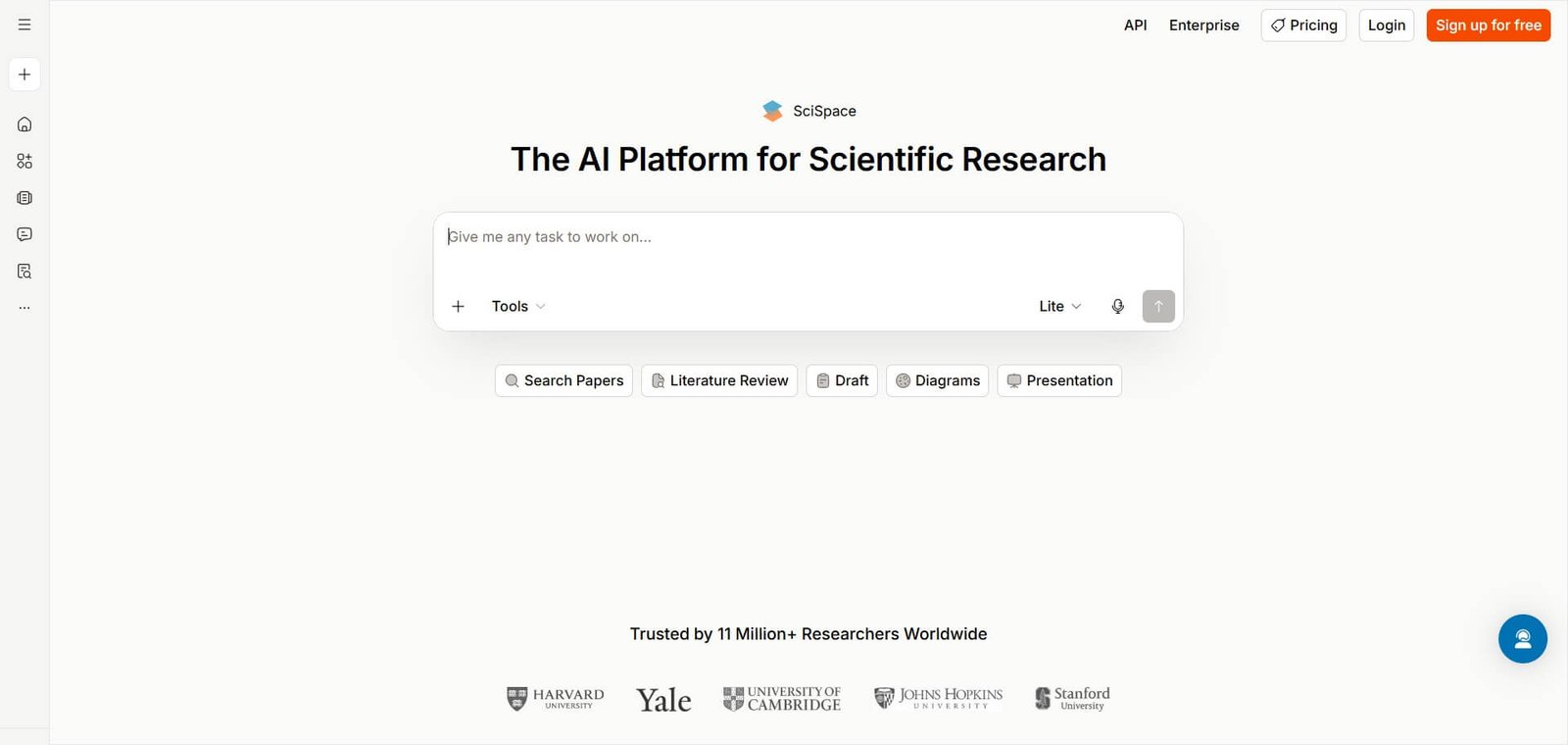

SciSpace
SciSpace is an AI research assistant for finding academic papers, analysing PDFs, conducting literature reviews, and organising scientific research.
SciSpace Review : Features, Pricing, Pros, Cons & Alternatives
SciSpace is an AI-powered academic research platform that helps students, researchers, and academics discover scientific papers, understand research documents, conduct literature reviews, and organise academic writing. It brings scholarly search, Chat with PDF, research data extraction, citation assistance, and AI-powered research agents into one platform.
Is SciSpace worth using? For researchers who regularly work with academic publications, it can reduce the time spent searching for papers, understanding technical material, and organising research findings. Its main advantage is the combination of several research workflows rather than relying on a single PDF summarisation feature.
However, SciSpace does not replace academic databases, critical evaluation, or systematic review methodology. Its AI-generated findings and citations still require verification.
It is particularly useful for PhD scholars, postgraduate students, independent researchers, and academic teams. Occasional readers who only need basic PDF summaries may find its free access or simpler alternatives sufficient.
SciSpace Review: AI Research Assistant for Academic Literature Reviews
Academic research involves more than finding a few relevant publications. Researchers need to identify credible studies, understand their methodologies, compare findings, extract useful information, and organise references before preparing a literature review or manuscript.
Managing these activities across separate applications can make the research process unnecessarily complicated.
SciSpace brings many of these tasks into a shared research environment. Users can search scholarly publications, upload research papers, ask questions about documents, organise findings, and work on academic drafts.
The platform also extends beyond individual researchers. Its API allows developers to build applications around scholarly search, document understanding, data extraction, and citation-supported answers.
However, having several research tools in one place does not automatically make every output reliable. Researchers still need to check original publications, validate references, and assess whether the generated explanations accurately represent the underlying evidence.
Below is an independently researched review for students, academics, research teams, and developers deciding whether SciSpace fits their research workflow.
Verdict Summary
Best for: PhD scholars, postgraduate students, university researchers, academic writers, and research teams working with multiple scientific publications.
Not for: Users looking for a replacement for peer-reviewed databases, statistical analysis software, reference management systems, or a fully automated systematic review process.
Pricing: Free access is available. Paid individual plans include Premium, Advanced, and Max. The global pricing snapshot reviewed for this article displays annual-billing equivalents of $12, $70, and $160 per month, respectively.
Main advantage: Combines academic paper discovery, PDF analysis, literature reviews, data extraction, and research writing assistance.
Main limitation: AI-generated explanations, extracted information, and citations need independent verification. Advanced capabilities also come with subscription costs and usage considerations.
Editorial rating: 8.0/10
User rating:
Capterra: 4.3/5 from 81 reviews.
Product Hunt: 4.4/5 from 19 reviews.
Trustpilot: 4.3/5 from 412 reviews.
What Is SciSpace and Who Is It For?
SciSpace is an AI research assistant designed to support the academic research process, from discovering relevant publications to understanding documents and preparing research outputs.
Traditional research often involves switching between multiple applications. A researcher might use Google Scholar to find papers, download publications individually, use a PDF reader to examine them, and open a separate reference manager to organise citations.
SciSpace attempts to bring several of these activities together.
Its main capabilities include:
Academic paper discovery: Search scholarly publications and identify research relevant to a particular question.
Chat with PDF: Upload research papers and ask questions about their contents, including terminology, methodology, findings, and conclusions.
Literature reviews: Discover and organise publications to support research reviews.
Research data extraction: Pull selected information from documents into structured outputs.
AI writing assistance: Work on academic drafts, improve wording, and organise research content.
Citation generation: Prepare bibliographies and in-text references in different citation styles.
Research agents: Use AI-assisted workflows for more involved research tasks.
SciSpace also offers tools such as its Biomedical Agent, AI Detector, AI Humanizer, Plagiarism Checker, RRL Finder, diagrams, and presentation generation. Feature access depends on the subscription.
One important distinction is its developer offering. The SciSpace API supports scholarly search, paper retrieval, document processing, citation-grounded answers, and structured extraction. Its documentation describes a corpus of more than 280 million scholarly works.
This makes SciSpace relevant to developers building academic research assistants, literature discovery applications, and research-oriented AI workflows.
Who should consider SciSpace?
PhD scholars conducting extensive literature reviews.
Postgraduate students working on dissertations and academic projects.
Professors reviewing research publications.
Medical and scientific researchers investigating published studies.
Research teams analysing information across multiple documents.
Developers building applications that need scholarly information and citation-supported answers.
SciSpace is less compelling for people who only read an occasional research paper or need a basic document summariser.
How Does SciSpace Work?
SciSpace combines scholarly discovery, document analysis, and AI-assisted research workflows.
A typical research process can be organised into the following stages:
Start with a research question: Define the topic you want to investigate. A specific question generally makes it easier to identify relevant publications.
Search academic literature: Use SciSpace’s scholarly search and literature review capabilities to discover potentially relevant publications.
Identify useful papers: Examine the available publication information and select documents relevant to your research question.
Upload research PDFs: Add your own documents when you want to examine specific papers using Chat with PDF.
Understand the research: Ask questions about the study design, terminology, methodology, findings, and limitations.
Extract relevant information: Use data extraction tools to organise selected details from multiple publications.
Prepare research material: Use literature review and writing features to organise findings and work on academic drafts.
Verify the output: Check the original papers, publication details, quotations, and references before using the information in your work.
The main benefit is reducing the amount of repetitive document handling involved in early-stage research.
However, this workflow should not be confused with a validated systematic review. Formal evidence synthesis still requires predefined research questions, inclusion and exclusion criteria, screening procedures, and critical appraisal.
Key Features
SciSpace offers tools for different stages of academic research. The following capabilities are described using its published product and API documentation rather than claims of personal performance testing.
1. AI Literature Review
The literature review functionality helps researchers discover publications and organise information around a research topic.
For example, someone investigating the relationship between sleep quality and academic performance can use research discovery and review workflows to identify relevant studies and examine their findings.
The important task is not simply producing a summary. Researchers need to understand how the studies differ in methodology, sample size, population, and conclusions.
2. Chat with PDF
Chat with PDF allows users to upload research documents and ask questions about their contents.
It is particularly useful when dealing with long or technically complex publications.
Questions might include:
What research problem does this paper address?
Which methodology did the authors use?
What were the main findings?
What limitations did the researchers identify?
Which variables were measured?
This can make initial document screening easier, but answers should always be checked against the original PDF.
3. Academic Paper Search
SciSpace provides scholarly search capabilities for discovering relevant publications.
Its platform and API documentation describe access to a large academic research corpus, including scholarly metadata and available full-text content where licensing permits.
This distinction matters because finding a publication does not necessarily mean that its complete PDF is available.
4. SciSpace Agent
SciSpace Agent supports more involved research tasks through AI-assisted workflows.
Rather than limiting users to individual questions, research agents can help coordinate activities such as searching, reviewing, and preparing research outputs.
The usefulness of this capability depends on the task, model access, subscription limits, and the quality of the available research sources.
5. Research Data Extraction
Researchers frequently need to collect the same information from multiple publications.
For example, a researcher comparing clinical studies may need:
Study title and publication year.
Research methodology.
Sample size.
Population characteristics.
Primary outcomes.
Reported limitations.
SciSpace’s extraction functionality can help organise selected information into structured tables.
The resulting information must be checked against the original documents, especially when numerical values or medical findings are involved.
6. AI Writer and Citation Generator
SciSpace provides academic writing assistance and citation tools.
These can help researchers improve draft readability, adjust wording, and prepare bibliographies.
Its API documentation describes support for more than 2,000 journal citation styles.
However, generating a correctly formatted citation is not the same as verifying that the cited source actually supports the statement.
7. SciSpace API
The API is an important part of the platform for developers.
According to its documentation, supported capabilities include:
Scholarly paper search.
Paper metadata and available full-text retrieval.
PDF document processing.
Citation-supported research answers.
Structured extraction from papers.
Topic discovery.
Citation formatting.
Integration with LangChain and LlamaIndex.
Developers can use the API to build applications that return research answers with supporting citations rather than relying exclusively on general-purpose language models.
Testing SciSpace: Practical Research Workflows
A software review should demonstrate how a product fits into actual work, not simply list its features.
The following are practical workflows based on SciSpace’s documented capabilities. They are illustrative evaluation scenarios, not claims of completed hands-on tests.
Workflow 1: Finding research papers
Research question: What is the relationship between sleep quality and academic performance among university students?
A researcher can start with this question and use scholarly search or literature review functionality to identify relevant publications.
The next step is to examine publication dates, study populations, research designs, and findings.
The important evaluation criteria are whether the discovered publications are relevant, whether important studies are missing, and whether the supporting references can be opened and verified.
Workflow 2: Understanding a complex research paper
Research task: Understand the methodology and findings of a technical research publication.
The researcher uploads the PDF and uses Chat with PDF to ask questions about the study.
For example:
What was the primary research objective?
How were participants selected?
Which methods were used?
What were the main findings?
What limitations did the authors acknowledge?
This workflow can help with initial understanding before reading the full methodology and results sections.
It should not replace reading those sections when preparing a thesis or publication.
Workflow 3: Comparing findings across studies
Research task: Compare multiple studies investigating the same subject.
A researcher can identify relevant publications and organise their information around common fields, such as methodology, sample size, study duration, and reported outcomes.
This is useful because two studies may investigate the same question but use different populations or research methods.
A meaningful comparison needs to account for these differences rather than simply combining their conclusions.
Workflow 4: Extracting information from multiple papers
Research task: Prepare a structured evidence table from a collection of academic PDFs.
The researcher defines the information required, such as publication year, sample size, research design, and primary findings.
SciSpace’s document extraction capabilities can help organise the information into a structured output.
The final table should be checked against the source documents. Missing values, inconsistent terminology, and incorrectly extracted numerical results can affect the quality of the research.
Real-World Use Cases
SciSpace has applications across different academic and research environments.
For PhD scholars: Explore existing literature, understand complex papers, and organise findings before preparing thesis chapters.
For postgraduate students: Understand unfamiliar research terminology, prepare reading notes, and identify relevant publications for dissertations.
For university professors: Review publications, compare research findings, and organise academic reading material.
For medical researchers: Investigate biomedical publications and organise study information. Medical interpretations must be independently validated.
For independent researchers: Explore a topic and screen potentially relevant studies before conducting detailed analysis.
For academic writers: Improve draft readability and prepare references for manuscripts.
For research teams: Organise document analysis and extract consistent information from multiple publications.
For developers: Integrate scholarly search and citation-supported answers into research applications using the SciSpace API.
Pros and Cons
| Pros | Cons |
|---|---|
| Combines multiple academic research activities in one platform | Advanced capabilities require paid subscriptions |
| Helps users understand complex research PDFs | Generated explanations can contain inaccuracies |
| Supports scholarly paper discovery | Full-text access depends on availability and licensing |
| Offers literature review and extraction workflows | Extracted information needs manual verification |
| Provides citation and academic writing assistance | Generated citations still need checking |
| Offers an API for research application development | Advanced workflows may have usage and credit considerations |
Pricing & Plans
SciSpace offers free access and paid subscriptions for individual researchers, teams, and organisations.
The global pricing information reviewed for this article displays the following individual subscription equivalents on annual billing:
| Plan | Monthly equivalent | Best suited for |
|---|---|---|
| Free | $0 | Occasional research and initial evaluation |
| Premium | $12/month | Regular academic research |
| Advanced | $70/month | Intensive research workflows |
| Max | $160/month | Heavy usage and advanced AI workflows |
These are global USD pricing references, not verified Indian checkout prices. Monthly equivalents should not be confused with month-to-month billing.
Premium
Premium includes higher usage allowances and research capabilities such as literature reviews, Chat with PDF, Deep Research, Systematic Research, and access to additional AI models with applicable limits.
It is suitable for researchers who regularly work with academic papers and want more than the basic free experience.
Advanced
Advanced includes Premium capabilities alongside higher-level model access, citation-verified reports, Microsoft Word edits and tracked changes, and agent-assisted slides, figures, and posters.
It is more relevant to researchers with intensive academic writing and research requirements.
Max
Max adds access to the Max Thinking model, greater memory and context, more parallel agent chats, priority support, and early feature access.
It is intended for users with heavier research workloads.
Team and Enterprise
SciSpace also offers team subscriptions with role management and additional usage arrangements.
Enterprise capabilities include administrative access management, shared credit pools, SSO/SCIM, consolidated billing, dedicated support, and customised integrations and limits.
Is SciSpace worth paying for?
Choose Free if:
You are exploring the platform.
You occasionally analyse research PDFs.
You want to understand the available research tools before subscribing.
Choose Premium if:
You regularly search academic publications.
You work with multiple research PDFs.
You need literature review and document analysis capabilities.
Choose Advanced if:
You conduct intensive academic research.
You need higher-level AI models and document editing.
You regularly prepare research reports and presentations.
Choose Max if:
You have substantial research workloads.
You need more parallel agent sessions.
The additional model access and context justify the subscription.
For most individual users, starting with free access is the sensible approach. Upgrade only when the actual usage limits become a barrier.
Best Alternatives & Comparisons
SciSpace is not the only AI platform designed for academic research. Several alternatives focus on specific stages of the research process.
| Tool | Primary purpose | Best use case | When to choose it instead |
|---|---|---|---|
| SciSpace | Integrated academic research | PDF analysis and literature workflows | When you want multiple research tools together |
| Elicit | Evidence extraction and synthesis | Literature screening | When structured evidence collection is your priority |
| Consensus | Scientific question answering | Research-backed answers | When you want to investigate what published studies say |
| Scite | Citation analysis | Evaluating citation context | When you need to examine how publications are cited |
| ResearchRabbit | Literature discovery | Exploring connected papers and authors | When visual research discovery matters |
| Scholarcy | Paper summarisation | Extracting key points from documents | When quick paper summaries are your main requirement |
1. Elicit
Elicit is particularly useful for structured literature research, study screening, and extracting information from publications.
Choose Elicit when your primary objective is comparing evidence across multiple research papers.
2. Consensus
Consensus focuses on answering questions using published scientific research.
It is useful when you want to investigate a scientific question and explore the supporting studies.
3. Scite
Scite focuses on citation context and helps researchers investigate how subsequent publications reference earlier studies.
It is particularly useful when evaluating whether a publication has received supporting or contrasting citations.
4. ResearchRabbit
ResearchRabbit helps researchers explore connections between academic papers, authors, and publications.
It is worth considering when discovering related literature and mapping research connections is more important than PDF analysis.
5. Scholarcy
Scholarcy focuses on summarising academic documents and extracting important information.
It is a useful alternative for readers who mainly need concise paper summaries rather than an integrated research workspace.
Is SciSpace Accurate and Reliable?
Accuracy is one of the most important considerations when evaluating an AI research platform.
An incorrect summary of a scientific paper can change how a researcher interprets its findings. A missing limitation or incorrectly extracted numerical value can also affect the conclusions of a literature review.
There are several areas users should evaluate.
Can SciSpace misinterpret research findings?
Yes. AI-generated explanations can misunderstand technical terminology, overlook context, or simplify findings beyond what the original authors reported.
Can generated citations contain errors?
Citation generation and citation verification are different tasks. Users should check publication titles, authors, DOI information, and whether the cited source supports the statement.
Does SciSpace provide access to every full-text publication?
No. The availability of full-text papers depends on the publication, licensing conditions, and institutional access.
Can SciSpace replace a systematic review process?
No. Systematic reviews require predefined protocols, reproducible searches, screening criteria, and appropriate quality assessment.
How should researchers verify AI-generated findings?
Open the original publication.
Check the methodology and results sections.
Confirm extracted numerical values.
Verify references and DOI information.
Review limitations and potential conflicts.
Maintain a record of inclusion and exclusion decisions.
SciSpace is best treated as an assistant that helps researchers work with academic information, not as the final authority on scientific evidence.
Frequently Asked Questions (FAQ)
Yes. SciSpace provides free access with limitations. Paid subscriptions offer additional model access, research features, and higher usage allowances.
SciSpace can help researchers discover academic papers, understand research findings, and organise literature review workflows. Researchers must still evaluate study quality and verify generated findings.
Yes. Chat with PDF allows users to upload research documents and ask questions about methodology, terminology, tables, and conclusions.
Yes. It can assist PhD students with paper discovery, document analysis, literature reviews, and academic writing. It does not replace independent research or academic supervision.
SciSpace is relevant for an integrated research workspace and PDF analysis, while Elicit is particularly useful for structured evidence extraction and literature screening. The right choice depends on the research workflow.
Final Recommendation
SciSpace is a useful option for students, researchers, and academics who regularly work with scientific publications and want to bring several research activities into one workspace.
Its strongest capabilities cover academic paper discovery, Chat with PDF, literature review assistance, research data extraction, and academic writing. The API also gives developers a way to incorporate scholarly search and citation-supported answers into their own applications.
However, the platform should not be treated as a replacement for reading original studies, evaluating research quality, or verifying scientific conclusions.
For occasional PDF reading, the free version may be sufficient. Researchers with regular literature review requirements should evaluate Premium, while those needing advanced research workflows can compare Advanced and Max against their actual usage.
If evidence extraction is your main requirement, Elicit is worth comparing before choosing a subscription.
Explore SciSpace: https://scispace.com/
Compare more academic research applications through the AI research tools directory on itirupati.com.