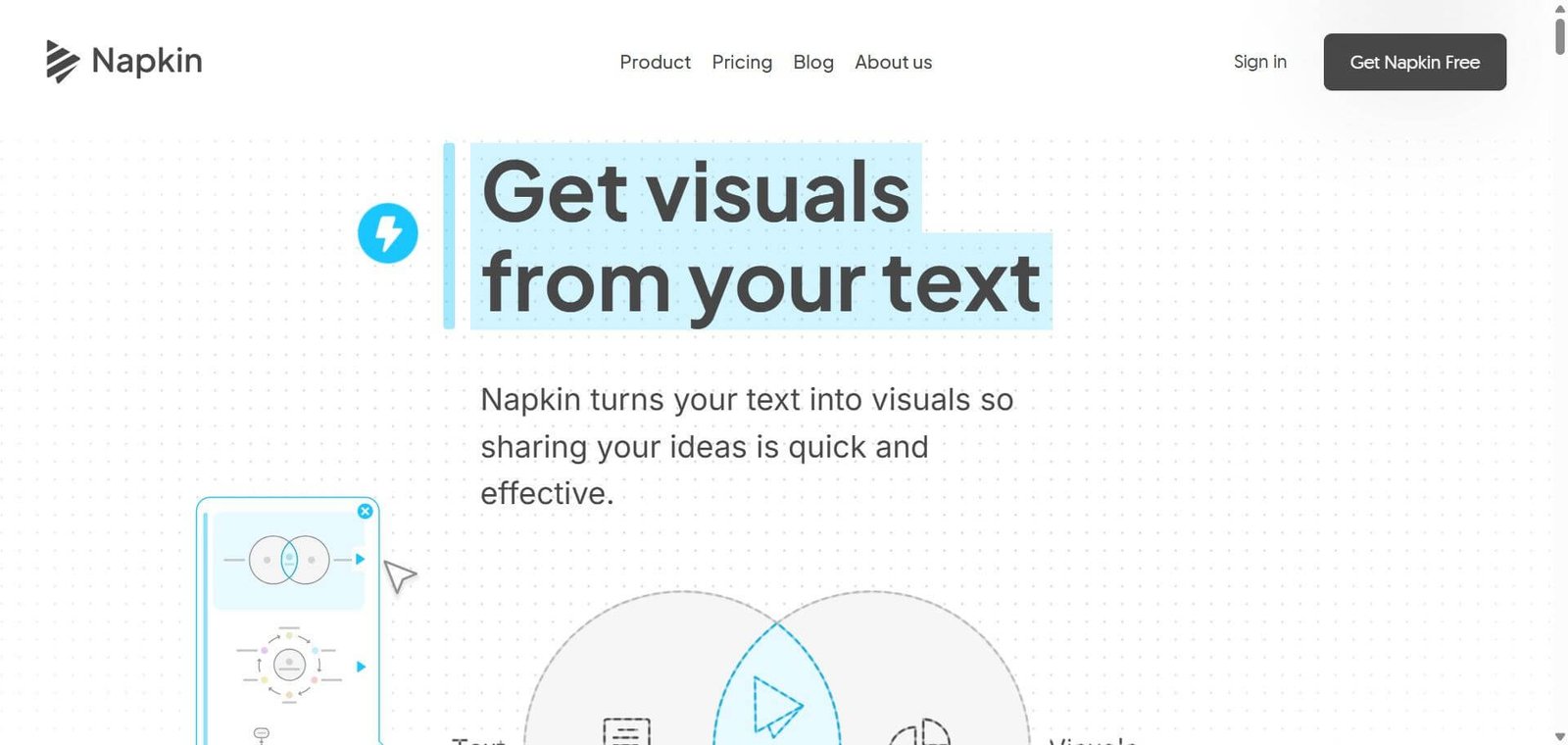

Napkin AI
Turn written ideas into editable diagrams, flowcharts, infographics and charts using AI, without starting from a blank design canvas.
Napkin AI Review: Features, Pricing, Use Cases and Alternatives
Napkin AI is an AI-powered visual communication tool that converts written text into diagrams, flowcharts, mind maps, infographics, and data charts. Instead of manually designing visuals or writing detailed image-generation prompts, users can paste their content and let Napkin suggest visual representations.
Napkin AI is worth considering for content creators, marketers, educators, consultants, founders, and professionals who regularly turn written ideas into presentations or visual content. Its biggest advantage is the ability to generate editable visuals directly from existing text.
The free plan is useful for occasional visual creation, while paid plans offer more AI credits, advanced exports, and branding controls. However, users who need pixel-perfect graphic design or complete creative control may prefer Canva or dedicated design software.
Napkin AI Review
Creating professional diagrams and infographics is often more time-consuming than writing the content itself. A simple business process might require arranging multiple shapes, connecting arrows, selecting icons, and adjusting typography before it is ready to share.
Napkin AI approaches this problem differently. Rather than starting with a blank design canvas, you start with written information. The platform analyzes your text and suggests visual formats that communicate the underlying idea.
This makes it particularly relevant for people who create presentations, LinkedIn content, educational material, business documents, and blog illustrations. You can edit individual elements, change visual styles, and export the finished work in formats such as PNG, PDF, SVG, and PowerPoint.
Below is a detailed, practical review written for creators, marketers, founders, educators, and professionals deciding whether this tool fits their creative workflow.
Verdict Summary
Napkin AI is a practical choice for people who regularly need diagrams, infographics, and presentation visuals but do not want to spend time creating them manually.
Its strongest feature is converting existing text into multiple visual formats. Instead of writing detailed prompts or starting with a blank canvas, users can select a paragraph and generate visual options based on its content.
Decision factor | Assessment |
|---|---|
Best for | Content creators, marketers, educators and consultants |
Not for | Professional designers needing pixel-level control |
Free plan | Available |
Paid plans | Plus and Pro |
Visual generation | Text-to-visual |
Export formats | PNG, PDF, PPT, SVG |
Main advantage | Editable visuals generated from existing text |
Main limitation | AI credits and limited design control |
Final rating: 8.6/10 (reviewer assessment).
Napkin receives a strong rating for its simple workflow, useful visual generation, editing options, and multiple export formats. Its limitations include inconsistent results with complex content, restricted customization compared with professional design software, and usage limits on AI credits.
Public feedback is positive but relatively limited. G2 reports 4.4/5 from 11 reviews. Users appreciate its ease of use and speed, while some mention repetitive designs, limited flexibility, and difficulty interpreting abstract information. This is encouraging feedback, but the small sample should be considered when evaluating its reputation.
What Is Napkin AI?
Napkin AI is a visual communication platform that transforms written information into diagrams, infographics, flowcharts, mind maps, and data charts.
It is designed around a simple idea: people often understand concepts better when information is presented visually, but creating those visuals requires time and design skills.
For example, consider a marketing professional preparing a presentation about a customer acquisition strategy.
The original content might look like this:
Attract visitors through organic search.
Convert visitors into leads.
Nurture leads through email marketing.
Convert qualified leads into customers.
Retain customers through ongoing engagement.
In a conventional workflow, creating a funnel diagram would involve arranging shapes, adding text, connecting elements, and formatting the design.
With Napkin AI, you can paste the same information, generate visual options, select a suitable layout, and customize the result.
What makes Napkin AI different?
Unlike general-purpose graphic design applications, Napkin starts with your written content rather than a blank design canvas.
It is also different from conventional AI image generators. Those tools primarily create images from prompts, whereas Napkin focuses on communicating relationships between ideas through structured visual elements.
The platform supports several types of visual content:
Infographics for explaining concepts and sharing information.
Flowcharts for showing processes and decision-making.
Mind maps for organizing ideas and brainstorming.
Data charts for communicating numerical information.
Diagrams for illustrating business models, workflows, and relationships.
Another important distinction is that Napkin’s visuals can be edited after generation. Users can adjust individual elements, icons, colors, connectors, and typography rather than accepting the generated output as a single flattened image.
The product has also expanded beyond individual visuals. Its Slides feature is designed to turn ideas into presentation decks, while its API supports programmatic visual generation. These additions make it relevant to both individual creators and teams building content workflows
How Napkin AI Works
Napkin AI uses a text-first workflow. You provide the information, generate visual options, select a design, and customize it before exporting.
Write, paste, or import content
Start with written information in the editor. You can also import documents and presentations in supported formats such as PPT, DOC, PDF, HTML, and Markdown.
Select the content
Highlight the paragraph or section you want to convert into a visual.
Generate visual options
Click Generate Visual. Napkin analyzes the selected content and suggests different ways to represent the information.
Choose a suitable design
Review the available diagrams, infographics, and other visual layouts. Select the one that communicates your idea most clearly.
Customize the visual
Adjust colors, icons, fonts, connectors, and individual elements to suit your content and branding.
Export and publish
Export your finished visual as PNG, PDF, SVG, or PowerPoint, depending on your subscription and export allowance.
The process is particularly useful when the written content already exists. Instead of designing every visual from scratch, you can focus on selecting the right representation and checking its accuracy.
One practical tip: use structured text with headings, bullet points, and clearly defined relationships. Vague paragraphs can produce generic visual suggestions.
Key Features
Here are the features that make Napkin AI useful for everyday visual communication.
1. Text-to-visual generation
Convert written information into diagrams, infographics, and flowcharts. This is particularly useful for professionals who already have the content but need a visual way to explain it.
2. Multiple visual formats
Create mind maps, process diagrams, comparison visuals, data charts, and other infographic formats. This gives users different ways to communicate the same information.
3. Editable visual elements
Change icons, shapes, colors, text, connectors, and layouts after generation. This matters when the first generated version is close to what you need but requires adjustments.
4. File imports
Import PPT, DOC, PDF, HTML, and Markdown files. This helps users work with existing documents instead of transferring everything manually.
5. Brand customization
Plus includes three brand styles, while Pro supports unlimited custom branding and font uploads. This is useful for agencies, marketing teams, and businesses creating recurring branded content.
6. Multiple export formats
Export visuals in PNG, PDF, SVG, and PowerPoint formats. Google Slides export is also supported. The ability to continue editing supported PowerPoint elements is particularly useful for presentation workflows.
7. Napkin Slides
The Slides feature extends the platform towards presentation creation. Rather than designing individual graphics, users can develop ideas into presentation-ready decks. The supplied product information identifies this feature as being in beta, so it should be evaluated separately from the established visual-generation workflow.
8. Napkin API
The API enables developers to integrate visual generation into their own applications and workflows. This is relevant for businesses that want to automate visual creation rather than generate every graphic manually.
9. Visual editing without additional generation credits
Editing existing visuals does not consume AI credits. This is useful because users can refine a generated design without spending credits on every minor change.
Real-World Use Cases
Napkin AI is most useful when written information needs to become something people can understand quickly.
– For content creators: Turn blog explanations, tutorials, and educational articles into infographics for social media and websites. For example, a 10-step guide can become a shareable process diagram.
– For marketers: Convert marketing strategies, customer journeys, sales funnels, and campaign frameworks into visuals for LinkedIn posts, presentations, and reports.
– For founders: Explain business models, product strategies, startup roadmaps, and operational processes without spending hours building diagrams.
– For educators: Transform lesson notes, complex concepts, and learning frameworks into visual explanations that students can understand more easily.
– For consultants: Present research findings, business processes, strategy frameworks, and recommendations in a more accessible format.
– For product managers: Illustrate feature workflows, product adoption journeys, customer feedback patterns, and development processes.
– For developers: Create early-stage architecture diagrams, system workflows, and technical explanations. However, important technical relationships should be checked manually.
– For agencies: Produce branded visuals for client reports, proposals, presentations, and social media content using saved brand styles.
– For students: Organize study notes, summarize concepts, and create mind maps for revision and assignments.
A particularly useful workflow for bloggers: Write the article first, identify sections that would benefit from visual explanations, and convert those sections into diagrams. This can make long-form content easier to scan without relying on generic stock illustrations.
Pros and Cons
Napkin AI makes visual creation easier, but its automation does not eliminate the need for design judgment.
Pros | Cons |
|---|---|
Converts text into visuals quickly | Complex inputs can produce inaccurate diagrams |
No advanced design skills required | Limited control compared with professional design tools |
Multiple visual formats | Some designs can feel repetitive |
Individual elements are editable | AI credits limit generation |
Supports PPT, PDF, PNG and SVG | Free exports include Napkin branding |
Useful for presentations and social media | Not a complete graphic design replacement |
What users appreciate: G2 reviews highlight its straightforward interface, fast visual generation, and ability to turn written information into presentation-ready graphics. Several reviewers also mention the time saved when preparing business reports and educational material.
What users want improved: Reviews point to limited design flexibility, occasional difficulty interpreting complex or abstract text, and a desire for more visual options and integrations.
My biggest concern is accuracy rather than appearance. A diagram can look professional while representing the original information incorrectly. Always verify relationships, numerical values, labels, and process sequences before publishing.
Pricing & Plans
Napkin AI offers a free plan and two paid subscriptions: Plus and Pro.
The free plan is useful for occasional visual creation, while Plus is the more practical option for professionals who need watermark-free exports and regular usage.
Free Forever
500 AI credits per week
Unlimited visual editing
Unlimited file imports
Unlimited PNG and PDF exports
Built-in styles, fonts, and icons
Napkin branding on visuals
Best for trying the platform and occasional graphics.
Plus
10,000 AI credits per month
Everything in Free
Unlimited PPT and SVG exports
Remove Napkin branding
Three brand styles
Premium AI image models
Team management and billing
Best for marketers, creators, and professionals producing visuals regularly.
Pro – $22 / month
30,000 AI credits per month
Everything in Plus
Exclusive designs
Unlimited custom branding
Upload custom fonts
Optional credit top-ups
Team management and billing
Best for agencies and teams with frequent branded visual production.
Important: Understanding the AI credit system
Napkin’s pricing is based on AI credits rather than unlimited generation.
According to its pricing documentation, generating visuals typically consumes approximately one credit per selected word. More complex outputs and visual effects may require additional credits.
For example, the free plan provides 500 credits per week. This is enough to experiment with short passages, but frequent generation from longer documents can consume the allowance quickly.
Other details worth knowing:
Free credits refresh weekly.
Paid credits refresh monthly.
Unused subscription credits do not roll over.
Editing existing visuals does not consume generation credits.
Additional credit top-ups are available on Pro.
A note about Indian pricing: The supplied pricing-page capture shows ₹599/month for Plus and ₹1,499/month for Pro in one pricing display. It also contains another display showing ₹449 and ₹1,099. These differ from the currently indexed public USD pricing of $9 and $22. Because the captured regional values are inconsistent, verify the actual amount displayed at checkout rather than treating either INR figure as a confirmed current price.
Who should upgrade?
Choose Free if you create occasional diagrams and are comfortable with the Napkin watermark.
Choose Plus if you regularly create content for clients, websites, presentations, or social media.
Choose Pro if you need multiple brand identities, custom fonts, and substantially more generation credits.
For most individual users, Plus is the sensible starting point. Pro is harder to justify unless its additional branding options and credit allocation are genuinely needed.
Best Alternatives & Comparisons
Napkin AI competes with graphic design platforms, diagramming applications, and AI presentation generators. The right choice depends on whether you want to generate visuals from text or build complete designs with more manual control.
1. Canva
Canva is better for social media creatives, marketing materials, posters, presentations, and branded designs. Napkin is more convenient when the starting point is written content that needs to become a diagram.
Choose Canva when you need broader creative control and ready-made design templates.
2. Whimsical
Best for structured diagrams
Whimsical is a stronger option for flowcharts, mind maps, wireframes, and collaborative whiteboards. Its AI features help generate diagrams, while its canvas offers more control over how ideas are organized.
Choose Whimsical when process mapping and team collaboration are more important than converting existing prose into infographics.
3. Miro
Best for team brainstorming
Miro is designed for collaborative whiteboards, workshops, planning sessions, and complex team workflows. It is more suitable when multiple people need to build and organize ideas together.
Choose Miro when collaboration and large visual workspaces matter more than quick infographic generation.
4. Visme
Best for business infographics
Visme is a better fit for polished business presentations, reports, infographics, and data-driven visual content. It provides a broader design environment than Napkin.
Choose Visme when you need more control over the complete visual document.
5. Gamma
Best for AI-generated presentations
Gamma is more suitable when you want to transform an idea or outline into a complete presentation or document. Napkin is particularly useful for generating individual explanatory visuals.
Choose Gamma when the final deliverable is a complete presentation rather than an individual diagram.
Which tool should you choose?
Requirement | Recommended tool |
|---|---|
Convert text into visuals | Napkin AI |
Social media graphics | Canva |
Flowcharts and mind maps | Whimsical |
Collaborative whiteboards | Miro |
Business infographics | Visme |
Complete AI presentations | Gamma |
These are workflow-based recommendations, not results from a controlled feature benchmark.
Frequently Asked Questions (FAQ)
Yes. Napkin AI offers a free plan with 500 AI credits per week, unlimited visual editing, file imports, and PNG and PDF exports. Free exports include Napkin branding.
You can create infographics, diagrams, flowcharts, mind maps, and data charts from written content. Its separate Slides feature also supports presentation creation.
Yes. Napkin supports PowerPoint exports, allowing users to continue editing supported text and shapes in PowerPoint or Google Slides. Unlimited PPT exports are included in Plus and Pro.
They serve different purposes. Napkin is better for quickly converting written information into diagrams and infographics, while Canva offers a broader design environment for social media graphics, marketing creatives, and presentations.
Napkin is designed for creating and exporting visuals for professional use. However, users should review its current terms and applicable asset licensing conditions before using generated content commercially.
Final Recommendation
Napkin AI is best suited for content creators, marketers, educators, and business professionals who want to turn written information into clear visuals without spending hours designing diagrams manually.
Its text-to-visual workflow is its biggest advantage. The ability to edit generated elements and export graphics into presentation and document formats makes it useful beyond simple experimentation.
The free plan is enough to evaluate the platform. Plus is worth considering if you regularly publish visuals and need watermark-free exports, while Pro makes more sense for agencies and teams managing multiple brand identities.
However, Napkin is not a replacement for Canva, Figma, or professional diagramming software. If you need complete creative control, complex illustrations, or highly precise technical diagrams, those alternatives are more suitable.
Our recommendation: Try Napkin AI with an existing blog section, business process, or marketing framework. Generate a few visual variations and check how much editing is required before deciding whether a paid subscription makes sense.
Visit the official Napkin AI website to explore its free plan and visual-generation workflow.