
MagicSchool
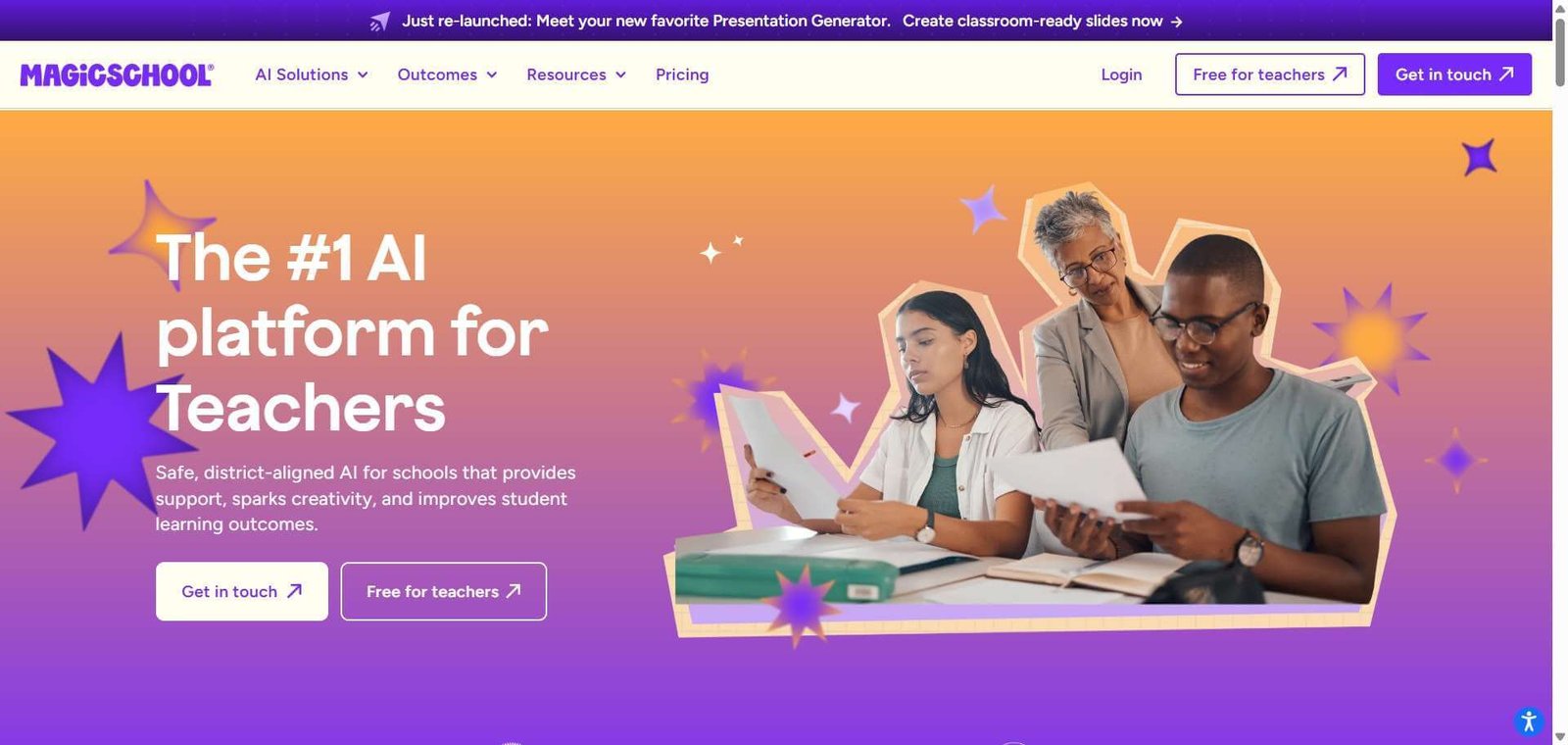
MagicSchool AI helps teachers create lesson plans, quizzes, presentations, rubrics, and classroom resources using education-focused AI tools.
MagicSchool AI Review: Features, Pricing & Alternatives
Teachers spend a considerable part of their working day preparing lesson plans, creating assessments, adapting learning materials, and writing feedback for students. These responsibilities are essential, but repetitive preparation can leave less time for classroom instruction and individual student support.
MagicSchool AI is an education-focused AI platform that brings these tasks into one place. Teachers can use dedicated tools to create lesson plans, presentations, quizzes, worksheets, rubrics, and student feedback. It also offers student-facing AI tools and school-level administration features.
Is MagicSchool AI worth using? For teachers who regularly prepare classroom resources, it offers a convenient way to get started without writing detailed prompts for every task. Its free plan is suitable for exploring the platform, while Plus adds more generation capacity and student tools.
However, AI-generated educational material still needs teacher review. Schools also need to evaluate student privacy, administrative controls, and curriculum requirements before introducing the platform across classrooms.
MagicSchool AI is an AI education platform that helps teachers create lesson plans, quizzes, worksheets, presentations, assessment rubrics, and student learning activities. It offers a free plan for individual educators, a Plus subscription with expanded capabilities, and Enterprise options for schools and districts.
MagicSchool AI Review
Teachers often use several different applications to prepare classroom materials. One tool might help create presentations, another might generate quizzes, and a general-purpose chatbot might be used for lesson planning or rewriting educational content.
MagicSchool AI approaches this differently by bringing dedicated teaching tools into one platform. Rather than starting every task with a blank chatbot conversation, educators can select a specific tool and provide the information needed for that activity.
For example, a science teacher preparing a lesson on photosynthesis can create a lesson plan, prepare a related quiz, develop assessment criteria, and turn the material into a presentation.
The platform also extends beyond teacher productivity. Its student-facing tools support structured AI activities, while its Enterprise offering gives schools access to administrative controls and integrations.
The distinction is important: MagicSchool is not simply another AI writing assistant. It is designed around recurring educational workflows.
Below is an independently researched product review for teachers, instructional coaches, and school administrators deciding whether MagicSchool AI fits their requirements.
Verdict Summary
MagicSchool AI is a strong option for educators who regularly create teaching materials and want dedicated AI tools rather than relying entirely on general-purpose chatbots.
Best for:
K-12 teachers preparing lesson plans and classroom resources.
Educators creating quizzes, rubrics, worksheets, and presentations.
Teachers looking for structured student-facing AI tools.
Schools exploring centralized AI adoption.
Not for:
People looking for a complete learning management system.
Teachers expecting AI to replace curriculum planning or professional judgment.
Occasional users who only need a general-purpose chatbot.
Schools requiring advanced integrations without an Enterprise agreement.
Pricing: Free plan available. Plus starts at $8.33 per user/month with annual billing or $12.99 per month with monthly billing. Enterprise pricing is customized.
Editorial rating: 4.7/5 (G2, based on 7 user reviews). MagicSchool AI receives positive feedback for its ease of use, teacher-focused tools, and time-saving capabilities.
What Is MagicSchool AI?
MagicSchool AI is an artificial intelligence platform built for teachers, students, and educational institutions. It provides dedicated tools for creating educational resources, supporting classroom activities, and introducing AI into teaching environments.
The platform addresses a familiar problem in education: teachers frequently repeat tasks that involve planning, writing, formatting, and adapting learning materials.
Instead of manually creating every resource, teachers can use AI to generate an initial draft and spend their time reviewing and improving it.
MagicSchool primarily serves three groups.
1. Teachers and educators
Teachers have access to more than 80 dedicated tools on the Free plan.
These cover common classroom responsibilities, including:
Lesson planning and instructional preparation.
Presentation and worksheet creation.
Multiple-choice quiz generation.
Writing feedback and text rewriting.
Assessment rubrics.
Report card comments.
IEP-related drafting.
Professional email communication.
The benefit is having specific interfaces for recurring tasks. A teacher creating a rubric, for instance, can use a dedicated generator rather than repeatedly explaining the required structure to a general chatbot.
2. Students
MagicSchool also provides student-facing AI functionality through its student tools.
These tools are designed to support activities such as exploring educational topics, asking questions, developing ideas, and building familiarity with responsible AI use.
The expanded student toolkit includes more than 50 tools on the Plus plan. Availability and access arrangements should be checked against the school’s subscription and student access requirements.
3. Schools and educational institutions
Schools and districts can use MagicSchool’s Enterprise offering to manage AI access across an institution.
Its listed capabilities include single sign-on, district-level customization, SIS and LMS integrations, student safeguards, administrative controls, and data dashboards.
This is particularly relevant to schools that want to establish consistent AI usage policies rather than allowing individual teachers to independently introduce unrelated applications.
MagicSchool AI vs ChatGPT: What's the difference?
The main difference is specialization.
ChatGPT is a general-purpose AI assistant that can handle lesson planning, quizzes, educational explanations, and writing feedback. However, teachers may need to construct detailed prompts and develop their own workflows.
MagicSchool provides dedicated interfaces for these teaching activities. It also offers student-facing tools and school administration features designed around educational environments.
For teachers who repeatedly perform the same tasks, this structure can make everyday use more convenient.
However, dedicated tools do not guarantee more accurate results. Both platforms can generate incorrect information, inappropriate examples, or content that needs adjustment for a particular grade level.
How to Use MagicSchool AI
MagicSchool uses a task-based workflow. Teachers select the tool they need, enter relevant information, and generate an initial draft.
A typical workflow looks like this:
Create an account: Visit MagicSchool AI and register using the available sign-up options.
Choose a teaching tool: Select a tool such as Lesson Plan Generator, Quiz Maker, or Rubric Generator.
Enter the requirements: Provide the subject, grade level, topic, learning objectives, and other requested details.
Generate the material: Submit the information and let the platform prepare a draft.
Review the output: Check factual accuracy, curriculum alignment, language, difficulty, and suitability for your students.
Edit and export: Make the necessary changes and use the available copying, editing, or export options.
Example: Preparing a science lesson
Suppose a teacher needs to introduce photosynthesis to Grade 7 students.
The teacher can begin with the Lesson Plan Generator and provide the topic, grade level, and learning objectives. After reviewing the lesson, they can create a multiple-choice quiz to check student understanding.
A rubric can help establish assessment criteria, while the Presentation Generator can turn the lesson material into classroom slides.
This approach reduces the need to prepare each resource independently. It does not eliminate lesson preparation, but it gives the teacher a starting point for several related tasks.
Key Features
MagicSchool has a broad collection of educational tools. The following are seven capabilities worth examining based on their intended classroom use.
1. AI Lesson Plan Generator
The Lesson Plan Generator creates draft lesson plans based on the topic, learning objectives, and grade level supplied by the teacher.
A useful starting prompt should include:
Subject and grade level.
Lesson topic.
Learning objectives.
Available teaching time.
Classroom requirements.
Any relevant curriculum constraints.
For a teacher preparing a mathematics lesson on fractions, these details help establish the scope and expected difficulty of the material.
The main limitation is that a structured lesson plan is not necessarily a curriculum-aligned lesson plan. Teachers need to check whether the activities, examples, and learning objectives match their syllabus.
2. Presentation Generator
The Presentation Generator creates exportable slides using a topic, video, or existing text.
This is useful when a teacher already has lesson material but needs to turn it into a visual classroom presentation.
For example, a history teacher can use existing notes about the Indian independence movement to create a slide-based lesson.
The teacher should still review historical dates, names, explanations, and the logical sequence of the slides. Automatically generated presentations may require substantial editing before classroom use.
3. Writing Feedback
The Writing Feedback tool helps teachers generate feedback on student writing using custom criteria.
Teachers can establish what they want the feedback to focus on, such as grammar, sentence structure, clarity, organization, or the quality of an argument.
This can help when reviewing multiple writing assignments that need consistent feedback.
However, AI-generated feedback should not be treated as a final assessment. It can misunderstand a student’s intended meaning or overlook the context behind their writing.
4. Rubric Generator
The Rubric Generator creates assessment criteria for assignments and classroom activities.
For example, an English teacher evaluating a book review could establish criteria for comprehension, argument development, supporting evidence, grammar, and presentation.
A generated rubric gives teachers a draft structure that can be adjusted to their assessment standards.
The important step is checking whether the criteria are measurable, fair, and appropriate for the assignment.
5. AI Tutor and Student Tools
MagicSchool provides student-facing tools designed to support learning activities.
Its AI Tutor allows students to ask questions and receive educational assistance on topics they are studying.
For example, a student struggling with a mathematical concept can use an AI-based conversation to explore the topic.
Teachers and schools should establish appropriate usage expectations. Students still need to develop their own understanding rather than simply copying generated answers.
6. Raina AI Chatbot
Raina is MagicSchool’s educator-focused conversational AI chatbot.
Unlike a dedicated generator, it allows teachers to work through more open-ended requests. Educators can use it to brainstorm classroom activities, refine teaching ideas, and explore different approaches to instructional challenges.
This is useful when a teacher has an idea but is not sure which dedicated tool would be the best fit.
7. Integrations with Google, Microsoft, and Learning Platforms
MagicSchool lists integrations with established education and productivity platforms.
The availability of these integrations differs by subscription:
| Integration | Free | Plus | Enterprise |
|---|---|---|---|
| Yes | Yes | Yes | |
| Microsoft | Yes | Yes | Yes |
| Canvas | No | No | Yes |
| Schoology | No | No | Yes |
| Clever | No | No | Yes |
| ClassLink | No | No | Yes |
The Google and Microsoft availability applies to the integrations listed by MagicSchool, not necessarily every possible feature or connection within those ecosystems.
Schools already using Canvas, Schoology, Clever, or ClassLink should pay particular attention to the Enterprise requirement when evaluating costs.
Real-World Use Cases
MagicSchool is most useful when it addresses a recurring classroom responsibility.
Here are some practical examples.
For classroom teachers: Prepare a lesson plan, create a short quiz, and develop an assessment rubric around the same topic. This reduces the effort involved in preparing related teaching resources.
For English teachers: Generate writing feedback criteria, prepare grammar exercises, and develop classroom activities around reading and writing assignments.
For science teachers: Turn a science topic into a presentation, create knowledge-check questions, and prepare an assignment around the learning objectives.
For special education teachers: Prepare draft IEP-related materials and adapt instructional content. These documents require careful professional review and must reflect the student’s actual needs and applicable requirements.
For instructional coaches: Develop sample lesson plans, assessment rubrics, and teaching resources that educators can review and adapt.
For school administrators: Evaluate centralized AI access, establish usage guidelines, manage integrations, and review available adoption insights.
These examples show where dedicated education tools can save preparation time. The teacher remains responsible for deciding whether the material is suitable for the actual classroom.
MagicSchool AI Limitations: What Teachers Should Know
MagicSchool covers many educational workflows, but there are several limitations worth understanding before adopting it.
1. Generated material still needs editing
A lesson plan may have a logical structure but contain examples that are too difficult, too easy, or unrelated to the prescribed syllabus.
Teachers should review the output rather than assume it is ready to use.
2. Curriculum alignment is not automatic
Providing a grade level and subject does not guarantee that the output follows a school’s specific curriculum, examination requirements, or teaching standards.
Teachers may need to supply additional context and adjust the generated material.
3. Student feedback requires supervision
AI can misunderstand student responses, overlook original arguments, or provide feedback that does not reflect the teacher’s assessment criteria.
It should assist the feedback process, not independently determine student performance.
4. Advanced capabilities require paid subscriptions
The Free plan provides access to many teacher tools, but unlimited generations, expanded student tools, and advanced capabilities are part of Plus.
Schools requiring centralized integrations and administrative oversight need to consider Enterprise pricing.
5. It is not a replacement for an LMS
MagicSchool provides AI-assisted educational workflows. It should not be confused with a full learning management system for managing every aspect of courses, attendance, assignments, student records, and institutional administration.
6. Privacy requires institutional review
Schools must understand what information teachers and students enter, how data is handled, and which administrative controls are available.
This becomes especially important when working with student records, personal information, or special education documentation.
Pros and Cons
| Pros | Cons |
|---|---|
| More than 80 teacher tools on Free | Usage limits apply to Free |
| Dedicated classroom resource generators | Generated content needs review |
| Student-facing AI tools | Expanded access requires Plus |
| Raina supports open-ended requests | Not a general-purpose AI replacement |
| Enterprise administrative features | Enterprise pricing is custom |
| Google and Microsoft integrations | Several LMS integrations require Enterprise |
Overall assessment: MagicSchool’s strength is the range of teaching tasks covered in one platform. Teachers can work on lesson plans, assessments, presentations, and feedback without having to construct every workflow from scratch.
Its weakness is the same limitation found in most generative AI applications: the output may need meaningful editing. The platform is more useful as a preparation assistant than as an independent source of educational material.
Pricing & Plans
MagicSchool offers three main subscription options for individual educators and educational institutions.
Free Plan – $0
The Free plan is designed for individual teachers exploring AI in their teaching workflows.
It includes:
80+ teacher tools.
Raina chatbot.
Quizzes.
Class Writing Feedback.
Basic support and professional development.
Standard privacy and security features listed in the plan.
This is a sensible starting point for teachers who want to understand whether the platform fits their daily work.
The main trade-off is limited usage compared with Plus.
Plus Plan – $8.33 per user/month
Annual billing. Monthly billing costs $12.99.
Plus includes everything in Free, along with:
Unlimited generations.
Unlimited output history.
Unlimited AI-output editing.
50+ student tools.
Student learning insights.
Advanced tool features.
The main benefit is removing generation and editing restrictions while expanding access to student-facing functionality.
For teachers who generate classroom resources regularly, the additional capacity may justify the subscription.
However, occasional users who only prepare a few resources each month may not need to upgrade.
The annual plan is cheaper than paying month by month, but it requires a longer commitment. Teachers who are unsure about usage should begin with Free or evaluate the monthly option before committing annually.
Enterprise Plan – Custom pricing
Enterprise is designed for schools and districts that need institution-wide AI access and administrative oversight.
Its listed features include:
Custom Data Privacy Agreement.
SIS and LMS integrations.
Single sign-on.
District alignment.
Custom tools and platform settings.
Tool management controls.
Advanced safeguards and moderation.
Data dashboards.
Dedicated customer success support.
Professional development and onboarding options.
Enterprise makes more sense when a school needs centralized management rather than separate subscriptions for individual teachers.
Which MagicSchool plan should you choose?
| User type | Recommended plan | Reason |
|---|---|---|
| Teacher exploring AI | Free | Access to essential tools |
| Teacher using AI daily | Plus | Unlimited generations and expanded features |
| Teacher using AI occasionally | Free | Paid capacity may not be necessary |
| Individual educator working with students | Plus | Expanded student toolkit |
| School or district | Enterprise | Centralized administration and integrations |
The best approach is to start with the Free plan and identify which limitations affect your teaching workflow. Upgrade only when the additional features provide a clear practical benefit.
For schools, request an Enterprise quotation and compare it against actual integration, security, training, and administration requirements.
MagicSchool AI Privacy & Safety
MagicSchool publishes information about its student data and privacy practices, including its approach to FERPA-aligned use. The company states that student data is not used to train external AI models.
Schools should review the platform’s current privacy terms, data retention policies, student safeguards, and contractual agreements before adoption. Teachers should also avoid entering identifiable or sensitive student information unless their school has approved the practice.
Best Alternatives & Comparisons
MagicSchool is not the only option for educators exploring AI. Some alternatives focus on adapting educational content, others work within existing browser-based workflows, and some provide more general-purpose assistance.
| Platform | Main strength | Best suited for |
|---|---|---|
| MagicSchool AI | Dedicated education AI tools | Multiple classroom workflows |
| Brisk Teaching | Browser-based teaching assistance | Existing documents and websites |
| Diffit | Reading-level adaptation | Differentiated instruction |
| Khanmigo | Khan Academy-linked learning | Guided educational support |
| Eduaide.AI | Teaching resource generation | Worksheets and assessments |
| ChatGPT | Flexible general-purpose AI | Customized teaching workflows |
1. Brisk Teaching
Brisk Teaching is an AI-powered education tool designed to assist teachers within their existing browser-based workflows.
Its approach is particularly useful for educators who work with documents, websites, and existing teaching materials.
Where Brisk has an advantage: Teachers who want AI assistance while working with existing content.
Where MagicSchool has an advantage: Educators looking for a broad collection of dedicated classroom generators in one platform.
2. Diffit
Diffit focuses on adapting educational materials for different reading levels and student needs.
This makes it relevant to teachers who need to make reading resources more accessible without abandoning the original learning objective.
Where Diffit has an advantage: Differentiated reading materials and adapting content for different learners.
Where MagicSchool has an advantage: A broader collection of lesson planning, assessment, presentation, and classroom tools.
3. Khanmigo
Khanmigo is Khan Academy’s AI-powered learning and teaching assistant.
It supports guided educational interactions and teacher assistance connected to the Khan Academy learning environment.
Where Khanmigo has an advantage: Educators and learners already using Khan Academy’s educational content.
Where MagicSchool has an advantage: Teachers who want a wider selection of independent classroom resource generators.
Student access and pricing arrangements for Khanmigo vary by location and school partnerships.
4. Eduaide.AI
Eduaide.AI focuses on helping teachers generate instructional resources and classroom materials.
It is worth comparing for educators whose main requirements involve lesson preparation, worksheets, assessment activities, and other teaching resources.
Where Eduaide.AI has an advantage: Teachers looking for structured instructional resource generation.
Where MagicSchool has an advantage: Educators who also want student-facing tools and school-level administrative options.
5. ChatGPT
ChatGPT is a general-purpose AI assistant that can help teachers with lesson planning, classroom activities, explanations, quizzes, and educational content.
Its flexibility is useful when a teacher has a specific requirement that does not fit into a predefined generator.
Where ChatGPT has an advantage: Open-ended requests, customized instructions, brainstorming, and general-purpose assistance.
Where MagicSchool has an advantage: Dedicated interfaces for recurring teaching tasks and education-focused student and school workflows.
Which MagicSchool alternative should you choose?
Choose MagicSchool if you want multiple education-focused tools in one place.
Choose Brisk if you frequently work with existing documents and websites. Diffit is worth considering for differentiated reading resources, while Khanmigo suits educators using Khan Academy’s learning environment.
Eduaide.AI is another option for structured teaching resource creation. ChatGPT is the more flexible choice when you need to build your own workflows.
The best comparison is to give two or three platforms the same teaching task and examine the relevance of their outputs, the amount of editing required, and how easily teachers can incorporate the results into their existing work.
Who Should Use MagicSchool AI (and Who Shouldn't)?
MagicSchool makes the most sense for people who regularly prepare educational materials.
You should consider MagicSchool AI if:
You are a teacher who prepares lesson plans and assessments frequently.
You create classroom presentations, quizzes, and worksheets.
You want dedicated AI tools instead of writing prompts from scratch.
You are an instructional coach developing resources for other educators.
You work in a school evaluating centralized AI adoption.
Frequently Asked Questions (FAQ)
MagicSchool AI helps teachers create lesson plans, quizzes, worksheets, presentations, rubrics, writing feedback, and other educational resources using dedicated AI tools. It also offers student-facing AI functionality and school-level administration options.
Yes. MagicSchool offers a free plan with more than 80 teacher tools, Raina, quizzes, and class writing feedback. Some additional capabilities and usage allowances are reserved for Plus and Enterprise subscriptions.
Yes. Teachers can use dedicated generators to create lesson plan drafts, worksheets, quizzes, and other classroom resources based on their subject, grade level, and learning objectives. Generated materials should be reviewed before classroom use.
MagicSchool provides student-facing tools and publishes information about its privacy and security practices. Schools should review its current data protection terms, student access controls, and applicable regulatory requirements before introducing the platform to students.
Brisk Teaching, Diffit, Khanmigo, Eduaide.AI, and ChatGPT are alternatives worth comparing. The right choice depends on whether you need browser-based teaching assistance, differentiated reading materials, guided learning, instructional resources, or flexible general-purpose AI.
Final Recommendation
MagicSchool AI is a good fit for teachers who regularly prepare lesson plans, assessments, presentations, and other classroom resources. Its dedicated generators make recurring teaching tasks easier to approach without requiring educators to construct detailed prompts for every activity.
The Free plan is a sensible starting point for individual teachers. Plus is worth considering when generation limits become restrictive or access to the expanded student toolkit is important. Schools looking for centralized access, administrative controls, and LMS integrations should evaluate Enterprise.
There are limitations. Generated materials require review, curriculum alignment is not guaranteed, and schools must examine student data handling before adoption.
If your main requirement is differentiated reading content, Diffit may be a better fit. If you want AI assistance within existing browser workflows, compare Brisk Teaching. For flexible, open-ended educational tasks, ChatGPT remains an alternative.
Our recommendation: Try MagicSchool’s free plan with a lesson plan, a quiz, and an assessment rubric. Compare the outputs with your existing preparation process before deciding whether a paid subscription is justified.