itirupati.com AI Tools

tl;dv

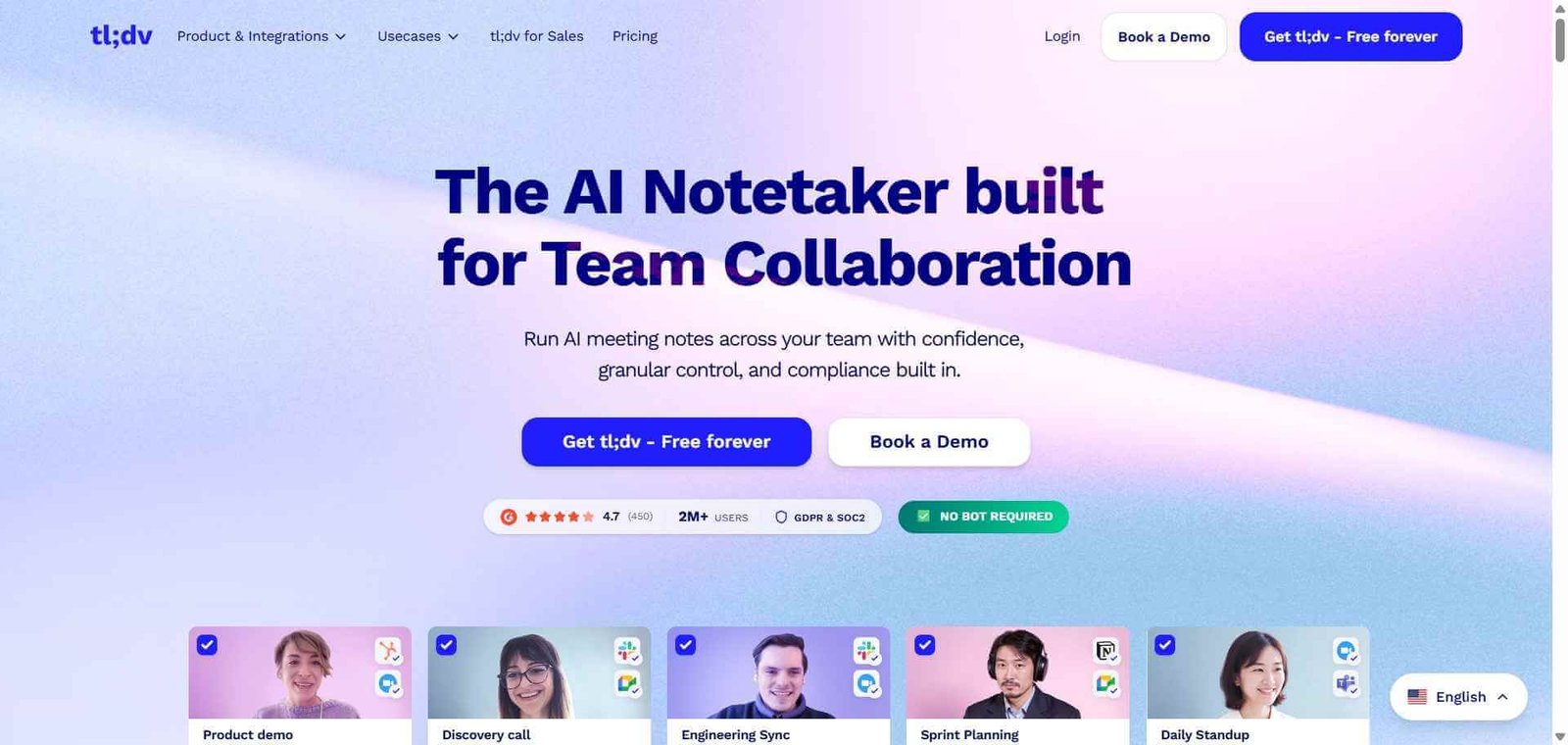
Record, timestamp, and summarise every meeting with AI. Share what matters instantly.

tl;dv Review: AI Meeting Recorder That Lets You Share Exactly the Right Moment

Most meeting recorders give you a full transcript and a summary. tl;dv gives you something more useful: the ability to timestamp any specific moment in a meeting and share a clip of exactly that exchange with anyone, even if they were not there. For product teams sharing customer feedback, sales teams sharing key objections, and managers sharing specific decisions with stakeholders, this clipping and sharing capability transforms how meeting intelligence actually gets used across an organisation.

Quick Summary

tl;dv is an AI meeting recorder for Zoom and Google Meet that records, transcribes, and summarises meetings while adding instant timestamping and meeting clip sharing, with CRM integration to push meeting notes directly to sales records.

Is it worth using? Yes, particularly for teams that need to share specific meeting moments rather than just full transcripts and summaries. Who should use it? Product teams, sales teams, UX researchers, and managers who need to share specific meeting moments with colleagues and stakeholders. Who should avoid it? Teams who only need basic transcription without the clip sharing and CRM integration features.

Verdict Summary

Best for

  • Product teams timestamping customer feedback and user research sessions for sharing with the product team
  • Sales teams clipping key objections and competitor mentions for coaching and review
  • Managers sharing specific decisions from long meetings without forcing colleagues to watch full recordings

Not for

  • Users needing in-person conversation recording through a mobile app
  • Teams requiring the most accurate real-time transcription during live meetings
  • Users on a free plan who need unlimited recording storage

Rating ⭐⭐⭐⭐ 4.4 / 5

What Is tl;dv?

tl;dv is an AI meeting intelligence platform founded in 2020 in Cologne, Germany. Its name stands for “too long, didn’t view” and reflects its core philosophy: long meeting recordings are rarely watched in full, so the value lies in surfacing and sharing the specific moments that matter. The platform is built around the concept of meeting clips as a unit of information sharing, making it easy to extract and distribute the meaningful moments from any call.

Its CRM integration pushes relevant meeting notes, summaries, and clips directly to Salesforce or HubSpot deal records automatically, reducing the administrative work that kills adoption of meeting recording tools in sales teams.

How tl;dv Works

  • Install the tl;dv Chrome extension and connect it to your Google Meet or Zoom account.
  • tl;dv joins your meetings as a bot recorder, or you can record directly through the browser extension during the call.
  • Timestamp key moments by pressing a shortcut key or clicking in the tl;dv sidebar during the meeting. Add a note to label what the timestamp captures.
  • Review the recording and transcript after the meeting in the tl;dv workspace. The AI-generated summary and key moments appear alongside the full transcript.
  • Create clips. Select any portion of the transcript to create a shareable video clip of that moment. Share the clip link with anyone including those outside your organisation.
  • Push to CRM. Connect Salesforce or HubSpot and tl;dv automatically syncs meeting summaries and relevant notes to the appropriate deal or contact record.

Key Features

  • AI meeting recording for Zoom and Google Meet
  • Real-time timestamping of key moments during live calls
  • Meeting clip creation from any transcript selection
  • Shareable clip links viewable without a tl;dv account
  • AI-generated meeting summaries and action items
  • CRM integration with Salesforce and HubSpot
  • Speaker identification and transcript search
  • Meeting library for organising and searching past recordings
  • Playlist creation grouping related clips across multiple meetings

Real-World Use Cases

  • User research: Timestamp every important insight during a user interview and share a playlist of customer pain points with the product and design team after the session.
  • Sales coaching: Clip the moment a prospect raises a pricing objection across five different calls and share the collection with the sales team for coaching discussion.
  • Stakeholder updates: Share a 90-second clip of the key decision moment from a 2-hour strategy meeting rather than asking stakeholders to watch the full recording.
  • Customer success: Create a clip of the specific feature request a customer made and attach it to the relevant ticket in your project management tool.

Pros and Cons

ProsCons
Clip sharing is genuinely unique and usefulFree plan limited in recording storage
CRM integration reduces post-meeting admin significantlyNo mobile app for in-person conversation recording
Playlist feature aggregates insights across meetingsTranscription accuracy behind Otter AI on real-time
Sharable clips viewable without a tl;dv accountLimited to Zoom and Google Meet
Strong product for UX research and sales teamsSome advanced features on paid plans only

Pricing & Plans

Free — $0/month
  • Unlimited recordings
  • 10 uploads per month
  • AI summaries
  • Basic CRM integration
Pro — $18/user/month
  • Unlimited uploads
  • Full CRM integration
  • Clip and playlist creation
  • Advanced search
  • Priority support
Business — $34/user/month
  • All Pro features
  • Advanced analytics
  • Custom AI insights
  • Team management
  • API access

Best Alternatives & Comparisons

  • Otter AI — Better real-time transcription accuracy and in-person recording, less clip sharing capability
  • Fireflies AI — Better for sales-specific meeting intelligence and deeper CRM integration
  • MeetGeek — Similar meeting intelligence with strong template workflows
  • Notta AI — Better multilingual transcription support

Frequently Asked Questions (FAQ)

What is tl;dv?

tl;dv is an AI meeting recorder for Zoom and Google Meet that records, transcribes, and summarises meetings while enabling real-time timestamping and shareable video clip creation from specific meeting moments.

Is tl;dv free?

Yes, tl;dv offers a free plan with unlimited recordings and 10 uploads per month. Paid plans start at $18/user/month with unlimited uploads and full CRM integration.

How does clip sharing work in tl;dv?

You select any portion of the meeting transcript in tl;dv and it generates a shareable link to a video clip of that specific moment. Recipients can view the clip without needing a tl;dv account.

Does tl;dv integrate with Salesforce?

Yes, tl;dv integrates with both Salesforce and HubSpot, automatically pushing meeting summaries and notes to the relevant deal or contact records after each recorded call.

Which meeting platforms does tl;dv support?

tl;dv currently supports Zoom and Google Meet as the primary recording platforms.

How does tl;dv compare to Otter AI?

tl;dv’s strength is clip creation, sharing, and CRM integration for sharing specific meeting moments. Otter AI’s strength is real-time transcription accuracy and in-person recording via mobile. Both are strong tools for their respective primary use cases.

Final Recommendation

tl;dv fills a specific and important gap in the meeting intelligence market: making recorded meetings actually useful beyond the people who attended them. The clip sharing and playlist features turn meeting recordings from archives into active communication tools. For product and sales teams that regularly need to share specific customer moments with colleagues, the Pro plan at $18/user/month is one of the more efficient investments in team knowledge sharing available.

Next steps

Feature your app on AI tools for free

Subscribe to our Newsletter

Stay up-to-date with the latest AI Apps and cutting-edge AI news.

Trending Categories