Liner AI Review: AI Research Assistant That Makes Web Reading Faster and More Useful
Most online research involves a lot of reading to find a little information. You navigate to a page, read through content looking for the relevant parts, and then face the challenge of remembering or recording what mattered. Liner AI sits directly in your browsing workflow and solves this: highlight the parts that matter and Liner saves them, organises them, and lets you ask questions about them later. Over time your highlights build into a personal knowledge base that you can search and query rather than a collection of unsorted bookmarks.
Quick Summary
Liner AI is an AI-powered research assistant that combines web and PDF highlighting with AI summarisation, question-answering, and a personal knowledge base that organises your research highlights across all saved content.
Is it worth using? Yes for researchers, students, and knowledge workers who read extensively online and want to retain and organise what they read more effectively. Who should use it? Students, researchers, analysts, writers, and knowledge workers who read extensively online and need to retain, organise, and revisit information from multiple sources. Who should avoid it? Users who only need quick one-time answers and do not build ongoing research collections.
Verdict Summary
Best for
Students and researchers building organised collections of web and paper sources across ongoing research projects
Knowledge workers who read extensively and want AI to help them retain and query what they have read
Writers and analysts who gather research across many sources and need it organised and searchable
Not for
Users who need to search new academic literature rather than annotate content they have already found
Teams needing collaborative annotation workflows with multiple contributors
Users who only read a few articles per week without regular research workflows
Rating ⭐⭐⭐⭐ 4.2 / 5
What Is Liner AI?
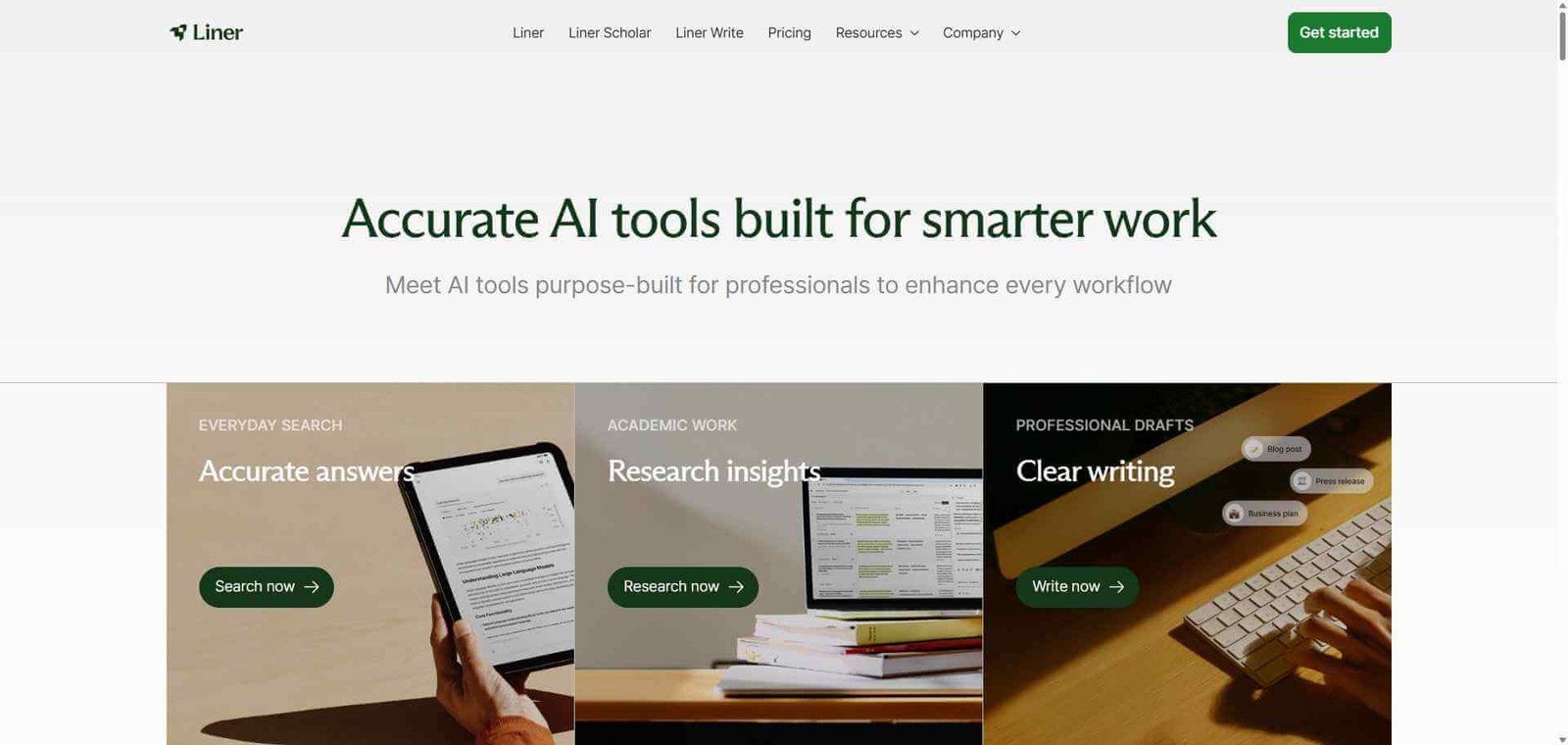
Liner AI is a browser-based research assistant that integrates into your reading workflow through a Chrome and Safari extension, allowing you to highlight text on any web page or PDF and save those highlights to a personal research library. The AI layer added to the platform allows you to ask questions about any saved content, generate summaries of highlighted sections, and query across your entire library of past highlights to find connections between different sources.
The tool positions itself between simple bookmarking tools that save pages without analysis and heavy note-taking tools that require significant manual organisation — it requires almost no effort to capture useful content during reading, and the AI makes the captured content useful through summarisation and question-answering.
How Liner AI Works
Install the Liner browser extension. Available for Chrome and Safari, the extension activates on every web page and PDF you visit.
Highlight as you read. Select any text on a web page or PDF and Liner saves the highlight with the source URL and context automatically. No manual note-taking required.
Ask AI questions about the content. Click on any highlighted section and ask the Liner AI questions about the content — for clarification, deeper explanation, or context you want to understand better.
Generate page summaries. Use the AI summarisation feature to get a concise summary of any web page or PDF without reading the full text.
Browse your research library. Access all your saved highlights organised by source and topic in the Liner library. Search across all highlights using keywords.
Query across your full library. Ask questions of your complete highlight collection — “What have I read about large language model training?” — and Liner AI synthesises an answer from relevant highlights across multiple sources.
Key Features
Browser extension highlighting on any web page and PDF
AI summarisation of web pages and PDFs on demand
AI question-answering on highlighted content and full pages
Personal research library organising all highlights by source
Full-text search across all saved highlights
AI synthesis querying across your complete research library
AI-recommended reading suggestions based on your research interests
Chrome and Safari extension support
Real-World Use Cases
Academic research: Highlight relevant sections from papers and web sources across a research project and use AI to synthesise findings across all saved sources when writing.
Competitive analysis: Highlight competitor product descriptions, pricing pages, and announcements across multiple sources and query your library for comparisons when needed.
Ongoing industry tracking: Regularly highlight articles on topics relevant to your work and use the AI library query to produce summaries of what you have read on any theme when needed.
Study and exam preparation: Highlight key concepts and explanations from textbooks and study materials and use AI question-answering to test understanding and clarify complex points.
Minimal friction to capture research — highlight and done
Full cross-library AI query on paid plan only
AI summarisation works reliably on most web content
Less suited for systematic academic literature search
Library search makes past research actually findable
Collaborative highlighting and sharing limited
Cross-library AI query adds compounding value over time
Mobile experience less refined than desktop extension
Works on any web page and PDF without special formatting
Value grows slowly in early weeks before enough content is saved
Pricing & Plans
Free — $0/month
Unlimited highlights
Basic AI summarisation
Research library with search
Standard browser extension
Premium — $7.99/month
All Free features
Full AI question-answering on highlights
Cross-library AI synthesis queries
Advanced AI recommendations
Priority support
Best Alternatives & Comparisons
NotebookLM — Better for deep analysis of specific uploaded documents, less suited to ongoing in-browser research capture
Consensus AI — Better for searching scientific literature, not for annotating content you find yourself
Elicit — Better for systematic literature review and data extraction, different workflow
Mem AI — Similar personal knowledge base concept with a broader note-taking focus
Frequently Asked Questions (FAQ)
What is Liner AI?
Liner AI is a browser extension research assistant that saves highlights from any web page or PDF into a personal research library, with AI summarisation, question-answering, and cross-library synthesis features.
Is Liner AI free?
Yes, Liner AI offers a free plan with unlimited highlights, basic summarisation, and library search. The Premium plan at $7.99/month adds full AI question-answering and cross-library synthesis.
Does Liner AI work on PDFs?
Yes, the Liner browser extension works on web-based PDFs in the browser, allowing you to highlight and annotate PDF content the same way as web pages.
Can Liner AI search across all my saved highlights?
Yes, the cross-library AI query feature (Premium plan) lets you ask questions that draw on your entire collection of saved highlights across all sources, synthesising relevant information from everything you have highlighted.
How does Liner AI compare to NotebookLM?
Liner AI is designed for ongoing in-browser research capture, building a knowledge base passively as you read. NotebookLM is designed for deep analysis of specific documents you deliberately upload. They serve complementary workflows: Liner for broad ongoing research capture, NotebookLM for focused document analysis.
Does Liner AI work in Safari?
Yes, Liner AI is available as an extension for both Chrome and Safari.
Final Recommendation
Liner AI is the most frictionless way to build a searchable personal research library from your everyday reading. The value compounds over time as your highlight library grows — what starts as a simple bookmarking enhancement becomes a queryable knowledge base you can synthesise from whenever you need it. For researchers, analysts, and knowledge workers who read extensively, the Premium plan at $7.99/month is one of the most cost-efficient research tools available.