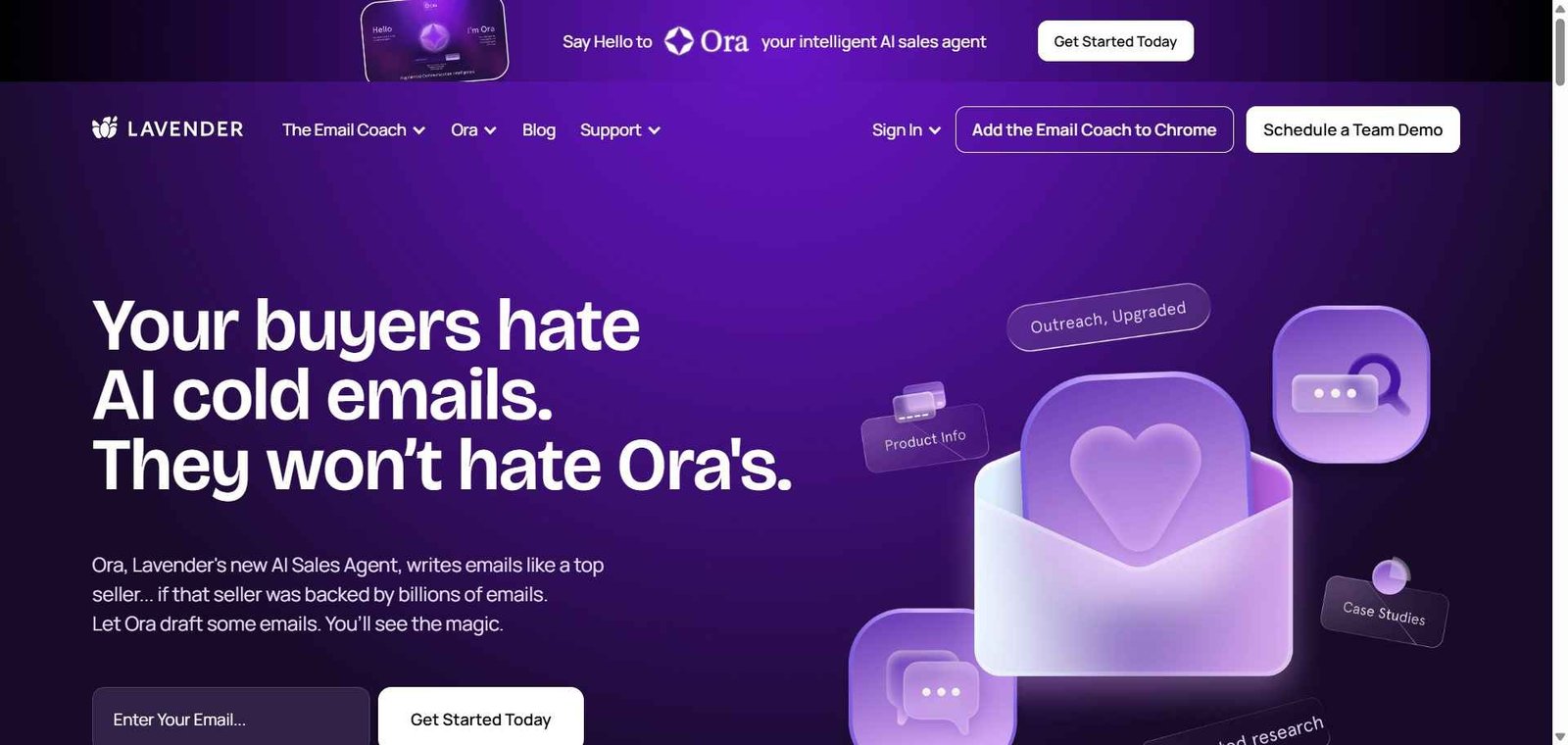
Lavender Review: The AI Email Coach That Makes Every Sales Rep Write Like Your Best Rep
The gap between an average sales email and a great one is the difference between a 5% reply rate and a 20% reply rate — a gap that compounds across thousands of outreach emails into the difference between hitting quota and missing it. Lavender closes this gap by functioning as an AI coach embedded directly in the email composer — scoring every email in real time, identifying specific improvements, personalising with prospect data, and predicting whether the email is likely to receive a reply. The best practices of your best reps become the baseline for the entire team.
Quick Summary
Lavender is an AI email coaching tool for sales reps that scores outbound sales emails in real time, suggests specific improvements for higher reply rates, personalises emails with prospect research data, and predicts reply likelihood — embedded as a browser extension within Gmail and Outlook.
Is it worth using? Yes for sales teams, SDRs, and account executives who send outbound sales emails and want AI coaching that improves reply rates without taking their hands off the keyboard. Who should use it? Sales development reps, account executives, and sales teams who send significant volumes of outbound and follow-up emails and want AI to coach email quality in real time rather than hoping reps improve through trial and error. Who should avoid it? Teams whose primary outreach is not email-based, or organisations using sales engagement platforms that have sufficient built-in AI email assistance.
Verdict Summary
Best for
Sales development teams whose outbound email reply rates are below 15% and who want AI coaching that identifies specific issues in each email rather than generic advice
Account executives who write personalised outbound emails and want AI to surface prospect research data — recent news, job changes, company signals — without manual research
Sales managers who want to understand why some reps’ emails perform better and systematically lift the rest of the team to that standard
Not for
Teams whose outreach is primarily LinkedIn or phone-based where email coaching is a secondary priority
Sales teams using platforms with sufficiently comprehensive built-in AI email assistance
Non-sales teams whose email writing needs are general rather than sales-specific
Rating ⭐⭐⭐⭐ 4.4 / 5
What Is Lavender?
Lavender is an AI email coaching tool that operates as a browser extension within Gmail and Outlook — appearing as a side panel whenever a sales email is being composed. It analyses the email in real time against a dataset of millions of sales emails to produce a score from 0 to 100 reflecting the email’s likely reply rate, with specific improvement suggestions identifying exactly what is lowering the score: email too long, subject line too generic, too much focus on the sender rather than the prospect, missing a clear call to action, or any other specific issue.
The personalisation layer pulls prospect intelligence from LinkedIn, company news sources, and other signals — surfacing recent company announcements, job changes, and interests that reps can use to make each email feel individually researched rather than templated.
How Lavender Works
Install the browser extension. Add Lavender to Chrome or Edge. It activates automatically in Gmail and Outlook when composing an email.
Write your email. Start composing a sales email normally. Lavender’s side panel appears with a real-time score updating as you type.
Review the score and suggestions. Lavender shows a score from 0 to 100 and lists specific suggestions — “shorten the email,” “lead with the prospect’s problem,” “use a simpler CTA,” “personalise the opening line.”
Apply personalisation. Lavender surfaces prospect research — recent company news, LinkedIn activity, shared connections — that can be incorporated into the opening line for genuine personalisation at the start of each email.
Get to 90+. Use Lavender’s suggestions to improve the score toward 90 or above — the threshold where reply rate probability increases significantly.
Use AI to generate. Optionally, use Lavender’s AI to generate a complete email draft based on the prospect’s profile and your defined messaging — editing rather than writing from scratch.
Key Features
Real-time email scoring from 0 to 100 based on reply rate prediction
Specific improvement suggestions for each identified issue
Prospect personalisation data from LinkedIn and company news sources
AI email generation from prospect profile and messaging inputs
Subject line scoring and suggestions
Mobile preview showing how email appears on mobile devices
Team analytics for tracking email quality and improvement across the sales team
Integration with Gmail, Outlook, and major sales engagement platforms
Manager view for identifying coaching opportunities across the team
Real-World Use Cases
SDR email quality improvement: A sales manager deploys Lavender to their SDR team — within 30 days, average email scores improve from 52 to 78 as reps apply real-time coaching, and reply rates across the team increase measurably.
Personalised outreach at scale: A senior AE uses Lavender’s prospect personalisation to reference a company’s recent funding announcement and new product launch in outreach to key accounts — spending 30 seconds on personalisation that previously required 15 minutes of research.
New rep onboarding: A sales enablement team uses Lavender as part of new rep onboarding — reps write emails with the AI coach visible, receiving immediate coaching on every email rather than waiting for manager review.
Sequence optimisation: A sales operations team uses Lavender’s team analytics to identify which email templates consistently score below 70 and rewrites them — systematically improving the entire sequence performance rather than relying on individual rep initiative.
Real-time coaching in the email composer creates immediate feedback loops
Email-only — does not extend coaching to LinkedIn or phone outreach
Specific actionable suggestions rather than generic email advice
Scores and suggestions are probabilistic — high scores do not guarantee replies
Prospect personalisation surfaces research that reps would skip manually
Extension-only — no standalone web application for email drafting outside Gmail/Outlook
Team analytics give managers visibility into email quality across the team
Free plan limited to 5 AI email assists per month
AI generation speeds up drafting without removing personalisation opportunity
Some reps resist AI coaching as questioning their judgment
Pricing & Plans
Free — $0/month
5 emails per month
Basic scoring
Core suggestions
Community support
Individual — $27/month
Unlimited email scoring
Full suggestions
Prospect research
AI email generation
Priority support
Team — $49/user/month
All Individual features
Team analytics
Manager dashboard
Shared templates
Dedicated support
Best Alternatives & Comparisons
Instantly AI — Better for high-volume cold email sending with unlimited mailboxes, less in-composer coaching
Smartlead — Better for high-volume outbound email infrastructure, less coaching focus
Lemlist — Better for personalised multi-channel sequences with image personalisation, less coaching intelligence
Apollo AI — Better for integrated prospecting with built-in email sequences, less coaching depth
Frequently Asked Questions (FAQ)
What is Lavender?
Lavender is an AI email coaching tool for sales reps that scores outbound sales emails in real time, suggests specific improvements for higher reply rates, surfaces prospect personalisation data, and predicts reply likelihood — embedded in Gmail and Outlook.
Is Lavender free?
Yes, Lavender offers a free plan with 5 monthly email assists. The Individual plan at $27/month provides unlimited scoring, full suggestions, prospect research, and AI generation.
How does Lavender calculate email scores?
Lavender’s scoring is based on analysis of millions of sales emails correlated with actual reply rates — identifying patterns in email length, subject lines, personalisation quality, CTA clarity, and other factors that predict whether an email will receive a reply.
Does Lavender work with Outlook?
Yes, Lavender works in both Gmail and Outlook through its browser extension — the coaching side panel activates whenever a sales email is being composed in either email client.
What prospect research does Lavender surface?
Lavender pulls prospect data from LinkedIn profiles, company news, job change signals, and other sources — surfacing recent announcements, role changes, and company developments that reps can use to personalise the opening line of each email.
How does Lavender improve sales team email performance?
Lavender provides immediate feedback on every email rather than waiting for manager review — compressing the coaching feedback loop from days to seconds. Over time, reps internalise the patterns that produce high scores and apply them automatically, raising the quality baseline across the team.
Final Recommendation
Lavender is the most practically impactful AI tool available for sales teams whose outbound email performance is a significant revenue lever. The real-time coaching embedded in the email composer creates continuous improvement loops that generic email training cannot replicate, and the prospect personalisation reduces the research overhead that prevents reps from personalising at scale. For any sales manager whose team sends outbound email at volume and wants a systematic way to lift reply rates across every rep, Lavender provides the coaching infrastructure that individual feedback cannot deliver at scale.