itirupati.com AI Tools

Missive

Team email and internal chat in one inbox — with AI that drafts replies and summarises threads.

Missive Review: The Team Email Platform That Combines Shared Inbox and Internal Chat Seamlessly

Shared email inboxes have a coordination problem that standard email cannot solve — who is handling this message, what is the internal discussion around the response, and is anyone else already replying? Missive solves this by combining the shared inbox with a built-in internal team chat that lives alongside every email thread — teammates can discuss a reply privately within the email conversation without forwarding, CC’ing, or switching to Slack. The AI layer drafts replies and summarises long threads, reducing the time per response across high-volume inboxes.

Quick Summary

Missive is an AI-powered team email and collaboration platform that combines shared inbox management with built-in internal team chat, AI reply drafting, thread summarisation, and collaborative workflows — enabling teams to handle shared email accounts without the chaos of standard shared mailboxes.

Is it worth using? Yes for small to mid-size teams managing shared email accounts who want internal collaboration on email responses without switching to a separate messaging tool.
Who should use it? Customer support teams, sales teams, operations teams, and any team managing shared email accounts who want built-in internal discussion alongside email responses with AI assistance.
Who should avoid it? Large enterprise support teams with complex ticketing SLA requirements where Zendesk or Freshdesk provide more appropriate infrastructure.

Verdict Summary

Best for

  • Small teams managing shared customer-facing email accounts who want to collaborate on responses internally without CC’ing or forwarding
  • Customer support and sales teams whose email collaboration currently happens through Slack thread links and forwarded emails rather than a dedicated system
  • Teams who want AI reply drafting to reduce the time spent on routine email responses while maintaining personal tone

Not for

  • Large enterprise support teams requiring complex multi-tier SLA management and ticketing infrastructure
  • Teams whose primary need is a knowledge base and help centre alongside email support
  • Organisations that need extensive social media channel management alongside email

Rating
⭐⭐⭐⭐ 4.4 / 5

What Is Missive?

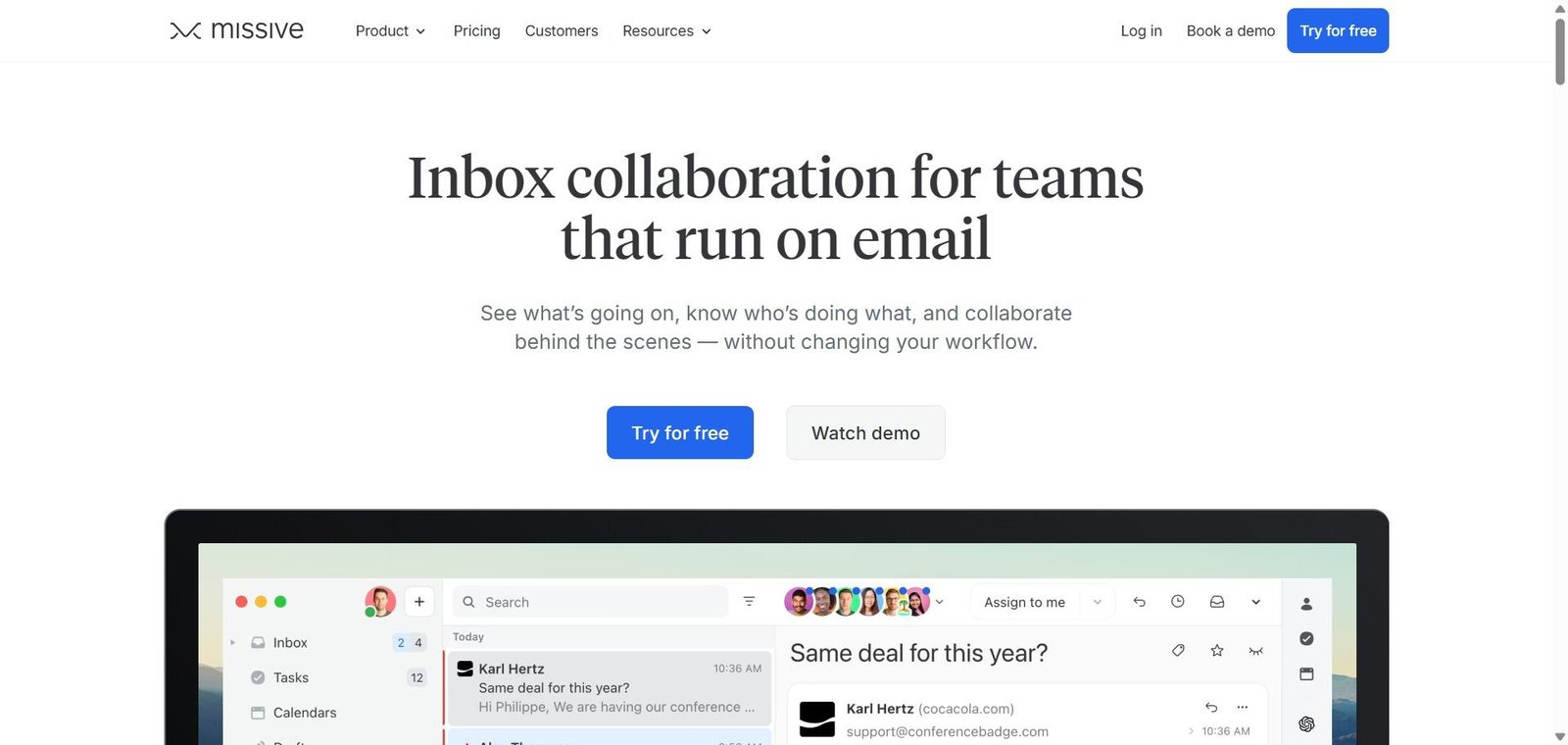
Missive is a team communication platform that lives at the intersection of email and team chat — combining a shared inbox with internal discussion capabilities that make email collaboration genuinely seamless. Every email conversation in Missive has two layers: the external email thread with the customer or partner, and an internal chat thread visible only to the team — where colleagues can discuss the response, @mention relevant team members, and share context without affecting the customer-facing conversation.

Its AI features draft replies based on the email content and the team’s previous responses, summarise long threads to provide instant context for new team members joining a conversation, and suggest canned response matches for common query patterns.

How Missive Works

  • Connect your shared mailboxes. Add your team email accounts — support@, sales@, info@, hello@ — to Missive. All incoming emails appear in the shared inbox visible to all team members.
  • Assign and own conversations. Assign each conversation to the appropriate team member. They see it in their personal queue while others see it as assigned in the shared view.
  • Discuss internally. Comment on any email conversation in the internal chat sidebar — tagging colleagues, sharing context, asking for input — without the customer seeing the internal discussion.
  • Use AI to draft replies. When ready to respond, use Missive’s AI to draft a reply based on the email content and your team’s communication style, editing before sending.
  • Summarise long threads. Use AI summarisation to instantly understand the context of a long email thread without reading every message — critical for taking over a conversation mid-way.
  • Set up rules and automation. Create assignment rules that automatically route incoming emails to the right team member based on keywords, sender, or other criteria.

Key Features

  • Shared inbox for team email accounts with assignment and ownership
  • Built-in internal team chat within each email conversation
  • AI reply drafting based on email content and previous responses
  • Thread summarisation for instant context on long conversations
  • Canned response library with AI-suggested matches
  • Assignment rules for automatic email routing
  • Live collaboration — see when teammates are drafting a reply to avoid duplication
  • Integration with external tools through Zapier and native integrations
  • Mobile apps for iOS and Android

Real-World Use Cases

  • Customer support team: A five-person support team handles all incoming support email through Missive — assigning tickets, discussing complex cases internally before responding, and using AI to draft first responses to routine queries — reducing average response time and improving consistency.
  • Sales team shared inbox: A sales team manages their general enquiries inbox through Missive, with assignment rules routing enquiries by geography to the relevant regional rep and internal discussion allowing senior reps to coach junior reps on responses without customers seeing the guidance.
  • Agency client communication: A digital agency manages client communications through Missive, with account managers seeing all client email and the internal chat enabling quick team consultation before client-facing replies.
  • Operations coordination: An operations team manages vendor and partner communications through Missive, with multiple operations staff maintaining visibility of all external conversations and the ability to collaborate on responses without email forwarding chains.

Pros and Cons

ProsCons
Internal chat within email threads eliminates the need for Slack threads about emailsLess suitable for very large enterprise support operations with complex ticketing
AI reply drafting reduces response time for routine queries significantlyPricing per user adds up for larger teams
Live collaboration indicators prevent duplicate replies from team membersKnowledge base and help centre not built in
Clean, thoughtful interface compared to shared Gmail workaroundsSome teams find the combined email and chat interface initially complex
Works for any email provider — not locked to specific email infrastructureSocial media channel integration limited compared to dedicated social tools

Pricing & Plans

Free — $0/month
  • 2 users
  • Shared inbox
  • Basic collaboration
  • Community support
Starter — $14/user/month
  • Unlimited users
  • All collaboration features
  • AI features
  • Basic integrations
Productive — $18/user/month
  • All Starter features
  • Advanced rules and automation
  • Analytics
  • Priority support
Business — $26/user/month
  • All Productive features
  • Advanced AI features
  • Custom integrations
  • Priority support

Best Alternatives & Comparisons

  • Front — Similar shared inbox collaboration platform with more mature analytics and enterprise features, higher pricing
  • Help Scout — Better for customer support with knowledge base integration, less internal chat capability
  • Freshdesk — Better for structured ticketing with SLA management, more traditional helpdesk approach
  • Zendesk AI — Better for large enterprise support operations, significantly more complex and expensive

Frequently Asked Questions (FAQ)

What is Missive?

Missive is an AI-powered team email and collaboration platform combining shared inbox management with built-in internal team chat, AI reply drafting, and thread summarisation for customer-facing teams.

Is Missive free?

Yes, Missive offers a free plan for up to 2 users. The Starter plan at $14/user/month provides unlimited users with all collaboration and AI features.

What makes Missive different from a shared Gmail inbox?

Standard shared Gmail provides no assignment, no internal discussion, no visibility into who is drafting replies, and no AI assistance. Missive adds all of these — plus internal team chat within each email conversation — transforming shared email from a coordination problem into a collaborative workflow.

Does Missive have AI features?

Yes, Missive includes AI reply drafting that generates response drafts based on the email content and your team’s communication patterns, thread summarisation for quickly understanding long conversation history, and canned response suggestions matched by AI to the incoming query.

Can Missive handle multiple email accounts?

Yes, Missive supports multiple email accounts — from any provider — in one workspace, with all accounts visible to the relevant team members and separate assignment and routing rules per account.

How does Missive compare to Front?

Both are shared inbox collaboration platforms. Front has more mature analytics, more enterprise-grade features, and a larger customer base. Missive has a cleaner interface, better internal chat integration within email threads, and lower pricing. Front is better for larger enterprise teams; Missive for small to mid-size teams who want the best internal collaboration experience within email.

Final Recommendation

Missive is the most elegantly designed shared inbox platform for teams whose email collaboration currently relies on Slack threads about emails, forwarded messages, or CC chaos. The internal chat within each email thread solves the coordination problem that makes shared email so frustrating — and the AI reply drafting and summarisation meaningfully reduce the time cost of high-volume email management. For any team managing a shared customer-facing inbox with more than two people, Missive provides the collaboration layer that standard email has always been missing.

Next steps

Feature your app on AI tools for free

Subscribe to our Newsletter

Stay up-to-date with the latest AI Apps and cutting-edge AI news.

Trending Categories