itirupati.com AI Tools

Make

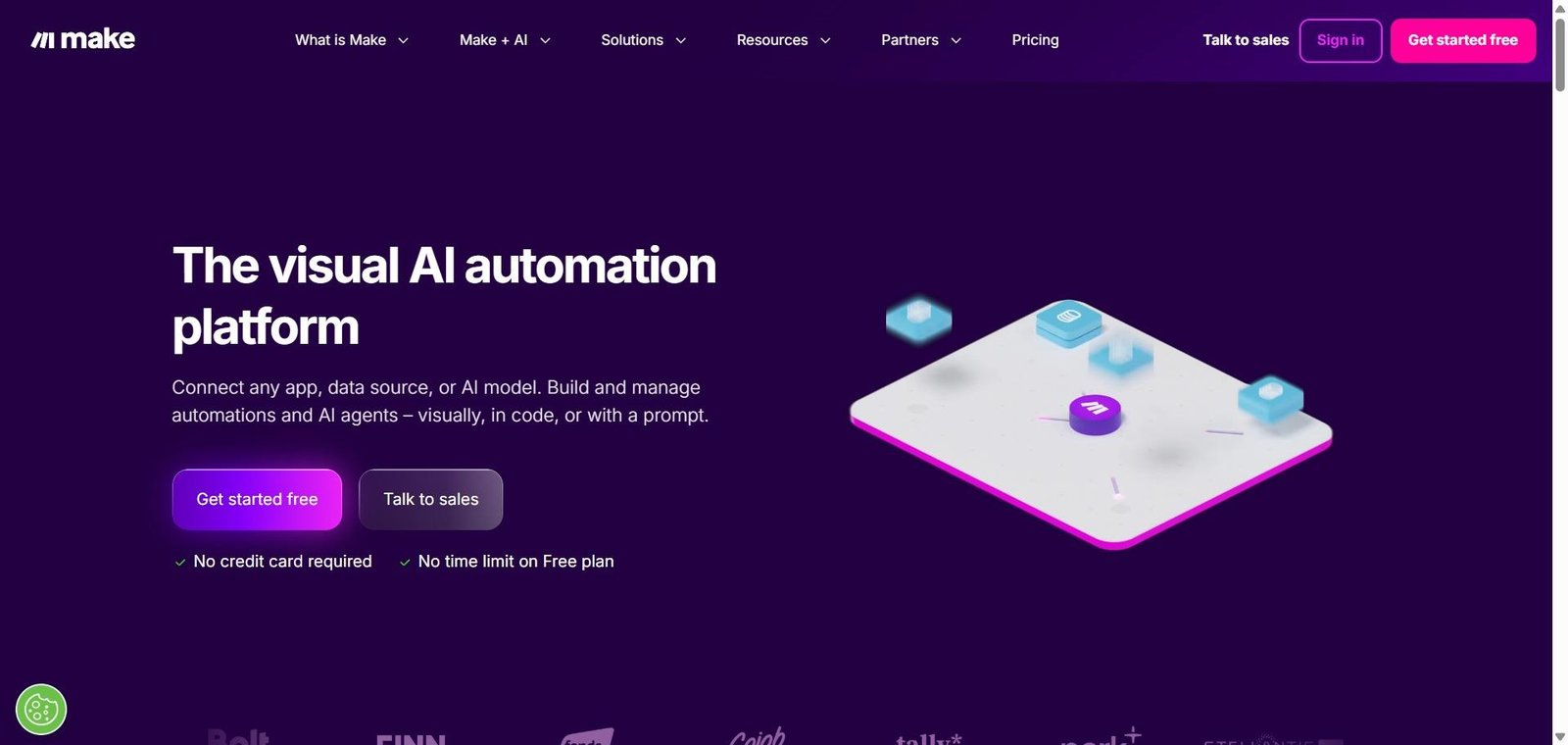
Build complex automations visually — with AI modules that add intelligence to every workflow.

Make Review: The Visual Automation Platform That Turns Complex Workflows Into Art

Zapier handles simple trigger-action automation well. Make handles the automations that Zapier cannot — multi-branch logic, data transformation, error handling, iterating over arrays, conditional routing, and the kind of complexity that real business processes actually have. Its node-based visual canvas lets builders construct workflow logic that is genuinely sophisticated without writing code, and its AI modules — connecting to OpenAI, Anthropic Claude, and other models — add intelligent processing to any step in any automation, enabling workflows that do not just move data between apps but actually think about what to do with it.

Quick Summary

Make is an AI-powered visual automation platform with a node-based canvas for building complex multi-app workflows — with built-in AI modules for OpenAI, Claude, and other models that add intelligent content generation, classification, and decision-making to any automation.

Is it worth using? Yes for power users, agencies, operations teams, and developers who need sophisticated automation with data transformation and AI intelligence that simpler tools cannot provide.
Who should use it? Automation builders, no-code developers, agencies, and operations teams who need complex multi-step workflows with conditional logic, data transformation, and AI processing built into their automations.
Who should avoid it? Simple users whose automation needs are met by Zapier’s more accessible interface, or pure developers who prefer code-based automation frameworks.

Verdict Summary

Best for

  • Automation specialists and agencies building sophisticated multi-step workflows for clients that require data transformation, conditional routing, and AI processing
  • Operations teams who want automations that intelligently categorise, summarise, or generate content as part of their data processing workflows
  • No-code developers who want the most powerful visual automation platform available with AI built into the automation logic

Not for

  • Non-technical users who need the simplest possible interface where Zapier’s accessibility is more appropriate
  • Teams whose automation needs are basic sequential trigger-action without complex data manipulation
  • Users who need the broadest possible app integration library where Zapier’s 6,000 plus apps has an advantage

Rating
⭐⭐⭐⭐½ 4.6 / 5

What Is Make?

Make (formerly Integromat) is a visual automation platform built around a node-based canvas where each circle represents an app module or action — connected by routes that define how data flows between them. Unlike Zapier’s linear trigger-then-action model, Make’s canvas supports branching routes, iterators that process lists of items, aggregators that combine data, filters that route data conditionally, and error handlers that define what happens when steps fail — enabling automation of genuinely complex real-world workflows.

Its AI modules provide first-class integration with OpenAI (for GPT-4 and DALL-E), Anthropic (for Claude), Google AI, and other models — allowing any automation to call an AI model, pass it data, and use the AI’s response in subsequent automation steps. This means automations can classify incoming data, generate personalised content, summarise documents, and make AI-informed decisions as integral parts of the workflow.

How Make Works

  • Create a new scenario. Open Make’s canvas and add your trigger module — the event that starts the automation (new email, form submission, CRM update, or any other trigger from 1,500 plus supported apps).
  • Add processing modules. Connect modules that transform, filter, and enrich data as it flows through the automation — using Make’s built-in data transformation tools or calling external APIs.
  • Add AI modules. Insert an OpenAI or Claude module at any point in the workflow — passing data to the AI for classification, summarisation, content generation, or any other intelligent processing task.
  • Build branching logic. Add routers that split the workflow into multiple paths based on conditions — sending different data to different destinations based on AI-classified categories or field values.
  • Handle errors. Configure error handlers that define what happens when any step fails — retrying, logging errors, sending notifications, or taking alternative actions.
  • Schedule and monitor. Set your scenario to run on a schedule, trigger instantly, or run manually — monitoring execution history and data flow in Make’s dashboard.

Key Features

  • Node-based visual canvas for complex multi-branch workflow construction
  • 1,500 plus app integrations including all major business tools
  • Built-in AI modules for OpenAI, Anthropic Claude, Google AI, and others
  • Data transformation tools for mapping, filtering, and reformatting data
  • Iterator and aggregator modules for processing lists and combining data
  • Router modules for conditional branching logic
  • Error handling and retry configuration for reliable automation
  • Webhooks for custom trigger and integration with any API
  • Scheduling and instant trigger options for flexible execution timing

Real-World Use Cases

  • AI content pipeline: A content team builds a Make automation that monitors an RSS feed for industry news, passes each article to Claude for summarisation and relevance scoring, filters to only high-relevance articles, generates a social media post for each, and schedules it in their social media tool — all automated without human intervention.
  • Intelligent lead routing: A sales operations team builds a Make workflow that receives new inbound leads, passes the lead description to GPT-4 for use case classification, routes the lead to the appropriate specialist team based on classification, and creates a personalised outreach email — with the entire routing logic handled by AI.
  • Document processing: An operations team automates document processing — receiving PDF contracts through email, extracting text with an API, passing it to Claude for key clause extraction and risk flagging, and populating a review spreadsheet with the extracted data and AI assessment.
  • Customer feedback triage: A customer success team automates support ticket triage — receiving new tickets, passing the content to OpenAI for sentiment classification and priority assessment, routing high-priority negative tickets to senior agents immediately, and sending auto-responses to low-priority tickets from AI-generated drafts.

Pros and Cons

ProsCons
Most powerful visual automation platform for complex workflow logicSteeper learning curve than Zapier for non-technical users
AI modules integrate intelligence directly into automation stepsInterface complexity can be overwhelming for simple use cases
Data transformation capability handles real-world data complexityDebugging complex scenarios requires patience and technical thinking
Generous free plan covers meaningful automation use casesApp library smaller than Zapier’s 6,000 plus integrations
Operations pricing is more affordable than Zapier at high task volumesError handling setup requires understanding of Make’s execution model

Pricing & Plans

Free — $0/month
  • 1,000 operations per month
  • 2 active scenarios
  • 5 minute minimum interval
  • Community support
Core — $9/month
  • 10,000 operations per month
  • Unlimited active scenarios
  • 1 minute minimum interval
  • Email support
Pro — $16/month
  • 10,000 operations per month
  • All Core features
  • Custom variables
  • Priority execution
Teams — $29/month
  • 10,000 operations per month
  • Team collaboration
  • Shared templates
  • Priority support
Enterprise — Custom pricing
  • Custom operations
  • SSO
  • Dedicated support
  • SLA guarantees

Best Alternatives & Comparisons

  • Zapier AI — Better for the widest app integration library and most accessible interface, less workflow complexity capability
  • n8n — Better for open-source self-hosted automation with similar node-based visual canvas
  • Relevance AI — Better for AI-first agent automation, less multi-app workflow breadth
  • Bardeen — Better for browser-based automation that interacts with web applications directly

Frequently Asked Questions (FAQ)

What is Make?

Make is an AI-powered visual automation platform with a node-based canvas for building complex multi-app workflows — with built-in AI modules for OpenAI, Claude, and other models that add intelligent processing to any automation.

Is Make free?

Yes, Make offers a free plan with 1,000 monthly operations and 2 active scenarios. The Core plan at $9/month provides 10,000 operations with unlimited scenarios.

What are Make's AI modules?

Make includes built-in modules for OpenAI, Anthropic Claude, Google AI, and other models — allowing any automation to call an AI model, pass it data, and use the response in subsequent steps for classification, generation, summarisation, and intelligent decision-making.

How does Make compare to Zapier?

Make handles more complex workflows with branching logic, data transformation, and error handling. Zapier is more accessible for simple trigger-action automation and has a larger app integration library. Make is better for power users and agencies building sophisticated automations; Zapier for non-technical users needing quick simple integrations.

What is an operation in Make?

An operation is a single step execution in a Make scenario — each module that processes data counts as one operation. The operation count determines which plan tier is needed based on total workflow execution volume.

Can Make automate workflows that involve AI?

Yes, Make’s AI modules allow any workflow to include AI processing steps — calling OpenAI or Claude with data from previous steps and using the AI response to inform subsequent actions, making AI intelligence a native part of any automation.

Final Recommendation

Make is the most powerful visual automation platform available for builders who need to automate processes that have real complexity — branching logic, data transformation, error handling, and AI-informed decision-making. The AI modules make it straightforward to add intelligence to any automation step, and the pricing remains accessible even at significant operation volumes. For any automation builder who has hit the ceiling of what Zapier can handle, Make provides the capability headroom that complex real-world workflows require.

Next steps

Feature your app on AI tools for free

Subscribe to our Newsletter

Stay up-to-date with the latest AI Apps and cutting-edge AI news.

Trending Categories