itirupati.com AI Tools

Pika

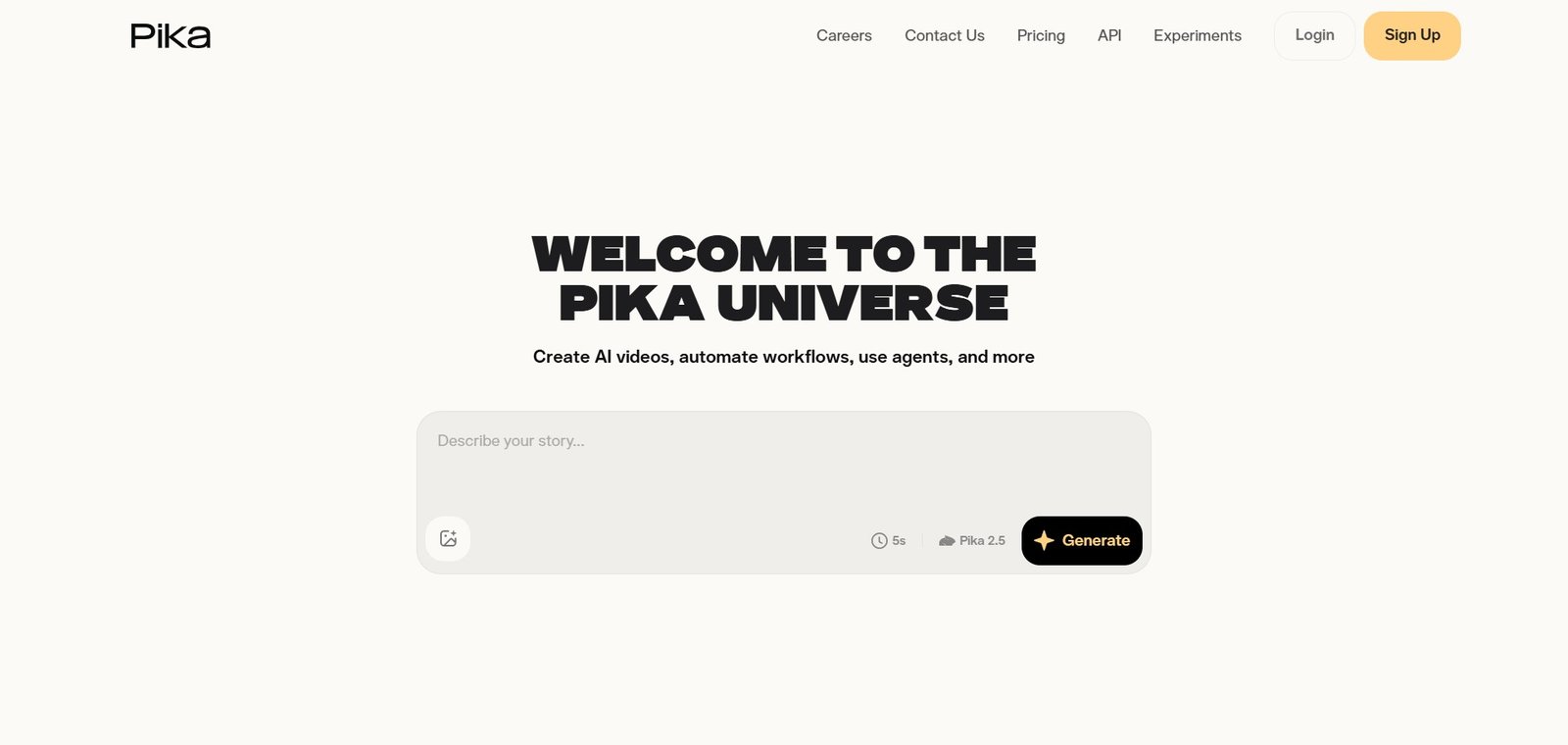
Generate creative AI videos from text or images — fast, fun, and built for social content creators.

Pika Review: The AI Video Generator That Made Short-Form AI Video Creation Mainstream

When Pika launched, it was among the first AI video generators accessible enough that creators without technical backgrounds could produce compelling short video content in minutes. That accessibility remains its defining strength — generating creative short videos from text prompts or images with a clean interface, fast generation times, and output quality that holds up on social platforms where most AI video is actually consumed. For content creators, marketers, and social media managers who want AI video without the complexity and cost of professional-grade platforms, Pika is the most practical entry point in the category.

Quick Summary

Pika is an AI video generation platform for creating short creative videos from text descriptions or image inputs — with motion effects, lip sync, scene modification, and style transfer tools designed for social content creators and marketers.

Is it worth using? Yes for content creators, social media managers, and marketers who want to produce engaging AI video content for social platforms quickly and affordably without professional video production tools.
Who should use it? Social media content creators, digital marketers, small business owners, and anyone who wants to create short AI videos for Instagram, TikTok, YouTube Shorts, and other social platforms without a steep learning curve or high cost.
Who should avoid it? Professional filmmakers and agencies who need cinematic production quality for commercial contexts where Runway ML’s higher output standard is necessary.

Verdict Summary

Best for

  • Social media creators who want to quickly generate engaging AI video content for TikTok, Instagram Reels, and YouTube Shorts
  • Marketers who want to create product videos, concept videos, and promotional content using AI without a video production team
  • Small businesses who want professional-looking video content for ads and social media at a fraction of traditional video production cost

Not for

  • Professional filmmakers who need cinematic quality for commercial production
  • Teams needing videos longer than Pika’s current generation limits
  • Users needing the advanced editing workflow that Runway’s suite provides

Rating
⭐⭐⭐⭐ 4.4 / 5

What Is Pika?

Pika is an AI video generation platform that produces short video clips from text descriptions or still images — with a generation speed and interface simplicity that prioritises accessibility over maximum technical control. Its Pika 2.0 model generates video with solid motion quality and visual coherence for social content use cases, with additional features including Pikaffects for applying specific motion effects to images, lip sync for animating still photos with audio, scene modification for changing specific elements of generated video, and style transfer for applying visual styles to existing footage.

The platform has built a large community of social content creators who use it as a regular part of their content production workflow — generating video b-roll, product animations, concept visualisations, and creative shorts without the overhead of traditional video production.

How Pika Works

  • Choose text-to-video or image-to-video. Enter a text description of the video you want, or upload a still image to animate into video.
  • Write your prompt. Describe the scene, action, mood, and visual style. Pika’s interface guides prompt writing with suggestions and examples for new users.
  • Apply Pikaffects. Choose from Pika’s motion effects library — specific animations that apply consistent motion to images, from exploding and melting to inflating and deflating — for creative social content.
  • Generate your video. Pika produces a short video clip within seconds to a few minutes depending on queue and settings.
  • Modify and extend. Use scene modification to change specific elements in the generated video, or extend the clip for additional duration.
  • Add lip sync. Upload a still image and an audio clip — Pika animates the face in the image to match the audio, creating a speaking portrait without video footage.
  • Export and share. Download generated video for direct posting to social platforms or for use in video editing software.

Key Features

  • Text-to-video and image-to-video generation with Pika 2.0 model
  • Pikaffects motion library for specific creative animation effects
  • Lip sync for animating still portraits to match audio
  • Scene modification for changing elements in generated video
  • Style transfer for applying visual styles to existing footage
  • Video extension for adding duration to generated clips
  • Aspect ratio control for portrait, landscape, and square formats
  • Camera motion control for defining movement within generated video
  • Fast generation speed optimised for social content workflows

Real-World Use Cases

  • Social content creation: A content creator uses Pika to generate animated backgrounds, scene transitions, and b-roll for their social media videos — using the Pikaffects library to add creative motion effects that make text-based content more engaging on TikTok.
  • Product animation: An e-commerce brand uploads product photography to Pika and generates short animated product videos — the still image comes to life with camera movement and environmental animation for use in Instagram Stories and ads.
  • Concept visualisation: A marketing team uses Pika to generate visual concept videos for campaign pitches — describing the campaign concept in text and generating illustrative video that communicates the creative direction to clients faster than static mockups.
  • Lip sync content: A creator uses Pika’s lip sync feature to animate a brand mascot character photo with a voiceover — producing talking character content for social media without animation expertise or software.

Pros and Cons

ProsCons
Fast generation speed — results in seconds to minutes for social content needsOutput quality below Runway ML for professional production contexts
Pikaffects library enables creative motion effects without technical knowledgeShort clip lengths require combining multiple generations for longer content
Lip sync feature enables unique content formats without video footageCredit consumption varies with generation settings
Accessible interface suitable for creators without technical AI backgroundsLess camera control and editing depth than Runway’s full suite
Affordable entry pricing for individual creators on limited budgetsGenerated video may show AI artifacts at close inspection

Pricing & Plans

Free — $0/month
  • 150 credits per month
  • Watermarked exports
  • Standard generation quality
  • Basic features
Basic — $8/month
  • 700 credits per month
  • No watermark
  • Standard quality
  • Priority generation
Standard — $20/month
  • 2,000 credits per month
  • No watermark
  • High quality generation
  • All features
Unlimited — $70/month
  • Unlimited standard generations
  • 3,000 high quality credits
  • Fastest generation
  • All features

Best Alternatives & Comparisons

  • Runway ML — Better for professional cinematic quality production, more expensive
  • Kling AI — Better for longer duration video generation with comparable social content quality
  • Hailuo AI — Better for high-motion dynamic scenes, different generation style
  • CapCut AI — Better for complete social video editing workflow with AI features alongside generation

Frequently Asked Questions (FAQ)

What is Pika?

Pika is an AI video generation platform for creating short creative videos from text descriptions or image inputs — with motion effects, lip sync, scene modification, and style transfer tools for social content creators and marketers.

Is Pika free?

Yes, Pika offers a free plan with 150 monthly credits and watermarked exports. The Basic plan at $8/month provides 700 credits without watermarks.

What are Pikaffects?

Pikaffects are Pika’s library of pre-defined motion effects that apply consistent, creative animation to still images — including effects like exploding, melting, inflating, deflating, and others that produce dramatic motion content from a single image without complex prompting.

Does Pika support lip sync?

Yes, Pika’s lip sync feature animates a face in a still image to match uploaded audio — creating a speaking portrait video without any video footage of the subject.

How long can Pika generate videos?

Pika generates clips of varying lengths depending on the generation settings, typically up to 10 seconds per generation. The extension feature allows clips to be continued for additional duration.

How does Pika compare to Runway ML?

Pika is faster, more affordable, and more accessible for social content creators without technical backgrounds. Runway ML produces higher quality, more cinematically consistent video for professional production contexts. Pika is the right choice for social content; Runway for professional production.

Final Recommendation

Pika is the most accessible and practical AI video generation platform for social content creators and marketers who want to add AI video to their content workflow without the cost or complexity of professional-grade tools. The Pikaffects library, lip sync capability, and fast generation speed make it genuinely useful for daily social content production at a price that individual creators can sustain. For anyone who has wanted to experiment with AI video for their social presence, Pika’s free plan provides an immediate and frictionless starting point.

Next steps

Feature your app on AI tools for free

Subscribe to our Newsletter

Stay up-to-date with the latest AI Apps and cutting-edge AI news.

Trending Categories