itirupati.com AI Tools

Runway ML

Generate cinematic AI video from text or images — the creative AI platform trusted by professional filmmakers.

Runway ML Review: The AI Video Platform That Professional Filmmakers Actually Use

Most AI video tools produce output that looks like AI video — smooth but sterile, impressive for a moment but unmistakably synthetic. Runway has consistently pushed past this ceiling, producing video output with cinematic quality, coherent motion, and the kind of creative control that professional filmmakers can actually work with. Its Gen-3 Alpha model generates video from text prompts or image inputs with a level of temporal consistency and visual fidelity that has made Runway the AI video tool of choice for agencies, studios, and individual creators who need results that survive contact with professional production standards.

Quick Summary

Runway ML is an AI creative platform providing text-to-video and image-to-video generation through its Gen-3 Alpha model, alongside a full suite of AI video editing tools — motion brush, inpainting, background removal, and more — for professional filmmakers and content creators.

Is it worth using? Yes for filmmakers, video editors, content creators, and creative agencies who want to generate and edit video using AI at a quality level that holds up in professional production contexts.
Who should use it? Professional filmmakers, video editors, motion designers, creative agencies, and content creators who need high-quality AI video generation and editing tools that go beyond what consumer AI video tools produce.
Who should avoid it? Casual users who want simple text-to-video for social content at minimal cost, where Pika or CapCut’s AI features are more accessible and affordable.

Verdict Summary

Best for

  • Professional filmmakers and agencies who need AI video generation that meets commercial production quality standards
  • Video editors who want AI tools — inpainting, motion brush, background removal — integrated into their editing workflow
  • Creative directors who want to generate concept video for pitches and storyboards faster than traditional production allows

Not for

  • Casual social media creators whose needs are met by simpler and cheaper AI video tools
  • Teams needing long-form video generation beyond Runway’s current clip length limits
  • Users whose primary need is avatar-based AI video rather than cinematic generation

Rating
⭐⭐⭐⭐½ 4.7 / 5

What Is Runway ML?

Runway is an AI research company and creative platform that has been at the frontier of AI video generation since its founding. Its Gen-3 Alpha model generates up to 10-second video clips from text prompts or still images — with significantly higher visual quality, motion coherence, and temporal consistency than competing models at comparable generation speeds. Beyond generation, Runway provides a full suite of AI video editing tools: Motion Brush for animating specific elements in a still image, Inpainting for removing and replacing elements in existing video, Background Removal for isolating subjects without green screen, and Frame Interpolation for smoothing slow-motion footage.

The platform has been used in the production of major commercial campaigns, music videos, and independent films — establishing it as the professional-grade option in a category where most tools produce consumer-quality output.

How Runway ML Works

  • Choose your generation mode. Select Gen-3 Alpha for text-to-video, image-to-video, or video-to-video generation — or access the suite of AI editing tools for working with existing footage.
  • Write your text prompt. Describe the video you want in detail — camera movement, subject action, lighting, mood, and visual style. Runway’s prompt system responds well to cinematic and technical description.
  • Generate your clip. Runway generates a 5 or 10-second video clip from your input. Multiple generations allow exploring different interpretations of the same prompt.
  • Extend or edit. Use Runway’s video extension to continue a clip beyond its initial length, or use editing tools to modify specific elements — replacing backgrounds, removing objects, or animating still elements.
  • Use the video editor. Bring generated clips into Runway’s browser-based video editor to cut, combine, and finish a complete edit — or export clips for use in your preferred editing software.
  • Export and publish. Export generated video at up to 4K resolution for use in any production pipeline.

Key Features

  • Gen-3 Alpha text-to-video and image-to-video generation at cinematic quality
  • Motion Brush for animating specific elements within still images
  • Inpainting for removing or replacing elements in existing video footage
  • Background Removal without green screen for any subject video
  • Video Extension for continuing generated clips beyond initial length
  • Frame Interpolation for smooth slow-motion from standard frame rate footage
  • Browser-based video editor for assembling and finishing complete edits
  • Camera Control for defining specific camera movements in generated video
  • Multi-motion brush for independently controlling multiple elements in a scene

Real-World Use Cases

  • Commercial production: A creative agency uses Runway Gen-3 Alpha to generate concept video for client presentations — showing campaign ideas in motion before committing to production budgets, with quality high enough that clients can evaluate the creative direction accurately.
  • Music video production: A music video director uses Runway to generate background environments and visual sequences that are composited with live footage — extending the visual scope of a production without the location and set costs.
  • Social content creation: A content creator uses Runway’s image-to-video to animate product photography — bringing still e-commerce images to life for social media without a video production setup.
  • VFX work: A video editor uses Runway’s inpainting and background removal to fix production issues in existing footage — removing unwanted objects, replacing backgrounds, and cleaning up shots that would otherwise require expensive reshoots.

Pros and Cons

ProsCons
Highest quality AI video generation available for professional production usePremium pricing reflects the professional-grade output — not the cheapest option
Full suite of AI editing tools alongside generation in one platformGeneration credits consumed quickly at higher quality settings
Used by professional filmmakers and agencies — proven in commercial contexts10-second clip limit requires extending or combining for longer sequences
Camera control enables cinematic camera movements in generated videoRequires strong prompt writing skills for best results
Browser-based — no local GPU or software installation requiredQueue times increase during peak usage periods

Pricing & Plans

Free — $0/month
  • 125 one-time credits
  • Standard generation quality
  • Watermarked exports
  • Community support
Standard — $15/month
  • 625 credits per month
  • Standard generation quality
  • No watermark
  • 5 GB storage
Pro — $35/month
  • 2,250 credits per month
  • Max quality generation
  • No watermark
  • 100 GB storage
  • Priority generation
Unlimited — $95/month
  • Unlimited standard generations
  • 2,250 max quality credits
  • 500 GB storage
  • Priority generation
  • Advanced tools
Enterprise — Custom pricing
  • Custom credit limits
  • SSO and security
  • Dedicated support
  • SLA guarantees

Best Alternatives & Comparisons

  • Pika — Better for quick social-media-focused AI video at lower cost, less cinematic quality
  • Kling AI — Better for longer duration AI video generation, comparable quality
  • Hailuo AI — Better for high-motion dynamic video generation, different visual style
  • Luma AI — Better for photorealistic video generation from text, comparable professional positioning

Frequently Asked Questions (FAQ)

What is Runway ML?

Runway ML is an AI creative platform providing cinematic-quality text-to-video and image-to-video generation through Gen-3 Alpha, alongside AI video editing tools including motion brush, inpainting, and background removal.

Is Runway ML free?

Yes, Runway offers a free plan with 125 one-time credits and watermarked exports. The Standard plan at $15/month provides 625 monthly credits without watermarks.

What is Gen-3 Alpha?

Gen-3 Alpha is Runway’s most advanced video generation model — producing text-to-video and image-to-video clips with high visual quality, coherent motion, and cinematic consistency at up to 10 seconds per clip.

How long can Runway generate videos?

Individual Runway generations produce clips up to 10 seconds. The video extension feature allows clips to be continued beyond the initial generation, and multiple clips can be combined in the built-in editor for longer sequences.

Does Runway require any software installation?

No, Runway operates entirely in the browser — no local GPU, software download, or installation required. Generation happens on Runway’s cloud infrastructure.

How does Runway compare to Pika?

Runway produces higher quality, more cinematically consistent video suited to professional production contexts. Pika is faster, more affordable, and better suited to social media and casual content creation. Runway is the professional’s choice; Pika the accessible everyday creator’s choice.

Final Recommendation

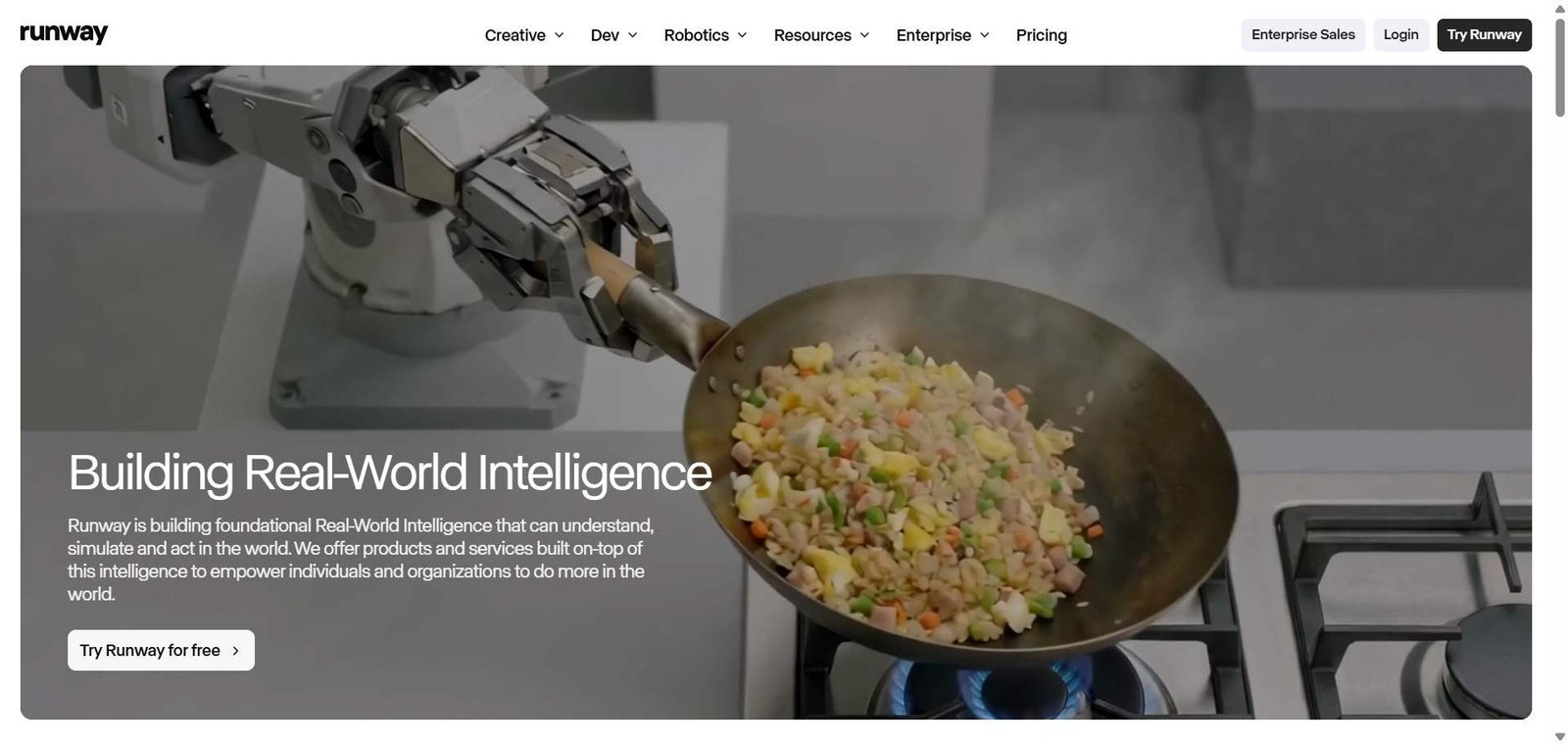
Runway ML is the AI video generation platform that has earned genuine trust from professional filmmakers, agencies, and studios — not because it is the cheapest or fastest, but because it produces results that survive contact with professional quality standards. For any filmmaker, creative director, or video producer who wants AI to expand what is possible within their production budget, Runway’s Gen-3 Alpha represents the current ceiling of what AI video generation can produce in a browser-based platform.

Next steps

Feature your app on AI tools for free

Subscribe to our Newsletter

Stay up-to-date with the latest AI Apps and cutting-edge AI news.

Trending Categories