
CodeRabbit
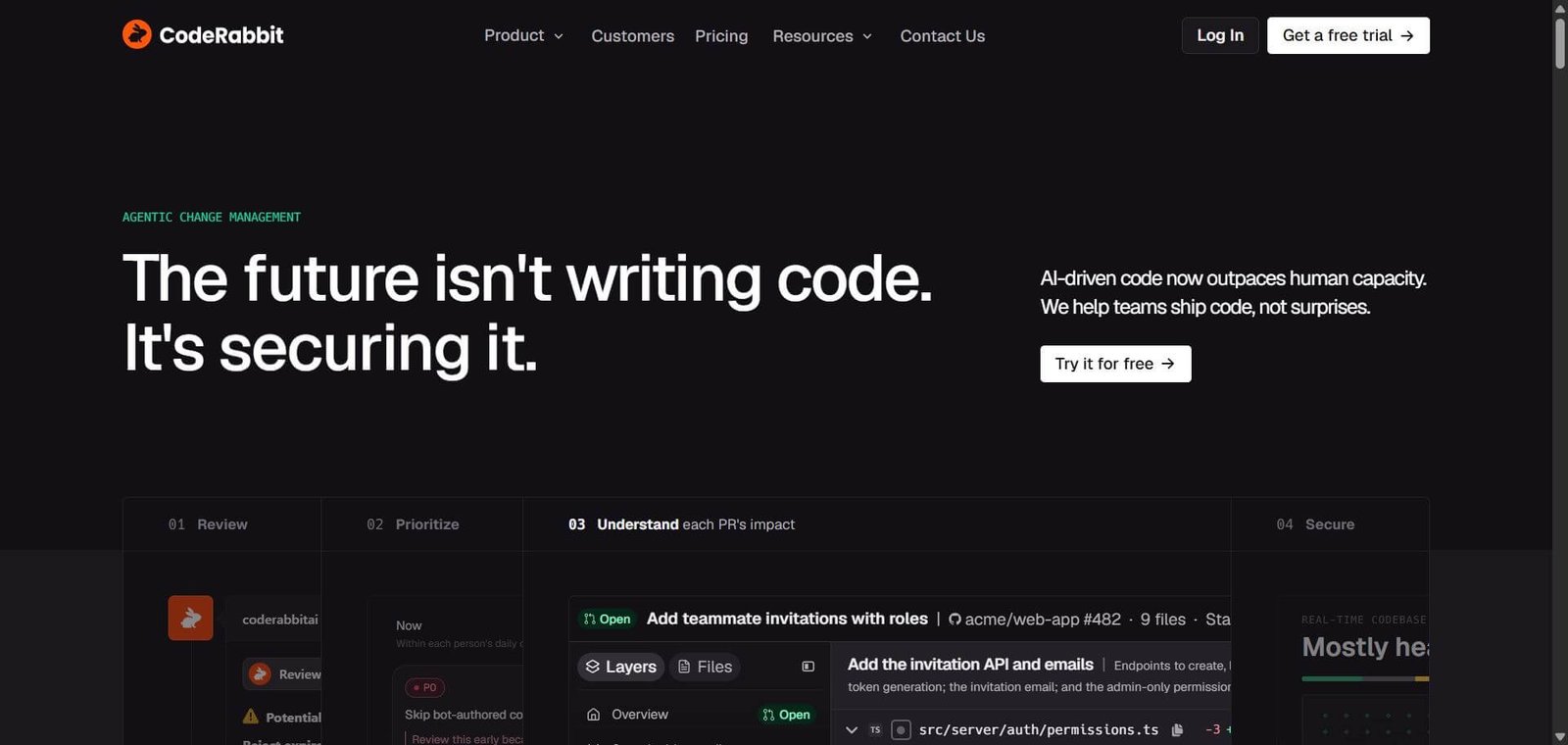
CodeRabbit is an AI-powered code review platform that helps developers identify potential bugs, analyse pull requests, prioritise changes, and monitor code security.
CodeRabbit Review: Features, Pricing, Pros, Cons and Alternatives
AI coding assistants have made it easier for developers to generate code, but reviewing that code remains a challenge. Large pull requests, overlooked bugs, security concerns, and limited reviewer availability can slow down development teams.
CodeRabbit addresses this problem with AI-powered code reviews. It analyses pull requests, identifies potential issues, explains code changes, and helps teams manage their review workflows. It integrates with existing Git platforms, making it useful for teams that want an additional review layer without changing their development setup.
Beyond code reviews, the platform offers pull request prioritisation, code explainability, and security analysis. These capabilities are particularly relevant for teams working with AI coding assistants or managing multiple repositories.
But is CodeRabbit worth paying for? Does it actually reduce review effort, and how does it compare with alternatives such as GitHub Copilot, Greptile, and Qodo?
This review examines its features, pricing, limitations, integrations, and practical use cases to help you decide whether it fits your development workflow.
CodeRabbit Review: Is It Worth
When developers submit a pull request, reviewing it involves more than checking whether the code works. Reviewers need to understand the changes, identify possible bugs, check dependencies, and consider whether the modification creates problems elsewhere in the application.
This becomes harder when several developers are working simultaneously or AI coding assistants are generating larger volumes of code.
CodeRabbit approaches this problem by providing automated reviews directly within the development workflow. It examines code changes, highlights potential problems, and gives developers explanations and suggested fixes.
The platform has expanded beyond individual pull request reviews. Its current product offering includes CodeRabbit Review, Triage, Change Stack, Explain, Secure, and an AI engineering agent. However, access to particular capabilities depends on the subscription plan and separately priced products.
Below is a practical review for developers, software founders, and engineering managers deciding whether CodeRabbit is worth adding to their development stack.
Verdict Summary
CodeRabbit is worth considering if your development team handles frequent pull requests and spends considerable time reviewing repetitive code changes.
Its strongest use case is providing another layer of inspection between code submission and merging. Developers can receive contextual feedback, examine suggested fixes, and use review summaries to understand changes without starting every review from scratch.
Best for:
Software development teams managing frequent pull requests.
Engineering managers dealing with growing review queues.
Startups using AI coding assistants to generate code.
Open-source maintainers handling external contributions.
Teams looking to standardise code review practices.
Not ideal for:
Individual developers who submit occasional pull requests.
Beginners looking primarily for coding tutorials.
Teams expecting AI to make final architectural decisions.
Organisations unwilling to grant repository access to an external service.
Pricing: Free for eligible public open-source repositories. Paid plans start at $24 per developer/month with annual billing. A 14-day Team trial is available without a credit card.
User feedback: CodeRabbit has a 4.4/5 rating from 143 G2 reviews, checked on November 10, 2026.
What Is CodeRabbit?
CodeRabbit is an AI-powered code review platform that analyses software changes, identifies potential issues, and helps developers understand pull requests before merging them into a codebase.
Its main purpose is to reduce the amount of repetitive work involved in reviewing code.
Consider a developer working on an authentication feature. The pull request might introduce changes to session handling, permissions, token validation, and API endpoints. A reviewer needs to understand how these changes interact rather than simply checking the newly added lines.
CodeRabbit can examine the submitted changes and highlight potential problems, such as missing validation, incorrect permission checks, or security-related issues.
Developers can then inspect the findings, discuss them with the AI assistant, and apply relevant suggestions.
The platform covers several parts of the development workflow:
CodeRabbit Review: Examines pull requests and provides contextual feedback, code suggestions, and review summaries.
CodeRabbit Triage: Helps teams prioritise pull requests according to risk, urgency, and review requirements.
CodeRabbit Explain: Helps developers understand complex changes through structured explanations and code context.
CodeRabbit Secure: Provides security-oriented review capabilities and monitoring on eligible plans.
CodeRabbit Engineer: Handles additional coding tasks, research, and automations through an AI agent.
CodeRabbit also offers Change Stack, which helps developers understand large code changes through semantic diffs, summaries, and architectural context.
This makes it different from a conventional AI coding assistant. Rather than focusing mainly on generating code, CodeRabbit concentrates on reviewing, understanding, and managing the changes entering a software project.
It integrates with GitHub, GitHub Enterprise, GitLab, self-managed GitLab, Azure DevOps, and Bitbucket Cloud. This allows teams to introduce automated reviews without necessarily moving to another development platform.
How CodeRabbit Works
CodeRabbit connects to a team’s Git repository and analyses pull requests when developers submit or update code changes.
The setup process generally follows these steps:
Connect your Git platform: Sign in using a supported Git provider and authorise access to the organisations and repositories you want to connect.
Select repositories: Choose which repositories CodeRabbit should review. Repository access depends on the permissions granted during installation.
Configure review guidelines: Set coding standards, review preferences, and repository-specific instructions. Teams can use configuration files to customise the review process.
Submit a pull request: A developer creates or updates a pull request through the connected Git platform.
Receive review feedback: CodeRabbit examines the changes and posts comments identifying potential issues, explanations, and suggested improvements.
Apply relevant fixes: Developers inspect the feedback and decide which suggestions to accept. They can also interact with the AI assistant to understand specific findings.
Complete the review: Human reviewers validate the changes and follow their normal approval and merging process.
One useful capability is the integration with coding agents. A coding agent can make a change, CodeRabbit can review it, and the agent can respond to the feedback. This creates an iterative review process.
However, automated feedback should not be treated as approval. Developers still need to check whether suggested changes solve the actual problem and whether they introduce other risks.
Key Features
1. AI-Powered Code Reviews
CodeRabbit analyses pull requests and identifies potential bugs, coding issues, and areas that require attention.
Instead of receiving a generic report, developers get contextual comments associated with the relevant code changes.
Practical benefit: Reviewers can spend less time identifying routine issues and more time examining business logic, architectural decisions, and application behaviour.
2. One-Click Fixes and Coding-Agent Loops
Developers can apply available suggestions and work with coding agents to resolve review feedback.
For example, if CodeRabbit identifies a missing validation check, a developer can inspect the recommendation and use an available fix or ask a coding agent to implement the correction.
Practical benefit: Straightforward corrections can be handled faster, although every change should still
3. Pull Request Triage
CodeRabbit Triage helps teams organise their open pull requests and decide which changes deserve attention first.
It considers signals such as risk, complexity, urgency, effort, and the next required action.
Practical benefit: Engineering managers can get a clearer picture of the review queue rather than treating every pending pull request as equally important.
Triage is not included in the Essentials plan.
4. Change Stack and Code Explainability
Understanding a large pull request can be difficult when it modifies several files and application components.
CodeRabbit’s Change Stack and Explain capabilities provide structured summaries, semantic diffs, file-level context, and additional explanations.
Advanced plans also provide blast-radius and architectural-impact analysis.
Practical benefit: Developers can understand how a change affects related components instead of relying entirely on a long list of modified files.
5. Security Reviews and Monitoring
CodeRabbit provides security-focused analysis to help identify vulnerabilities and potential weaknesses in a codebase.
Advanced and Enterprise plans include security reviews on pull requests and continuous security monitoring.
A separate CodeRabbit Security Scan product provides full-codebase scanning with variable, usage-based pricing.
Practical benefit: Development teams get an additional opportunity to identify security problems during development. These capabilities should complement dedicated security testing rather than replace it.
6. Git Integrations and AI Engineering Agent
CodeRabbit integrates with major Git platforms, including GitHub, GitLab, Azure DevOps, and Bitbucket Cloud.
It also supports Jira and Linear integrations. The CodeRabbit Engineer product extends the platform with cloud-based coding tasks, Slack workflows, and automations.
Practical benefit: Teams can connect code review with existing development and project management workflows instead of introducing an entirely separate process.
7. Custom Review Guidelines and Learnings
Teams can configure review instructions according to their coding standards and development requirements.
CodeRabbit can also retain learnings from developer feedback to make subsequent reviews more aligned with team preferences.
Practical benefit: Teams can reduce repetitive explanations of coding conventions and establish more consistent review expectations across repositories.
Who Should Use CodeRabbit?
CodeRabbit is most relevant when reviewing code has become a bottleneck in the software development process.
Here are some practical situations where it may be useful.
For software developers: Developers working with unfamiliar codebases can use review comments and summaries to identify potential issues before merging changes.
For engineering managers: Teams with multiple open pull requests can use Triage to identify changes that need immediate attention and organise reviewer workloads.
For startup founders: Small engineering teams can introduce an additional review layer without depending entirely on senior developers to identify routine coding problems.
For AI-assisted development teams: Teams using AI coding assistants can review generated code before it enters production. This is particularly relevant when development speed increases faster than the team’s review capacity.
For open-source maintainers: Maintainers can use automated reviews to help manage community contributions and identify potential problems in incoming pull requests.
For security-conscious teams: Organisations can consider the security review and monitoring capabilities as part of a broader application security process.
Pros and Cons
CodeRabbit offers more than basic automated code review, but its usefulness depends on the quality of its findings, the team’s development workflow, and the subscription required.
| Pros | Cons |
|---|---|
| Automated reviews help identify potential problems earlier. | AI findings can be incorrect or miss important issues. |
| Integrates with multiple Git platforms. | Repository permissions require careful evaluation. |
| Contextual comments help developers understand changes. | Low-value findings can create additional review work. |
| Triage helps organise larger PR queues. | Triage requires Team or higher plans. |
| Custom guidelines support consistent review practices. | Configuration may require engineering input. |
| Free reviews are available for eligible public open-source repositories. | Private repository usage requires a paid plan after the trial. |
What Do Users Say About CodeRabbit?
G2 lists CodeRabbit at 4.4/5 from 143 reviews as checked on November 10, 2026.
Positive user feedback mentions:
Identifying potential bugs and coding issues before merging.
Clear pull request summaries.
Useful explanations and diagrams for understanding code changes.
Integration with existing GitHub workflows.
Reduced manual review effort.
CodeRabbit Limitations: What You Should Know
Before subscribing, it is worth understanding where automated code review can fall short.
1. AI suggestions are not always correct
A suggested fix might address the immediate issue but overlook a dependency or business requirement. Developers should inspect recommendations rather than accepting them automatically.
2. False positives can create review fatigue
If a tool repeatedly flags harmless code or issues that are not relevant to a project, developers may spend additional time checking its comments. The usefulness of CodeRabbit depends partly on how relevant its findings are to your codebase.
3. Complex business logic still needs human understanding
An AI reviewer can examine code changes, but it may not have sufficient context about the product’s business requirements, customer expectations, or internal architectural decisions.
4. Usage-based billing needs attention
Eligible reviews beyond included hourly allowances can incur additional charges. CodeRabbit Engineer and full-codebase Security Scan also have separate pricing arrangements.
5. Advanced functionality costs more
PR triage, architectural-impact analysis, and continuous security monitoring are not all available in the entry-level plan.
6. Repository access is an important consideration
CodeRabbit requires permissions to work with connected repositories. Organisations handling proprietary or sensitive code should review its security documentation, data-processing terms, and access requirements before installation.
CodeRabbit Security and Privacy Considerations
Connecting a code review service to a private repository involves more than choosing a subscription. Organisations should understand how source code is accessed, processed, and retained.
CodeRabbit’s published Terms of Service state that its services use third-party AI model providers, including OpenAI and Anthropic or other partners.
The terms also state that customer proprietary code shared with these providers is covered by zero-data-retention arrangements with those providers and is not used by CodeRabbit or those providers to train AI models.
There is an additional distinction worth understanding: CodeRabbit’s Privacy Policy describes storing certain data, including vector embeddings, to improve and personalise reviews. It also provides an option to opt out of this review-improvement data storage.
Before connecting a production repository, organisations should:
Review the permissions requested during Git integration.
Check the current data-processing and privacy terms.
Understand what information is retained for review personalisation.
Review available data-storage and opt-out controls.
Check the Trust Center for current security documentation.
Confirm whether the available deployment options meet internal requirements.
Enterprise customers can also evaluate options such as custom access controls, SSO, audit logging, and self-hosting.
CodeRabbit’s published policies are useful starting points, but organisations should conduct their own vendor security assessment before granting access to sensitive repositories.
Pricing & Plans
CodeRabbit offers Essentials, Team, Advanced, and Enterprise subscriptions. Essentials and Team are the renamed versions of its previous Pro and Pro Plus plans respectively.
The following prices are listed on its official pricing page as checked on November 10, 2026.
| Plan | Annual billing | Monthly billing |
|---|---|---|
| Essentials | $24/user/month | $30/user/month |
| Team | $48/user/month | $60/user/month |
| Advanced | $72/user/month | $90/user/month |
| Enterprise | Custom | Custom |
Annual billing saves approximately 20% compared with monthly billing.
What Do the Plans Include?
Essentials
AI reviews through pull requests and CLI.
One-click fixes.
Review learnings.
Coding-agent loops.
Built-in pre-merge checks.
Basic Change Stack functionality.
Up to 5 PR reviews per developer per hour, subject to fair-use terms.
This plan suits developers and smaller teams that primarily need automated code reviews.
Team
Includes Essentials features, plus:
PR Triage.
Expanded Change Stack functionality.
Multi-repository analysis.
Custom pre-merge checks.
Unit-test generation and other finishing touches.
Merge-conflict resolution.
Post-merge actions.
Up to 8 PR reviews per developer per hour, subject to fair-use terms.
This is more suitable for teams managing multiple pull requests and repositories.
Advanced
Includes Team functionality, plus:
Blast-radius analysis.
Architectural-impact analysis.
Security reviews on every PR.
Continuous security monitoring.
Higher usage allowances.
The plan supports engineering teams that need deeper code analysis and security-focused review workflows.
Enterprise
Includes Advanced functionality and additional organisational controls, such as:
Custom role-based access control.
SSO and audit logs.
API access.
Multi-organisation administration.
Self-hosting options.
Dedicated support and technical enablement.
Custom agreements and deployment options.
Is There a Free Plan?
Yes. CodeRabbit offers free reviews for eligible public open-source repositories.
For private repositories, a 14-day free trial is available. The trial starts with Team features and does not require a credit card.
Which Plan Should You Choose?
Choose Essentials if your main requirement is automated pull request reviews.
Choose Team if you need PR prioritisation, additional repository analysis, and custom checks.
Choose Advanced if architectural-impact analysis and continuous security monitoring are important.
Choose Enterprise if you need organisation-wide administration, custom deployment, and dedicated support.
My recommendation is to start with the 14-day Team trial.
Best Alternatives & Comparisons
CodeRabbit operates in a competitive developer tooling market. Several alternatives address similar problems, but their primary workflows differ.
| Tool | Main focus | Best suited for |
|---|---|---|
| CodeRabbit | AI code reviews, PR triage and security | Teams managing frequent pull requests |
| GitHub Copilot | AI coding assistance and code review | GitHub-centric development |
| Greptile | Repository-level code understanding and reviews | Complex codebases |
| Qodo | Code quality, review and testing | Quality-focused engineering teams |
| Graphite | Pull request management and stacked changes | Teams using stacked PR workflows |
| Cursor Bugbot | Automated bug detection | Cursor-based development |
1. GitHub Copilot
GitHub Copilot combines AI coding assistance with code review capabilities.
It is worth considering if developers already work extensively within GitHub and want coding assistance alongside their existing development workflow.
Compared with CodeRabbit: Copilot is a broader AI coding assistant, while CodeRabbit focuses more heavily on dedicated review, triage, and change-management workflows.
2. Greptile
Greptile focuses on understanding repositories and analysing code changes with broader codebase context.
It is relevant for teams working with complex projects where understanding relationships between different files and components is important.
Compared with CodeRabbit: Greptile is worth evaluating when repository-wide code understanding is a priority. CodeRabbit offers a wider collection of PR management and security-oriented capabilities.
3. Qodo
Qodo focuses on AI-assisted code quality, code reviews, and testing workflows.
It is worth considering for development teams that want to connect review processes with test generation and software quality checks.
Compared with CodeRabbit: Qodo is an alternative for teams prioritising testing and code quality workflows, while CodeRabbit has a strong focus on PR reviews and triage.
4. Graphite
Graphite focuses on developer productivity and pull request management, particularly stacked pull request workflows.
Its approach is useful when large changes need to be broken into smaller, dependent pull requests that developers can review more easily.
Compared with CodeRabbit: Graphite is worth evaluating if stacked PR management is your primary requirement. CodeRabbit is more focused on AI-powered code review and analysis.
5. Cursor Bugbot
Cursor Bugbot provides automated bug detection and code review capabilities for developers working with Cursor.
It is relevant for teams that already use Cursor and want to introduce automated review into their development process.
Compared with CodeRabbit: Bugbot is a natural option to evaluate within the Cursor ecosystem. CodeRabbit provides a broader standalone platform with PR triage, explainability, and additional security capabilities.
Which CodeRabbit Alternative Should You Choose?
Choose GitHub Copilot if you want AI coding assistance within the GitHub ecosystem.
Choose Greptile if repository-wide code understanding is a major requirement.
Choose Qodo if code quality and testing workflows are your priority.
Choose Graphite if your team relies on stacked pull requests.
Choose Cursor Bugbot if you primarily develop within Cursor.
Choose CodeRabbit if dedicated AI code review, PR prioritisation, and additional engineering workflows are what you need.
These recommendations are based on product positioning and workflow differences, not a controlled comparison of bug-detection accuracy.
Frequently Asked Questions (FAQ)
CodeRabbit uses AI to identify potential bugs, edge cases, and code-quality issues in pull requests. Its accuracy depends on the codebase, repository context, and complexity of the changes. Developers should verify findings before applying fixes or merging code.
Yes. CodeRabbit supports private repositories through its paid subscriptions and free trial. The available features and usage allowances depend on the selected plan.
Yes. CodeRabbit can review code submitted through supported Git workflows, including code generated by AI coding assistants. It provides feedback that developers or coding agents can use to address potential issues.
Yes. CodeRabbit supports GitHub, GitLab, Azure DevOps, and Bitbucket Cloud, along with supported enterprise and self-managed Git environments.
Essentials provides core AI code reviews, one-click fixes, coding-agent loops, and basic review functionality. Team adds PR Triage, expanded Change Stack capabilities, custom pre-merge checks, finishing touches, and higher usage limits.
It depends on your requirements. CodeRabbit focuses on specialised code reviews, pull request prioritisation, and related engineering workflows. GitHub Copilot offers broader AI coding assistance alongside code review capabilities.
No. CodeRabbit can identify potential issues and suggest improvements, but developers should continue evaluating business logic, architecture, security implications, and production readiness.
Final Recommendation
CodeRabbit is a strong option for development teams that want an additional review layer between code submission and merging.
Its main advantage is the combination of automated pull request reviews, contextual feedback, PR prioritisation, and code explainability. Advanced security capabilities also make it relevant for teams that want to incorporate additional checks into their development workflows.
However, the subscription cost deserves consideration. A team submitting only a handful of pull requests each month may not get enough value from a paid plan. Teams handling frequent changes or AI-generated code are more likely to benefit.
Before purchasing, use the 14-day Team trial to assess three things: whether the findings are relevant, how often suggested fixes need modification, and whether the tool actually reduces reviewer effort.
If your primary requirement is repository-wide code understanding, evaluate Greptile. If you want broader AI coding assistance, compare GitHub Copilot.
For teams looking for a dedicated AI code review platform with additional PR management capabilities, CodeRabbit deserves a place on the shortlist.
Explore the official CodeRabbit website for current plans and product information.