Ideogram Review: AI Image Generator That Finally Gets Text Right
Every other AI image generator has the same weakness — text inside images comes out warped, misspelled, and unusable. Ideogram was built specifically to solve that problem. It produces AI-generated images where the words inside them are actually legible, correctly spelled, and properly styled — making it the go-to tool for designers creating posters, thumbnails, social graphics, and branded visuals where text is part of the design.
Quick summary
Ideogram is an AI image generator with best-in-class text rendering inside generated images, making it the preferred tool for designers producing posters, social graphics, logos, and marketing visuals.
Is it worth using? Yes — nothing else matches it for text accuracy inside AI-generated images.
Who should use it? Designers, marketers, social media creators, and anyone producing visual content where readable text inside the image matters.
Who should avoid it? Users who never need text in their generated images and prioritise photorealism (use Midjourney or Leonardo AI instead).
Verdict: Detailed Summary
Best for
Designers creating posters, thumbnails, and social media graphics with text overlays
Marketers producing promotional visuals with product names and copy baked in
Content creators needing styled typographic images for social platforms
Not for
Photorealism as a primary output style
Complex multi-character scene generation
Users prioritising artistic painterly style over graphic design applications
Rating ⭐⭐⭐⭐½ 4.5 / 5
What Is Ideogram?
Ideogram is an AI image generation platform founded in 2023 by a team of former Google Brain researchers. It was built with a singular focus that no other major image generator had prioritised: making text inside generated images accurate and legible. When it launched, the contrast with Midjourney and Stable Diffusion — where text in images was reliably broken — was immediately obvious to designers and creators.
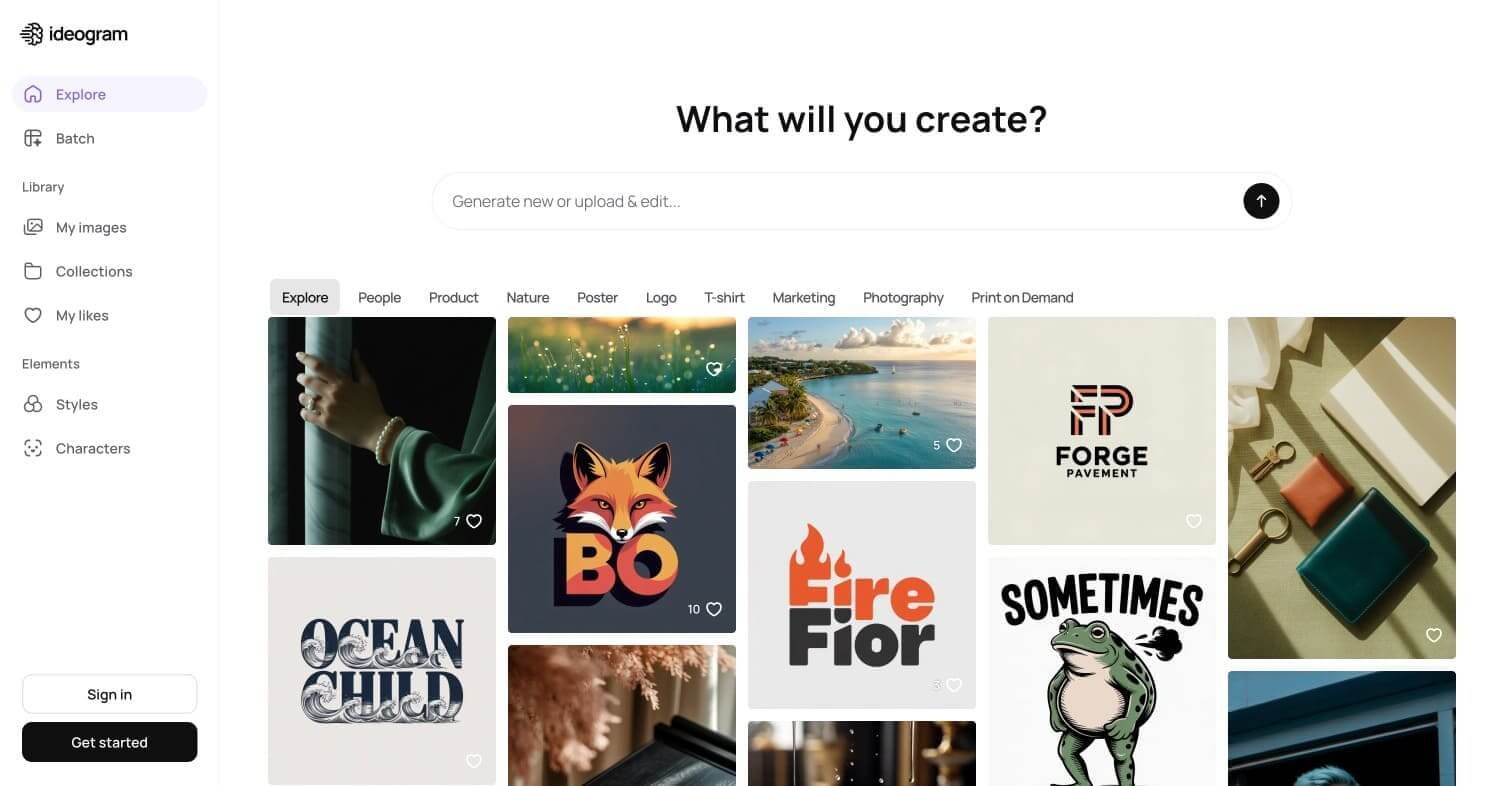
Beyond text accuracy, Ideogram produces strong results across poster design, product visualisation, typographic art, and illustrated social content. Its Canvas feature enables post-generation editing and image extension, and its Magic Fill tool handles inpainting for replacing or modifying specific regions of a generated image.
Ideogram 2.0 and subsequent updates have pushed photorealism quality significantly closer to competitors while maintaining its core text-rendering advantage.
How Ideogram Works
Sign up for free — Create an account at ideogram.ai and receive a daily allocation of free generation credits with no payment required.
Write your prompt — Describe your image including any text you want to appear inside it. Place text in quotes within the prompt for Ideogram to render it accurately.
Choose a style — Select from Ideogram’s style options including Realistic, Design, Anime, 3D Render, and General to guide the aesthetic output.
Generate and review — Ideogram produces multiple image variations from your prompt. Review each and select the best result.
Edit with Magic Fill — Use the Magic Fill inpainting tool to replace or modify specific areas of the generated image by painting a selection and re-prompting.
Extend with Canvas — Use the Canvas editor to extend the image beyond its original borders or make compositional adjustments.
Key Features
Best-in-class text rendering — accurately renders spelled-out words and typography inside generated images
Multiple output styles including Realistic, Design, Anime, 3D Render, and General
Magic Fill — inpainting tool for editing specific regions of generated images
Canvas editor for image extension and compositional editing
Colour palette control for brand-consistent output
Negative prompting for excluding unwanted visual elements
API access for integration into design workflows
Real-World Use Cases
YouTube thumbnails: Generate eye-catching thumbnails with bold, accurate text titles baked directly into the image.
Social media graphics: Produce Instagram posts, LinkedIn banners, and Twitter headers with styled typography as part of the design.
Poster and event design: Create promotional posters with event names, dates, and copy rendered accurately within the visual.
Product mockups: Generate product visualisations with accurate label text, brand names, and marketing copy as part of the image.
Photorealism trails Midjourney on purely artistic prompts
Strong for design and graphic applications
Free tier limited in daily credits
Magic Fill enables useful post-generation edits
Less suitable for complex multi-character narratives
Multiple style modes cover diverse use cases
Canvas editor less powerful than dedicated editing tools
Free daily credits with no credit card required
Pricing & Plans
Free — $0/month
10 slow generations per day
Access to all styles
Watermark-free export
Standard generation queue
Basic — $8/month
400 priority credits per month
Faster generation speed
Private image generation option
Plus — $20/month
1,000 priority credits per month
Highest priority generation
Advanced editing features
API access
Pro — $48/month
3,200 priority credits per month
Maximum generation speed
Full API access
Team features
Best Alternatives & Comparisons
Midjourney – Superior artistic and photorealistic quality, but text rendering inside images is significantly worse
Leonardo AI – Better for game asset consistency and custom model training, not for text-in-image use cases
Adobe Firefly – Strong text rendering with commercially safe training data, better for existing Adobe users
Canva AI – Better full design suite integration, weaker standalone image generation quality
Frequently Asked Questions (FAQ)
What is Ideogram?
Ideogram is an AI image generator built by former Google Brain researchers, specialising in accurate text rendering inside generated images for design and marketing applications.
Is Ideogram free?
Yes — the free plan provides 10 slow generations per day with no credit card required and watermark-free export. Paid plans start at $8/month.
How does Ideogram render text so accurately?
Ideogram was architected from the ground up with text rendering as a primary objective, using a different training approach to image-text relationships than general-purpose generators like Midjourney or Stable Diffusion.
Can Ideogram do photorealistic images?
Yes — the Realistic style mode produces strong photorealistic output. However, for purely photorealistic work without text, Midjourney still leads on overall artistic quality.
Does Ideogram have an API?
Yes — API access is available from the Plus plan ($20/month) for integrating Ideogram’s generation into external design workflows and tools.
How do I get text to appear in my Ideogram images?
Place the text you want rendered in quotation marks within your prompt — for example: “A vintage poster with the words ‘Summer Festival’ in bold retro typography.” Ideogram reads quoted text as a rendering instruction.
Final Recommendation
Ideogram fills a gap that every other AI image generator leaves open. If you create thumbnails, social graphics, posters, or any visual content where text needs to be part of the design rather than added in post-production, Ideogram is the only AI image tool that handles it reliably. The free tier is generous enough to evaluate it immediately without commitment.