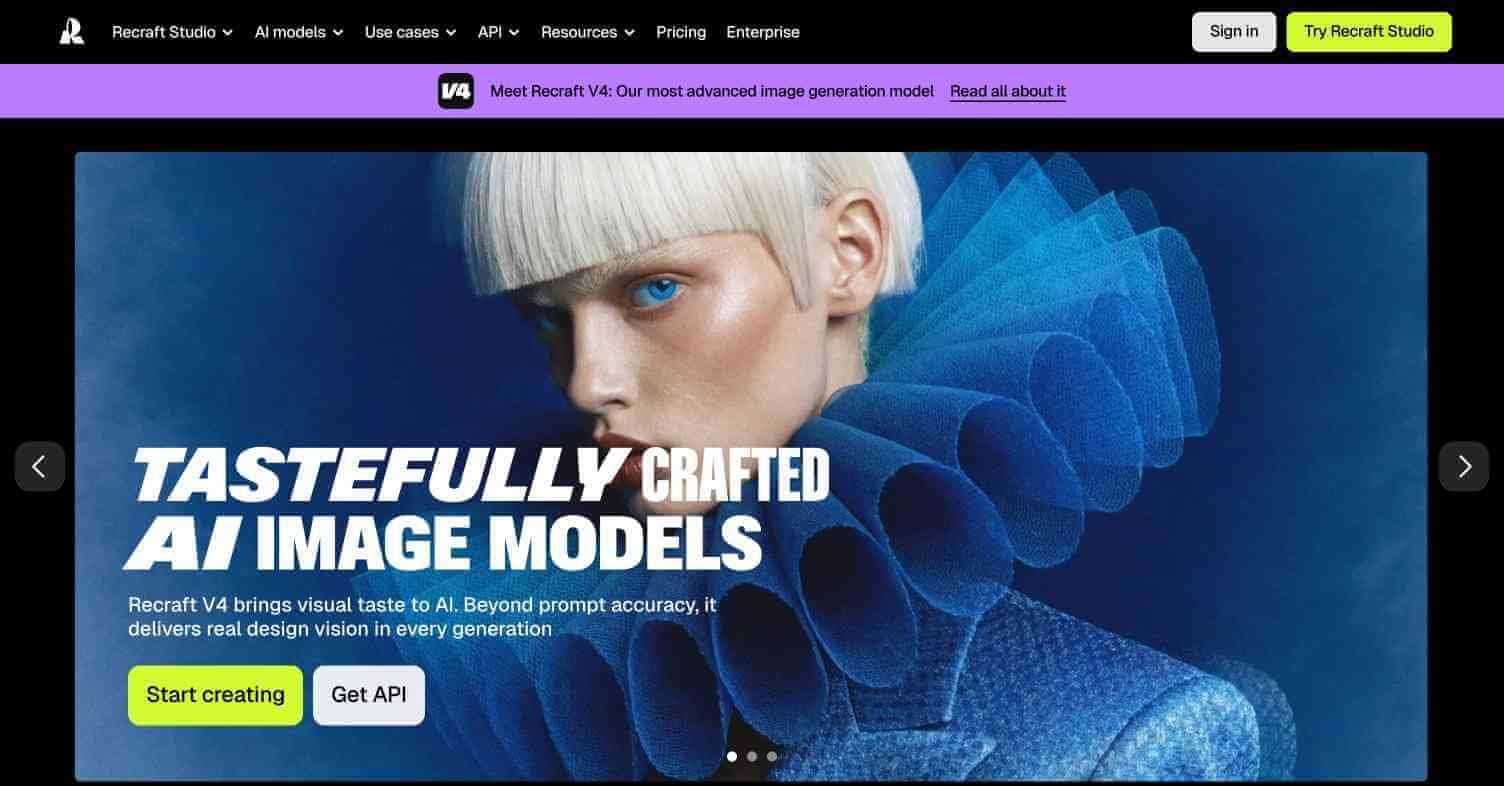
Recraft AI Review: AI Image Generator Built for Designers Producing Brand Visuals
Most AI image generators produce photographs and painterly art. Recraft AI produces designer output — vector illustrations, icons, brand visuals, UI elements, and consistent styled imagery that actually fits a design workflow. Its ability to maintain a consistent visual style across multiple generated assets makes it the first AI image tool that feels genuinely useful inside a real design process rather than alongside one.
Quick summary
Recraft AI is an AI image and vector generation platform purpose-built for designers, offering consistent style across multiple generated assets, vector output, icon generation, and brand kit integration.
Is it worth using? Yes — the best AI image tool for designers who need consistent styled visual assets rather than one-off photorealistic images.
Who should use it? Graphic designers, brand designers, UI/UX designers, and illustrators needing consistent styled visual output at scale.
Who should avoid it? Users primarily needing photorealistic photography-style images (use Midjourney or Flux AI) or artistic one-off generation.
Verdict Summary
Best for
Brand designers needing consistent visual style across multiple generated assets
UI designers generating icons, illustrations, and interface elements
Illustrators producing consistent character and scene art across a series
Not for
Photorealistic image generation
Single one-off artistic image creation
Users needing the most accessible beginner interface
Rating ⭐⭐⭐⭐½ 4.5 / 5
What Is Recraft AI?
Recraft AI is an AI design tool launched in 2023 built specifically for professional designers. Its core differentiator is style consistency — you define a visual style once and Recraft maintains it across every subsequent image you generate in that session, producing a coherent set of assets that look like they came from the same designer rather than random AI outputs.
Recraft supports vector SVG output — a significant advantage over every other AI image tool that produces raster images only — making it directly usable in professional design workflows without rasterisation or tracing. In 2024 Recraft’s V3 model topped the Hugging Face text-to-image leaderboard, outperforming Flux and DALL-E 3 on prompt adherence benchmarks.
How Recraft Works
Sign up at recraft.ai — Free plan available with monthly generation credits.
Define your style — Choose or customise a visual style — flat illustration, vector art, icon, realistic, 3D render — that Recraft maintains across all generated assets in your project.
Generate your first asset — Enter a prompt and Recraft generates the image in your defined style with consistent colour palette, line weight, and aesthetic.
Generate more assets in the same style — Continue generating icons, illustrations, and visual elements. Recraft maintains stylistic consistency automatically.
Export as SVG or PNG — Export as scalable vector SVG files or PNG rasters for use in your design software.
Use brand kit — Set your brand colours and Recraft applies them to all generated assets automatically.
Key Features
Style consistency — define once, maintained across all generated assets
Vector SVG output — directly usable in Figma, Illustrator, and design workflows
Icon generation in consistent styles
Brand kit — apply brand colours and constraints to all outputs
Pattern and texture generation
Recraft V3 model — top-ranked on Hugging Face text-to-image benchmarks
Text rendering in generated images
Figma plugin for in-tool generation
Real-World Use Cases
Brand asset creation: Generate a full set of on-brand illustrations, icons, and visual elements with consistent style throughout.
UI illustration sets: Create consistent illustration sets for onboarding screens, empty states, and feature highlights across a product interface.
Marketing visual production: Generate multiple blog headers, social graphics, and ad visuals that maintain consistent brand aesthetic at scale.
Icon libraries: Build a custom icon library in a specific style for use across a design system.
Style consistency across assets is genuinely unique
Less suitable for photorealistic generation
Vector SVG output — no other AI image tool offers this
Free plan limited in monthly credits
Top-ranked model on Hugging Face benchmarks
Less beginner-friendly than Ideogram or Midjourney
Brand kit ensures colour and style compliance
Advanced features require paid plan
Figma plugin enables in-workflow generation
Smaller community than Midjourney
Pricing & Plans
Free — $0/month
50 generation credits per month
Access to all styles
PNG export
Pro — $12/month
1,000 generation credits per month
SVG vector export
Brand kit
Priority generation
Team — Custom pricing
All Pro features
Team collaboration
Shared brand kits
Dedicated support
Best Alternatives & Comparisons
Leonardo AI — Better for custom model training and game asset production, raster only
Ideogram — Better for text-in-image design, no vector output
Adobe Firefly — Better for Adobe ecosystem integration and commercially safe assets
Krea AI — Better for real-time generation and image upscaling
Frequently Asked Questions (FAQ)
What is Recraft AI?
Recraft AI is an AI image and vector generation tool built for designers, producing consistent styled visual assets — icons, illustrations, brand visuals — with SVG export.
Is Recraft AI free?
Yes — the free plan includes 50 generation credits per month. The Pro plan at $12/month includes 1,000 credits, SVG export, and brand kit access.
Does Recraft AI export SVG vector files?
Yes — SVG vector export is available on the Pro plan ($12/month), making Recraft the only AI image generator with native vector output.
How does Recraft AI maintain style consistency?
Recraft allows you to define a visual style at the project level — including illustration style, line weight, colour palette, and aesthetic — which it applies to every subsequent generated asset automatically.
Who ranked Recraft AI as the best text-to-image model?
Recraft V3 topped the Hugging Face text-to-image benchmark leaderboard in 2024, outperforming Flux.1, DALL-E 3, and other leading models on prompt adherence metrics.
Does Recraft AI have a Figma plugin?
Yes — Recraft offers a Figma plugin that allows designers to generate images directly within Figma without leaving their design workflow.
Final Recommendation
Recraft AI fills a gap that no other AI image tool covers — consistent styled vector output for professional design workflows. For any designer who has tried generating brand assets with Midjourney and spent hours making inconsistent outputs match, Recraft solves that problem completely. The SVG export alone justifies the $12/month Pro plan for any designer working in Figma or Illustrator. Start with the free 50 credits to test style consistency on your specific design requirements.