MorphLogo
Upload your logo — AI turns it into a cinematic animation in minutes. No timeline software, no motion designer.
MorphLogo Review: The AI Logo Animation Tool That Makes Motion Branding Instant
A static logo on a video intro looks unfinished in 2026. Every brand that shows up on YouTube, social media, product launches, or pitch decks is expected to have a logo reveal — the cinematic moment where the brand mark comes to life. Producing that animation traditionally means hiring a motion designer, opening After Effects, waiting days for delivery, and paying for every new variation. MorphLogo collapses this entire workflow to minutes — upload a logo, pick a motion style or describe what you want in plain language, and receive a polished cinematic animation ready to export in MP4, GIF, WebM, or 4K video.
Quick Summary
MorphLogo is a browser-based AI logo animation generator that transforms static logo files into cinematic brand motion — with styles including cinematic reveals, neon effects, particles, liquid morphs, glitch treatments, holograms, chrome, and gold shimmer — exportable in all major video formats without timeline software or motion design experience.
Is it worth using? Yes for founders, designers, agencies, creators, and marketing teams who need polished animated logo intros without the cost and time of traditional motion design production.
Who should use it? Startups preparing launches, YouTube creators upgrading channel branding, social media managers producing video content, agencies creating client motion concepts, and marketers refreshing campaign assets who need animated logo assets fast.
Who should avoid it? Productions requiring fully custom frame-by-frame animation control where a dedicated motion designer and After Effects workflow is the right tool for the job.
Verdict Summary
Best for
- Founders and startup teams who need a polished animated logo for their product launch video, pitch deck opener, or app store preview without a motion design budget
- YouTube creators and content creators who want a professional channel intro that matches their brand without recurring motion design fees every time they refresh their branding
- Agencies and freelance designers who need to produce logo animation concepts for clients quickly — comparing multiple motion directions before presenting options — without committing hours to each variation
Not for
- Productions requiring fully bespoke frame-by-frame animation with precise timing control beyond what AI motion styles provide
- Teams whose brand guidelines specify animation behaviour that must exactly match a motion design system document
- Users who need to animate complex multi-element scenes rather than a single logo mark
Rating
⭐⭐⭐⭐½ 4.6 / 5
What Is MorphLogo?
MorphLogo is a browser-based AI logo animation platform built around a single, focused job: turning a static logo into professional motion branding. Unlike general-purpose AI video tools that can generate almost anything but treat logos as just another image, MorphLogo organises the entire experience around brand marks — with motion styles specifically designed for logo reveals, transparent asset handling that preserves logo integrity, and download-ready output in formats that fit real publishing workflows.
The platform’s prompt-driven approach sets it apart from pure preset systems. Users can choose from curated motion styles for fast results or describe their vision in plain language — specifying pacing, lighting, camera movement, energy, and mood — for more deliberate brand work. A reference clip mode allows existing motion to guide timing and feel. This combination of structured presets and creative language control makes MorphLogo useful for both rapid experimentation and considered brand motion work.
How MorphLogo Works
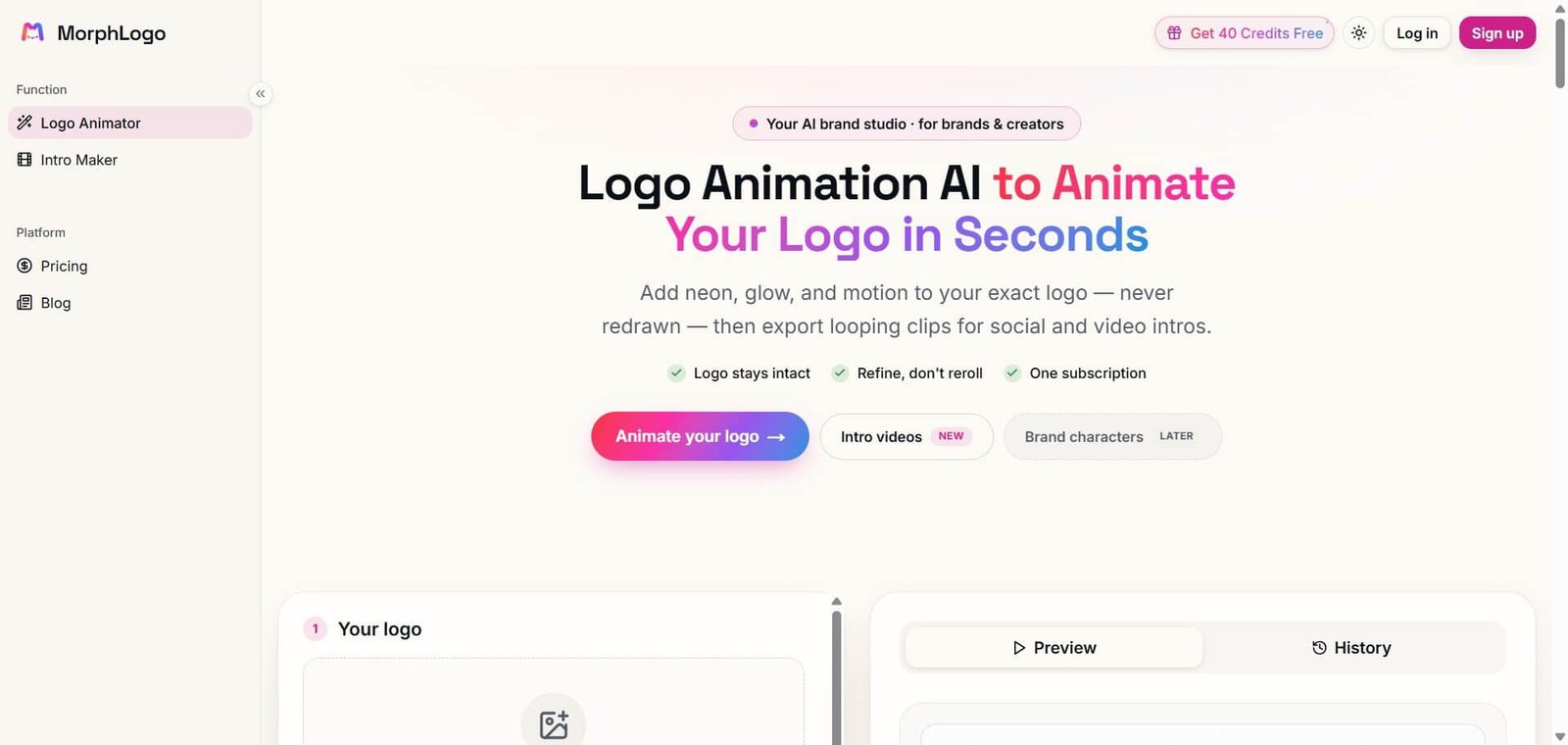
- Upload your logo. Upload a PNG, JPG, SVG, or transparent background logo file. MorphLogo is designed to handle brand marks cleanly — preserving transparency and logo integrity through the animation process.
- Choose a motion style or describe your vision. Browse motion styles including cinematic reveals, neon effects, particles, liquid morphs, glitch treatments, holograms, chrome, and gold shimmer — or write a plain-language prompt describing the pacing, lighting, camera movement, and mood you want.
- Use a reference clip for advanced control. In advanced mode, upload a reference video clip to guide timing and motion characteristics — for when a specific motion feel needs to match existing brand video content.
- Preview before spending credits. Compare animation directions and review generation history before committing to a full render — protecting credit spend during exploration.
- Generate and download. Receive the completed animation and download in MP4, WebM, GIF, or animated WebP. Higher tiers unlock 4K resolution, smoother detail, and optional AI-generated sound design.
- Share directly. Use MorphLogo’s shareable result pages to review or present an animation to clients or team members before deciding on final use.
Key Features
- AI logo animation generation from static logo files — no timeline software required
- Motion styles including cinematic reveals, neon, particles, liquid morphs, glitch, hologram, chrome, and gold shimmer
- Prompt-driven control for describing pacing, lighting, camera movement, and mood in plain language
- Reference clip mode for guiding timing and motion from existing video
- Preview and compare modes for reviewing animation directions before credit spend
- Generation history for tracking and revisiting earlier renders
- Export in MP4, WebM, GIF, and animated WebP formats
- 4K resolution and premium rendering on higher tiers
- Optional AI-generated sound design for suitable animation engines
- Shareable result pages for client and team review before download
- Intro Maker alongside Logo Animator for complete intro video production
- Free trial credits — no credit card required to start
Real-World Use Cases
- Startup product launch: A founder uploads their startup logo to MorphLogo and generates a cinematic particle reveal for their product launch video — the animation appears in the YouTube launch video, pitch deck opener, and app store preview without commissioning a motion designer or touching After Effects.
- YouTube channel branding: A content creator uses MorphLogo to create a polished channel intro that matches their brand aesthetic — choosing the chrome shimmer style for a premium feel and exporting as MP4 for direct use in their video editing software’s intro template.
- Agency client concepts: A brand agency uses MorphLogo to generate five different animation style concepts — neon, cinematic, liquid morph, glitch, and gold — for a client presentation in an afternoon, comparing directions before recommending the strongest option without billing for a full motion design sprint.
- Social media campaign assets: A marketing team uses MorphLogo to produce animated logo stingers for Instagram Stories, LinkedIn video posts, and event screen loops — generating variations in different aspect ratios and formats from the same logo file without additional production for each placement.
- Event and presentation openers: An events team uses MorphLogo to create a cinematic hologram logo reveal for their conference stage presentation opener — the animation plays on the main screen as the event begins, matching the premium production quality of the conference brand without commissioning a bespoke video production.
Pros and Cons
| Pros | Cons |
|---|---|
| Focused entirely on logo animation — treats brand marks better than general AI video tools | Not suitable for complex multi-element animation beyond a single logo mark |
| Prompt-driven control gives creative direction without timeline software knowledge | Credit-based model requires monitoring usage for high-volume production workflows |
| Preview before spending credits reduces wasted generation on wrong directions | Precise frame-by-frame animation control requires a dedicated motion design workflow |
| Multiple export formats cover every real publishing use case out of the box | Some animation engines and 4K output limited to higher plan tiers |
| Free trial credits allow genuine evaluation without credit card commitment | Sound design availability depends on specific animation engine selected |
| Shareable result pages make client review frictionless | Annual commitment required for 20% pricing discount |
Pricing & Plans
Free Trial
- Free credits on signup
- No credit card required
- Try first logo animation before committing
Lite — $24.17/month
- 1,000 credits per month
- ~8 HD clips per month
- Studio engine and 4K
- All formats: MP4, GIF, WebP, WebM
- Unlimited downloads, no watermark
- Commercial use included
- Early access to new features
Pro — $32.50/month (Most Popular)
- 2,400 credits per month
- ~19 HD clips, or 2.4K clips per month
- Studio engine and 4K
- All formats: MP4, GIF, WebP, WebM
- Unlimited downloads, no watermark
- Commercial use included
- Early access to new features
Max — $49.17/month
- 5,000 credits per month
- ~39 HD clips, or 4.2K clips per month
- Studio engine and 4K
- All formats: MP4, GIF, WebP, WebM
- Unlimited downloads, no watermark
- Commercial use included
- Early access to new features
Best Alternatives & Comparisons
- HeyGen — Better for AI avatar and presenter video, not focused on logo animation
- Runway ML — Better for general AI video generation at professional quality, not logo-specific
- Pika — Better for social content AI video, not purpose-built for logo animation
- Canva AI — Better for broader graphic design with basic animation, less cinematic logo motion quality
Frequently Asked Questions (FAQ)
MorphLogo is a browser-based AI logo animation generator that turns static logo files into cinematic brand motion — with styles including cinematic reveals, neon effects, particles, liquid morphs, glitch, holograms, chrome, and gold shimmer — exportable as MP4, GIF, WebM, and 4K video.
Yes — new accounts receive free credits to try a first logo animation without entering a credit card. Paid plans start at $24.17/month on yearly billing, with one-time credit packs available for occasional use.
MorphLogo accepts PNG, JPG, SVG, and transparent background files. The platform is designed around brand marks specifically — handling transparent assets cleanly through the animation process.
All paid plans export in MP4, GIF, WebP, and WebM formats with no watermark. Higher tiers unlock 4K resolution and premium rendering options for broadcast and large-screen use.
Yes — commercial use is included on all paid plans. Logo animations can be used in client deliverables, product videos, YouTube channels, social media campaigns, and any other commercial context.
Beyond the curated motion style presets, MorphLogo accepts plain-language prompts describing pacing, lighting, camera movement, energy, and mood. Advanced mode also accepts reference clips to guide timing and motion characteristics for more precise brand direction.
The primary difference is credit volume — Lite provides 1,000 credits (~8 HD clips), Pro provides 2,400 credits (~19 HD clips or 2.4K clips), and Max provides 5,000 credits (~39 HD clips or 4.2K clips) per month. All plans include Studio engine, 4K, all export formats, unlimited downloads, and commercial use.
Yes — MorphLogo’s generation history, shareable result pages, and credit-based structure suit agencies producing logo animations across multiple clients. One-time credit packs also allow flexible purchasing for project-based work without a fixed monthly subscription.
Final Recommendation
MorphLogo fills a specific and underserved gap in the AI creative tool landscape — a dedicated, focused logo animation tool that treats brand marks as the primary subject rather than as one use case among many. The combination of curated motion styles, prompt-driven creative control, reference clip guidance, and practical multi-format export creates a logo animation workflow that is faster, more affordable, and more creatively flexible than traditional motion design production for the vast majority of logo animation jobs. For any founder, creator, designer, or marketer who has a finished logo and needs it to move professionally, MorphLogo is the most direct path from static artwork to cinematic brand motion available today.
Next steps