Prisma Review: The ORM That Made TypeScript Developers Enjoy Working With Databases
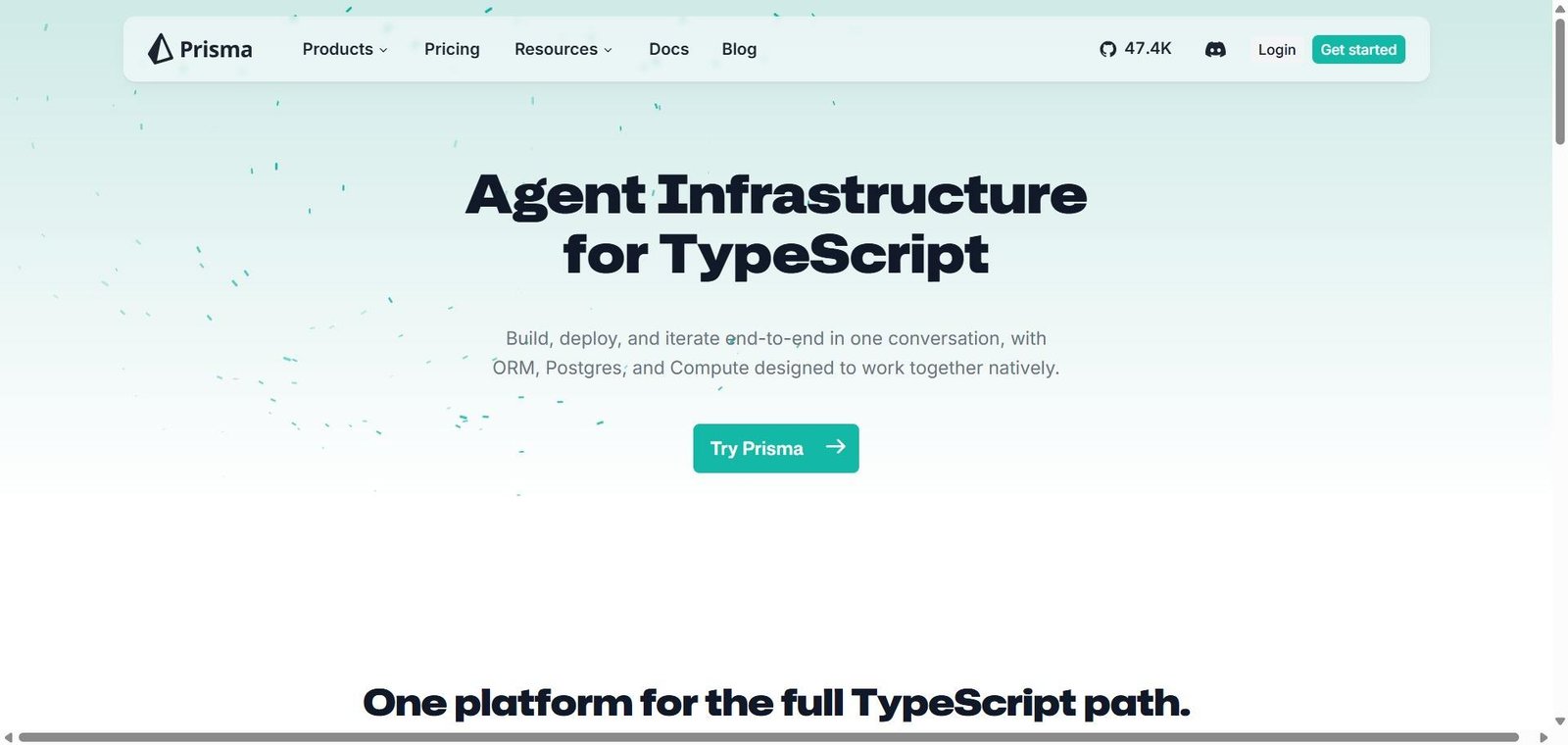
Database interaction in Node.js applications has historically been handled through raw SQL, query builders like Knex, or ORMs like Sequelize and TypeORM — none of which provided the TypeScript type safety that modern development workflows expect. When you write a query in traditional ORMs, your editor cannot tell you whether the returned object has the fields you are accessing or whether you are making a typo in a column name. Prisma changed this entirely: its generated TypeScript client knows the exact shape of every query result based on your schema, giving you full autocomplete and type checking for database queries in the same way TypeScript provides for everything else.
Quick Summary
Prisma is a next-generation Node.js and TypeScript ORM providing a type-safe database client generated from your schema, a declarative schema definition language, and a migration system for managing database changes safely across PostgreSQL, MySQL, SQLite, MongoDB, CockroachDB, and SQL Server.
Is it worth using? Yes for Node.js and TypeScript developers who want type-safe database access with excellent editor autocomplete and a modern developer experience that traditional ORMs cannot provide. Who should use it? TypeScript developers, full-stack JavaScript developers, and Node.js backend engineers who want to interact with their database using type-safe queries with full editor support. Who should avoid it? Developers who prefer writing raw SQL for complex queries, or teams using languages other than JavaScript and TypeScript where Prisma’s primary advantage does not apply.
Verdict Summary
Best for
TypeScript developers who want type-safe database queries with full autocomplete in their editor, catching database-related errors at compile time rather than runtime
Full-stack JavaScript teams who want a clean, modern database workflow covering schema definition, migration management, and query building in one tool
Node.js developers using Next.js, Remix, or other TypeScript-first frameworks who want database access that fits naturally into their existing development workflow
Not for
Developers who prefer direct SQL control for complex queries where raw SQL or a query builder like Knex is more appropriate
Teams using Python, Ruby, or other languages where TypeScript-specific advantages do not apply
Applications with highly complex query patterns that Prisma’s abstraction makes harder rather than easier
Rating ⭐⭐⭐⭐½ 4.7 / 5
What Is Prisma?
Prisma is an open-source ORM consisting of three tools: Prisma Schema for defining your data model in a declarative format, Prisma Migrate for generating and applying database migrations from schema changes, and Prisma Client — the generated TypeScript client that provides type-safe database queries with full autocomplete.
When you define your data model in the Prisma schema file, Prisma generates a TypeScript client that knows the exact shape of every table, relation, and query result. Your editor can autocomplete field names, warn you about incorrect types, and flag impossible queries before you run the application — a category of errors that traditional ORMs and raw SQL drivers surface only at runtime.
How Prisma Works
Define your schema. Write your data model in the schema.prisma file using Prisma’s declarative schema language — defining models, fields, types, and relations.
Run migrations. Execute prisma migrate dev to generate a SQL migration from your schema changes and apply it to your development database. Prisma maintains a migration history for safe production deployments.
Generate the client. Run prisma generate to generate the TypeScript client based on your current schema. This client reflects the exact shape of your database.
Query with type safety. Import and use prisma.user.findMany(), prisma.post.create(), and other generated methods in your application. Your editor autocompletes field names and returns typed results.
Use Prisma Studio. Open prisma studio to browse and edit your database records through a visual interface during development.
Deploy to production. Run prisma migrate deploy in your production deployment pipeline to apply pending migrations safely.
Key Features
Declarative schema definition language for data model specification
Generated TypeScript client with full type safety and editor autocomplete
Prisma Migrate for generating and applying SQL migrations from schema changes
Support for PostgreSQL, MySQL, SQLite, MongoDB, CockroachDB, and SQL Server
Prisma Studio — visual database browser and editor for development
Relation handling with typed nested queries and includes
Raw SQL escape hatch for complex queries that Prisma’s client cannot express
Prisma Data Platform for database management in production
Active community with extensive documentation and ecosystem
Real-World Use Cases
Next.js API with type-safe database: A full-stack developer builds a Next.js application with Prisma for database access, with TypeScript errors catching field name mistakes and incorrect type assumptions before the code runs.
Schema-first development: A team defines their entire data model in the Prisma schema first, generates migrations from the schema, and builds application features with the confidence that their database queries match the actual database structure.
Migration management in CI/CD: An engineering team includes prisma migrate deploy in their deployment pipeline, ensuring database migrations are applied automatically and safely as part of every production deployment without manual database administration.
Rapid prototyping: An indie developer builds and iterates on their data model during prototyping by modifying the Prisma schema and running migrate dev — adding, removing, and renaming fields with confidence that migrations are handled correctly.
Type-safe queries with editor autocomplete is genuinely transformative for TypeScript developers
Generated client abstraction makes very complex queries harder than raw SQL
Prisma Migrate makes schema changes and database migrations much safer
Learning the Prisma schema language requires initial investment
Schema-first approach keeps data model as the source of truth
N+1 query problems require awareness and explicit data loading strategies
Excellent documentation and large community resource base
Prisma Client performance overhead vs raw SQL for extreme query volumes
Works with every major relational and some NoSQL databases
Migration history management requires careful handling in team environments
Pricing & Plans
Prisma ORM — Free and open source
Full ORM including schema, migrate, and client
All database support
Community support
Prisma Data Platform — Usage-based
Database management UI
Query performance monitoring
Data browser
Team collaboration features
Best Alternatives & Comparisons
Drizzle ORM — Newer TypeScript ORM with SQL-like query syntax and better performance for complex queries, growing fast
TypeORM — Older TypeScript ORM with decorator-based approach, less type safety than Prisma
Knex.js — Better for teams who want a query builder with more direct SQL control rather than ORM abstraction
Sequelize — Older JavaScript ORM with less TypeScript integration than Prisma
Frequently Asked Questions (FAQ)
What is Prisma?
Prisma is a next-generation ORM for Node.js and TypeScript providing a type-safe generated database client, declarative schema definition, and migration tooling for PostgreSQL, MySQL, SQLite, MongoDB, and other databases.
Is Prisma free?
Yes, Prisma ORM including schema, migrate, and client is completely free and open source. The Prisma Data Platform for database management has usage-based pricing.
What databases does Prisma support?
Prisma supports PostgreSQL, MySQL, SQLite, MongoDB, CockroachDB, and Microsoft SQL Server — covering every major relational database and MongoDB for document storage.
What is Prisma Studio?
Prisma Studio is a visual database browser that launches locally, allowing developers to browse, filter, and edit database records through a graphical interface during development without writing SQL queries manually.
How does Prisma's type safety work?
Prisma generates a TypeScript client based on your schema definition. This generated client knows the exact fields of every model and the return type of every query — enabling your TypeScript editor to autocomplete field names, warn about type mismatches, and catch impossible queries at development time rather than runtime.
How does Prisma compare to Drizzle ORM?
Prisma uses a custom schema language and generated client. Drizzle defines the schema in TypeScript directly and uses a SQL-like query API. Drizzle is lighter and better for complex queries; Prisma has a larger community, more documentation, and a more complete migration system. Both are strong TypeScript ORMs — the choice depends on whether you prefer schema-in-code (Drizzle) or schema-as-config (Prisma).
Final Recommendation
Prisma is the ORM that TypeScript developers should reach for when starting a new Node.js project. The type-safe generated client eliminates a category of runtime database errors before the code runs, Prisma Migrate handles schema evolution systematically, and the ecosystem of documentation, examples, and community support makes it the most well-supported TypeScript database tool available. For any TypeScript developer who has accepted runtime database errors as an unavoidable part of development, Prisma demonstrates that this acceptance was never necessary.