itirupati.com AI Tools

Spline

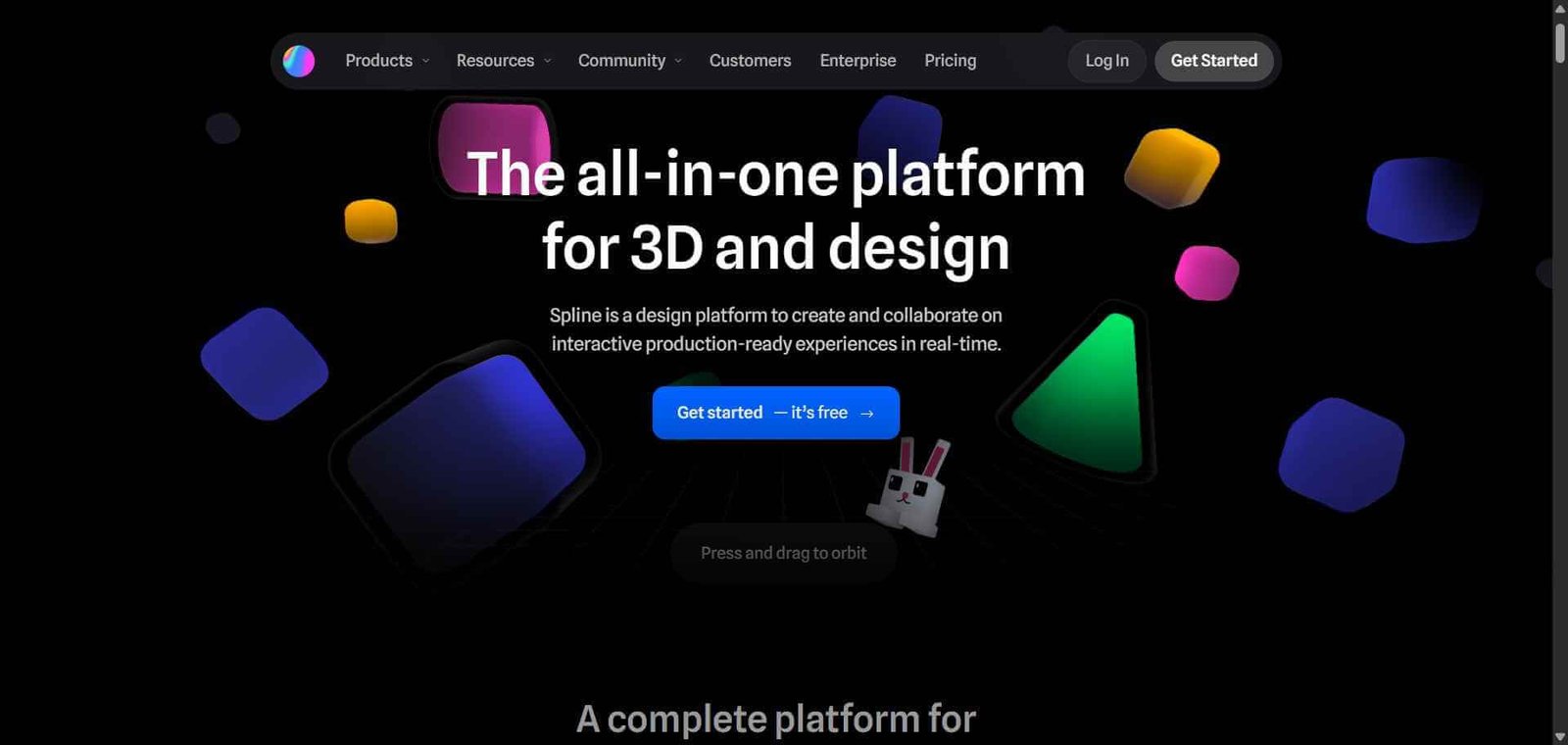
Design and publish interactive 3D scenes and web experiences directly in your browser — no code needed.

Spline Review: The 3D Design Tool That Brought Interactive 3D to the Web Without Code

Until recently, interactive 3D on the web required Three.js expertise, complex WebGL shaders, and significant development time. Spline changes that fundamentally — it is a browser-based 3D design tool where designers and developers create interactive 3D scenes, animations, and product visualisations and export them directly to the web with a single embed code, no Three.js required. For product teams, marketers, and designers who want the visual impact of 3D on their websites and applications without the development investment, Spline has opened a previously inaccessible creative space.

Quick Summary

Spline is a browser-based 3D design and prototyping tool that enables designers to create interactive 3D scenes, animations, and product visualisations and publish them to the web with a single code snippet — no WebGL or Three.js development required.

Is it worth using? Yes for designers and product teams who want to add interactive 3D elements to websites, landing pages, and applications without development resources.
Who should use it? Product designers, web designers, marketers, and creative teams who want to incorporate interactive 3D into their digital work without learning 3D development frameworks.
Who should avoid it? Game developers needing game-engine-level 3D capability, or studios producing photorealistic 3D rendering for film and advertising where Blender or Cinema 4D are the appropriate tools.

Verdict Summary

Best for

  • Product teams creating interactive 3D product visualisations for landing pages and marketing sites that convert better than static imagery
  • Web designers building memorable website hero sections and scroll-triggered 3D animations that differentiate their work
  • Designers who want to explore 3D as a medium without the months of learning required by traditional 3D tools

Not for

  • Game developers needing physics engines and game-specific 3D tooling
  • Studios producing photorealistic renders for advertising and film where Blender or Cinema 4D are required
  • Teams needing complex character animation and rigging workflows

Rating
⭐⭐⭐⭐ 4.4 / 5

What Is Spline?

Spline is a 3D design tool built for the web era — created by Colombian designer Alejandro León, it runs entirely in the browser and produces 3D output that embeds directly into websites via an iframe or React component. The design workflow is familiar to anyone who has used Figma — objects, layers, transforms — extended into the third dimension with cameras, lights, materials, and physics.

What makes Spline particularly powerful is its interactivity layer. 3D objects in Spline can respond to mouse movement, scroll position, clicks, and hover states, enabling experiences where a product model rotates as the user scrolls down the page, or a 3D character reacts to cursor movement — interactions that previously required significant WebGL development to produce.

How Spline Works

  • Create a new scene in the browser. Open spline.design and start with a blank canvas or a template. No software installation required.
  • Build your 3D composition. Add 3D primitives — spheres, cubes, custom shapes — and model them by adjusting vertices and faces. Import existing 3D models in GLTF or OBJ format if starting from an existing asset.
  • Apply materials and lighting. Add materials with colour, texture, metalness, and roughness. Configure scene lighting with directional, point, and ambient lights to achieve the desired look.
  • Animate your scene. Create keyframe animations for object movement, rotation, and scale. Use Spline’s timeline to build looping animations or transition sequences.
  • Add interactivity. Define events that make objects respond to user input — mouse hover, click, scroll position — enabling interactive experiences without writing code.
  • Export to the web. Generate an embed code and paste it into any website. Alternatively export as a React component, a video, or an image sequence for different use cases.

Key Features

  • Browser-based 3D design environment — no installation required
  • Real-time 3D modelling, materials, and lighting
  • Keyframe animation for object movement and scene transitions
  • Interactive event system — hover, click, scroll, and mouse follow interactions
  • Physics simulation for realistic object behaviour
  • AI tools for generating 3D scenes from text prompts
  • Web export as iframe embed, React component, or static image
  • Real-time collaboration with team members
  • GLTF and OBJ import for bringing existing 3D assets into Spline

Real-World Use Cases

  • SaaS product landing page: A SaaS company builds an interactive 3D representation of their product dashboard in Spline and embeds it in the hero section of their landing page, with the 3D scene responding to mouse movement to create an engaging first impression.
  • Product visualisation: An e-commerce brand creates a 3D model of their product in Spline that rotates as users scroll down the product page, showing all angles interactively without a video production budget.
  • Portfolio differentiation: A web designer builds a Spline-powered portfolio homepage featuring interactive 3D typography and objects that respond to cursor movement, demonstrating 3D capability directly in their own work.
  • App onboarding animation: A mobile app’s website uses a Spline animation showing the app’s key features as interactive 3D UI elements that animate as users scroll through the onboarding explanation.

Pros and Cons

ProsCons
Browser-based with no installation removes setup barrierNot suitable for game development or film-quality 3D production
Web export makes 3D interactive experiences genuinely accessiblePerformance of complex scenes on lower-end devices requires optimisation
Interactivity without code opens 3D to non-developersLearning 3D concepts has a curve even in a friendly tool
AI scene generation from text accelerates explorationExport formats limited compared to professional 3D tools
Real-time collaboration enables team-based 3D designFree plan limits scene exports and sharing

Pricing & Plans

Free — $0/month
  • Unlimited scenes
  • Spline subdomain publishing
  • Basic export options
  • Community access
Pro — $9/month per editor
  • Custom domain publishing
  • Full export options including React component
  • Priority rendering
  • Advanced physics
Teams — $14/month per editor
  • All Pro features
  • Real-time collaboration
  • Team management
  • Shared asset libraries
Enterprise — Custom pricing
  • All Teams features
  • SSO
  • Dedicated support
  • Custom contracts

Best Alternatives & Comparisons

  • Rive — Better for vector-based interactive animation for UI and app components, different medium
  • Lottiefiles — Better for lightweight vector animation for web and mobile, not 3D
  • Blender — Better for professional 3D modelling, animation, and rendering with full industry capability, steep learning curve
  • Framer — Better for complete website design with interaction capability, less suited to 3D specifically

Frequently Asked Questions (FAQ)

What is Spline?

Spline is a browser-based 3D design tool that enables designers to create interactive 3D scenes, animations, and product visualisations and publish them directly to the web without WebGL development knowledge.

Is Spline free?

Yes, Spline offers a free plan with unlimited scenes and basic publishing. The Pro plan at $9/month per editor adds custom domain publishing, full React component export, and advanced physics.

Do I need coding knowledge to use Spline?

No, Spline is designed for designers without coding knowledge. Interactive events and animations are configured visually through the Spline editor. Embedding the output into a website requires pasting an embed code, which is similar difficulty to embedding a YouTube video.

Can Spline scenes be embedded in any website?

Yes, Spline generates an iframe embed code that works in any website. It also exports React components for direct integration into React-based web applications.

How does Spline compare to Blender?

Spline is designed for web-focused interactive 3D experiences with browser publishing as the primary output. Blender is a full professional 3D suite for modelling, rigging, animation, simulation, and rendering with far greater capability but a much steeper learning curve and no built-in web publishing. Spline is for designers who want to add 3D to websites; Blender for professional 3D production.

Does Spline have AI features?

Yes, Spline includes AI scene generation that creates 3D scenes from text descriptions, accelerating the exploration phase of 3D design work.

Final Recommendation

Spline is one of the most exciting creative tools available in 2026 for web designers and product teams who want the visual differentiation that interactive 3D provides without the technical investment that 3D has historically required. The browser-based workflow, web-native export, and interactivity without code remove every barrier that previously kept 3D out of most web projects. The Pro plan at $9/month is one of the most accessible entry points into professional 3D web design available.

Next steps

Feature your app on AI tools for free

Subscribe to our Newsletter

Stay up-to-date with the latest AI Apps and cutting-edge AI news.

Trending Categories