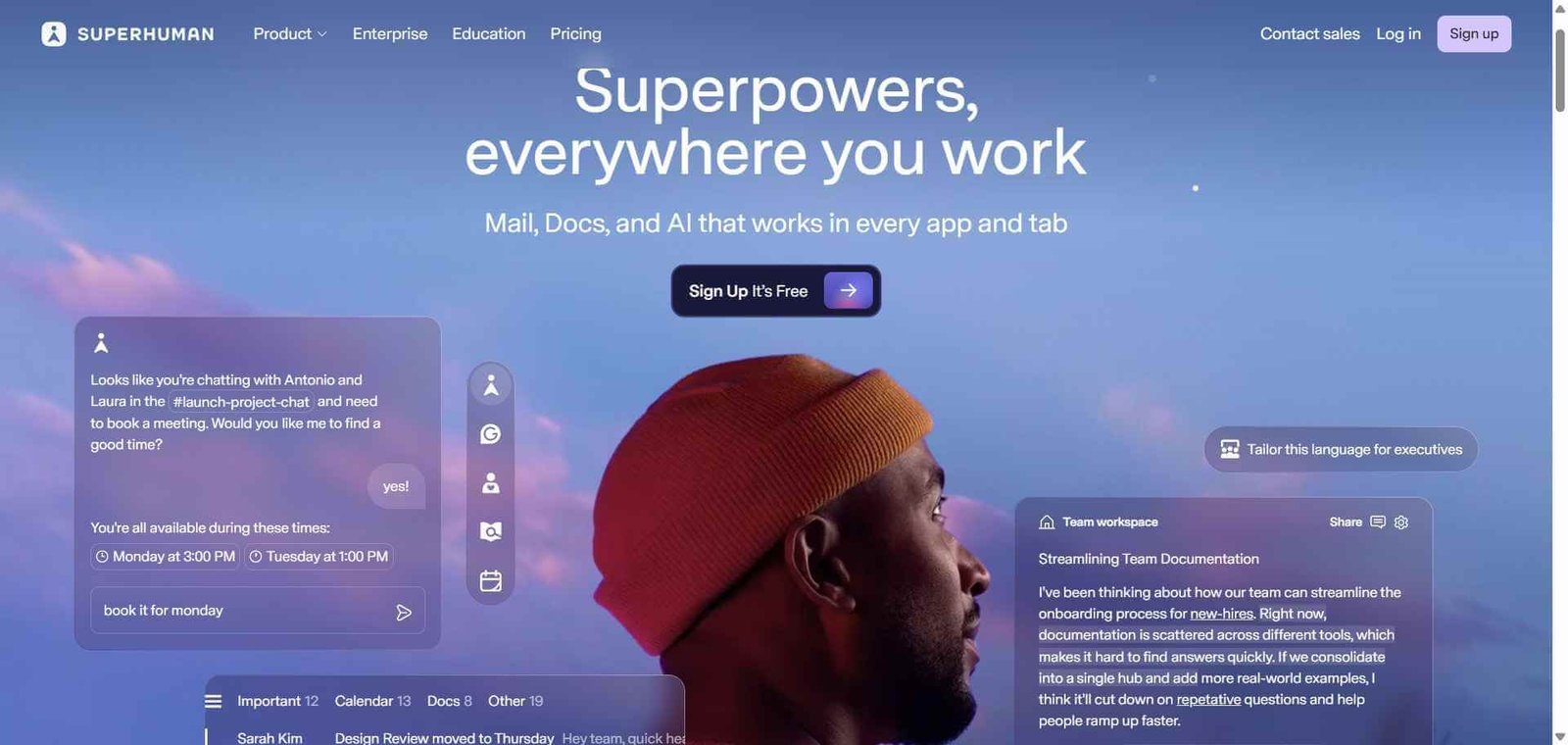
Superhuman Review: AI Email Client That Makes High-Volume Inbox Management Feel Effortless
Most people treat a slow, overwhelming inbox as an unavoidable fact of professional life. Superhuman treats it as an engineering problem with a solution. Its combination of AI triage, split-second performance, comprehensive keyboard shortcuts, and read status tracking produces an email experience so different from Gmail or Outlook that users who switch consistently report cutting their daily email time by 50 percent or more. For executives, founders, and high-volume professionals for whom email is a significant daily time drain, Superhuman is the most impactful productivity investment available.
Quick Summary
Superhuman is a premium AI-powered email client for Gmail and Outlook that combines split-second performance, keyboard-driven workflows, AI email triage, and read status tracking to make high-volume email processing dramatically faster than any standard email client.
Is it worth using? Yes for high-volume email users — executives, founders, sales professionals, and anyone who spends more than an hour daily on email — who want to reclaim meaningful time from their inbox. Who should use it? Executives, founders, sales professionals, consultants, investors, and high-performing knowledge workers who handle significant email volume and want to process it in half the time. Who should avoid it? Users who send and receive fewer than 50 emails per day and whose current email client adequately handles their volume without productivity friction.
Verdict Summary
Best for
Executives and founders who receive high email volume and need to process it faster without missing what matters
Sales professionals managing high-volume outreach and response tracking where read status and speed matter
High-performing knowledge workers who have accepted slow email as inevitable and want a genuine solution
Not for
Light email users whose current client handles their volume without friction
Teams needing a fully collaborative shared inbox tool rather than an individual productivity client
Users unwilling to invest time in learning keyboard shortcuts that unlock the full speed benefit
Rating ⭐⭐⭐⭐½ 4.7 / 5
What Is Superhuman?
Superhuman is a premium email client that runs on top of Gmail and Outlook accounts, replacing the standard web interface with a purpose-built application designed to make email processing as fast as physically possible. Every interaction — opening an email, archiving, replying, snoozing, or labelling — happens in milliseconds. Every action has a keyboard shortcut. The AI layer triages your inbox, drafts replies, summarises email threads, and surfaces the most important messages so you are never starting a session by sorting through noise.
Its read receipt feature shows you who has opened your emails and when, in real time — a capability that changes how sales and business development professionals manage follow-up timing and prioritisation.
How Superhuman Works
Connect your Gmail or Outlook account. Superhuman works as an overlay on your existing email account. Your emails, contacts, and history stay exactly where they are.
Complete the onboarding session. A personal onboarding call with the Superhuman team walks you through the keyboard shortcuts and workflows that produce the speed benefit — an investment that pays back within the first week.
Use keyboard shortcuts for everything. Navigation, archiving, replying, snoozing, labelling, and sending all happen through keyboard shortcuts without touching the mouse, producing the speed that defines the Superhuman experience.
Let AI triage your inbox. Superhuman AI automatically categorises your emails by importance, surfaces the messages that need your attention, and suggests replies for common email types.
Reply with AI assistance. Use AI Reply to generate draft responses from bullet points or brief descriptions, saving the time spent composing routine emails from scratch.
Track email opens. See who has opened your emails and when, updated in real time, to prioritise follow-ups and understand engagement with your outreach.
Key Features
Split-second email performance with no loading delays on any action
Comprehensive keyboard shortcuts for every email action without mouse use
AI email triage automatically categorising and prioritising incoming mail
AI Reply drafting email responses from brief instructions or bullet points
Thread summarisation providing AI summaries of long email conversations
Read status tracking showing who opened your emails and when
Remind Me and Send Later for managing follow-ups and scheduling
Available on Mac, Windows, iOS, and Android across all platforms
Real-World Use Cases
Executive inbox management: Process a 200-email inbox in 45 minutes rather than two hours by combining keyboard shortcuts and AI triage that eliminates every moment of friction from the email workflow.
Sales follow-up prioritisation: Use read receipt data to prioritise follow-up calls and emails based on who has actually engaged with your outreach, focusing effort where it is most likely to convert.
Investor and founder communication: Handle high-volume inbound communication from portfolio companies, potential investments, and partners with AI triage identifying what needs an immediate response.
Consultant client management: Process client communications across multiple engagements efficiently with AI summarisation of long threads providing context without rereading entire conversations.
Speed improvement is real and consistently reported by users
Premium pricing at $30/month is significantly higher than free alternatives
AI triage genuinely surfaces important emails from noise
Full benefit requires investment in learning keyboard shortcuts
Read status tracking is uniquely valuable for sales and business development
Not a collaborative shared inbox tool for team email management
AI Reply reduces composition time significantly on routine emails
Onboarding requirement adds a step before immediate productivity gains
Available across Mac, Windows, iOS, and Android
Monthly cost hard to justify for light email users
Pricing & Plans
Superhuman — $30/user/month
Full AI email client with all features
Gmail and Outlook integration
AI triage, reply, and summarisation
Read status tracking
All keyboard shortcuts and speed features
Onboarding session included
Mac, Windows, iOS, and Android apps
Superhuman offers a single paid tier with all features included. No free plan is available, though a free trial is offered.
Best Alternatives & Comparisons
Shortwave — AI-powered Gmail client at a lower price point with similar speed and AI features, less established track record
SaneBox AI — Better for AI-powered email filtering and organisation within your existing Gmail interface, no speed or keyboard overhaul
Notion AI — Better for knowledge management alongside email, does not address email processing speed
Reclaim AI — Better for calendar and task management to protect time from email, complements Superhuman
Frequently Asked Questions (FAQ)
What is Superhuman?
Superhuman is a premium AI-powered email client for Gmail and Outlook that combines split-second performance, keyboard shortcuts, AI triage, and read status tracking to make email processing dramatically faster.
How much does Superhuman cost?
Superhuman costs $30/user/month with all features included. There is no free plan, though a free trial is available.
Does Superhuman work with Gmail and Outlook?
Yes, Superhuman connects to both Gmail and Google Workspace accounts as well as Outlook and Microsoft 365 accounts.
What is the read status tracking feature?
Superhuman’s read status feature shows you who has opened your emails and when, in real time, allowing you to prioritise follow-ups and understand how recipients engage with your outreach.
How long does it take to learn Superhuman's keyboard shortcuts?
Most users report feeling comfortable with the core shortcuts within a week of daily use. Superhuman includes a personal onboarding session and an in-app tutorial that helps new users develop the habits that unlock the full speed benefit.
Is Superhuman worth the $30/month cost?
For high-volume email users who spend 60 to 90 or more minutes daily on email, the time savings at the reported 50 percent reduction easily justify the cost. For light email users, the benefit does not proportionally justify the premium pricing.
Final Recommendation
Superhuman is the most consistently impactful productivity tool available for high-volume email users, and the user reviews that have sustained its reputation for years are grounded in a real product that delivers a genuinely different email experience. The $30/month cost is significant, but for any professional who sends and receives substantial email volume daily, the time reclaimed typically represents far more value than the subscription cost. Start with the free trial to experience whether the speed difference is as meaningful in your workflow as users consistently report.