itirupati.com AI Tools

Type AI

Draft documents faster with AI that writes, rewrites, and improves alongside you.

Type AI Review: AI Document Editor That Writes With You Rather Than For You

Most AI writing tools give you a generate button. You describe what you want, it produces something, and you edit it down into what you actually needed. Type AI takes a different approach — it is an AI-native document editor where the AI is available inline throughout the writing process, helping you continue a thought, rephrase a sentence, expand a section, or generate a paragraph when you need it. The result is a writing workflow that feels collaborative rather than transactional, and a tool that complements how thoughtful writers actually work.

Quick Summary

Type AI is an AI-native document editor with inline AI assistance for drafting, rewriting, expanding, and improving documents, designed for writers who want AI collaboration throughout the writing process rather than a one-shot generation tool.

Is it worth using? Yes for writers, professionals, and teams who create regular written content and want AI assistance that integrates naturally into their writing workflow without replacing their own thinking and voice.
Who should use it? Writers, content creators, professionals who produce regular written documents, and anyone who wants AI to assist their own writing process rather than generate content they then need to heavily rewrite.
Who should avoid it? Users who need high-volume automated content generation at scale rather than AI-assisted writing of their own content.

Verdict Summary

Best for

  • Writers who want AI to help continue, rephrase, and expand their own writing rather than generate from scratch
  • Professionals producing regular written content — reports, proposals, articles — who want AI collaboration without losing their own voice
  • Content creators who have tried AI generation tools and found the output too generic to match their standard without extensive rewriting

Not for

  • Teams needing high-volume automated content generation without writer involvement
  • Users who need a full document management system rather than an AI writing editor
  • Writers whose primary bottleneck is research and fact-checking rather than drafting speed

Rating
⭐⭐⭐⭐ 4.2 / 5

What Is Type AI?

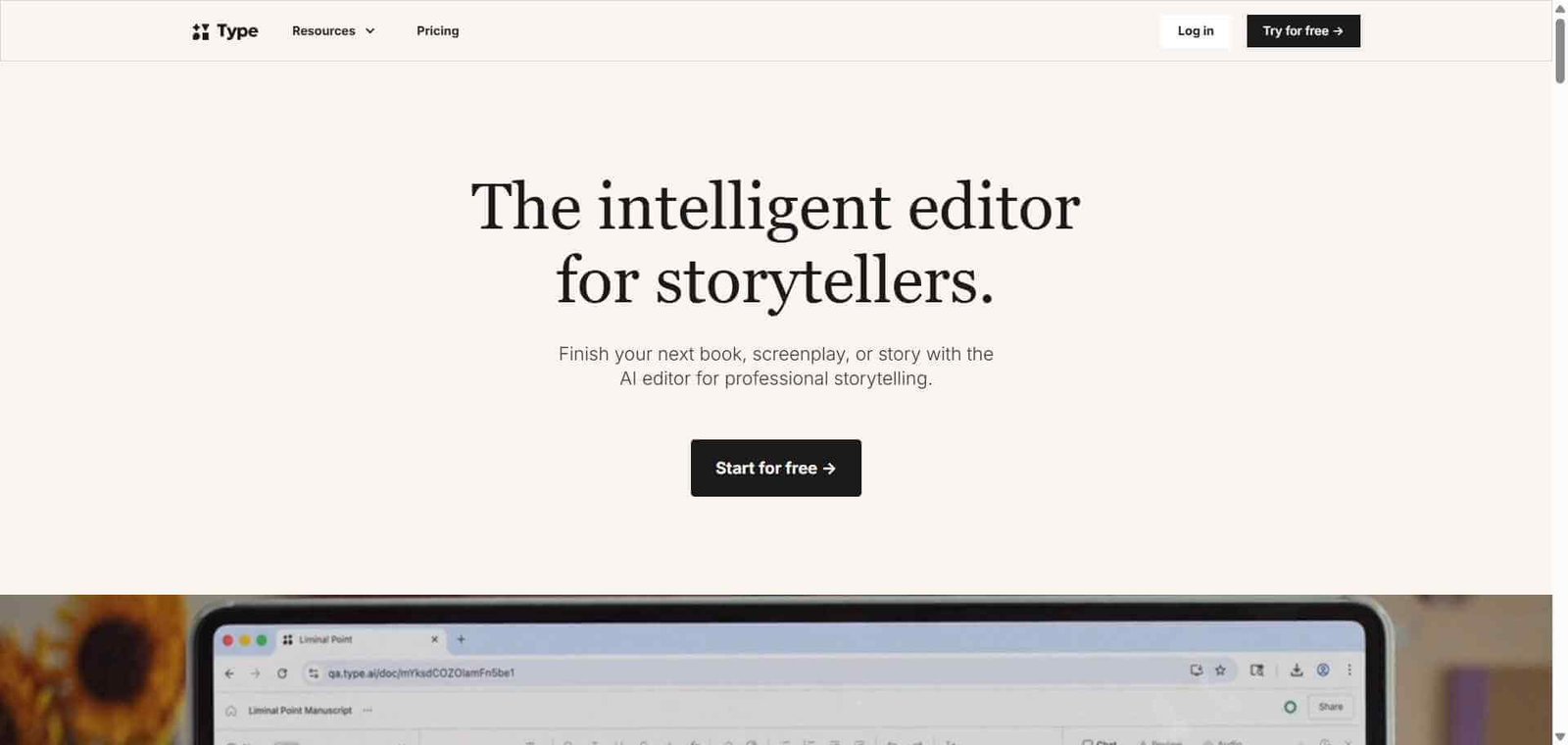
Type AI is a document editor designed from the ground up around AI-assisted writing rather than adding AI features to an existing editor. The interface is clean and distraction-free, and the AI is accessible through simple keyboard shortcuts and slash commands that invoke assistance inline without breaking the writing flow.

The product is built on the observation that the best use of AI in writing is not to replace the writer but to reduce the friction in the drafting process — helping writers get past blank pages, continue thoughts that stall, find better phrasings, and fill in sections they know the shape of but have not fully articulated yet.

How Type AI Works

  • Create a new document at type.ai. The editor opens in a clean, distraction-free interface focused entirely on writing.
  • Write your document as normal. Type the content you are confident about. The AI is available when you need it rather than interrupting your flow when you do not.
  • Invoke AI assistance inline. Use a keyboard shortcut or slash command to bring up the AI assistant at any point in your document. Options include continue writing, rephrase this sentence, expand this paragraph, shorten this section, and improve the writing.
  • Accept, reject, or modify AI suggestions. Review the AI output directly inline. Accept it if it fits, regenerate for a different approach, or edit the suggestion before accepting.
  • Use prompts for generation. When starting a new section, use a prompt to generate an initial draft of a paragraph or section based on a brief description, then edit it into your voice.
  • Collaborate and share. Share documents with collaborators who can read, comment, or edit depending on the permissions you set.

Key Features

  • Distraction-free AI-native document editor
  • Inline AI assistance invoked at any cursor position during writing
  • Continue writing using the existing document context and tone
  • Rephrase, shorten, expand, and improve commands for existing text
  • Paragraph and section generation from brief prompts
  • Tone adjustment to match your preferred writing style
  • Document templates for common professional formats
  • Collaboration and sharing features

Real-World Use Cases

  • Article and blog post drafting: Write the outline and key points yourself, then use Type AI to expand each point into full paragraphs that you edit to match your voice precisely.
  • Professional report writing: Draft the analytical sections of a business report yourself and use AI to help with the connecting narrative, executive summary, and recommendation sections where phrasing matters.
  • Email and proposal drafting: Write emails and proposals faster by using AI to generate initial drafts of standard sections that you customise to the specific situation.
  • Creative writing assistance: Use the continue writing feature to push through writer’s block by generating possible continuations that either fit directly or spark your own ideas for where to take the content.

Pros and Cons


ProsCons
Inline AI assistance integrates naturally into writing flowLess suited for high-volume automated content generation
Distraction-free interface suits focused writing sessionsDocument management features less developed than Notion or Google Docs
AI suggestions maintain document context and tone reasonably wellCollaboration features less mature than established document tools
Multiple assistance types cover the most common writing needsFree plan limited in AI usage credits
Clean approach contrasts with feature-heavy alternativesLess community and template content than established writing tools

Pricing & Plans

Free — $0/month
  • Limited AI assistance credits per month
  • Core editor features
  • Basic templates
  • Standard collaboration
Pro — $29/month
  • Unlimited AI assistance
  • All assistance types
  • Advanced tone controls
  • Priority processing
  • Full template library

Best Alternatives & Comparisons

  • Notion AI — Better for knowledge management alongside AI writing, more comprehensive as an all-in-one workspace
  • Rytr — Better for short-form content generation at lower cost, less integrated document writing experience
  • Longshot AI — Better for SEO-optimised long-form content with fact-checking, less focused on inline writing assistance
  • Lex — Similar AI-native document editor concept with a slightly different design approach

Frequently Asked Questions (FAQ)

What is Type AI?

Type AI is an AI-native document editor with inline AI assistance for drafting, rewriting, expanding, and improving documents, designed to integrate AI naturally into the writing process rather than provide one-shot content generation.

Is Type AI free?

Yes, Type AI offers a free plan with limited monthly AI credits. The Pro plan at $29/month provides unlimited AI assistance across all features.

How does Type AI's inline assistance work?

At any point in your document, you can invoke the AI assistant through a keyboard shortcut or slash command. The assistant offers options including continue writing, rephrase, expand, shorten, and improve, all applied directly inline without leaving the editor.

How is Type AI different from ChatGPT for writing?

Type AI maintains context across your entire document and applies AI assistance inline within your writing flow. ChatGPT is a separate conversation interface where you copy content back and forth. Type AI is a more integrated writing experience; ChatGPT is more flexible for open-ended content tasks.

Does Type AI maintain my writing voice?

Type AI uses your existing document content as context for all AI assistance, which helps maintain tonal consistency. However, AI suggestions still require review and editing to ensure they match your specific voice, particularly on nuanced professional or creative content.

Can multiple people collaborate in Type AI?

Yes, Type AI supports document sharing and collaboration with permission controls, though the collaboration features are less developed than those in Google Docs or Notion.

Final Recommendation

Type AI represents a more thoughtful approach to AI writing assistance than the generate-and-edit workflow that most tools impose. The inline assistance model respects the writing process and produces outcomes that feel like your own work supported by AI rather than AI output edited down by you. For professionals and writers who create regular written content and want AI that works alongside them rather than instead of them, Type AI is worth the Pro plan investment.

Next steps

Feature your app on AI tools for free

Subscribe to our Newsletter

Stay up-to-date with the latest AI Apps and cutting-edge AI news.

Trending Categories