itirupati.com AI Tools

Julius AI

Ask questions about your data in plain English — Julius analyses, visualises, and explains instantly.

Julius AI Review: The AI Data Analyst That Removes the Barrier Between Your Data and Your Answers

Data analysis has a skills barrier — extracting meaningful insights from spreadsheets and databases typically requires SQL knowledge, Python or R proficiency, or expertise in BI tools that take months to learn. Julius AI removes this barrier entirely by letting anyone ask questions about their data in plain English and receiving accurate analysis, charts, and explanations in return. For business teams, marketers, and analysts who want insights from their data without the technical overhead of traditional analysis tools, Julius AI delivers a genuinely accessible alternative.

Quick Summary

Julius AI is an AI data analysis platform that connects to spreadsheets, CSV files, and databases to answer analytical questions, generate charts and visualisations, perform statistical analysis, and produce written summaries through natural language conversation — without requiring SQL or coding knowledge.

Is it worth using? Yes for business professionals, marketers, and analysts who want to extract insights from their data through conversation rather than code, and for teams who want to democratise data access without requiring every member to learn BI tools.
Who should use it? Business analysts, marketing managers, operations teams, and any professional who regularly needs to analyse spreadsheet or CSV data and wants AI to handle the technical analysis layer.
Who should avoid it? Data scientists and engineers who need full SQL and Python control for complex analysis pipelines, where traditional data tools provide more power and flexibility.

Verdict Summary

Best for

  • Business professionals who have data in spreadsheets but lack the technical skills to perform analysis beyond basic Excel functions — Julius answers the questions they could not previously answer without a data analyst
  • Marketing and operations teams who want to analyse campaign performance, sales data, or operational metrics through conversation without waiting for a data team to run queries
  • Analysts who want to accelerate their workflow by using AI to generate initial analysis and visualisations that they refine rather than build from scratch

Not for

  • Data scientists and engineers who need full programmatic control over complex multi-step analysis pipelines
  • Teams whose data lives in enterprise data warehouses requiring complex ETL that Julius does not support
  • Users who need real-time streaming data analysis

Rating
⭐⭐⭐⭐ 4.3 / 5

What Is Julius AI?

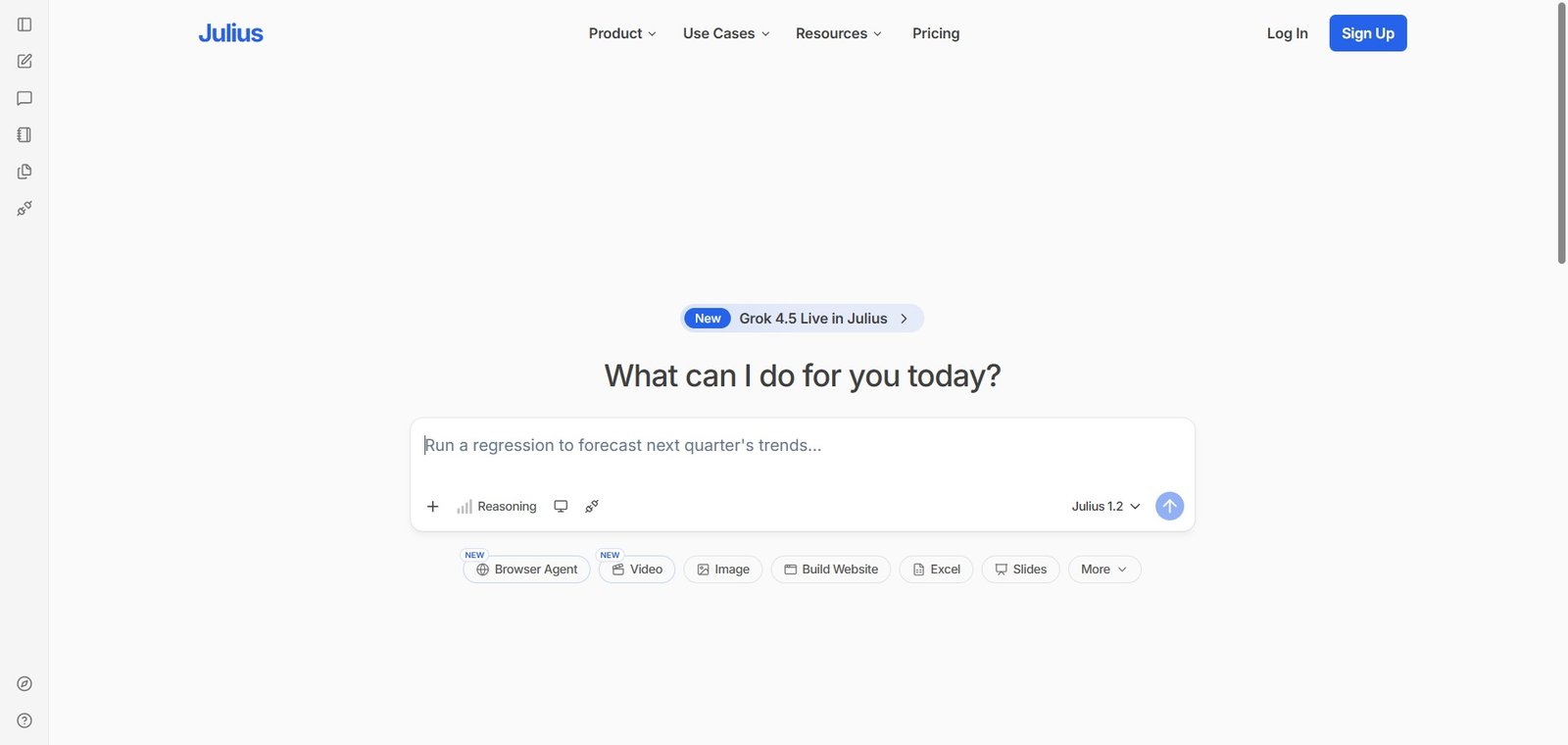
Julius AI is a conversational data analysis platform that connects to data sources — CSV files, Excel spreadsheets, Google Sheets, and databases — and allows users to ask analytical questions in plain English. Julius interprets the question, writes and executes the analysis code internally, and returns the result as a clear answer, chart, table, or written summary — without the user ever seeing or writing code.

The platform handles a wide range of analysis tasks — from simple aggregations and filters to statistical analysis, trend identification, correlation analysis, forecasting, and data cleaning — making it useful for both quick exploratory questions and more structured analytical workflows.

How Julius AI Works

  • Upload or connect your data. Upload a CSV or Excel file, connect a Google Sheet, or connect a database. Julius reads the data structure and is ready to answer questions immediately.
  • Ask your question. Type an analytical question in plain English — “what were the top 5 products by revenue last quarter?” or “is there a correlation between marketing spend and customer acquisition?” — and Julius analyses the data to answer.
  • Review the result. Julius returns the answer as text, a chart, a table, or a combination — with an explanation of how the analysis was performed for transparency.
  • Follow up conversationally. Continue the conversation to refine the analysis — “show the same breakdown by region” or “filter this to only include customers who joined in 2024” — each follow-up builds on the previous context.
  • Export results. Download charts, tables, and written analysis for use in reports, presentations, and sharing with stakeholders.
  • Automate recurring analysis. Set up recurring analysis workflows that run automatically on refreshed data — delivering regular insights without manual re-execution.

Key Features

  • Natural language data analysis — ask questions in plain English
  • Support for CSV, Excel, Google Sheets, and database connections
  • Automatic chart and visualisation generation from analytical questions
  • Statistical analysis including correlation, regression, and forecasting
  • Data cleaning and transformation through conversational instructions
  • Conversational follow-up maintaining analysis context across questions
  • Written summary generation for sharing insights with non-technical stakeholders
  • Code transparency showing the analysis logic behind each result
  • Export of charts, tables, and reports for external use

Real-World Use Cases

  • Marketing performance analysis: A marketing manager uploads their monthly campaign data CSV and asks Julius “which campaigns had the highest ROI last month?” and “how does email performance compare to paid social?” — receiving accurate charts and summaries in seconds without any Excel formula work.
  • Sales pipeline review: A sales operations manager connects their CRM export to Julius and asks “what is the average deal cycle length by industry?” and “which sales reps have the highest win rates in Q3?” — getting instant analysis for the weekly pipeline review without waiting for a BI report.
  • Financial reporting: A startup founder uploads their P&L spreadsheet and asks Julius to identify the largest cost increases month-over-month and project the next quarter’s burn rate — receiving analysis and forecasts that previously required a financial analyst.
  • Survey data analysis: A researcher uploads a survey CSV with 500 responses and asks Julius to identify the most common themes, cross-tabulate responses by demographic, and summarise the key findings — compressing hours of manual analysis into minutes.

Pros and Cons

ProsCons
Natural language interface removes the SQL and coding barrier for non-technical usersLess suitable for complex multi-step analysis pipelines requiring full programmatic control
Conversational follow-up maintains context making exploratory analysis genuinely fluidData privacy requires careful consideration for sensitive business data
Chart generation from questions removes the manual visualisation building stepAnalysis accuracy requires verification for high-stakes business decisions
Code transparency shows the logic behind each result for trust and learningFree plan limits analysis volume for regular business use
Handles statistical analysis including forecasting that most non-technical users cannot performEnterprise data warehouse integration less developed than traditional BI tools

Pricing & Plans

Free — $0/month
  • Limited monthly analyses
  • CSV and Excel upload
  • Basic charts
  • Community support
Basic — $20/month
  • More monthly analyses
  • All data connections
  • Advanced charts
  • Data cleaning
  • Priority support
Essential — $40/month
  • Unlimited analyses
  • All Basic features
  • Statistical analysis
  • Forecasting
  • Priority support
Pro — $80/month
  • All Essential features
  • Database connections
  • Automated workflows
  • API access
  • Priority support

Best Alternatives & Comparisons

  • Rows AI — Better for spreadsheet-native AI analysis with a built-in spreadsheet interface
  • Obviously AI — Better for no-code predictive machine learning on tabular data
  • Polymer — Similar AI data analysis with business intelligence focus
  • ChatGPT with Code Interpreter — Similar natural language data analysis for users already using ChatGPT

Frequently Asked Questions (FAQ)

What is Julius AI?

Julius AI is an AI data analysis platform that connects to spreadsheets and databases to answer analytical questions, generate charts, perform statistical analysis, and produce written summaries through natural language conversation without requiring coding knowledge.

Is Julius AI free?

Yes, Julius AI offers a free plan with limited monthly analyses. The Basic plan at $20/month provides more analyses with all data connections and advanced charts.

What data formats does Julius AI support?

Julius supports CSV files, Excel spreadsheets, Google Sheets, and database connections — covering the most common data formats that business professionals use for analysis.

Does Julius AI write code?

Julius AI internally generates and executes code to perform the analysis — but users never see or write the code themselves. The code transparency feature shows what was executed for users who want to understand the analysis logic.

How accurate is Julius AI analysis?

Julius AI performs accurate analysis for standard analytical questions on well-structured data. For high-stakes business decisions, results should be verified, particularly for complex statistical analyses. The code transparency feature helps technical users spot any analysis issues.

How does Julius AI compare to Rows AI?

Julius AI is a conversational analysis tool where you ask questions about uploaded data. Rows AI is a spreadsheet application with AI capabilities built in. Julius is better for exploratory analysis through conversation; Rows AI for users who want a spreadsheet interface with AI assistance.

Final Recommendation

Julius AI is the most accessible AI data analysis tool available for business professionals who have data but lack the technical skills to extract full value from it. The conversational interface, automatic chart generation, and statistical analysis capabilities deliver insights that previously required a data analyst or BI tool expertise — making data-informed decision-making genuinely accessible to every team member regardless of technical background. For any professional who regularly opens a spreadsheet wishing they could just ask it a question, Julius AI is exactly that.

Next steps

Feature your app on AI tools for free

Subscribe to our Newsletter

Stay up-to-date with the latest AI Apps and cutting-edge AI news.

Trending Categories