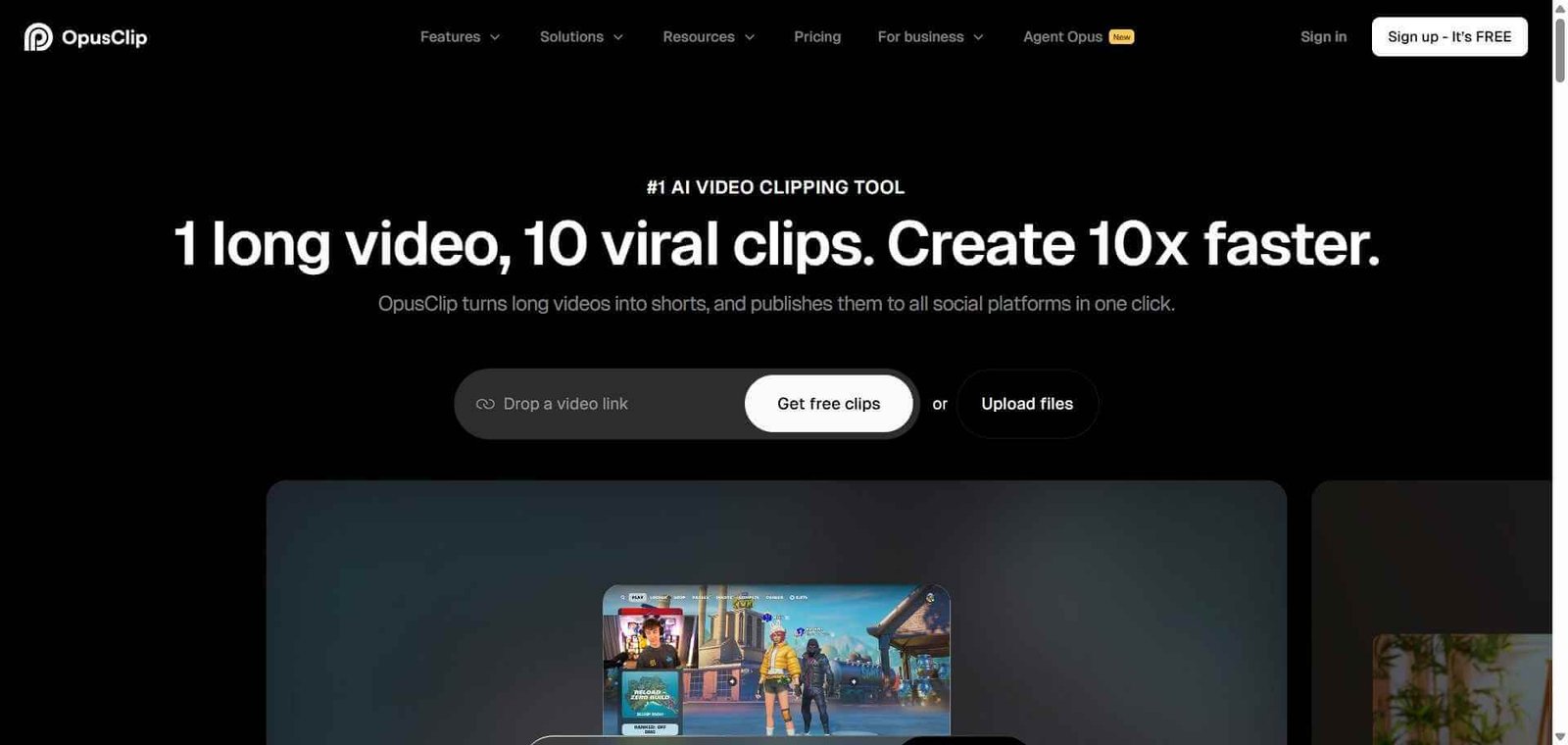
Opus Pro Review: AI Video Repurposing Tool That Turns One Video into a Week of Content
Recording a long-form video is the easy part of content creation in 2026. Turning that single recording into ten short clips for TikTok, Instagram Reels, YouTube Shorts, and LinkedIn is the part that burns creator time. Opus Pro automates that entire process — it watches your long video, identifies the most engaging moments using AI, clips them, adds animated captions, reformats for vertical viewing, and scores each clip with a predicted virality rating. What used to take hours of manual editing now takes minutes.
Quick Summary
Opus Pro is an AI video repurposing platform that automatically extracts the most engaging short clips from long videos, adds animated captions, reformats for vertical platforms, and scores each clip for predicted viral performance.
Is it worth using? Yes for any podcaster, YouTuber, or long-form video creator who wants to maintain a short-form social presence without spending hours manually clipping every episode. Who should use it? Podcasters, YouTubers, course creators, social media managers, and content teams who produce long-form video and want to systematically repurpose it into short-form clips. Who should avoid it? Creators who produce only short-form content natively without long source videos to repurpose.
Verdict Summary
Best for
Podcasters automatically generating social media clips from every episode without manual editing
YouTubers repurposing long videos into Shorts and Reels to drive new audience discovery
Social media managers handling multi-client content repurposing at volume
Not for
Creators who produce only native short-form content without long source recordings
Teams needing full video editing capability beyond clipping and captioning
Users whose primary need is live streaming rather than recorded content repurposing
Rating ⭐⭐⭐⭐ 4.4 / 5
What Is Opus Pro?
Opus Pro is an AI video repurposing platform that addresses one of the most consistent pain points in content creation: the gap between long-form content production and short-form social distribution. It uses a combination of natural language processing, engagement signal analysis, and computer vision to watch a long video, identify the moments most likely to perform well as short-form clips, extract them with precise timing, and produce finished vertical clips ready for social publishing.
The platform’s AI clip scoring feature gives each generated clip a virality score based on factors like hook strength, pacing, emotional peaks, and topic relevance, helping creators prioritise which clips to publish first without watching every one.
How Opus Pro Works
Import your long video. Paste a YouTube URL, upload a video file directly, or connect Google Drive or Zoom to import your source content. Opus Pro processes videos up to several hours long.
AI analyses the content. Opus Pro transcribes the full video and uses AI to identify the most engaging moments based on hook quality, emotional peaks, topic density, and audience retention signals.
Clips are generated automatically. The platform produces multiple short clips ranging from 30 seconds to 3 minutes, each with a virality score and preview.
Review and select your clips. Watch previews of each generated clip, check the virality scores, and select which ones to use. The AI ranking helps you prioritise the strongest content.
Customise captions and branding. Edit the animated caption style, font, and colour. Add your logo and brand overlay. Adjust clip timing if needed.
Publish directly to social platforms. Schedule or publish finished clips directly to TikTok, Instagram Reels, YouTube Shorts, and LinkedIn from within Opus Pro.
Key Features
AI-powered moment identification with virality scoring for each clip
Automatic animated caption generation with word-level timing sync
Auto-reframing repositioning speakers into vertical crop automatically
Direct publishing to TikTok, Instagram, YouTube Shorts, and LinkedIn
Support for YouTube URL import, direct upload, Zoom, and Google Drive
AI clip scoring rating each clip on predicted engagement performance
Multi-language caption support for international content distribution
Batch processing for handling multiple long videos simultaneously
Real-World Use Cases
Podcast repurposing: Process every new podcast episode automatically and generate eight to ten social media clips per episode for the week’s content calendar without manual editing.
YouTube to Shorts pipeline: Turn long YouTube videos into a steady stream of Shorts that surface the channel to new viewers through short-form discovery algorithms.
Webinar content marketing: Extract the strongest insights from recorded webinars and publish them as thought leadership clips on LinkedIn to extend the reach of each event beyond attendees.
Agency content production: Handle video repurposing for multiple clients simultaneously, processing batches of long videos and delivering polished short clips faster than manual editing allows.
Advanced branding and custom templates on paid plans only
Pricing & Plans
Free — $0/month
60 minutes of video processing per month
Up to 10 clips per video
Standard caption styles
Watermarked export
Starter — $15/month
150 minutes per month
No watermark
All caption styles
Direct social publishing
Pro — $29/month
300 minutes per month
Batch processing
Custom branding and templates
Priority processing queue
Business — $99/month
1,200 minutes per month
Team seats included
White-label export options
API access
Best Alternatives & Comparisons
Submagic — Better for caption visual styling on short-form video, less focused on clip extraction from long content
Captions AI — Better for mobile-first creator workflows, less suited to long-form repurposing pipelines
Vizard AI — Similar repurposing workflow with strong multi-speaker handling for interview formats
Riverside FM — Better for the recording phase, Opus Pro handles the repurposing phase — they work well together
Frequently Asked Questions (FAQ)
What is Opus Pro?
Opus Pro is an AI video repurposing platform that automatically extracts the most engaging short clips from long videos, adds animated captions, reformats for vertical platforms, and scores each clip for predicted viral performance.
Is Opus Pro free?
Yes, Opus Pro offers a free plan with 60 minutes of video processing per month. Paid plans start at $15/month with 150 minutes and direct social publishing.
How does Opus Pro choose which clips to extract?
Opus Pro uses AI to analyse the transcript, engagement signals, hook strength, emotional peaks, and topic density of the full video to identify moments most likely to perform well as standalone short-form clips, then assigns each a virality score.
Can Opus Pro publish directly to TikTok?
Yes, Opus Pro connects directly to TikTok, Instagram, YouTube Shorts, and LinkedIn for direct scheduling and publishing without leaving the platform.
How long does Opus Pro take to process a video?
Processing time varies by video length and plan priority. A 60-minute video typically processes within 15 to 25 minutes on standard plans and faster on priority plans.
How does Opus Pro compare to Submagic?
Opus Pro focuses on extracting clips from long-form content for repurposing. Submagic focuses on adding visually styled captions to short-form content. They address different parts of the short-form content workflow and are often used together rather than as direct alternatives.
Final Recommendation
Opus Pro is the most complete AI solution for the long-form to short-form content repurposing workflow. The virality scoring, auto-reframing, and direct social publishing combine to turn what was a multi-hour manual editing task into something that takes under 30 minutes per episode. For any podcaster or YouTuber who has been leaving short-form content distribution on the table, the Starter plan at $15/month produces immediate return on investment.