Bing Copilot Review: Microsoft's Free AI Search Assistant That Brings GPT-4 to Everyone
When Microsoft integrated GPT-4 into Bing, it changed what free AI access looked like for hundreds of millions of users. Bing Copilot gives anyone with a Microsoft account access to GPT-4-powered conversational search, image generation via DALL-E, document analysis, and cited real-time web answers — all at no cost. For users who want the quality of GPT-4 without a ChatGPT Plus subscription, Bing Copilot is the most capable free alternative available within a familiar search interface.
Quick Summary
Bing Copilot is Microsoft’s AI-powered search assistant built on GPT-4 that combines real-time web search with conversational AI, providing cited answers, image generation, document analysis, and creative writing assistance directly within the Bing search experience.
Is it worth using? Yes, particularly as a free alternative to ChatGPT Plus that includes real-time web search and image generation without a monthly subscription. Who should use it? Everyday users who want AI-powered search with GPT-4 quality for free, students, researchers, and Microsoft 365 users wanting AI integrated into their existing workflow.
Who should avoid it? Power users with complex multi-turn reasoning needs who will benefit from the dedicated ChatGPT or Claude interfaces over an embedded search experience.
Verdict Summary
Best for
Users who want GPT-4 quality AI responses without paying for ChatGPT Plus
Researchers and students who need real-time web search combined with AI synthesis and citations
Microsoft 365 users wanting AI assistance integrated into their existing browser and productivity suite
Not for
Advanced users needing complex extended conversations and deep multi-turn reasoning chains
Developers who need API access to AI capabilities for building applications
Teams needing dedicated AI workspaces with conversation history management
Rating ⭐⭐⭐⭐ 4.2 / 5
How Bing Copilot Works
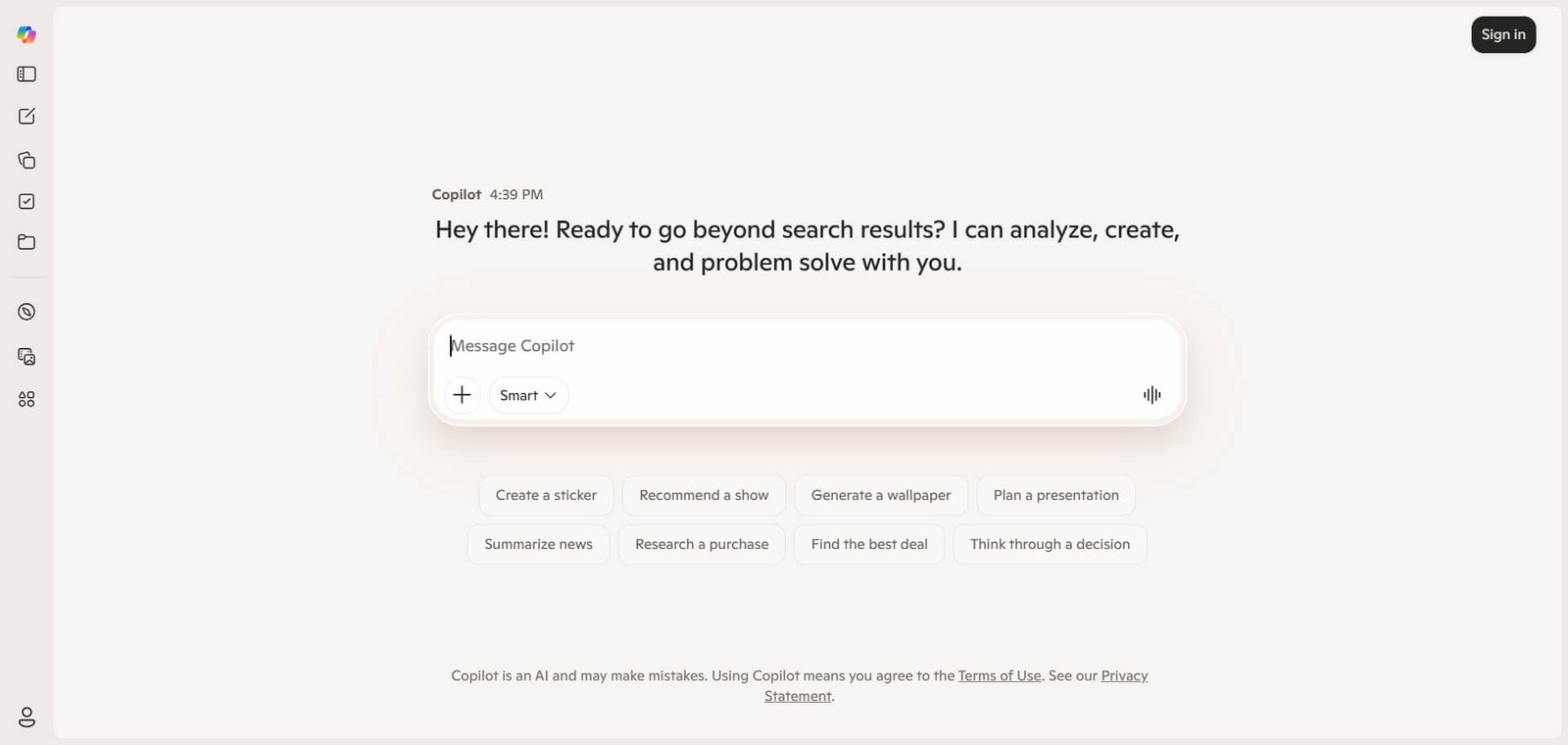
Bing Copilot is Microsoft’s AI assistant embedded into the Bing search engine, powered by the same GPT-4 technology that drives ChatGPT. It gives users the ability to conduct conversational search sessions where follow-up questions maintain context, ask complex questions that require synthesising information from multiple sources, generate images using DALL-E 3, and analyse documents or images uploaded directly into the chat.
The key differentiator from standalone AI assistants is the deep integration with real-time web search. Every response Bing Copilot generates that draws on current information is supported by inline citations linking to the source pages, making it more transparently grounded than ChatGPT’s standard responses. This combination of GPT-4 reasoning quality with cited live web data makes it one of the most useful free AI tools available for research and general knowledge tasks.
How Bing Copilot Works
Access at bing.com or through the Microsoft Edge sidebar. No special setup required. A free Microsoft account unlocks the full Copilot experience including image generation.
Type your question or prompt conversationally. Ask questions the way you would speak them rather than using keyword-style search queries. Bing Copilot understands natural language.
Choose your conversation style. Select from Creative, Balanced, or Precise modes depending on whether you want more imaginative responses, balanced answers, or factual precise output.
Review cited answers. Responses that draw on web sources include inline numbered citations linking to the original pages, allowing you to verify and explore sources directly.
Continue the conversation. Ask follow-up questions and Bing Copilot maintains the context of the entire conversation, refining and building on previous answers.
Generate images. Switch to the image generation mode and describe what you want to create. Bing Copilot uses DALL-E 3 to generate images for free without a separate subscription.
Key Features
GPT-4 powered conversational AI integrated into web search
Real-time web search with inline citations for every sourced claim
Three conversation modes: Creative, Balanced, and Precise
DALL-E 3 image generation included at no cost
Document and image upload for analysis and question-answering
Microsoft Edge sidebar integration for AI assistance while browsing any page
Integration with Microsoft 365 apps through Copilot ecosystem
No subscription required for core features with a free Microsoft account
Real-World Use Cases
Research with citations: Ask complex research questions and receive answers synthesised from current web sources with citations you can verify, without paying for Perplexity Pro or ChatGPT Plus.
Free image generation: Generate images for presentations, social media, and creative projects using DALL-E 3 quality without purchasing a separate image generation subscription.
Document summarisation: Upload a PDF or document and ask Bing Copilot to summarise it, extract key points, or answer specific questions about its content.
Browsing assistance: Use the Edge sidebar to ask questions about any web page you are currently reading, getting AI-powered context and explanations without leaving the page.
Turn limits per conversation can interrupt complex sessions
Real-time web citations included by default
Less capable than dedicated ChatGPT interface for extended reasoning
DALL-E 3 image generation at no additional cost
Microsoft account required for full feature access
No subscription needed for most core features
Conversation history management less sophisticated than ChatGPT
Edge sidebar brings AI assistance to any browsing session
Creative mode can produce less factually grounded responses
Note: Pricing can change — refer to Grok’s official pricing page for updates.
Pricing and Plans
Free — $0/month
GPT-4 powered AI responses
Real-time web search with citations
DALL-E 3 image generation
Document and image analysis
Microsoft account required
Microsoft Copilot Pro — $20/month
Priority access during peak times
Faster response speeds
Integration with Microsoft 365 apps (Word, Excel, PowerPoint, Outlook)
Extended conversation capabilities
Access to latest GPT-4 Turbo model
Best Alternatives and Comparisons
Perplexity AI — Better for deep cited research with more sophisticated source filtering and academic focus
ChatGPT — Better for extended complex conversations and advanced reasoning, requires paid plan for GPT-4
You.com — Better for multi-model access in one platform with more mode variety
Claude AI — Better for long document analysis and nuanced reasoning tasks
Frequently Asked Questions (FAQ)
What is Bing Copilot?
Bing Copilot is Microsoft’s AI-powered search assistant built on GPT-4 that provides conversational AI responses with real-time web citations, DALL-E 3 image generation, and document analysis integrated into the Bing search experience.
Is Bing Copilot free?
Yes, Bing Copilot’s core features including GPT-4 responses, real-time web search, and DALL-E 3 image generation are available for free with a Microsoft account. Copilot Pro at $20/month adds Microsoft 365 integration and priority access.
Does Bing Copilot use GPT-4?
Yes, Bing Copilot is powered by GPT-4 and its variants, providing response quality equivalent to ChatGPT Plus without requiring a paid subscription for most use cases.
How does Bing Copilot differ from regular Bing search?
Regular Bing search returns a list of web results. Bing Copilot synthesises information from across the web into a conversational answer with inline citations, maintains conversation context across follow-up questions, and generates images and analyses documents.
Can Bing Copilot generate images for free?
Yes, Bing Copilot includes DALL-E 3 image generation through Bing Image Creator at no cost, which is one of the most significant free AI benefits it provides over standalone AI assistants.
How does Bing Copilot compare to Perplexity AI?
Bing Copilot provides broader general AI assistance including image generation and document analysis. Perplexity AI provides deeper citation quality and more sophisticated academic research filtering. For general free AI assistance, Bing Copilot covers more ground. For serious research work, Perplexity AI is the stronger tool.
Final Recommendation
Bing Copilot is the most capable free AI tool available to the broadest audience in 2026. The combination of GPT-4 quality responses, real-time web citations, and free DALL-E 3 image generation in one place — at zero cost — makes it the default recommendation for anyone who wants serious AI assistance without a monthly subscription. For Microsoft 365 users, the Pro plan at $20/month extends that value directly into their daily productivity suite.