Flowise Review: The Open-Source LLM Builder That Lets Developers Skip the LangChain Boilerplate
Building LLM-powered applications used to mean writing LangChain code, managing prompt chains manually, wiring up vector databases through Python, and debugging complex orchestration logic before getting to the interesting part of the application. Flowise replaces that boilerplate with a visual drag-and-drop node graph — the same LangChain building blocks, the same RAG pipelines, the same agent tool-calling logic — but assembled visually rather than written in code. Developers get to the working prototype in an afternoon rather than a week, and the open-source Apache 2.0 licence means no vendor lock-in and zero platform cost when self-hosting.
Quick summary
Flowise is an open-source, drag-and-drop LLM workflow builder for constructing AI agents, RAG chatbots, and LLM applications visually — built on LangChain and LlamaIndex, supporting 100 plus integrations, free to self-host under Apache 2.0 licence, with managed cloud plans from $35/month and 21,000 plus GitHub stars.
Is it worth using? Yes for developers, technical teams, and indie builders who want to build LLM-powered applications, RAG chatbots, and AI agents through a visual interface without writing LangChain orchestration code from scratch. Who should use it? Developers, AI engineers, indie builders, and technical agencies who want to prototype and deploy LLM applications, document Q&A chatbots, and AI agents faster than code-first approaches allow. Who should avoid it? Non-technical users expecting a polished SaaS experience — Flowise requires some technical knowledge for setup and offers community-only support on free tiers.
Verdict Summary
Best for
Developers who want to build RAG document Q&A systems, customer service chatbots, and multi-step AI agents faster than LangChain code allows — visual node assembly dramatically compresses prototype-to-working-demo time
Technical agencies building client-facing AI products who want to deliver isolated chatflows for each client from a single Flowise instance without clients needing their own Flowise accounts
Teams who want full data sovereignty and infrastructure control — self-hosting under Apache 2.0 gives complete ownership with zero platform dependency
Not for
Non-technical teams expecting no-code SaaS ease — Flowise requires developer involvement for setup, configuration, and debugging
Teams whose LLM application needs include extremely high prediction throughput where self-hosting infrastructure becomes the primary engineering concern
Users who need phone support, onboarding wizards, or guided setup — documentation is the primary support resource
Rating ⭐⭐⭐⭐ 4.3 / 5
What Is Flowise?
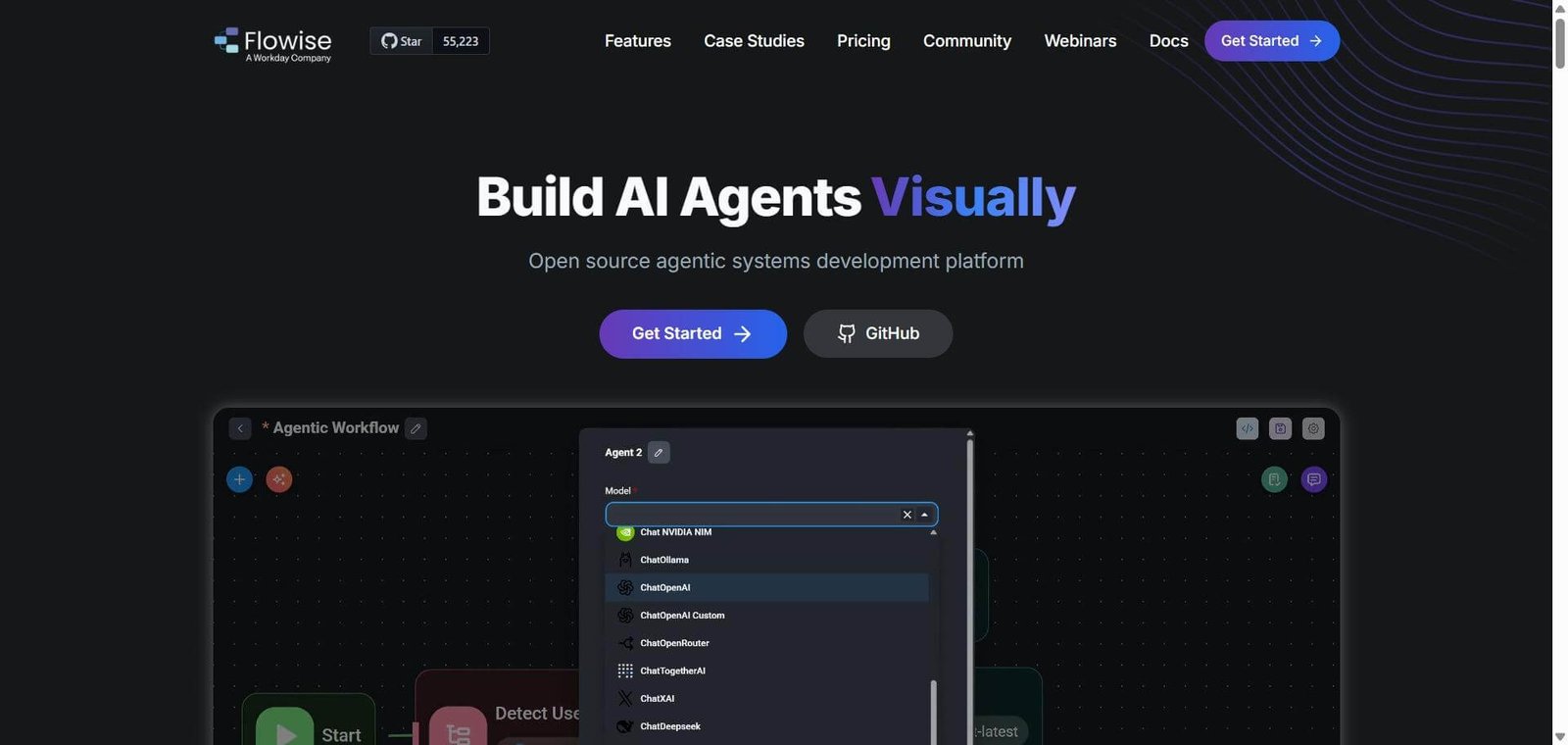
Flowise is an open-source visual workflow builder for LLM applications launched in 2023. It exposes LangChain and LangChain.js building blocks — chains, retrieval-augmented generation, tools, memory, and agents — through a drag-and-drop node interface rather than Python or JavaScript code. In 2026 the platform has two primary workflow types: Chatflow for linear sequential pipelines suited to Q&A bots and retrieval, and Agentflow for autonomous agent loops where the model decides which tools to call — suited to research, multi-step task execution, and customer service automation.
With over 21,000 GitHub stars and 100 plus integrations, Flowise has become the default visual LLM builder for developers who want speed and control without vendor lock-in. Workday acquired Flowise to power agent-building inside its platform — though the Apache 2.0 licence ensures the open-source codebase remains independently usable regardless of commercial direction.
How Flowise Works
Open the canvas. Access Flowise through the cloud interface or a self-hosted instance. The visual canvas shows available nodes on the left — LLMs, vector stores, document loaders, tools, memory, and output parsers.
Connect nodes visually. Drag nodes onto the canvas and connect them by drawing edges between input and output ports — assembling the LLM chain, RAG pipeline, or agent workflow without writing orchestration code.
Configure each node. Click a node to open its configuration panel — setting API keys, model parameters, prompt templates, chunk sizes, retrieval settings, and tool definitions through form fields rather than code.
Test in the canvas. Chat directly with the assembled flow in the canvas — iterating on the configuration and observing how the flow behaves before deployment.
Deploy via embed or API. Embed the chatflow as a widget in a website or application, expose it via REST API, or integrate with existing systems through the available SDKs.
Build multi-agent workflows. Use Agentflow to create autonomous agents with multiple tools — the agent selects which tools to call based on the task, coordinating multi-step workflows without hardcoded logic.
Key Features
Visual drag-and-drop node canvas for assembling LLM applications without code
Chatflow and Agentflow — linear pipelines and autonomous agent loops in the same platform
100 plus integrations including LangChain, LlamaIndex, OpenAI, Anthropic, Pinecone, Weaviate, Chroma, and others
RAG pipeline support with document loading, chunking, embedding, and vector retrieval nodes
Multi-agent coordination for distributed autonomous workflows
Human-in-the-loop review integration for validating agent actions
Embeddable chat widget and REST API for deployment into websites and applications
Self-hosting under Apache 2.0 licence — zero platform cost and full data sovereignty
Managed cloud plans from $35/month for teams who want hosted infrastructure
21,000 plus GitHub stars — active community with extensive tutorial and template resources
Real-World Use Cases
Document Q&A chatbot: A professional services firm builds a knowledge base chatbot using Flowise — connecting a PDF document loader, OpenAI embeddings, a Pinecone vector store, and a GPT-4 chain in the visual canvas. The chatbot answers employee questions from internal policies and procedures documents, deployed as an embedded widget on the company intranet.
Agency white-label delivery: A boutique AI consultancy hosts a single Flowise instance and builds isolated chatflows for each client — a document Q&A bot for a law firm, a product recommendations agent for a retailer, a support bot for a SaaS company. Each flows exports and deploys independently through the API without clients needing their own infrastructure.
Customer service automation: A startup builds a multi-tool customer service agent in Agentflow — the agent accesses a product database tool, an order status API tool, and a knowledge base retrieval tool, selecting the right tool for each customer query without hardcoded routing logic.
Research agent: A research team builds a multi-step research agent that searches the web, retrieves papers from Semantic Scholar, summarises findings, and produces a structured report — the entire workflow assembled visually in Flowise without writing the orchestration code that would require a week of development time.
Open-source Apache 2.0 — self-host for zero platform cost with full data sovereignty and no vendor lock-in
Non-technical users will struggle — setup, configuration, and debugging require developer involvement
Visual node assembly compresses prototype-to-working-demo time from weeks to hours
Community-only support on free and Starter tiers — no phone support or onboarding wizard
100 plus integrations cover every major LLM, vector database, and tool in the AI application stack
Cloud plan prediction metering — active chatbots can outgrow Starter’s 10,000 monthly predictions quickly
Agentflow enables autonomous multi-step agents without hardcoded routing logic
Subscription fee is only part of the real cost — LLM API tokens, vector database, and hosting add to total spend
21,000 plus GitHub stars — extensive community templates and tutorials reduce learning curve
Workday acquisition creates some uncertainty about long-term standalone product direction
Pricing & Plans
Free — $0/month
2 flows
100 predictions per month
5 MB storage
Community support
Starter — $35/month
Unlimited flows and assistants
10,000 predictions per month
1 GB storage
Community support
Pro — $65/month
50,000 predictions per month
10 GB storage
Priority support
Enterprise — Custom pricing
SSO/SAML authentication
Audit logs
Custom deployment options
Dedicated support
Self-hosting is free under the Apache 2.0 open-source licence — cloud plans are for teams who want managed infrastructure.
Best Alternatives & Comparisons
n8n — Better for general workflow automation beyond LLM-specific use cases, broader integration ecosystem
Langchain — Better for developers who want full programmatic control over LLM orchestration logic
Make AI — Better for business automation connecting apps without LLM-specific focus
Botpress — Better for non-technical teams wanting a managed chatbot platform with conversation design tools
Frequently Asked Questions (FAQ)
What is Flowise?
Flowise is an open-source drag-and-drop visual builder for LLM applications, AI agents, and RAG pipelines — built on LangChain and LlamaIndex, supporting 100 plus integrations, free to self-host, with managed cloud plans from $35/month.
Is Flowise free?
Yes — Flowise is free to self-host under the Apache 2.0 open-source licence with no platform cost. A free cloud tier provides 2 flows and 100 predictions per month. Managed cloud plans start at $35/month for unlimited flows.
Do I need coding knowledge to use Flowise?
Flowise significantly reduces coding requirements through its visual interface — but some technical knowledge is needed for setup, configuration, debugging, and integrating Flowise into production systems. Non-technical users expecting a fully managed SaaS experience will find the learning curve significant.
What is the difference between Chatflow and Agentflow?
Chatflow is a linear sequential pipeline — good for Q&A bots and document retrieval where the steps are predetermined. Agentflow is an autonomous agent loop where the model decides which tools to call based on the task — good for research, multi-step execution, and dynamic customer service workflows.
Can Flowise be self-hosted?
Yes — Flowise can be deployed on any server, cloud provider, or local machine under the Apache 2.0 licence. Self-hosting provides full data sovereignty, zero platform cost, and no dependency on Flowise’s commercial infrastructure.
How does Flowise compare to n8n?
Flowise is purpose-built for LLM application and AI agent building — its nodes, integrations, and workflow types are specifically designed for AI orchestration. n8n is a general workflow automation platform that includes LLM nodes among thousands of app integrations. Flowise for building AI-first LLM applications and agents. n8n for broader business automation that includes some AI capabilities.
Final Recommendation
Flowise is the most practical open-source tool available for developers who want to build LLM applications, RAG chatbots, and AI agents faster than code-first approaches allow — without vendor lock-in or platform cost when self-hosting. The visual node assembly, 100 plus integrations, and Agentflow autonomous agent capability cover the vast majority of AI application use cases that development teams encounter, and the Apache 2.0 licence ensures that investment in the platform survives any commercial direction changes. For any developer who has spent days writing LangChain orchestration boilerplate before reaching the interesting application logic, Flowise delivers the same outcome in an afternoon.